1. Pengenalan dan Lebihview
Welcome to the world of personal electric transportation with your new Jetson All Terrain Hoverboard. This manual provides essential information for the safe and effective operation, maintenance, and troubleshooting of your device. Please read it thoroughly before first use.
The Jetson Dash Hoverboard is designed for riders aged 12 and up, offering a fun and stable riding experience. It features:
- Active-Balance Technology: Provides a stable base for confident learning and riding.
- Anti-Slip Standing Pads: Ensures secure footing during operation.
- Durable, Supportive Tires: Built for various terrains.
- Lampu LED pelbagai warna: Integrated into the wheel rims for enhanced visibility and fun.
- Lampu Penunjuk Bateri: Keeps you informed about the charge level.
- UL-2272 Certified: Ensures safety and compliance with electrical and fire safety standards.

Figure 1: Jetson All Terrain Hoverboard - Dash Black. This image displays the hoverboard's overall appearance, highlighting its black body, teal footpads, and the vibrant LED lights on the wheel.
2. Persediaan
2.1 Membuka Kotak dan Pemeriksaan Awal
Carefully remove all components from the packaging. Verify that all parts are present: the Jetson Dash Hoverboard, charging adapter, and this user manual. Inspect the hoverboard for any signs of damage during transit. Do not use the hoverboard if any damage is observed.
2.2 Mengecas Papan Hover
Before first use, fully charge your hoverboard. Locate the charging port, typically on the underside or side of the device. Connect the charging adapter to the hoverboard, then plug it into a standard electrical outlet. The battery indicator lights will show the charging status. A full charge typically takes several hours. Disconnect the charger once the battery is full to prolong battery life.

Rajah 2: Belakang view of the hoverboard, indicating the location of the charging port and other connectors.
3. Arahan Operasi
3.1 Menghidupkan/Mematikan
To power on the hoverboard, press and hold the power button located near the charging port. The LED lights will illuminate, and the hoverboard will self-balance. To power off, press and hold the power button again until the lights turn off.
3.2 Memasang dan Menurun
- Letakkan papan hover di atas permukaan yang rata dan rata.
- Step onto one footpad with one foot, ensuring the hoverboard remains level.
- Quickly and confidently step onto the second footpad with your other foot. Maintain a relaxed posture and keep your body centered.
- To dismount, step off one foot at a time, preferably backward, ensuring the hoverboard remains stable.
3.3 Teknik Menunggang
The Jetson Dash Hoverboard is controlled by shifting your weight. Lean slightly forward to move forward, and lean backward to slow down or move in reverse. To turn, apply more pressure to the footpad on the side you wish to turn towards. Practice in an open, safe area until you are comfortable with the controls.
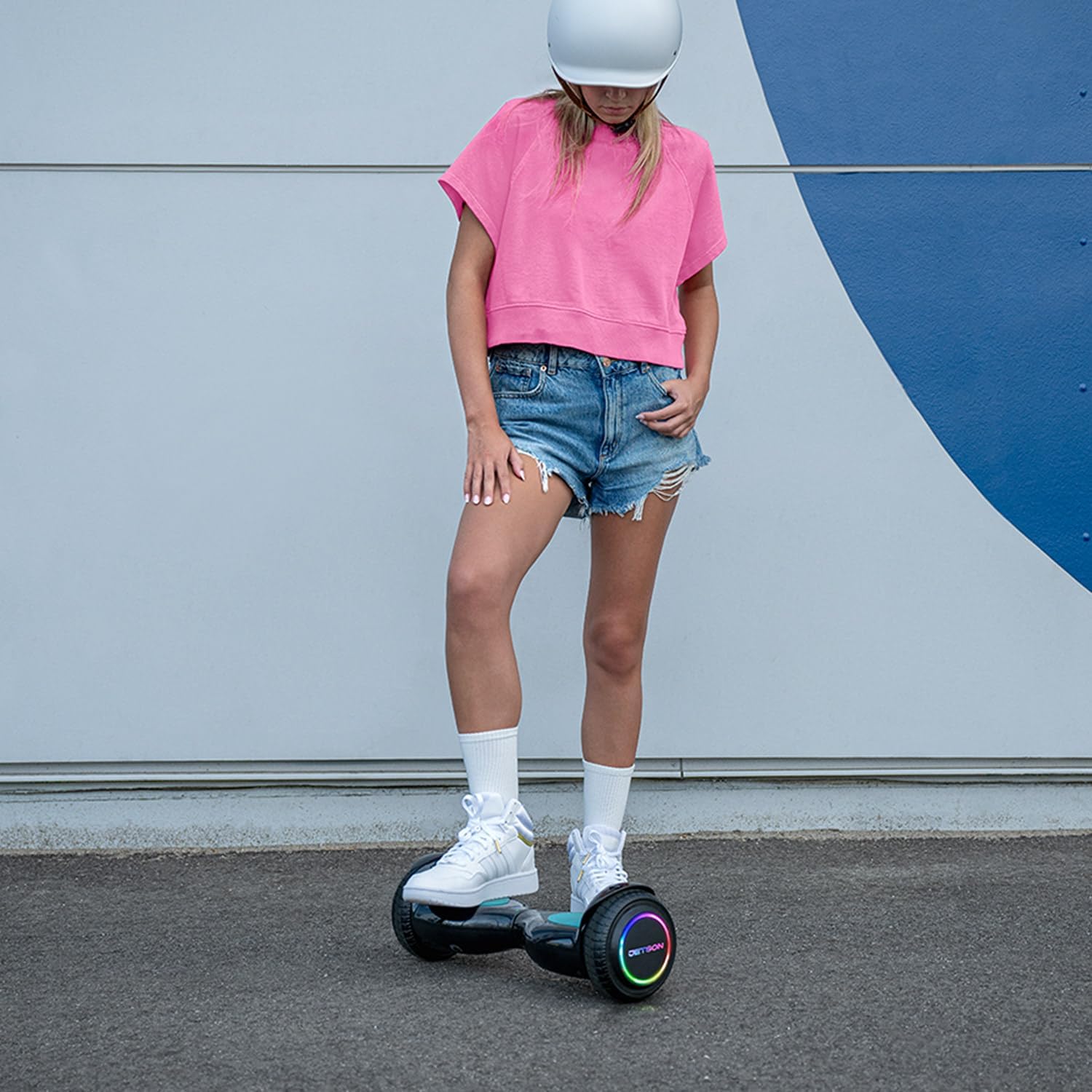
Figure 3: A rider demonstrating the use of the Jetson Dash Hoverboard, highlighting the active balance technology and the LED lights in action.

Rajah 4: Satu lagi view of a rider on the hoverboard, emphasizing the comfortable and stable stance provided by the anti-slip footpads.
3.4 Garis Panduan Keselamatan
- Sentiasa pakai peralatan keselamatan yang sesuai, termasuk topi keledar, pelapik lutut dan pelapik siku.
- Jangan melebihi had berat maksimum 220 paun (kira-kira 100 kg).
- The maximum speed is 5 mph. Ride at a safe speed appropriate for your skill level and surroundings.
- Elakkan menunggang di permukaan yang tidak rata, cerun curam atau berhampiran lalu lintas.
- Jangan menunggang di bawah pengaruh alkohol atau dadah.
- Supervise younger riders.
4. Penyelenggaraan
4.1 Pembersihan
To clean your hoverboard, wipe it with a damp cloth. Do not use harsh chemicals or abrasive cleaners. Ensure the charging port and other electrical components remain dry.
4.2 Penyimpanan
Store the hoverboard in a cool, dry place away from direct sunlight and extreme temperatures. If storing for an extended period, ensure the battery is partially charged (around 50%) to maintain battery health.
4.3 Penjagaan Bateri
Regularly charge the hoverboard, even if not in frequent use, to prevent deep discharge. Avoid overcharging. If the battery indicator shows low charge, recharge it promptly to avoid performance issues or damage.
5. Penyelesaian masalah
This section addresses common issues you might encounter with your Jetson Dash Hoverboard.
5.1 Hoverboard Not Turning On
- Ensure the battery is fully charged. Connect the charger and check the indicator lights.
- Verify the power button is being pressed correctly and held for a few seconds.
5.2 Beeping Sound During Operation
A continuous beeping sound, as demonstrated in the provided video, typically indicates a low battery charge. Recharge the hoverboard immediately. It may also beep if the hoverboard is not level or if the weight distribution is incorrect. Adjust your stance to ensure even pressure on both footpads.
5.3 Lampu LED Tidak Berfungsi
- Check if the hoverboard is powered on.
- Pastikan bateri mempunyai cas yang mencukupi.
- Jika masalah berterusan, hubungi sokongan pelanggan.
6. Spesifikasi
| Ciri | Perincian |
|---|---|
| Dimensi Pakej Item (L x W x H) | 21.5 x 8.1 x 7.1 inci |
| Berat Pakej | 13.2 paun |
| Dimensi Item (L x W x H) | 20.1 x 6.25 x 6.5 inci |
| Berat Barang | 11 paun |
| Nama Jenama | Jetson |
| Nama Model | Dash |
| warna | Hitam |
| bahan | plastik |
| Pengeluar | Jetson |
| Nombor Bahagian | JDASH-BLK |
| Gaya | Dash |
| Komponen yang Disertakan | hoverboard, manual, charger |
| Julat Umur (Perihalan) | belia |
| Ciri Khas | LED Light, Non-Slip Deck, Portable, Rechargeable |
7. Waranti dan Sokongan
7.1 Maklumat Waranti
Untuk maklumat jaminan terperinci, sila rujuk kepada pihak berkuasa rasmi pengeluar website. The product is UL-2272 certified, ensuring compliance with safety standards.
7.2 Sokongan Pelanggan
If you have any questions, require assistance, or need to report an issue, please visit the official Jetson store or contact their customer support directly. You can find more information and products at the Jetson Store on Amazon.