1. Produk Lebihview
The NEWCARE 4x1 4K@60Hz HDMI Switch allows you to connect up to four HDMI source devices to a single HDMI display. This device supports high-resolution video and advanced audio formats, providing a versatile solution for managing multiple entertainment or productivity devices.
Ciri-ciri Utama:
- Resolusi 4K@60Hz: Supports resolutions up to 4K@60Hz, 2K@120Hz, and 1080p@240Hz for clear and stable visuals.
- Advanced Audio/Video: Compatible with HDR10, Dolby Vision, and Dolby Atmos for immersive sound and vivid images.
- Lebar Jalur Tinggi: Offers up to 18Gbps bandwidth for smooth, lag-free performance.
- Kaedah Penukaran Berbilang: Features remote control, manual button, and automatic switching options.
- Keserasian Luas: Works with various HDMI-enabled devices including gaming consoles (PS5, Xbox Series X/S, Switch), streaming devices (Roku, Fire Stick), Blu-ray players, laptops, and TVs.
2. Kandungan Pakej
Sila sahkan bahawa semua item terdapat dalam pakej anda:
- NEWCARE 4x1 HDMI Switch Unit
- Alat Kawalan Jauh IR (memerlukan 2 bateri AAA, tidak termasuk)
- Kabel Kuasa USB
- Manual Pengguna

Image: Package contents of the NEWCARE 4x1 HDMI Switch.
3. Reka Letak Peranti
Familiarize yourself with the ports and indicators on your HDMI switch:

Imej: Depan dan belakang view of the HDMI switch with labeled ports and indicators.
- Output HDMI: Menyambung ke paparan anda (TV, monitor, projektor).
- HDMI Inputs (IN 1-4): Connects to your source devices (gaming consoles, Blu-ray players, etc.).
- LED Indicators (1-4): Lights up to show the currently active input.
- LED kuasa: Menunjukkan peranti dihidupkan.
- Penerima IR: Receives signals from the remote control. Ensure it is not obstructed.
- Butang Tukar: Mengitar sumber input secara manual.
- Micro-USB Power Port (5V): Connects to the provided USB power cable for power supply.
4. Arahan Persediaan
Follow these steps to set up your NEWCARE HDMI Switch:
- Sambungkan Peranti Sumber: Plug your HDMI source devices (e.g., PS5, Xbox, Roku) into the HDMI IN 1, IN 2, IN 3, and IN 4 ports on the HDMI switch using high-quality HDMI 2.0 cables.
- Paparan Sambungkan: Connect your TV, monitor, or projector to the HDMI OUTPUT port on the switch using an HDMI 2.0 cable.
- Sambungkan Kuasa: Connect the provided USB power cable to the Micro-USB Power Port on the switch, and then plug the other end into a 5V USB power adapter (not included) or a USB port on your display/computer. The Power LED will illuminate.
- Masukkan Bateri Jauh: Open the battery compartment of the remote control and insert 2 AAA batteries (not included), ensuring correct polarity.

Image: Connection diagram for the HDMI switch with multiple devices.
Video: An unboxing and setup demonstration of the NEWCARE HDMI Switch, showing the components and how to connect them.
5. Arahan Operasi
The HDMI switch offers three methods for switching between input sources:
5.1. Penukaran Manual
Press the 'Switch' button on the front of the device to cycle through the HDMI input sources (IN 1 → IN 2 → IN 3 → IN 4 → IN 1). The corresponding LED indicator will light up to show the active input.
5.2. Pensuisan Alat Kawalan Jauh
Use the provided IR remote control to select your desired input directly. Press the '1', '2', '3', or '4' button on the remote to switch to the corresponding HDMI input. Ensure the remote's IR signal has a clear line of sight to the IR Receiver on the switch.
5.3. Penukaran Automatik
The device can automatically switch to the last active input source when a new device is powered on or an active signal is detected. Note that some input devices may not fully support this feature, requiring manual or remote switching.
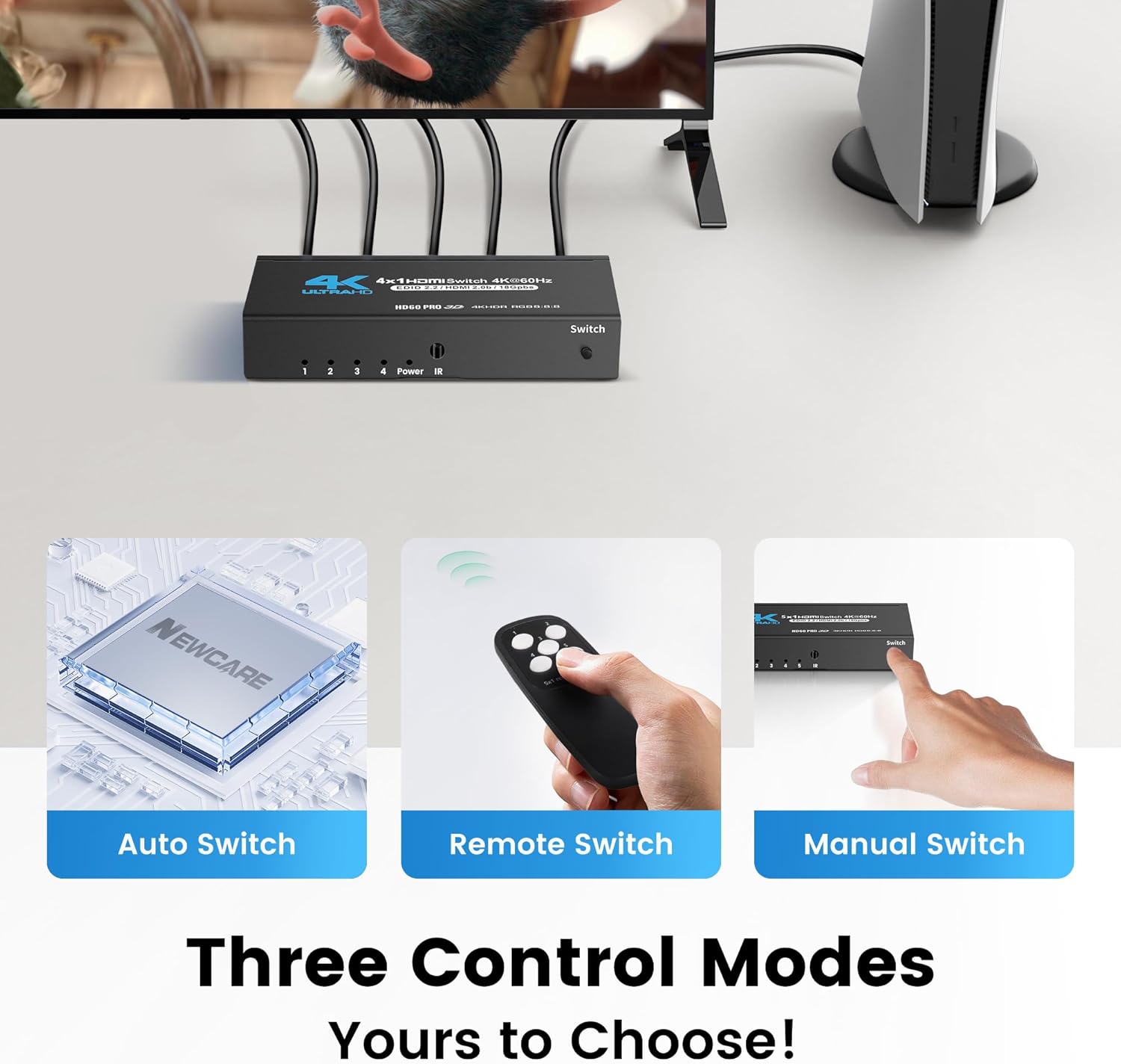
Image: Three control modes for the HDMI switch.
6. Penyelenggaraan
Untuk memastikan jangka hayat dan prestasi optimum suis HDMI anda, ikuti garis panduan penyelenggaraan ini:
- Pembersihan: Gunakan kain lembut dan kering untuk membersihkan peranti. Elakkan pembersih cecair atau bahan yang melelas.
- Persekitaran: Keep the switch in a dry, well-ventilated area, away from direct sunlight, high temperatures, and humidity.
- Pengurusan Kabel: Ensure HDMI cables are not excessively bent or strained. Use appropriate cable lengths (HDMI 2.0 cables under 10ft/3m are recommended for best stability with 4K@60Hz).
- Kuasa: Always use the provided USB power cable and a compatible 5V power adapter.
7. Penyelesaian masalah
If you encounter issues with your HDMI switch, refer to the following troubleshooting tips:
- Tiada Isyarat/Skrin Berkelip-kelip:
- Pastikan semua kabel HDMI disambungkan dengan selamat ke kedua-dua peranti sumber, suis dan paparan.
- Verify that the HDMI cables used are high-quality HDMI 2.0 or higher, especially for 4K@60Hz signals. Cable length can affect signal quality; try shorter cables (under 10ft/3m) if experiencing issues.
- Check if the correct input source is selected on both the HDMI switch and your display.
- Try restarting the source device and the HDMI switch.
- Alat Kawalan Jauh Tidak Berfungsi:
- Ensure the remote has fresh 2 AAA batteries installed with correct polarity.
- Make sure there are no obstructions between the remote control and the IR Receiver on the HDMI switch. The IR receiver needs to be exposed to receive signals.
- Try using the manual switch button on the device to confirm the switch itself is functional.
- Automatic Switching Not Functioning:
- Automatic switching relies on the source device's HDMI CEC (Consumer Electronics Control) capabilities. Not all devices fully support this feature.
- If auto-switching is inconsistent, use the manual button or remote control for reliable switching.
- Audio Issues (No Sound/Distorted Audio):
- Confirm that your display and audio system support the audio format being transmitted (e.g., Dolby Atmos).
- Semak tetapan audio pada peranti sumber anda dan paparan.
- Ensure HDMI cables are fully seated.
8. Spesifikasi
| Ciri | Spesifikasi |
|---|---|
| Nombor Model | HDMI Switch 4 in 1 Out |
| Input | 4 x HDMI |
| Keluaran | 1 x HDMI |
| Resolusi Maks | 4K@60Hz, 2K@120Hz, 1080p@240Hz |
| Versi HDMI | HDMI 2.0b |
| Versi HDCP | HDCP 2.2 |
| Lebar jalur | 18Gbps |
| Teknologi yang Disokong | HDR10, Dolby Vision, Dolby Atmos |
| Bekalan Kuasa | USB Mikro 5V |
| Berat Barang | 8.8 auns |
| Dimensi Pakej | 5.94 x 5.83 x 1.06 inci |
| Pengeluar | PENJAGAAN BARU |
9. Waranti dan Sokongan
For warranty information and technical support, please refer to the documentation included with your product or visit the official NEWCARE website. Contact details for customer service are typically provided in the product packaging or on the manufacturer's support page.


