1. Pengenalan
Thank you for choosing the SCHNEIDER SCVCO23DBE Multi-task Stick Vacuum Cleaner. This appliance is designed to provide efficient cleaning for hard floors by combining vacuuming and mopping functions. Please read this manual thoroughly before operating the device to ensure safe and correct usage. Keep this manual for future reference.
Arahan Keselamatan Penting
- Sentiasa putuskan sambungan perkakas daripada bekalan kuasa sebelum pembersihan atau penyelenggaraan.
- Jangan rendam perkakas, kord kuasa, atau palamkan ke dalam air atau cecair lain.
- Perkakas ini adalah untuk kegunaan rumah sahaja. Jangan gunakan di luar atau untuk tujuan komersial.
- Jauhkan rambut, pakaian longgar, jari dan semua bahagian badan daripada bukaan dan bahagian yang bergerak.
- Jangan ambil bahan mudah terbakar atau mudah terbakar, abu panas atau benda tajam yang besar.
- Ensure the water tanks are correctly installed before operation.
- Awasi kanak-kanak untuk memastikan mereka tidak bermain dengan perkakas.
2. Produk Lebihview
The SCHNEIDER SCVCO23DBE is a versatile cleaning device designed for hard floors. It integrates vacuuming and mopping capabilities into a single unit, featuring a dirt sensor for optimized cleaning.
Komponen Termasuk
- SCHNEIDER SCVCO23DBE Stick Vacuum Cleaner unit
- Roller Brushes (for hard floors)
- Manual Pengguna
- Pangkalan Pengecasan
- Alat Pembersihan
Ciri-ciri Utama
- Dirt Sensor Technology: The integrated dust sensor automatically adjusts suction power and water injection levels based on the detected dirt. An LED indicator on the screen changes from red (dirty floor) to blue (clean floor) to provide real-time cleaning status.
- Berus Pembersih Tepi: Equipped with an exclusive brush designed to clean along baseboards, corners, and obstacles within 5mm, ensuring thorough cleaning in hard-to-reach areas.
- Hayat Bateri yang Panjang: Powered by a 5200 mAh Lithium-ion battery, offering up to 50 minutes of continuous cleaning on a single charge, optimized by the dirt sensor.
- Dwi Fungsi: Simultaneously vacuums and mops hard floors, reducing cleaning time and effort.

Figure 2.1: The SCHNEIDER SCVCO23DBE Multi-task Stick Vacuum Cleaner on its charging base, showcasing its design and included cleaning tool.
3. Persediaan
3.1 Perhimpunan
- Buka bungkusan semua komponen daripada pembungkusan.
- Masukkan pemegang ke dalam badan utama pembersih vakum sehingga ia terkunci dengan selamat pada tempatnya.
- Ensure the clean water tank and dirty water tank are correctly seated in their respective compartments.
- Place the roller brush into the brush head and secure it.
3.2 Pengecasan Awal
Before first use, fully charge the appliance. This typically takes several hours.
- Letakkan pembersih vakum di atas tapak pengecasnya.
- Connect the power adapter to the charging base and plug it into a suitable wall outlet.
- The LED display will indicate the charging status. A full charge is indicated when the battery icon shows 100%.

Figure 3.1: The vacuum cleaner positioned on its charging base, ready for or undergoing charging.
4. Arahan Operasi
4.1 Mengisi Tangki Air Bersih
- Keluarkan tangki air bersih dari unit utama.
- Open the tank cap and fill with clean tap water up to the 'MAX' line. For enhanced cleaning, a small amount of non-foaming, hard-floor cleaning solution can be added (refer to solution manufacturer's instructions).
- Close the cap securely and reinsert the tank into the appliance.
4.2 Powering On and Cleaning Modes
- Press the Power button on the handle to turn on the appliance.
- The appliance will typically start in automatic cleaning mode. In this mode, the dirt sensor will detect the level of dirt on the floor and adjust suction and water flow accordingly.
- Observe the LED indicator on the display: merah indicates a dirty area, while Biru indicates a clean area.
- Guide the vacuum cleaner across the hard floor surface. The combined vacuum and mop action will clean the floor.
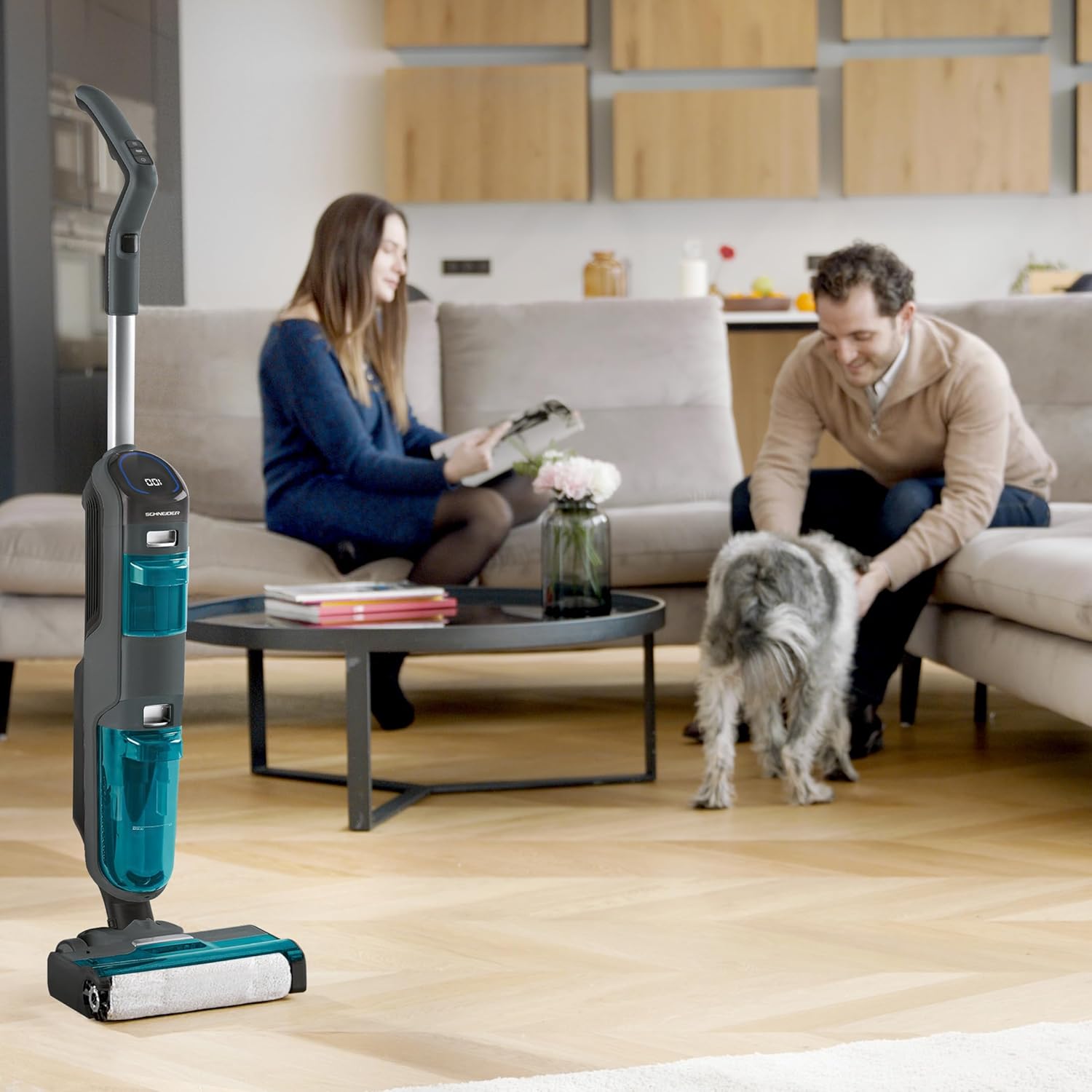
Figure 4.1: A user demonstrating the operation of the vacuum cleaner on a hard floor surface.
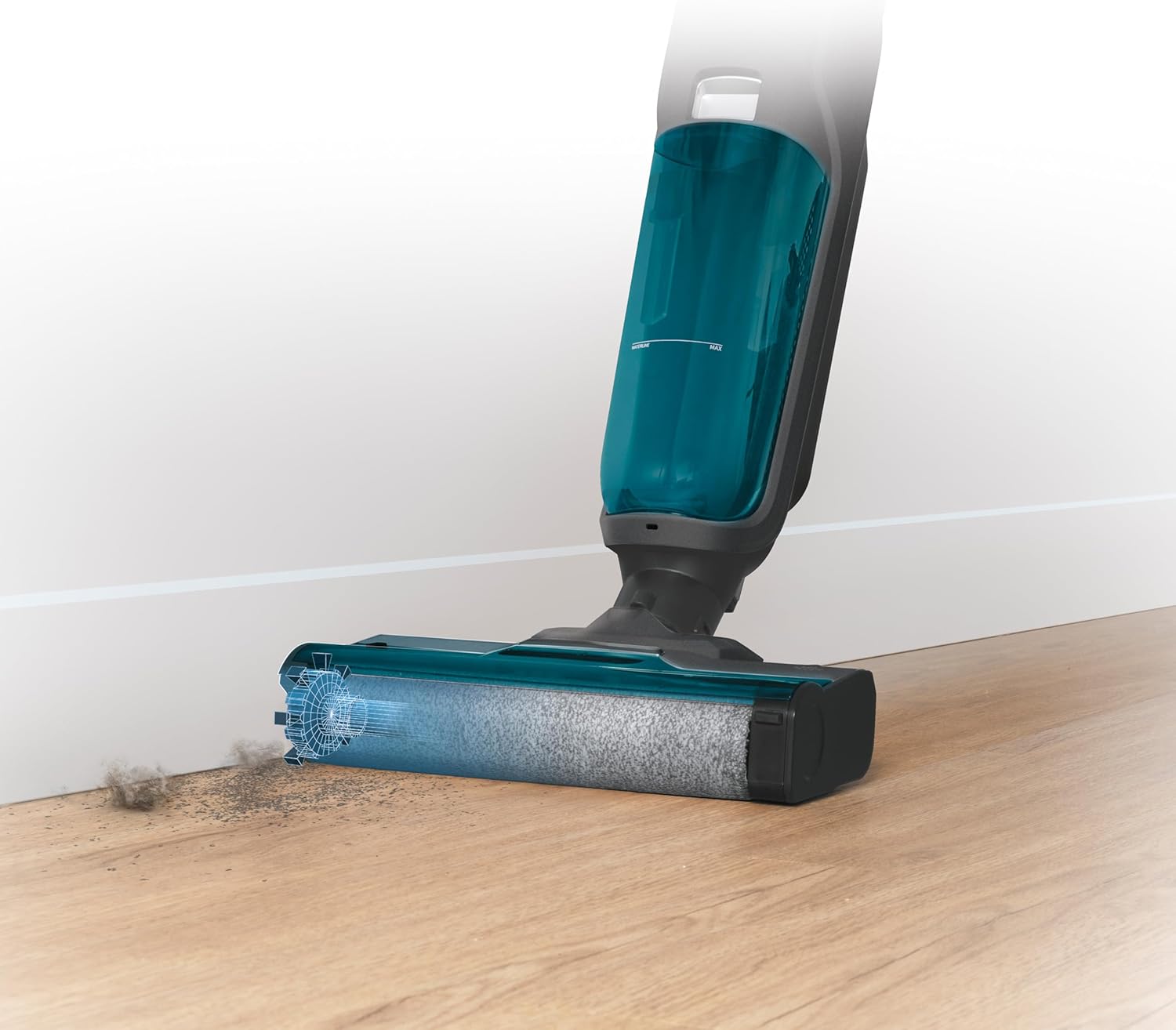
Figure 4.2: The brush head effectively cleaning dirt accumulated along a baseboard, highlighting its edge-cleaning capability.

Rajah 4.3: Atas ke bawah view of the vacuum cleaner's handle and control panel, displaying the LED screen with cleaning status indicators.
5. Penyelenggaraan
Penyelenggaraan tetap memastikan prestasi optimum dan memanjangkan jangka hayat perkakas anda.
5.1 Mengosongkan dan Membersihkan Tangki Air Kotor
Empty the dirty water tank after each use or when the 'Dirty Water Tank Full' indicator appears.
- Matikan perkakas dan keluarkan tangki air kotor.
- Open the tank and carefully pour out the dirty water.
- Rinse the tank thoroughly with clean water. Use the provided cleaning tool to remove any solid debris or hair from the filter screen inside the tank.
- Biarkan tangki kering sepenuhnya sebelum memasangnya semula.
5.2 Membersihkan Berus Penggelek
The roller brush should be cleaned regularly to prevent tangles and maintain cleaning efficiency.
- Turn off the appliance and remove the brush cover.
- Carefully remove the roller brush.
- Use the cleaning tool to cut and remove any tangled hair or fibers from the brush.
- Rinse the roller brush under running water.
- Allow the brush to air dry completely before reinserting it.

Figure 5.1: The roller brush in action, demonstrating its ability to clean liquid spills and debris, emphasizing the need for regular cleaning.
5.3 Membersihkan Penapis Udara
The air filter should be cleaned periodically to maintain suction power.
- Locate the air filter, usually found near the dirty water tank.
- Remove the filter and tap it gently over a waste bin to dislodge dust.
- Jika sangat kotor, bilas penapis di bawah air sejuk yang mengalir. Pastikan ia benar-benar kering sebelum dipasang semula.
6. Penyelesaian masalah
If you encounter any issues with your SCHNEIDER SCVCO23DBE, please refer to the following common problems and solutions before contacting customer support.
| Masalah | Kemungkinan Punca | Penyelesaian |
|---|---|---|
| Perkakas tidak dihidupkan | Bateri habis Butang kuasa tidak ditekan dengan betul | Cas bateri sepenuhnya Pastikan butang kuasa ditekan dengan kuat |
| Kuasa sedutan yang lemah | Tangki air kotor penuh Penapis udara tersumbat Roller brush tangled Obstruction in air path | Kosongkan dan bersihkan tangki air yang kotor Bersihkan atau ganti penapis udara Bersihkan berus roller Semak dan keluarkan sebarang sekatan |
| Air tidak mendispens | Tangki air bersih kosong Water nozzle clogged | Isi semula tangki air bersih Clean the water nozzle (refer to maintenance section) |
| LED indicator remains red on clean floor | Dirt sensor is dirty Floor not completely clean | Wipe the dirt sensor with a damp kain Continue cleaning the area until the indicator turns blue |
7. Spesifikasi
Technical details for the SCHNEIDER SCVCO23DBE Multi-task Stick Vacuum Cleaner.
| Ciri | Spesifikasi |
|---|---|
| Nombor Model | SCVCO23DBE |
| Jenama | SCHNEIDER |
| kuasa | 150 Watt |
| Voltage | 18 Volt |
| Jenis Bateri | Litium-ion (5200 mAh) |
| Autonomi | Sehingga 50 minit |
| Kapasiti Tangki Air Bersih | 680 mililiter |
| Tahap Kebisingan | 78 Desibel |
| Berat badan | 4.5 Kilogram |
| Dimensi (L x W x H) | 74 x 32 x 30 cm |
| Syor Permukaan | Lantai Keras |
| Ciri Khas | Dirt Sensor, Edge Cleaning Brush |
8. Waranti dan Sokongan
This product is covered by a manufacturer's warranty. Please refer to the warranty card included in your product packaging for specific terms and conditions, including the warranty period and coverage details.
For technical support, spare parts, or warranty claims, please contact SCHNEIDER customer service. Contact information can typically be found on the manufacturer's official webtapak atau pada pembungkusan produk.
When contacting support, please have your product model number (SCVCO23DBE) and proof of purchase readily available.


