1. Pengenalan
The CHUWI Hi10 XPro is a versatile 10.1-inch Android 14 tablet designed for both productivity and entertainment. Featuring an Unisoc T606 Octa-Core processor, 8GB RAM, and 128GB ROM (expandable up to 1TB), it offers smooth performance for various applications. This tablet supports 4G LTE and 5G WiFi connectivity, includes a 7000mAh battery, and comes with 13MP rear and 5MP front cameras. This manual provides essential information for setting up, operating, and maintaining your device.

Rajah 1.1: Depan dan belakang view of the CHUWI Hi10 XPro Tablet.
2. Apa yang ada di dalam Kotak
Sahkan bahawa semua item terdapat dalam pakej:
- CHUWI Hi10 XPro Tablet
- 5V/2A adapter (PSE, CE, UL, FCC certified)
- Multi-language manual
- Sijil pematuhan
- Sijil kualiti
- Kad jaminan
- Kad Micro SD 128GB
3. Persediaan
3.1 Pengecasan Awal
Before first use, fully charge the tablet using the provided 5V/2A adapter and Type-C cable. The battery indicator on the screen will show charging progress.
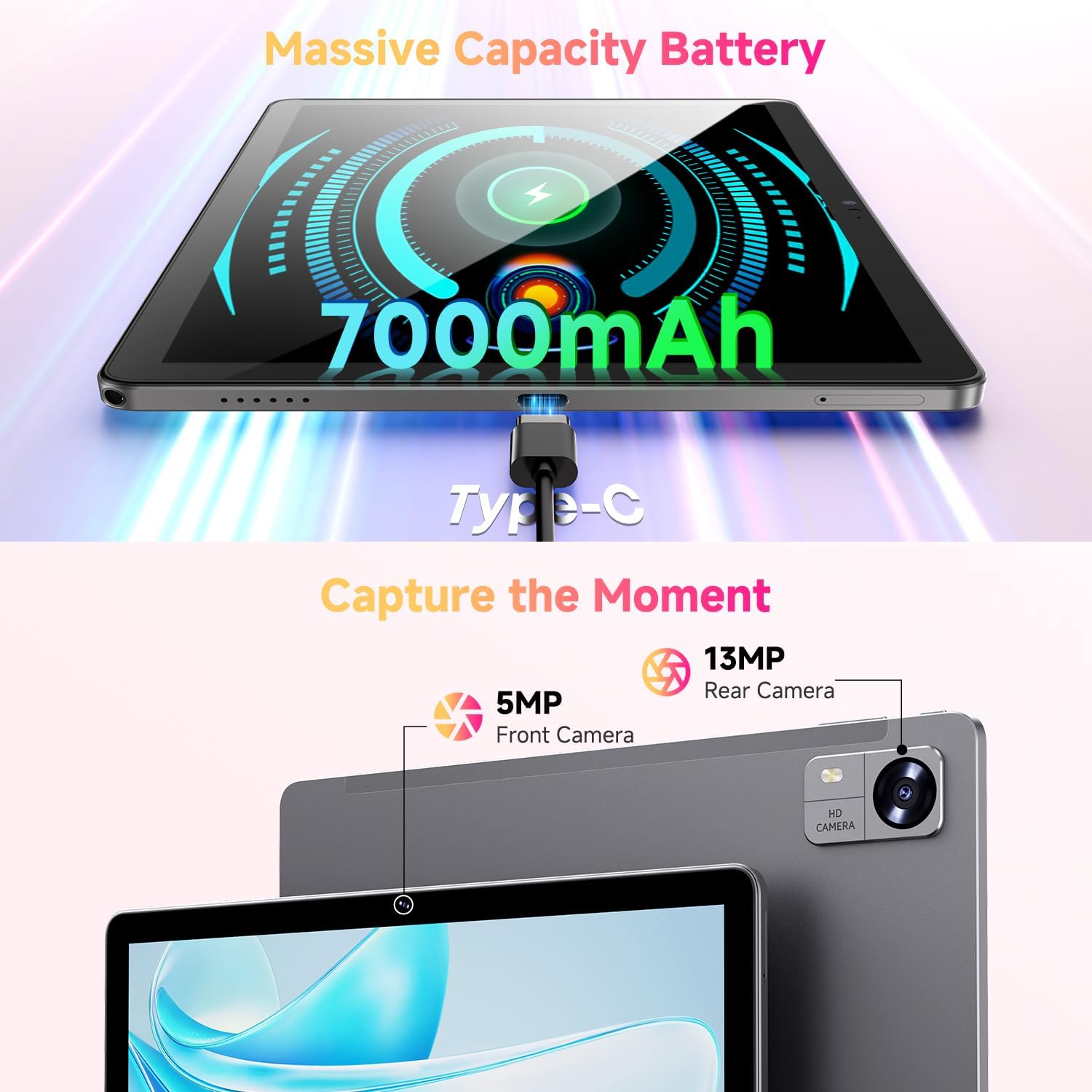
Figure 3.1: Charging the tablet via Type-C port.
3.2 Hidupkan/Mati Kuasa
- Hidupkan kuasa: Press and hold the Power button on the side of the tablet until the CHUWI logo appears.
- Matikan: Press and hold the Power button until a power-off menu appears. Select "Power off" to shut down the device.
- Mulakan semula: From the power-off menu, select "Restart" to reboot the device.
3.3 Pemasangan Kad SIM dan Kad TF
The tablet supports dual SIM cards and a TF (MicroSD) card for expanded storage. Use the provided SIM ejector tool to open the tray.
- Cari dulang kad SIM/TF di sisi tablet.
- Masukkan alat ejektor SIM ke dalam lubang kecil di sebelah dulang dan tolak perlahan-lahan sehingga dulang terkeluar.
- Letakkan kad Nano-SIM dan/atau kad MicroSD anda ke dalam slot yang ditetapkan pada dulang, pastikan orientasinya betul.
- Tolak dulang kembali ke dalam tablet dengan berhati-hati sehingga ia berbunyi klik di tempatnya.
*Important Note for Cellular Functionality: Please register the IMEI number of your device with local carriers before using cellular network functions. Failure to do so may result in the SIM card functions (network and calls) being disabled by the carriers after a period of use.
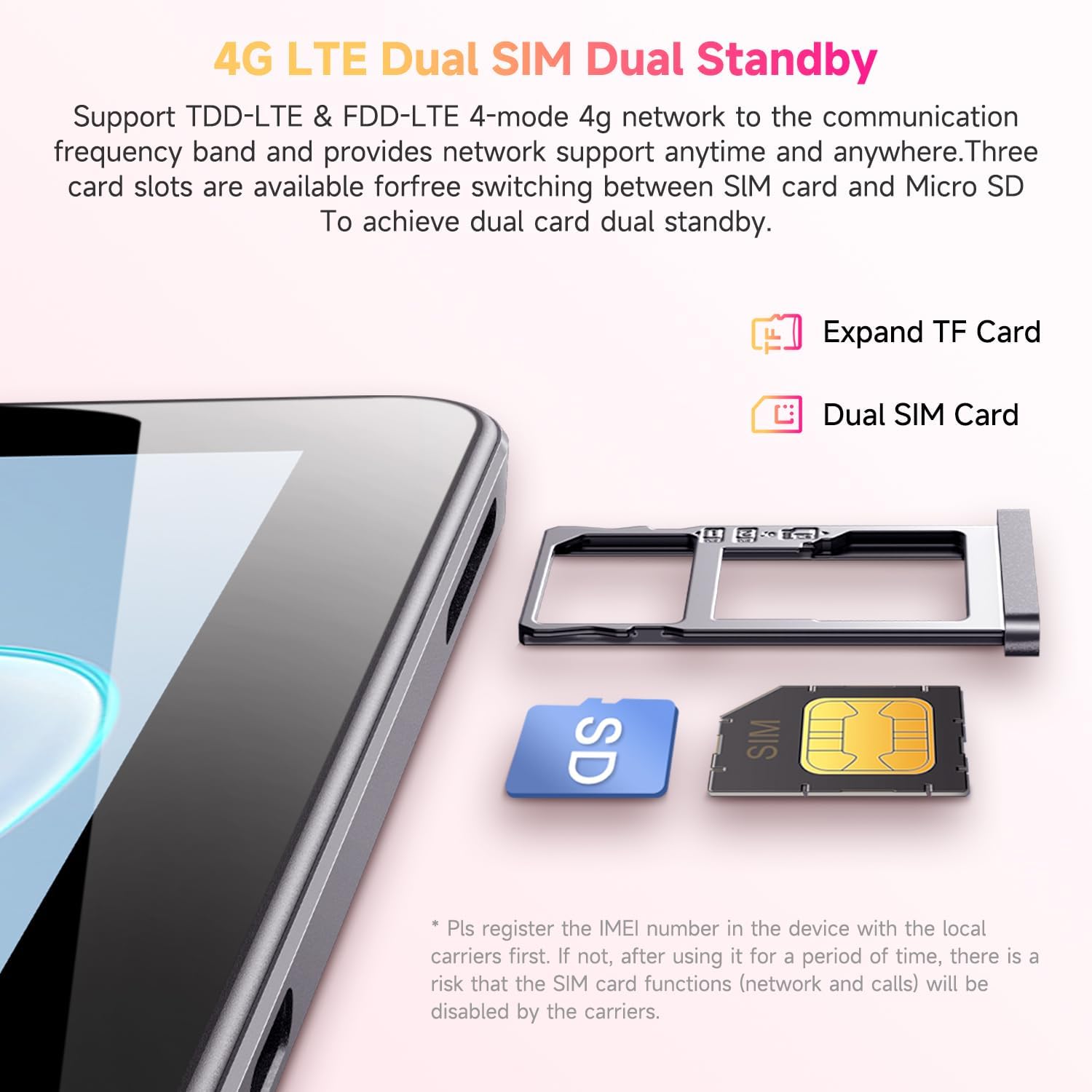
Figure 3.2: Inserting SIM and TF cards into the tray.
3.4 Wizard Persediaan Awal
Sebaik sahaja dihidupkan buat kali pertama, tablet akan membimbing anda melalui proses persediaan awal. Ikuti arahan pada skrin untuk:
- Pilih bahasa anda.
- Sambung ke rangkaian Wi-Fi.
- Log masuk dengan akaun Google anda atau buat yang baharu.
- Sediakan kunci skrin (PIN, corak, kata laluan).
- Review dan menerima terma dan syarat.
4. Arahan Operasi
4.1 Paparan dan Navigasi
The CHUWI Hi10 XPro features a 10.1-inch HD IPS touchscreen with a resolution of 1280x800 pixels, providing clear and vibrant visuals. Navigation is primarily touch-based, with gestures and on-screen buttons for home, back, and recent apps.

Figure 4.1: The tablet's 10.1-inch HD IPS display.
4.2 Prestasi dan Penyimpanan
Equipped with a 1.6GHz Unisoc T606 Octa-Core processor and Mali-G57 GPU, the tablet ensures smooth operation for daily tasks, browsing, and light gaming. It comes with 8GB RAM (4GB physical + 4GB virtual) and 128GB of internal storage, expandable up to 1TB via a MicroSD card.

Figure 4.2: Illustration of the Unisoc T606 Octa-Core Processor.

Figure 4.3: Visual representation of storage and connectivity options.
4.3 Ketersambungan
The tablet supports dual-band 2.4G+5G WiFi (802.11ac) for stable and fast internet connections, and Bluetooth 5.0 for connecting wireless accessories. Dual 4G LTE support allows for mobile data and calls (with proper SIM registration).
4.4 Fungsi Kamera
Capture moments with the 13MP rear camera and take clear selfies or make video calls with the 5MP front camera.
4.5 Hayat Bateri
The built-in 7000mAh battery provides approximately 8-10 hours of usage on a full charge, depending on usage patterns.
4.6 Sistem Pengoperasian Android 14
The CHUWI Hi10 XPro runs on Android 14, offering enhanced privacy controls, efficient memory management, and multitasking capabilities. It supports Widevine L1 for high-definition streaming on platforms like Netflix, Prime Video, and Disney+.
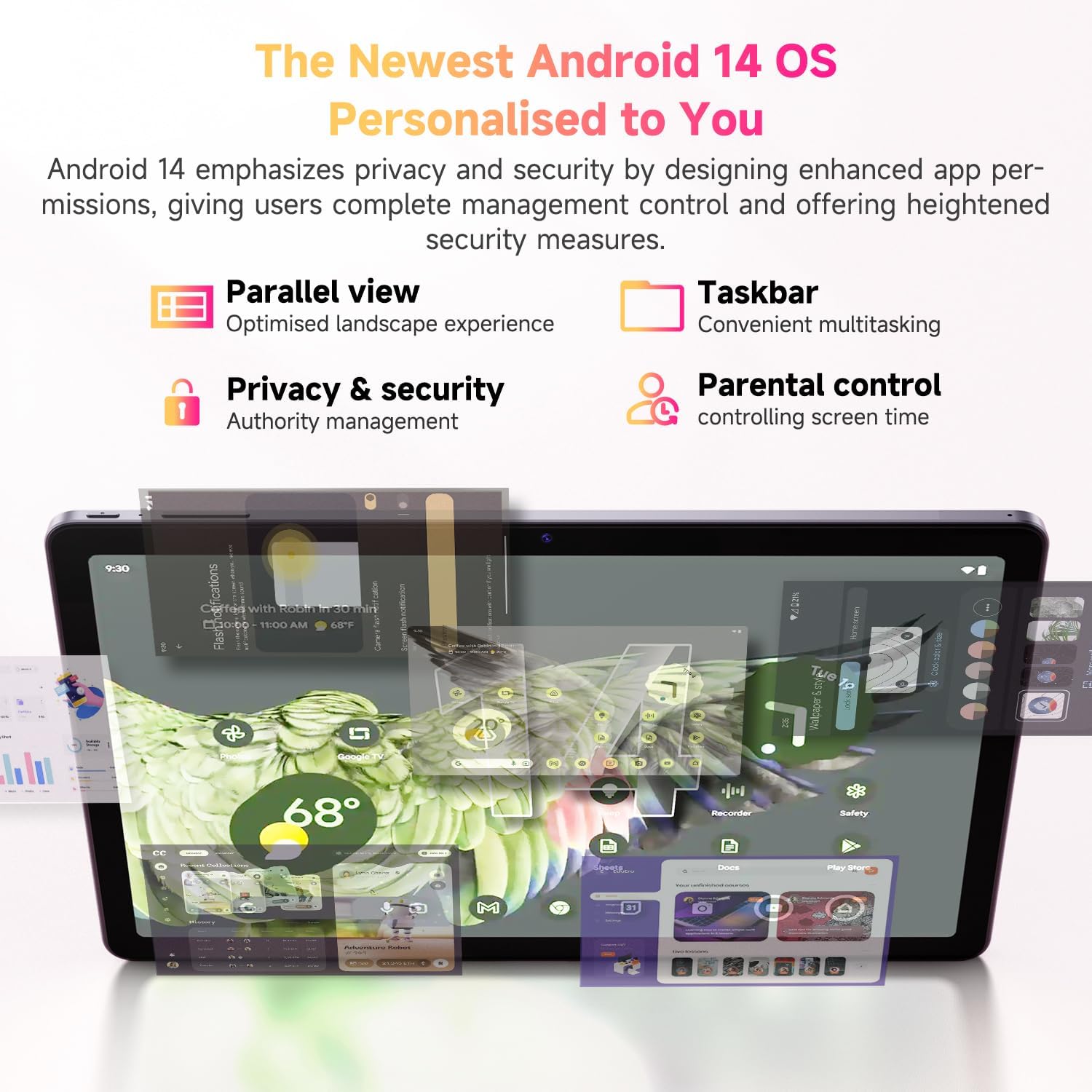
Rajah 4.4: Ciri-ciri utama sistem pengendalian Android 14.
4.7 Video Produk Rasmi
Video 4.1: Tayangan video produk rasmicasing the CHUWI Android 13 Tablet Hi10 XPro Tablet 10.1 Inch 8+128GB. This video highlights various features and usage scenarios of the tablet, including its sleek design, display quality, and performance capabilities.
5. Spesifikasi
| Ciri | Spesifikasi |
|---|---|
| Jenama | CHUWI |
| Nama Model | Hai10 XPro |
| Saiz paparan skrin berdiri | 10.1 Inci |
| Resolusi Skrin | 1280 x 800 piksel |
| Pemproses | 1.6 GHz Unisoc T606 Octa-Core |
| Pemproses bersama Grafik | Mali-G57 |
| RAM | 8GB (4GB+4GB virtual) |
| Pemacu Keras / Saiz Memori Denyar | 128 GB SSD |
| Storan Boleh Dikembangkan | Up to 1TB with MicroSD card |
| Sistem Operasi | Android 14 |
| Jenis Wayarles | 802.11ac (2.4G+5G WiFi), Bluetooth 5.0 |
| Ketersambungan Selular | Dual 4G LTE |
| belakang Webresolusi cam | 13 MP |
| Resolusi Kamera Depan | 5 MP |
| Kapasiti Bateri | Polimer Lithium 7000mAh |
| Purata Hayat Bateri | 8-10 Jam |
| Berat Barang | 15.5 auns (lebih kurang 438g) |
| Dimensi Produk | 9.41 x 6.2 x 0.29 inci (lebih kurang 239.3 x 158 x 7.5 mm) |
| warna | Hitam |
| Fungsi GPS | Supported (GPS, Glonass, Galileo, Beidou) |
| Widevine Certification | L1 Supported |
6. Penyelenggaraan
- Pembersihan: Gunakan kain lembut dan tidak berbulu untuk membersihkan skrin dan badan tablet. Elakkan menggunakan bahan kimia yang keras atau bahan yang melelas.
- Kemas Kini Perisian: Periodically check for system updates in the tablet's settings to ensure optimal performance and security.
- Penjagaan Bateri: To prolong battery life, avoid extreme temperatures and do not let the battery completely drain frequently.
- Pengurusan Storan: Bersihkan secara kerap yang tidak perlu files and apps to maintain sufficient free storage space for smooth operation.
- Perlindungan: Consider using a screen protector and a protective case to guard against scratches and accidental damage.
7. Penyelesaian masalah
7.1 Tablet Does Not Power On
- Ensure the tablet is sufficiently charged. Connect it to the charger for at least 30 minutes.
- Tekan dan tahan butang Kuasa selama 10-15 saat untuk memaksa mula semula.
7.2 Isu Sambungan Wi-Fi
- Check if Wi-Fi is enabled in the tablet's settings.
- Mulakan semula penghala Wi-Fi anda.
- Lupakan rangkaian dalam tetapan tablet dan sambung semula.
- Pastikan anda berada dalam lingkungan isyarat Wi-Fi.
7.3 Prestasi Perlahan
- Tutup aplikasi latar belakang yang tidak diperlukan.
- Clear cache and data for frequently used apps.
- Pastikan ruang storan kosong mencukupi.
- Mulakan semula tablet.
7.4 Apps Crashing or Not Responding
- Force close the app from recent apps or app settings.
- Clear the app's cache and data.
- Nyahpasang dan pasang semula apl.
- Pastikan perisian tablet dikemas kini.
8. Waranti dan Sokongan
CHUWI offers a One-year reassuring quality assurance for the Hi10 XPro tablet. This includes long-term technical support and 24-hour online customer service.
For technical assistance or warranty claims, please contact CHUWI customer service. You can typically find contact information by logging into your Amazon account, finding your order, and selecting "Contact the seller."
For more information, visit the official CHUWI website or refer to the warranty card included in your product package.


