pengenalan
Thank you for choosing the Roberts Radio Digital Play11. This portable radio offers high-quality audio with DAB, DAB+, and FM reception. Designed for ease of use, it features a headphone jack for personal listening and flexible power options. This manual provides essential information for setting up, operating, and maintaining your device.
Maklumat Keselamatan
Sila baca dan fahami semua arahan keselamatan sebelum menggunakan produk ini. Simpan arahan ini untuk rujukan masa hadapan.
- Jangan dedahkan radio kepada hujan, kelembapan atau suhu yang melampau.
- Elakkan meletakkan unit berhampiran sumber haba atau di bawah cahaya matahari langsung.
- Use only the specified power supply (USB-C cable) or 4 x AA batteries.
- Jangan cuba membuka atau mengubah suai unit. Rujuk semua servis kepada kakitangan yang berkelayakan.
- Ensure proper ventilation; do not cover ventilation openings.
- Buang bateri secara bertanggungjawab mengikut peraturan tempatan.
Apa yang ada dalam Kotak
Selepas membongkar, sila pastikan semua item berikut ada:
- Roberts Radio Digital Play11
- Panduan Mula Pantas
- Kabel kuasa USB-C
- Risalah keselamatan dan jaminan
Produk Selesaiview
Familiarize yourself with the main components and controls of your Play11 radio.

Imej: Depan view of the Roberts Play11 radio with labels indicating the On/Off button, Volume knob, Antenna, LCD Display, Select knob, Favourites button, Info/Menu button, Mode button, and Next/Previous buttons.
- Butang Hidup/Mati: Menghidupkan atau mematikan unit.
- Tombol Kelantangan: Melaraskan tahap output audio.
- Antena: Lanjutkan untuk penerimaan radio yang optimum.
- Paparan LCD: Menunjukkan maklumat stesen, masa dan pilihan menu.
- Pilih Tombol: Menavigasi menu dan mengesahkan pilihan.
- Favourites (2 sec) Button: Press and hold to save a favourite station; short press to recall.
- Info | Menu Button: Displays station information; press and hold to access the main menu.
- Butang Mod: Switches between DAB, DAB+, and FM modes.
- Next | Previous Buttons: Menavigasi stesen atau pilihan menu.
- Jack fon kepala: For private listening (3.5mm AUX Out Port).
- Port USB-C: Untuk bekalan kuasa.

Imej: Jarak dekat view of the Roberts Play11 radio, highlighting the 3.5mm headphone jack on the side for personal listening.
Persediaan
1. Bekalan Kuasa
The Play11 can be powered by either batteries or the included USB-C power cable.

Imej: Belakang view of the Roberts Play11 radio, illustrating the battery compartment for 4x AA batteries (not included) and the USB-C power input port.
- Operasi Bateri: Open the battery compartment on the rear of the radio. Insert 4 x AA (LR6) batteries, ensuring correct polarity. Close the compartment securely. Batteries are not included.
- Operasi Utama: Connect the supplied USB-C power cable to the USB-C port on the radio and plug the other end into a suitable USB power adapter (not supplied).
2. Antena
Extend the telescopic antenna fully for optimal reception in both DAB/DAB+ and FM modes.
3. Kuasa Awal Hidup
Tekan ke Hidup/Mati button to power on the radio. If this is the first time using the radio, it will automatically perform a full scan for DAB/DAB+ stations.
Arahan Operasi
Switching Modes (DAB/DAB+/FM)
Tekan ke Mod button repeatedly to cycle between DAB, DAB+, and FM radio modes.
Radio DAB / DAB +
- Mengimbas Stesen: After initial power-on, the radio will automatically scan. To perform a manual scan, press and hold the Maklumat | Menu button, navigate to "Full Scan" using the Pilih knob, and press Pilih untuk mengesahkan.
- Memilih Stesen: Putar Pilih knob to browse available stations. Press the Pilih knob to tune into the desired station.
- Saving Presets (Favourites): Tala ke stesen yang dikehendaki. Tekan dan tahan Favourites (2 sec) button until "Preset Store" appears. Rotate the Pilih knob to choose a preset number (1-10) and press Pilih untuk menyimpan.
- Pratetap Mengingat: Tekan pendek Favourites (2 sec) butang. Putar Pilih knob to choose the desired preset and press Pilih untuk menala masuk.
Radio FM
- Mengimbas Stesen: Dalam mod FM, tekan dan tahan butang Next | Previous butang untuk mengimbas secara automatik stesen yang tersedia seterusnya.
- Penalaan Manual: Putar Pilih knob to manually tune to a specific frequency.
- Saving Presets (Favourites): Tala ke stesen yang dikehendaki. Tekan dan tahan Favourites (2 sec) button until "Preset Store" appears. Rotate the Pilih knob to choose a preset number (1-10) and press Pilih untuk menyimpan.
- Pratetap Mengingat: Tekan pendek Favourites (2 sec) butang. Putar Pilih knob to choose the desired preset and press Pilih untuk menala masuk.
Menggunakan Fon Kepala
Connect standard 3.5mm headphones to the headphone jack on the side of the radio for private listening. The internal speaker will automatically mute when headphones are connected.
Penyelenggaraan
- Pembersihan: Lap radio dengan kain lembut dan kering. Jangan gunakan pembersih atau pelarut yang melelas.
- Penggantian Bateri: When using batteries, replace all four AA batteries simultaneously when the low battery indicator appears on the display. Ensure correct polarity.
- Storan: Jika menyimpan radio untuk tempoh yang lama, tanggalkan bateri untuk mengelakkan kebocoran.
Menyelesaikan masalah
| Masalah | Kemungkinan Punca | Penyelesaian |
|---|---|---|
| Tiada kuasa | Batteries are flat or incorrectly inserted; USB-C cable not connected properly. | Replace batteries, ensuring correct polarity. Check USB-C cable connection and power adapter. |
| Penerimaan DAB/FM yang lemah | Antenna not fully extended; weak signal area; interference. | Fully extend the telescopic antenna. Try repositioning the radio. Perform a full scan for DAB stations. |
| Tiada bunyi | Volume too low; headphones connected; unit muted. | Increase volume. Disconnect headphones. Check if the unit is muted (though this model doesn't have a dedicated mute button, ensure volume is not at zero). |
| Butang tidak bertindak balas | Gangguan perisian sementara. | Turn the radio off and on again. If problem persists, remove power source (batteries/USB-C) for a few minutes, then reconnect. |
Spesifikasi
| Model | PLAY11BK |
| Jenis Penala | DAB, DAB+, FM |
| Pratetap | 10 DAB, 10 FM |
| Sumber Kuasa | 4 x AA batteries (not included) or USB-C (4.5 Volts) |
| Antara Muka Perkakasan | USB Jenis C |
| Bicu Fon Kepala | 3.5mm |
| Jenis Paparan | LCD |
| Dimensi (LxWxH) | 17.4 x 6 x 11 cm |
| Berat badan | 357 g |
| bahan | Plastik, Polikarbonat (PC) |
Waranti dan Sokongan
Your Roberts Radio Digital Play11 comes with a 2-year warranty. Please refer to the included Safety and Warranty leaflet for detailed terms and conditions. For technical support or service inquiries, please visit the official Roberts Radio webtapak atau hubungi bahagian perkhidmatan pelanggan mereka.
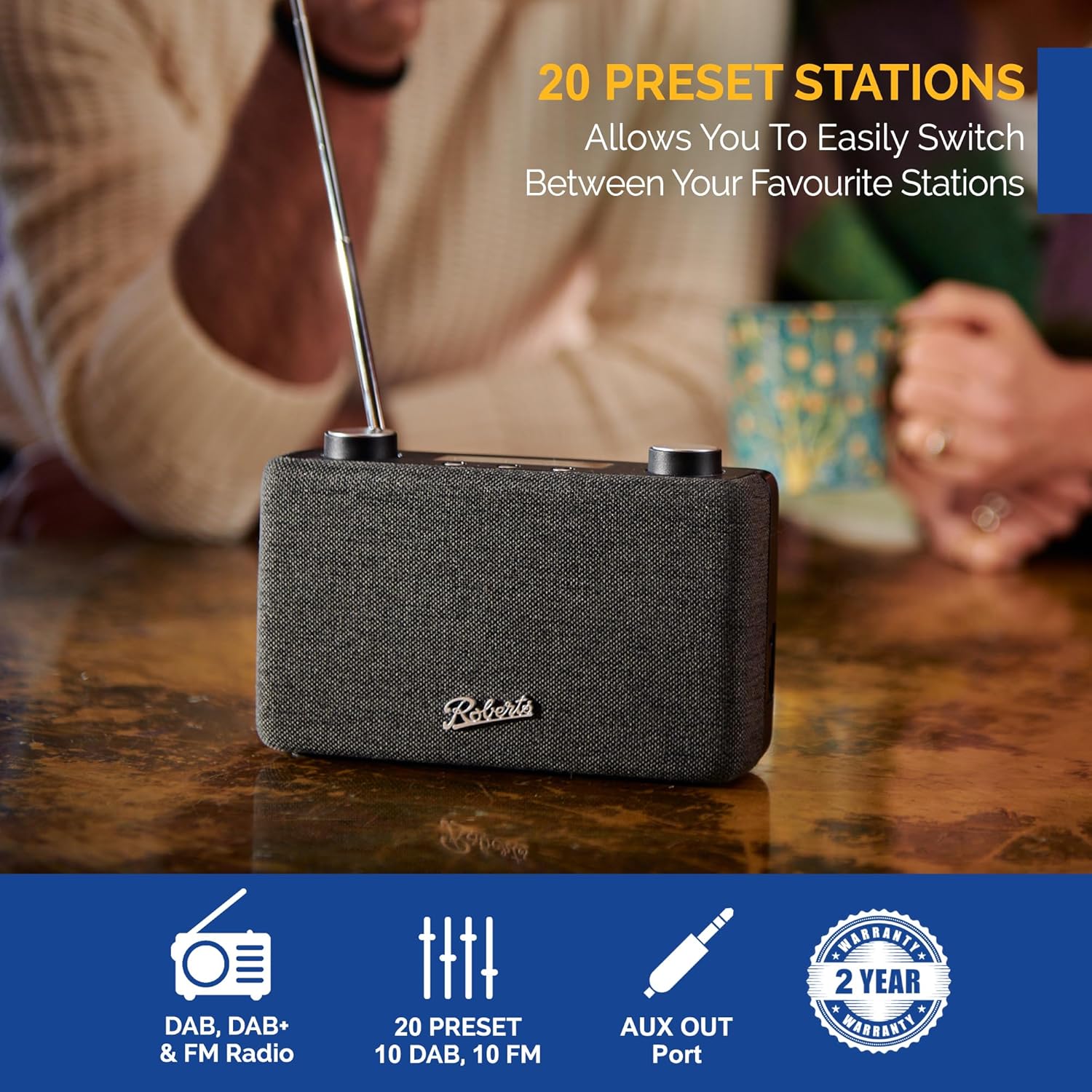
Image: The Roberts Play11 radio displayed alongside icons indicating DAB/DAB+ & FM Radio, 20 Presets, AUX Out Port, and a 2-Year Warranty badge.


