pengenalan
Terima kasih kerana memilih Meja Laras Ketinggian Elektrik SONGMICS. Manual ini menyediakan maklumat penting untuk pemasangan, pengendalian dan penyelenggaraan meja baharu anda yang selamat. Sila baca arahan ini dengan teliti sebelum digunakan dan simpannya untuk rujukan pada masa hadapan.
Maklumat Keselamatan
- Pastikan semua komponen ada dan tidak rosak sebelum dipasang. Jangan gunakan jika ada bahagian yang hilang atau patah.
- Jauhkan kanak-kanak dan haiwan peliharaan daripada meja semasa operasi untuk mengelakkan kemalangan.
- Do not overload the desk. The maximum static load capacity is 70 kg (154 lbs).
- Pastikan tiada halangan di atas atau di bawah meja semasa melaraskan ketinggiannya.
- Jangan duduk atau berdiri di atas meja.
- Only use the desk for its intended purpose as a workstation.
- Putuskan sambungan kuasa sebelum membersihkan atau melakukan sebarang penyelenggaraan.
- If you encounter any issues, refer to the troubleshooting section or contact customer support.
Persediaan: Arahan Pemasangan
This desk requires assembly. Please follow the detailed, numbered instructions provided in the separate assembly guide included with your product. Ensure you have all necessary tools and components before beginning. Assembly is designed to be straightforward.
Perkara Perhimpunan Utama:
- Kenal pasti semua bahagian mengikut senarai bahagian.
- Assemble the desk frame first, ensuring all screws are tightened securely.
- Attach the desktop panels to the frame.
- Connect the control panel and motor cables as instructed.
- Install accessories such as the cable management openings, fabric storage bag, and hook. Note that the fabric storage bag and the large hook cannot be fixed on the same side of the desk.

Penerangan Imej: A diagram illustrating the desk's dimensions (140 cm length, 60 cm width, 72-120 cm height adjustment range) and its static load capacity of 70 kg. It also shows a person for scale (165 cm tall) and notes that the fabric bag and hook cannot be installed on the same side.
Arahan Operasi
Your SONGMICS Electric Height Adjustable Desk features an intuitive control panel for easy height adjustments and memory presets.
Panel Kawalan Terlaluview

Penerangan Imej: A close-up of the desk's control panel, showing an LED display, up and down arrow buttons, and four memory preset buttons (M1, M2, M3, and a gear icon for a fourth preset).
- Skrin LED: Displays the current desk height in centimeters.
- Up/Down Arrows (∧/∨): Tekan dan tahan untuk melaraskan ketinggian meja secara berterusan. Lepaskan untuk berhenti pada ketinggian yang diingini.
- Memory Presets (M1, M2, M3, Gear Icon): These buttons allow you to save and recall up to four preferred height settings.
Menetapkan Pratetap Memori
- Laraskan meja pada ketinggian yang anda inginkan menggunakan anak panah Atas/Bawah.
- Press the "M" button (or the gear icon for the fourth preset). The LED screen will flash.
- Within 3 seconds, press one of the numbered memory buttons (M1, M2, M3) or the gear icon to save the current height to that preset. The screen will confirm the setting.
Recalling Memory Presets
Simply press the desired memory button (M1, M2, M3, or the gear icon). The desk will automatically move to the saved height.
Pengurusan Kabel
The desk includes two cable pass-through openings to help keep your workspace tidy. Utilize these to route power cords and other cables neatly.

Penerangan Imej: Satu jarak dekat view of one of the desk's cable pass-through openings, showing a cable routed through it for organized wiring.
Operasi Senyap
The desk operates with a noise level below 48 dB, ensuring a quiet working environment.
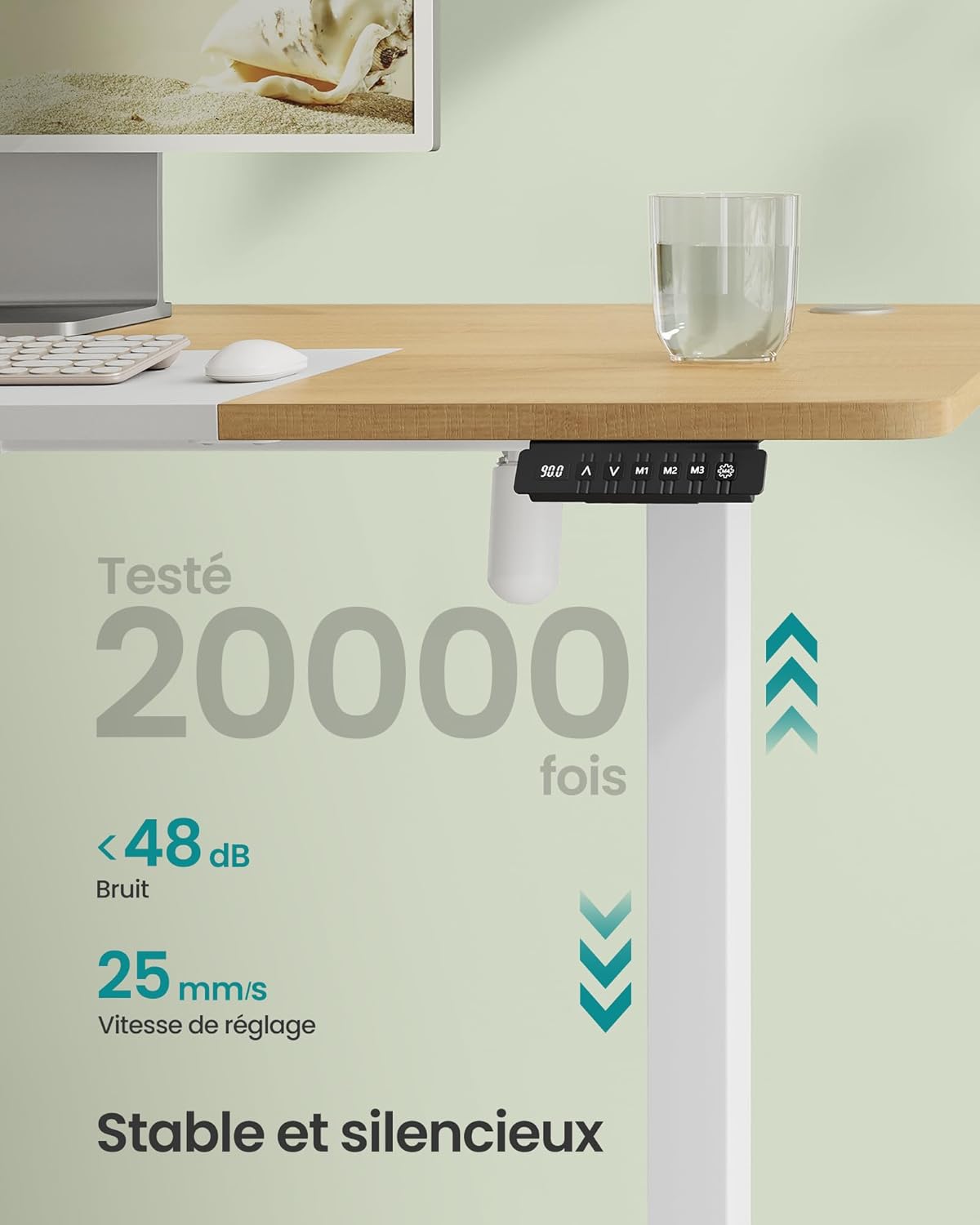
Penerangan Imej: An image highlighting the desk's quiet operation, stating a noise level of less than 48 dB and an adjustment speed of 25 mm/s. The control panel is visible.
Penyelenggaraan
Regular maintenance helps ensure the longevity and proper functioning of your desk.
- Pembersihan: Lap permukaan meja dan bingkai dengan lembut, damp kain. Elakkan pembersih yang melelas atau bahan kimia keras yang boleh merosakkan kemasan.
- Pemeriksaan: Periksa semua skru dan sambungan secara berkala untuk memastikan ia ketat. Ketatkan semula jika perlu.
- Pengurusan Kabel: Ensure cables are not pinched or tangled, especially during height adjustments.
- Penjagaan Motor: The electric motor is designed for durability. Avoid spilling liquids on the control panel or motor components.
Menyelesaikan masalah
If you encounter any issues with your desk, please refer to the following common solutions before contacting support.
| Masalah | Kemungkinan Punca | Penyelesaian |
|---|---|---|
| Meja tidak bergerak | No power, loose connection, overload | Check power cable connection. Ensure the desk is plugged into a working outlet. Reduce load if exceeding 70 kg. Check all motor and control panel connections. |
| Meja bergerak tidak sekata atau mengeluarkan bunyi yang luar biasa | Obstruction, uneven load, loose components | Clear any obstructions. Distribute weight evenly on the desktop. Check and tighten all assembly screws. |
| Pratetap memori tidak berfungsi | Pratetap tidak disimpan dengan betul | Simpan semula tetapan ketinggian yang anda inginkan mengikut arahan "Menetapkan Preset Memori". |
| Error code on LED display | Kerosakan sistem | Refer to the full product manual for specific error code meanings or contact customer support. Try unplugging the desk for 30 seconds and plugging it back in to reset. |
Spesifikasi
| Jenama | SONGMICS |
| Nombor Model | LSD016N01 |
| Dimensi (L x W x H) | 140 x 60 x 72-120 cm (55.1 x 23.6 x 28.3-47.2 inci) |
| Julat Pelarasan Tinggi | 72 cm hingga 120 cm (28.3 inci hingga 47.2 inci) |
| Kapasiti Beban Statik | 70 kg (154 lbs) |
| bahan | Engineered Wood (desktop), Alloy Steel (frame) |
| Tahap Kebisingan | Di bawah 48 dB |
| Kelajuan Pelarasan | 25 mm/s |
| Berat badan | 28 kg (61.7 lbs) |
| warna | Natural Oak Color + Matte White |
Waranti dan Sokongan
For warranty information, please refer to the documentation included with your product or visit the official SONGMICS website. If you require technical assistance, replacement parts, or have any questions not covered in this manual, please contact SONGMICS customer support directly. Contact details can typically be found on the product packaging or the brand's official webtapak.


