1. Pengenalan
Thank you for choosing the Fachixy FC100 Gaming Headset. This wired headset is designed to provide an immersive audio experience for gamers across multiple platforms, including PS4, PS5, Switch, Xbox, PC, and Mac. Featuring 50mm high-density dual neodymium audio drivers, an adjustable noise-canceling microphone, and soft RGB lighting, the FC100 ensures clear communication and rich stereo surround sound. This manual provides detailed instructions for setup, operation, and maintenance to help you get the most out of your new gaming headset.

Image: The Fachixy FC100 Gaming Headset, showcasing its blue accents, RGB lighting on the earcups, and the attached microphone. The wired connection is visible.
2. Apa yang Termasuk
Sila semak kandungan pakej untuk memastikan semua item ada:
- Gaming Headset (FC-100)
- Kabel Pemisah Bicu Audio 1 hingga 2 3.5 mm
- Kabel Sambungan 2.2m
- Manual Pengguna
3. Arahan Persediaan
The Fachixy FC100 headset is designed for plug-and-play functionality on most compatible devices. Follow these steps for initial setup:
- Sambung ke Peranti:
- For PS4, PS5, Switch, Tablet, Mobile: Plug the 3.5mm audio jack directly into your device's audio port.
- For PC, Laptop, Mac: Use the included 1 to 2 3.5mm Audio Jack Splitter Cable if your device has separate audio-out and microphone-in ports. Connect the headset's 3.5mm jack to the splitter, then connect the splitter's green plug to the audio-out port and the pink plug to the microphone-in port.
- For Xbox One, Xbox Series X/S: An adapter (not included) may be required for older Xbox One controllers that do not have a 3.5mm audio jack. For newer controllers, plug the 3.5mm audio jack directly into the controller.
- Powering RGB Lights: The USB cable attached to the headset is solely for powering the RGB LED lights. Plug the USB connector into any available USB port on your console, PC, or a USB power adapter. The RGB lighting will activate automatically.
- Laraskan Padanan Alat Dengar: Adjust the stretchable headband to comfortably fit your head. The earcups are designed for an over-ear fit, providing comfort and passive noise isolation.
- Kedudukan Mikrofon: Adjust the flexible omnidirectional microphone to a suitable position near your mouth for optimal voice pickup.
Nota Penting:
- This gaming headset is not suitable for Xbox 360.
- This gamer headset is not suitable for PS3 if you do not have a 3.5mm jack adapter.
- The USB cable is only for LED light power; the 3.5mm cable is for sound. This is not a USB headset for audio.

Image: A diagram illustrating the multi-platform compatibility of the Fachixy FC100 headset, showing connections for PC/Laptop/Mac (with splitter), Nintendo Switch/Tablet/Mobile/PS4/PS5 (direct 3.5mm), and Xbox One/Xbox Series X/S (with optional adapter).
4. Arahan Operasi
The FC100 headset features intuitive controls for easy operation during gameplay or communication.
- Kawalan Kelantangan: Use the rotary volume control wheel located on the inline controller to adjust the audio volume. Rotate the wheel up to increase volume and down to decrease volume.
- Redam Mikrofon: The inline controller also features a one-button microphone mute function. Press the button with the microphone icon to mute or unmute your microphone.
- Pencahayaan RGB: The soft RGB lighting on the earcups is powered via the USB connection and changes dynamically. There is no separate control for the RGB lighting; it activates when the USB is plugged in.

Image: Close-up of the inline controller on the headset cable, highlighting the rotary volume control and the microphone mute button.
Video Produk Rasmi:
Video: A demonstration of the Fachixy FC100 Gaming Headset, showing its features, RGB lighting, and how it is used during gameplay. The video highlights the comfort and sound quality of the headset.
5. Ciri-ciri Utama
- Stereo Surround Sound Quality: Equipped with 50mm high-density dual neodymium audio drivers, the FC100 delivers clear stereo sound and immersive audio, allowing for realistic soundscapes in games.

Image: A detailed diagram illustrating the 50mm neodymium magnet driver and titanium coat diaphragm, emphasizing high-frequency, full bass, and low distortion sound quality.
- Adjustable Noise Canceling Microphone: The integrated omnidirectional microphone features excellent noise control, picking up your voice sensitively while canceling ambient noise for clear communication. The microphone can be rotated 120° for optimal positioning.

Image: A visual representation of the AI noise reduction microphone technology, showing how the directional mic accurately picks up voice while reducing disturbing noise.
- Soft RGB Lighting: The headset features a cool RGB light strip design that changes dynamically when plugged into a USB port, adding a vibrant visual element to your gaming setup.
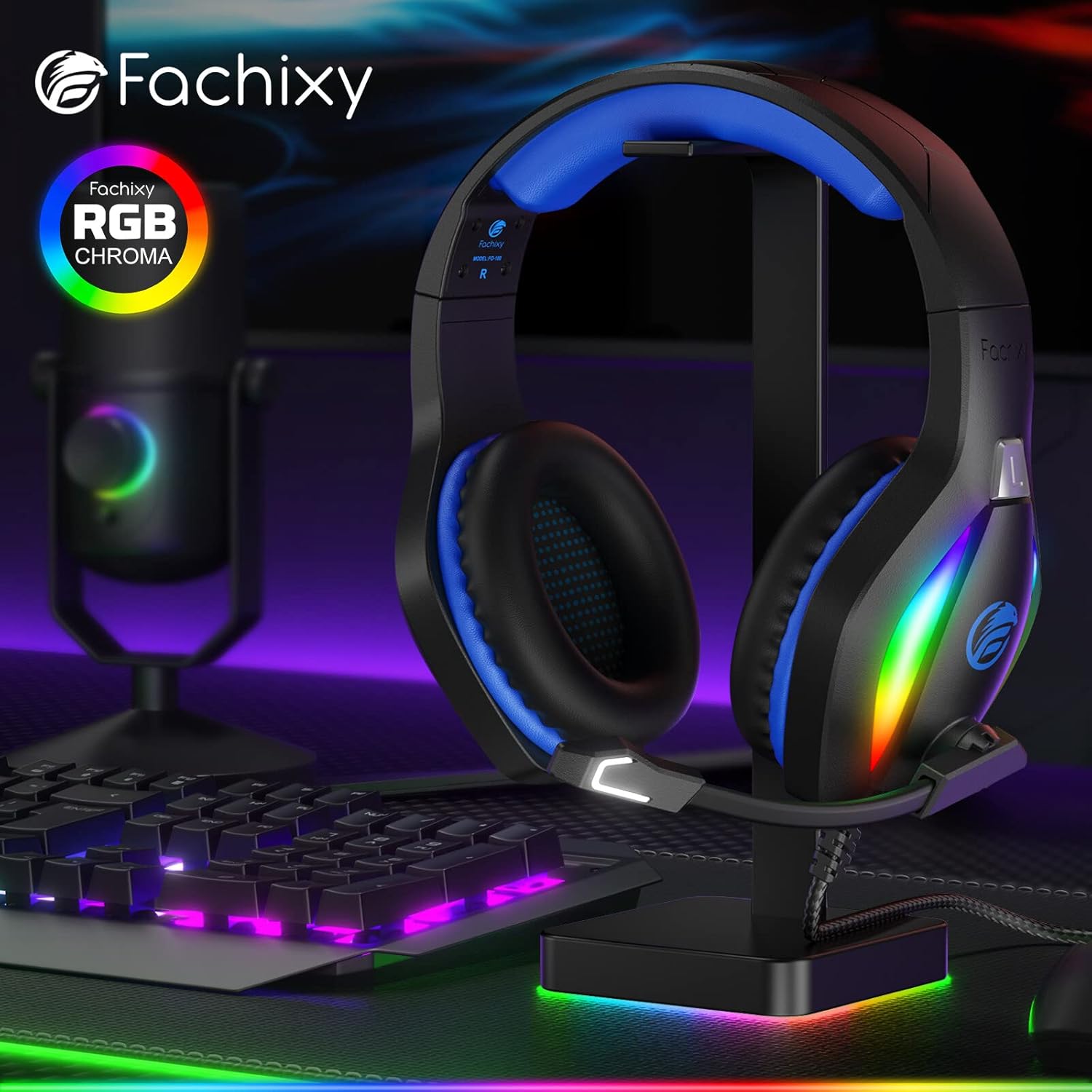
Image: The Fachixy FC100 headset displayed on a gaming desk, showcasing its vibrant RGB Chroma lighting on the earcups.
- Ergonomic Design & Comfort: The comfortable and lightweight headband and earcups are designed to cushion pressure on the head and ears. Made with skin-friendly, breathable sponge and leather, the earcups provide physical isolation of approximately 85% of noise, ensuring comfort during long gaming sessions.

Image: A diagram highlighting the "Special ROG Hybrid Ear Pad" with a 3D breathable structure, emphasizing dry and comfortable ears, 85% physical noise isolation, and ergonomic design.
- Kabel Tahan Lama: The headset features a high-strength, anti-tangle 89-inch braided anti-twist data cable with a real copper core for efficient and stable sound transmission.

Imej: Dari dekat view of the headset's cable, illustrating its real copper core for efficient transmission and highlighting its durability with a "75,000+ Bend Lifespan" claim.
6. Penjagaan dan Penyelenggaraan
To ensure the longevity and optimal performance of your Fachixy FC100 Gaming Headset, please follow these care instructions:
- Pembersihan: Use a soft, dry cloth to wipe down the headset and earcups. For stubborn dirt, a slightly damp kain boleh digunakan, tetapi pastikan tiada lembapan memasuki jeriji pembesar suara atau mikrofon. Jangan gunakan bahan kimia yang keras atau pembersih yang kasar.
- Storan: Simpan alat dengar di tempat yang sejuk dan kering, jauh daripada cahaya matahari langsung dan suhu yang melampau. Elakkan meletakkan objek berat di atas alat dengar.
- Penjagaan Kabel: Avoid sharp bends or excessive pulling on the cable. When not in use, gently coil the cable to prevent tangling and damage.
- Penjagaan Mikrofon: Handle the microphone boom gently when adjusting its position. Avoid twisting it excessively.
7. Penyelesaian masalah
If you encounter issues with your FC100 Gaming Headset, please refer to the following common solutions:
| Masalah | Kemungkinan Punca / Penyelesaian |
|---|---|
| Tiada Bunyi daripada Fon Kepala |
|
| Mikrofon Tidak Berfungsi |
|
| RGB Lights Not On |
|
| Sound Quality Issues (Static, Low Volume) |
|
8. Spesifikasi Teknikal
| Ciri | Perincian |
|---|---|
| Nama Model | FC-100 |
| Teknologi Ketersambungan | berwayar |
| Jack Fon Kepala | Jack 3.5 mm |
| Saiz Pemacu Audio | 50 Milimeter |
| Jenis Pemacu Audio | Pemandu Dinamik |
| Julat Kekerapan | 20 Hz - 20,000 Hz |
| Impedans | 32 Ohm |
| Kawalan Bunyi | Pengasingan Bunyi |
| Jenis Kawalan | Kawalan Kelantangan |
| Jenis Mikrofon | Omnidirectional, Noise Canceling |
| Ciri Kabel | Braided, Anti-tangle, 89-inch (approx. 2.2m) |
| Berat Barang | 0.66 paun (lebih kurang 10.6 auns) |
| bahan | Leather (earcups) |
| warna | BIRU |
| Peranti Serasi | Mac, PC, Playstation 4, Playstation 5, Xbox One, Nintendo Switch, Laptop, Mobile |
9. Waranti dan Sokongan
Fachixy products are manufactured to high-quality standards. For information regarding warranty coverage, technical support, or service inquiries, please refer to the contact information provided on the product packaging or visit the official Fachixy webtapak. Sila simpan bukti pembelian anda untuk tuntutan waranti.
For further assistance, you may also refer to the official Fachixy Store on Amazon: Fachixy Store


