1. Maklumat Keselamatan Penting
Sila baca semua arahan dengan teliti sebelum menggunakan produk ini. Simpan manual ini untuk rujukan masa hadapan.
- Jangan dedahkan bar bunyi kepada hujan, lembapan atau suhu yang melampau.
- Pastikan pengudaraan yang betul di sekeliling unit. Jangan sekat sebarang bukaan pengudaraan.
- Use only the power adapter supplied with this device.
- Do not attempt to disassemble or modify the soundbar. Refer all servicing to qualified personnel.
- Jauhkan bar bunyi daripada medan magnet yang kuat.
2. Kandungan Pakej
Sahkan bahawa semua item terdapat dalam pakej:
- Supersonic SC-1420SB Soundbar
- Alat Kawalan Jauh
- Penyesuai Kuasa
- Manual Pengguna
3. Produk Lebihview
The Supersonic SC-1420SB is a 30-inch 2.0 channel soundbar designed to enhance your audio experience. It features Bluetooth 5.0 connectivity, HDMI ARC, Optical input, and dual 3.5mm Aux inputs for versatile connection options. Five pre-set EQ modes allow for customized sound profiles.
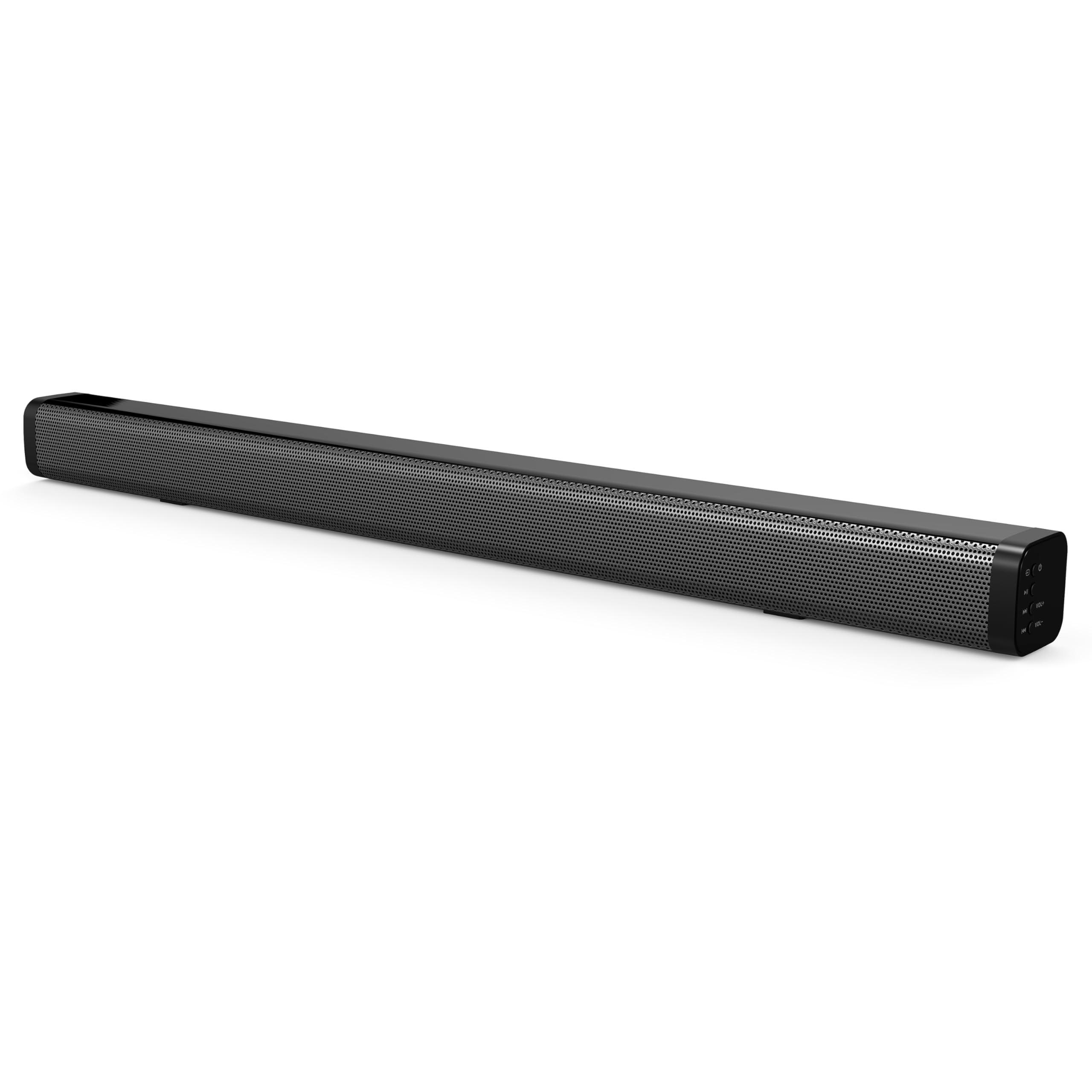
The soundbar's low-profile design (2.5" height) allows it to fit comfortably in front of most televisions without obstructing the screen.
4. Persediaan
4.1 Penempatan
Place the soundbar on a flat, stable surface directly in front of your television. Ensure there is adequate space for cable connections at the rear of the unit.

4.2 Menyambung ke Kuasa
- Connect the power adapter to the DC IN port on the back of the soundbar.
- Palamkan hujung satu lagi penyesuai kuasa ke dalam salur keluar dinding.
4.3 Sambungan Audio
Pilih salah satu daripada kaedah berikut untuk menyambungkan bar bunyi ke sumber audio anda:
- ARC HDMI: Connect an HDMI cable (not included) from the HDMI ARC port on the soundbar to the HDMI ARC port on your television. This allows audio to be sent from the TV to the soundbar and enables control of the soundbar's power and volume using your TV remote (if supported by your TV).
- Input Optik: Connect an optical cable (not included) from the OPTICAL IN port on the soundbar to the optical audio output on your television or other audio device.
- Dual 3.5mm Aux Inputs: Use a 3.5mm audio cable (not included) to connect external devices such as smartphones, tablets, or MP3 players to either of the AUX IN ports on the soundbar.
5. Operasi
5.1 Hidupkan/Mati Kuasa
Tekan ke kuasa butang pada bar bunyi atau alat kawalan jauh untuk menghidupkan atau mematikan unit.

5.2 Memilih Sumber Input
Tekan ke Input button on the remote control or the soundbar to cycle through the available input sources: HDMI ARC, Optical, Bluetooth, and Aux.
5.3 Berpasangan Bluetooth
- Turn on the soundbar and select the Bluetooth input mode. The indicator light will flash, indicating it is in pairing mode.
- On your Bluetooth-enabled device (e.g., smartphone), search for available Bluetooth devices.
- Select "SC-1420SB" from the list.
- Setelah dipasangkan, lampu penunjuk pada bar bunyi akan berhenti berkelip dan kekal padu.
- To unpair a device, press the NYAHPAKAI butang pada alat kawalan jauh.
5.4 Kawalan Kelantangan
Gunakan VOL+ dan vol- buttons on the remote control or the soundbar to adjust the volume. Press the bisu butang untuk menyenyapkan audio buat sementara waktu.
5.5 Mod EQ
Tekan ke EQ button on the remote control to cycle through the 5 pre-set equalizer modes. These modes optimize the sound profile for different content types (e.g., Music, Movie, News).
6. Penyelenggaraan
Untuk memastikan jangka hayat dan prestasi optimum bar bunyi anda, ikut garis panduan penyelenggaraan ini:
- Pembersihan: Gunakan kain lembut dan kering untuk membersihkan permukaan bar bunyi. Jangan gunakan pembersih cecair atau bahan yang melelas.
- Storan: Jika menyimpan bar bunyi untuk tempoh yang lama, cabut bekalan elektrik dan simpan di tempat yang sejuk dan kering.
- Elakkan halangan: Ensure that the speaker grilles are not obstructed by dust or debris.
7. Penyelesaian masalah
If you encounter issues with your soundbar, refer to the following troubleshooting steps:
| Masalah | Kemungkinan Punca | Penyelesaian |
|---|---|---|
| Tiada kuasa | Kabel kuasa tidak disambungkan; soket tidak aktif | Ensure power cable is securely connected; test outlet with another device. |
| Tiada bunyi | Incorrect input selected; volume too low; cables loose | Select correct input source; increase volume; check all audio cable connections. |
| Bluetooth tidak berpasangan | Soundbar not in pairing mode; device too far; previously paired device connected | Ensure soundbar is in Bluetooth mode and flashing; move device closer (within 10m); unpair from other devices. |
| Alat kawalan jauh tidak berfungsi | Batteries low/dead; obstruction; too far from soundbar | Replace batteries; remove obstructions; ensure remote is pointed at the soundbar within effective range. |
8. Spesifikasi
| Nama Model | SC-1420SB |
| Jenis Pembesar Suara | Bar bunyi |
| Konfigurasi Saluran Bunyi Sekeliling | 2.0 |
| Teknologi Ketersambungan | Bluetooth, HDMI ARC, Optical, Dual Aux (3.5mm) |
| Versi Bluetooth | 5.0 |
| Julat Bluetooth | Sehingga 10 meter (33 kaki) |
| Saiz Pembesar Suara | 30 Inci |
| Dimensi Produk (D x W x H) | 2.6" x 2.36" x 35.42" |
| Berat Barang | 6.04 paun |
| Sumber Kuasa | Elektrik Bertali |
| bahan | plastik |
| Kaedah Kawalan | Sentuh, Kawalan Jauh |
9. Waranti dan Sokongan
This Supersonic product comes with a limited warranty. For specific warranty terms and conditions, please refer to the warranty card included in your package or contact Supersonic customer support.
For technical assistance or customer service inquiries, please visit the official Supersonic webtapak atau hubungi terus pasukan sokongan mereka.