pengenalan
The bopmen Star10 Wireless Bluetooth Karaoke Microphone is a versatile 4-in-1 device designed for singing, acting as a portable handheld microphone, speaker, and featuring an integrated disco light. It offers high-resolution audio quality and extensive compatibility, making it suitable for various entertainment settings including car travel, home parties, and general use for adults and children.

Image: The Star10 Wireless Bluetooth Karaoke Microphone in Rose Gold, showcasing its sleek design and integrated disco ball.
Maklumat Keselamatan
- Jangan dedahkan peranti kepada suhu atau kelembapan yang melampau.
- Elakkan daripada menjatuhkan atau meletakkan peranti kepada kesan yang kuat.
- Keep out of reach of small children to prevent choking hazards from small parts.
- Use only the provided USB C-A cable for charging.
- Jangan cuba membuka atau mengubah suai peranti.
- Bersihkan peranti dengan kain lembut dan kering. Elakkan menggunakan bahan kimia yang keras atau pembersih yang kasar.
Kandungan Pakej
Sila tandai kotak untuk item berikut:
- 1 x Karaoke microphone (Star10)
- 1 x USB C-A charging cable
- 1 x Manual pengguna
Produk Selesaiview
Familiarize yourself with the main controls and ports of your Star10 microphone.

Image: Detailed diagram illustrating the main control panel and bottom ports of the Star10 microphone, including Microphone Volume, On/Off/Play/Pause, Reverb On/Off, Volume Up/Down, Next/Previous Song, Tone Mode, Disco Light Control, USB Port, 3.5mm Earphone Jack, and TF Card slot.
Kawalan Utama:
- Microphone Volume / Accompaniment Mode On/Off: Adjusts microphone volume or toggles accompaniment.
- On/Off, Play/Pause: Powers the device on/off and controls music playback.
- Reverb On/Off / Bluetooth & TF Card Mode: Toggles reverb effect and switches between input modes.
- Kelantangan Naik/Turun: Adjusts overall speaker volume.
- Lagu Sebelumnya/Seterusnya: Menavigasi melalui trek.
- Mod Nada: Cycles through different voice effects.
- Disco Light Control / Twins Pairing: Controls the disco light and initiates Twins Mode pairing.
Pelabuhan Bawah:
- Lampu Penunjuk: Shows device status (e.g., charging, connected).
- 3.5 mm Earphone Jack / Re-Set button inside: For private listening or resetting the device.
- Port USB: Untuk mengecas mikrofon.
- Slot Kad TF: For playing music directly from a micro TF card (up to 32GB, not included).
Persediaan
Mengecas Mikrofon:
- Connect the provided USB C-A cable to the USB port on the bottom of the microphone.
- Sambungkan hujung kabel yang satu lagi kepada penyesuai kuasa USB yang serasi (tidak disertakan) atau port USB komputer.
- The indicator light will show charging status. A full charge provides up to 10 hours of use (minimum 5 hours).
Hidupkan/Mati Kuasa:
- Tekan dan tahan butang Hidup/Mati/Main/Jeda button for a few seconds to power on the microphone. You will hear an audible prompt.
- To power off, press and hold the same button until you hear the power-off prompt.
Arahan Operasi
Sambungan Bluetooth:
The Star10 microphone uses Bluetooth 5.2 for seamless connection to your devices.
- Power on the microphone. It will automatically enter Bluetooth pairing mode.
- On your smartphone, tablet, or other Bluetooth-enabled device, open the Bluetooth settings.
- Cari untuk "STAR 10" in the list of available devices and select it to pair.
- Once connected, you will hear a confirmation prompt. You can now play music from your device through the microphone's speaker and sing along.

Image: The Star10 microphone demonstrating its wide compatibility, connecting wirelessly to smartphones, tablets, and laptops via Bluetooth.
Mod Kad TF:
Play music directly from a micro TF card.
- Insert a micro TF card (up to 32GB, not included) with your music files into the TF Card slot on the bottom of the microphone.
- The microphone will automatically switch to TF Card mode. If not, press the Reverb On/Off / Bluetooth & TF Card Mode button to cycle modes.
- Gunakan Lagu Sebelumnya / Seterusnya buttons to navigate tracks and Main/Jeda for playback control.
Disco Light Control:
Enhance your karaoke experience with the built-in disco light.
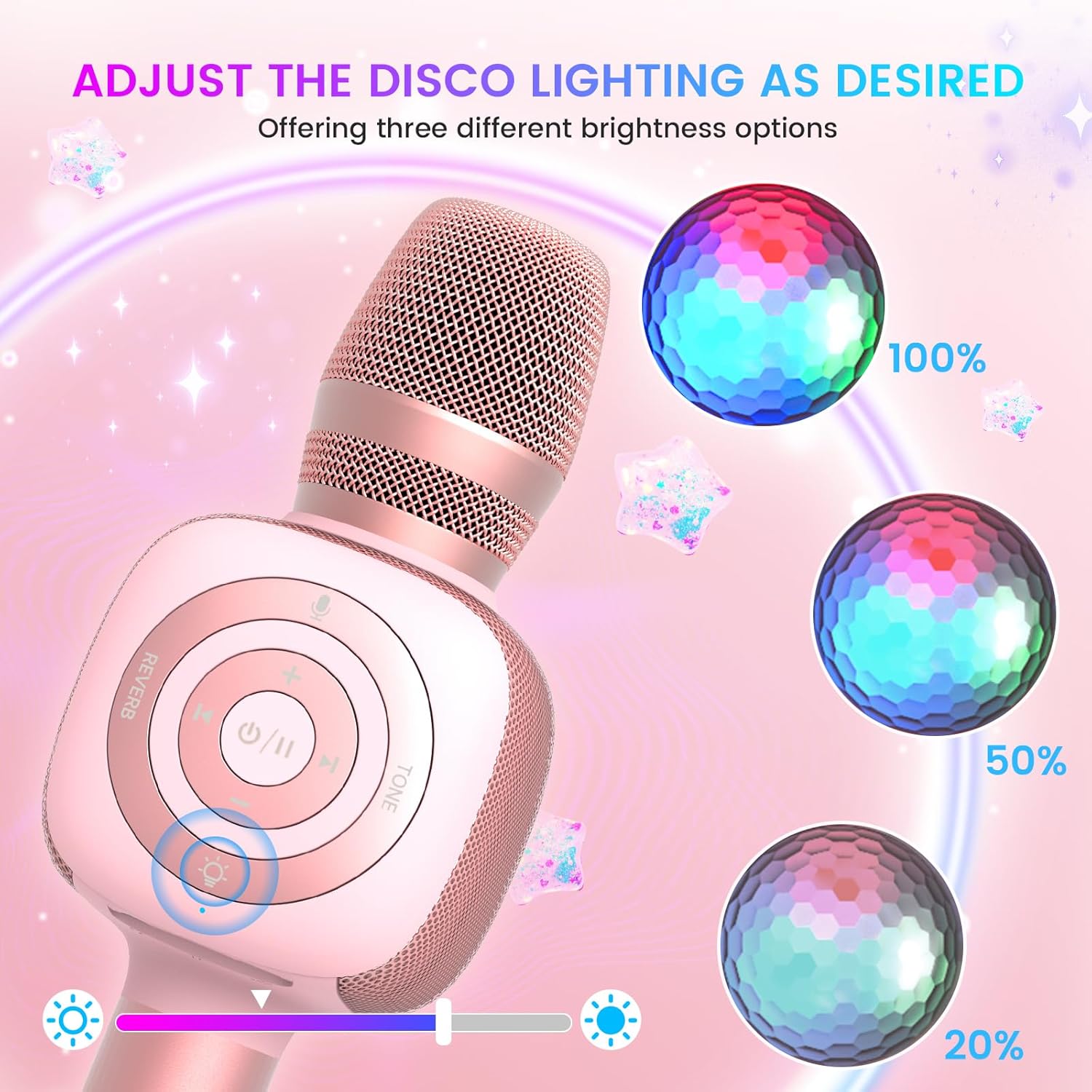
Image: The Star10 microphone's disco light feature, illustrating three adjustable brightness levels (100%, 50%, 20%) to suit different ambiance needs.
- Tekan ke Disco Light Control button (light bulb icon) to cycle through three RGB color modes and brightness levels.
- Press again to turn the disco light off.
Tone Modes (Magic Mode):
Experiment with different voice effects for added fun.

Image: The Star10 microphone's "Magic Mode" feature, depicting icons for Male Voice, Female Voice, Cartoon Voice, and Monster Sound effects.
- Tekan ke Mod Nada button to cycle through various voice effects such as Male Voice, Female Voice, Cartoon Voice, and Monster Sound.
- Continue pressing to return to the original tone.
Twins Mode (Duet Mode):
Pair two Star10 microphones for a duet experience.

Image: Two individuals enjoying a duet, each holding a Star10 microphone, illustrating the "Twins Mode" functionality for shared singing experiences.
- Ensure both Star10 microphones are powered on.
- On one microphone, press and hold the Disco Light Control button for 2 seconds until a prompt tone "LINK CONNECTED" is heard. This microphone is now in Twins Mode pairing.
- On your cellphone/device, perform Bluetooth pairing selection and choose either of the two microphones. Both microphones will now be connected and output audio.
- To exit Twins Mode, press and hold the Disco Light Control button on the paired microphone for 2 seconds.
Penyelenggaraan
- Pembersihan: Wipe the microphone with a soft, dry cloth. Do not use liquid cleaners or aerosols.
- Storan: Simpan mikrofon di tempat yang sejuk dan kering jauh dari cahaya matahari langsung dan suhu yang melampau.
- Penjagaan Bateri: For optimal battery life, charge the microphone regularly, even if not in frequent use. Avoid fully discharging the battery for extended periods.
Menyelesaikan masalah
| Masalah | Kemungkinan Punca | Penyelesaian |
|---|---|---|
| Mikrofon tidak dihidupkan. | Bateri lemah; Butang kuasa tidak dipegang cukup lama. | Charge the microphone fully; Press and hold the power button for 3-5 seconds. |
| Tidak dapat menyambung melalui Bluetooth. | Microphone not in pairing mode; Device Bluetooth off; Interference. | Ensure microphone is on and in pairing mode; Enable Bluetooth on your device; Move closer to the microphone; Restart both devices. |
| Tiada bunyi dari pembesar suara. | Volume too low; Device volume too low; Incorrect mode. | Increase microphone volume; Increase device volume; Ensure correct mode (Bluetooth/TF Card). |
| Kesan suara tidak berfungsi. | Tekan butang yang salah. | Press the 'Tone Mode' button repeatedly to cycle through effects. |
| Disco light not working. | Light turned off. | Press the 'Disco Light Control' button to turn on/cycle modes. |
Spesifikasi
- model: BINTANG 10
- Jenama: bopmen
- Faktor Bentuk Mikrofon: pegang tangan
- Teknologi Ketersambungan: Bluetooth 5.2
- Sumber Kuasa: Dikuasakan Bateri (termasuk 2 bateri Lithium Ion)
- Hayat Bateri: Up to 10 hours (minimum 5 hours)
- Dimensi Produk: 18.7 x 16.54 x 12.2 inci
- Berat Barang: 1.19 paun (540 Gram)
- Nisbah Signal-to-Noise: 52 dB
- Respons Kekerapan: 10 KHz
- Peranti Serasi: Personal Computer, Smartphone, Karaoke Machine
- Ciri Khas: Mute Function, Disco Light, Voice Changer, Twins Mode
- warna: Emas Mawar
- Penggunaan yang Disyorkan: Dalaman/Luar
Waranti dan Sokongan
Your bopmen Star10 Karaoke Microphone comes with a standard manufacturer's warranty. For detailed warranty information, please refer to the warranty card included in your package or visit the official bopmen webtapak.
If you encounter any issues or have questions regarding your product, please do not hesitate to contact our professional customer service team. We are committed to providing support and assistance within 24 hours to ensure your satisfaction.
Maklumat Hubungan: Please refer to the contact details provided in your product packaging or on the official bopmen support page for the most up-to-date information.


