1. Pengenalan
Thank you for choosing the Alpha Digital Q80-W Wireless Ear Clip Earbuds. This manual provides essential information for the proper setup, operation, and maintenance of your new earbuds. Please read it thoroughly before use to ensure optimal performance and longevity of the product.
Kandungan Pakej:
- 2 x Alpha Digital Q80-W Wireless Ear Clip Earbuds
- 1 x Kes Pengecasan
- 1 x Kabel Pengecasan USB-C
- 1 x Manual Pengguna (dokumen ini)
- 1 x Earcaps (Note: The product description mentions '1 earcaps', which may refer to a pair or a single spare. Please verify upon unboxing.)
2. Produk Lebihview
The Alpha Digital Q80-W earbuds feature an open-ear clip design for comfortable wear, Bluetooth 5.3 connectivity, and intuitive touch controls. The charging case includes a digital display for battery status.

Image 2.1: Alpha Digital Q80-W Wireless Ear Clip Earbuds in their charging case, displaying the digital battery indicator.
Ciri-ciri Utama:
- Reka Bentuk Klip Telinga Terbuka: Comfortable and stable fit without inserting into the ear canal.
- Bluetooth 5.3: Menyediakan sambungan wayarles yang stabil dan cekap.
- Masa Main Dilanjutkan: Up to 5 hours on a single charge, with a total of approximately 18 hours using the charging case.
- Paparan Bateri Digital: The charging case features an LED display showing the remaining battery percentage.
- Kawalan Sentuh: Urus main balik muzik, panggilan dan pembantu suara dengan ketikan mudah.
- Pembinaan Ringan: Designed for prolonged comfortable wear.
- ENC Double-Malt Voice Noise Reduction: Meningkatkan kejelasan panggilan dengan mengurangkan hingar ambien.

Image 2.2: The charging case with its LED digital display indicating battery levels for both earbuds (L/R) and the case itself.

Image 2.3: Illustration of the ergonomic clip-on design, showing how the earbud sits securely on the earlobe for comfort and stability.
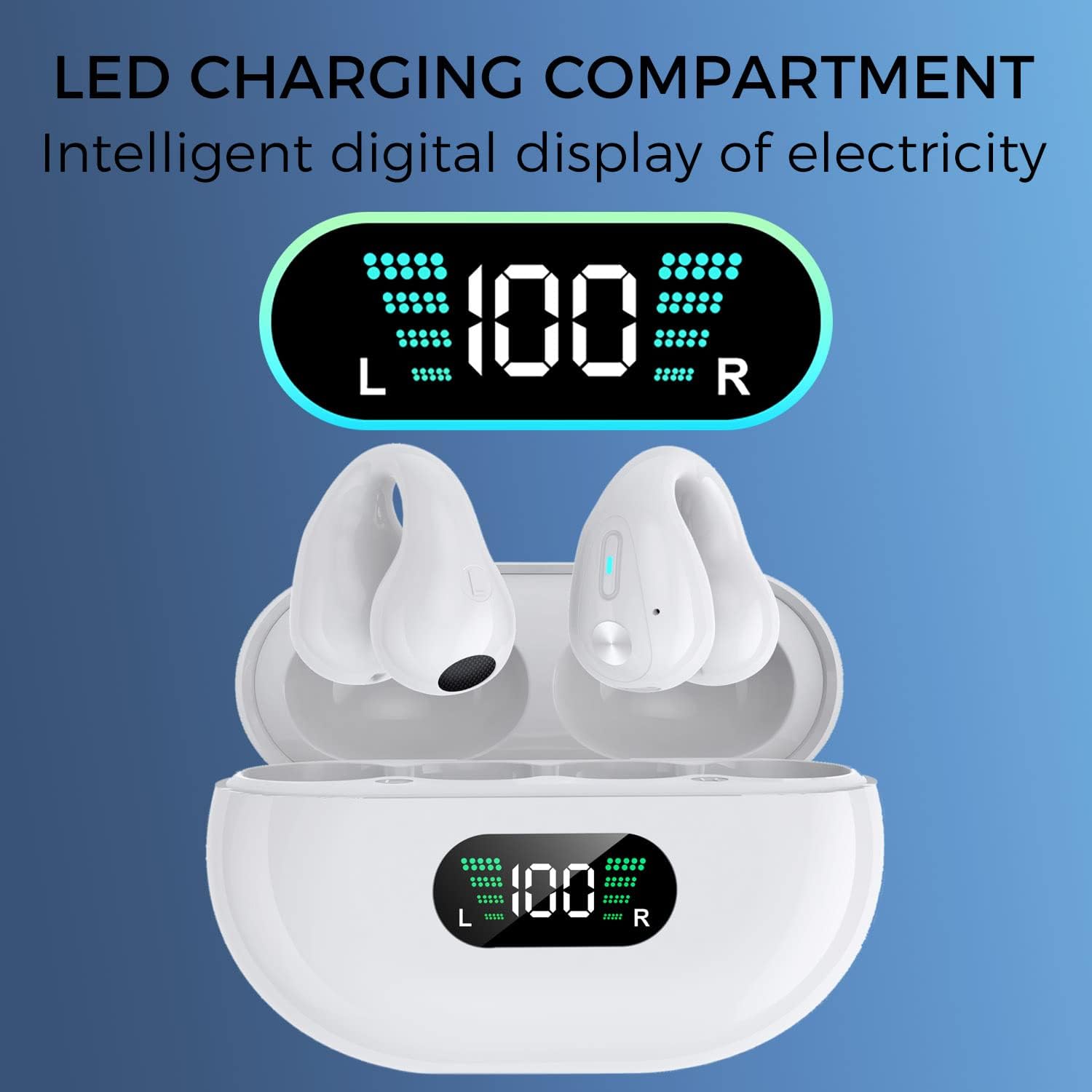
Image 2.4: A single earbud demonstrating the noise reduction capability, with a visual representation of sound waves before and after noise reduction.
3. Persediaan
3.1 Pengecasan Awal
- Letakkan kedua earbud ke dalam cas pengecasan.
- Sambungkan kabel pengecas USB-C ke port pengecasan pada sarung dan hujung satu lagi ke sumber kuasa USB (cth, penyesuai dinding, port USB komputer).
- The LED digital display on the charging case will show the current battery level. Allow the case and earbuds to fully charge before first use. A full charge typically takes 1-2 hours.

Image 3.1: Visual representation of the 350mAh battery capacity of the charging case, indicating extended playtime.
3.2 Berpasangan Bluetooth
- Pastikan fon telinga dicas.
- Buka bekas pengecas. Fon telinga akan dihidupkan secara automatik dan memasuki mod berpasangan.
- Pada peranti anda (telefon pintar, tablet, komputer, dll.), dayakan Bluetooth.
- Cari untuk available Bluetooth devices and select "Q80-W" from the list.
- Setelah disambungkan, anda akan mendengar nada pengesahan dan fon telinga akan sedia untuk digunakan.
- Fon telinga akan menyambung semula secara automatik ke peranti gandingan terakhir apabila dikeluarkan daripada sarung, jika Bluetooth didayakan pada peranti.
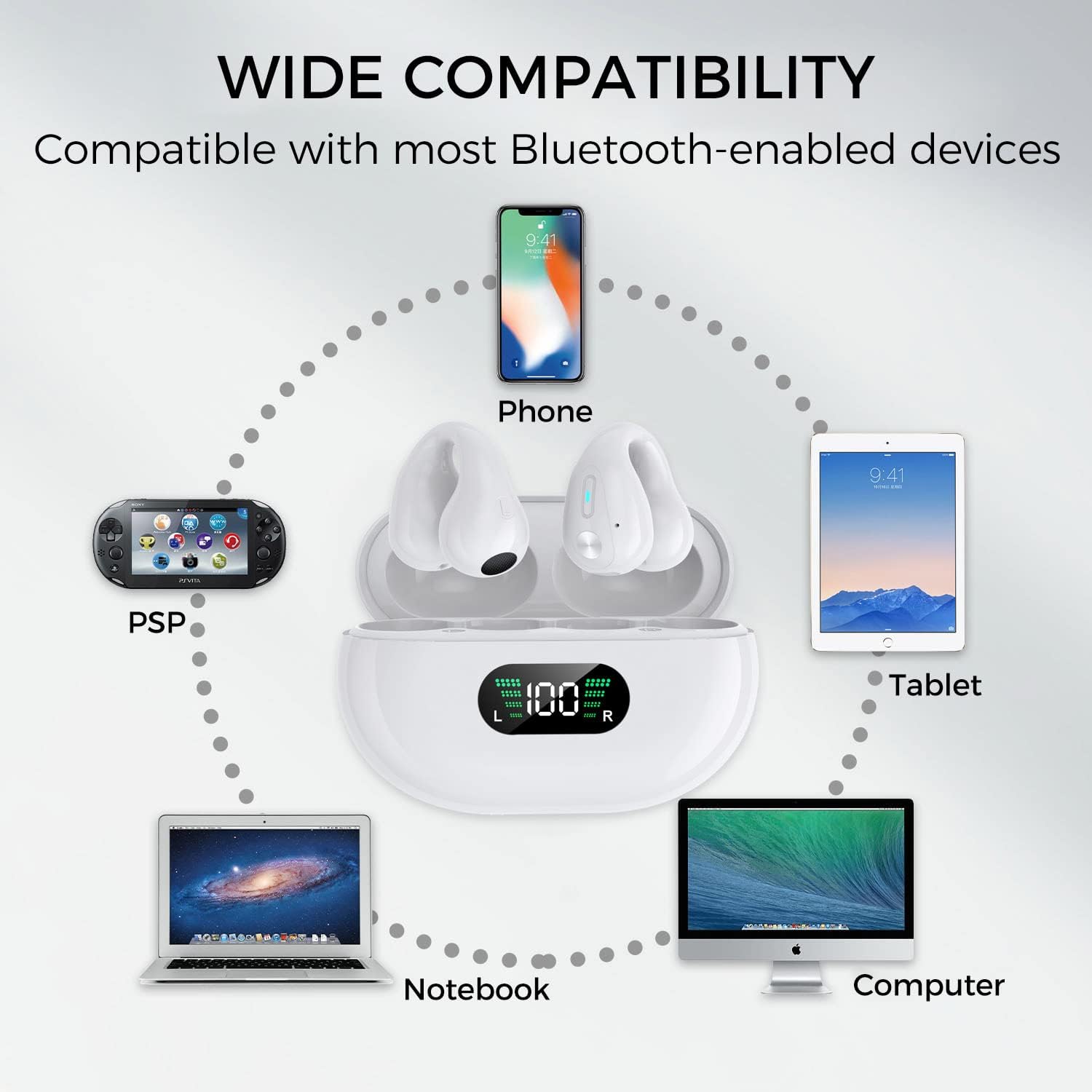
Image 3.2: Diagram illustrating the wide compatibility of the earbuds with various Bluetooth-enabled devices such as phones, tablets, notebooks, and computers.
4. Arahan Operasi
4.1 Memakai Fon Telinga
The Q80-W earbuds are designed to clip onto your earlobe. Gently place the earbud over your ear, ensuring the speaker is positioned towards your ear canal for optimal sound. Adjust for a comfortable and secure fit. The open-ear design allows you to remain aware of your surroundings.
4.2 Kawalan Sentuhan
The earbuds feature sensitive touch controls on their outer surface. Refer to the diagram below for specific functions:
- Hidupkan/Mati Kuasa: Automatic when removed/placed in case.
- Main/Jeda: Click once on either L/R earbud.
- Kelantangan: Click 3 times on the Left earbud.
- Perlahankan suara: Click 3 times on the Right earbud.
- Lagu Seterusnya: Click once on the Right earbud for 1 second.
- Lagu Sebelumnya: Click once on the Left earbud for 1 second.
- Jawab/Tutup Panggilan: Click twice on either L/R earbud.
- Tolak Panggilan: Long press either L/R earbud for 2 seconds.
- Aktifkan Pembantu Suara (Siri/Google Assistant): Click L/R for 5 seconds.
Note: Accidental touches may occur if the earbuds are adjusted frequently. Familiarize yourself with the touch areas.
5. Penyelenggaraan
5.1 Pembersihan
- Lap fon telinga dan bekas pengecas dengan kain lembut, kering dan tidak berbulu.
- Jangan gunakan pembersih yang melelas, alkohol atau pelarut kimia.
- Pastikan mengecas kenalan bersih dan bebas daripada serpihan.
5.2 Penyimpanan
- Simpan fon telinga dalam bekas pengecasnya apabila tidak digunakan untuk melindunginya dan memastikan ia dicas.
- Elakkan suhu, kelembapan dan habuk yang melampau.
6. Penyelesaian masalah
Jika anda menghadapi masalah dengan fon telinga anda, sila rujuk penyelesaian biasa berikut:
| Masalah | Penyelesaian yang Mungkin |
|---|---|
| Fon telinga tidak dihidupkan. | Ensure earbuds and charging case are fully charged. Place earbuds in the case and close, then open again. |
| Earbuds do not pair with device. | Ensure Bluetooth is enabled on your device. Turn off and on your device's Bluetooth. Forget "Q80-W" from your device's Bluetooth list and re-pair. Ensure earbuds are in pairing mode (LED indicator blinking). |
| Hanya satu fon telinga berfungsi. | Place both earbuds back into the charging case, close the lid, wait a few seconds, then open the lid and take them out simultaneously. This should re-sync them. |
| Kelantangan rendah atau kualiti bunyi yang lemah. | Adjust the volume on both your device and the earbuds. Ensure earbuds are positioned correctly on your ears. Check for any obstructions on the speaker grilles. |
| Kes pengecas tidak dicas. | Pastikan kabel USB-C disambungkan dengan kukuh pada bekas dan sumber kuasa. Cuba kabel pengecas atau penyesuai kuasa yang lain. |
7. Spesifikasi
| Ciri | Perincian |
|---|---|
| Nama Model | S80-W |
| Jenama | Alpha Digital |
| Teknologi Ketersambungan | Wayarles (Bluetooth 5.3) |
| Hayat Bateri (Earbud) | Sehingga 5 jam |
| Jumlah Masa Main (dengan Kes) | Lebih kurang 18 jam |
| Kapasiti Bateri Kes Pengecasan | 350mAh |
| Kaedah Kawalan | Sentuh |
| Penempatan Telinga | Open Ear (Clip) |
| bahan | plastik |
| Berat Barang | 4.6 auns (0.13 Kilogram) |
| Tahap Ketahanan Air | Bukan Tahan Air |
| UPC | 884945006620 |
8. Maklumat Keselamatan
- Jangan buka, baiki atau ubah suai produk.
- Keep away from water, moisture, and extreme temperatures. This product is not water resistant.
- Elakkan pendedahan berpanjangan kepada paras volum tinggi untuk mengelakkan kerosakan pendengaran.
- Jauhkan daripada kanak-kanak dan haiwan peliharaan.
- Buang produk dan baterinya secara bertanggungjawab mengikut peraturan tempatan.
9. Waranti dan Sokongan
Alpha Digital products are designed for reliability and performance. For warranty information or technical support, please refer to the contact details provided with your purchase or visit the official Alpha Digital webtapak. Sila simpan bukti pembelian anda untuk tuntutan waranti.


