1. Pengenalan
This manual provides comprehensive instructions for the installation, operation, maintenance, and troubleshooting of your Anpviz 4K PoE Turret IP Camera, Model IPC-D3A83W-S. Please read this manual thoroughly before using the product to ensure proper functionality and safety. Keep this manual for future reference.
2. Produk Lebihview
The Anpviz 4K PoE Turret IP Camera is designed for both indoor and outdoor security surveillance, offering high-resolution video and advanced detection capabilities.
Ciri-ciri Utama:
- 4K Ultra HD (8MP) Resolution: Provides clear video at 3840x2160 pixels.
- Kanta Sudut Lebar 2.8mm: Offers a 110-degree field of view.
- Kuasa Ethernet (PoE): Simplifies installation with a single cable for power and data.
- Pengesanan Manusia & Kenderaan AI: Mengurangkan penggera palsu dengan mengenal pasti pergerakan manusia dan kenderaan dengan tepat.
- Smart Dual Light Color Night Vision: Features infrared night vision (up to 98ft) and warm lights for color night vision upon motion detection.
- Mikrofon terbina dalam: Enables one-way audio monitoring.
- Penilaian Kalis Air IP66: Ensures durability for outdoor use.
- Akses Jauh: View hidup footage and recordings via mobile app or PC client.
Kandungan Pakej:
- 1x Anpviz 4K PoE Turret IP Camera (Model IPC-D3A83W-S)
- 1x Tudung Kalis Air
- 1x Manual Pengguna
- Screw Packs for installation
- 1x Kad Selepas Jualan
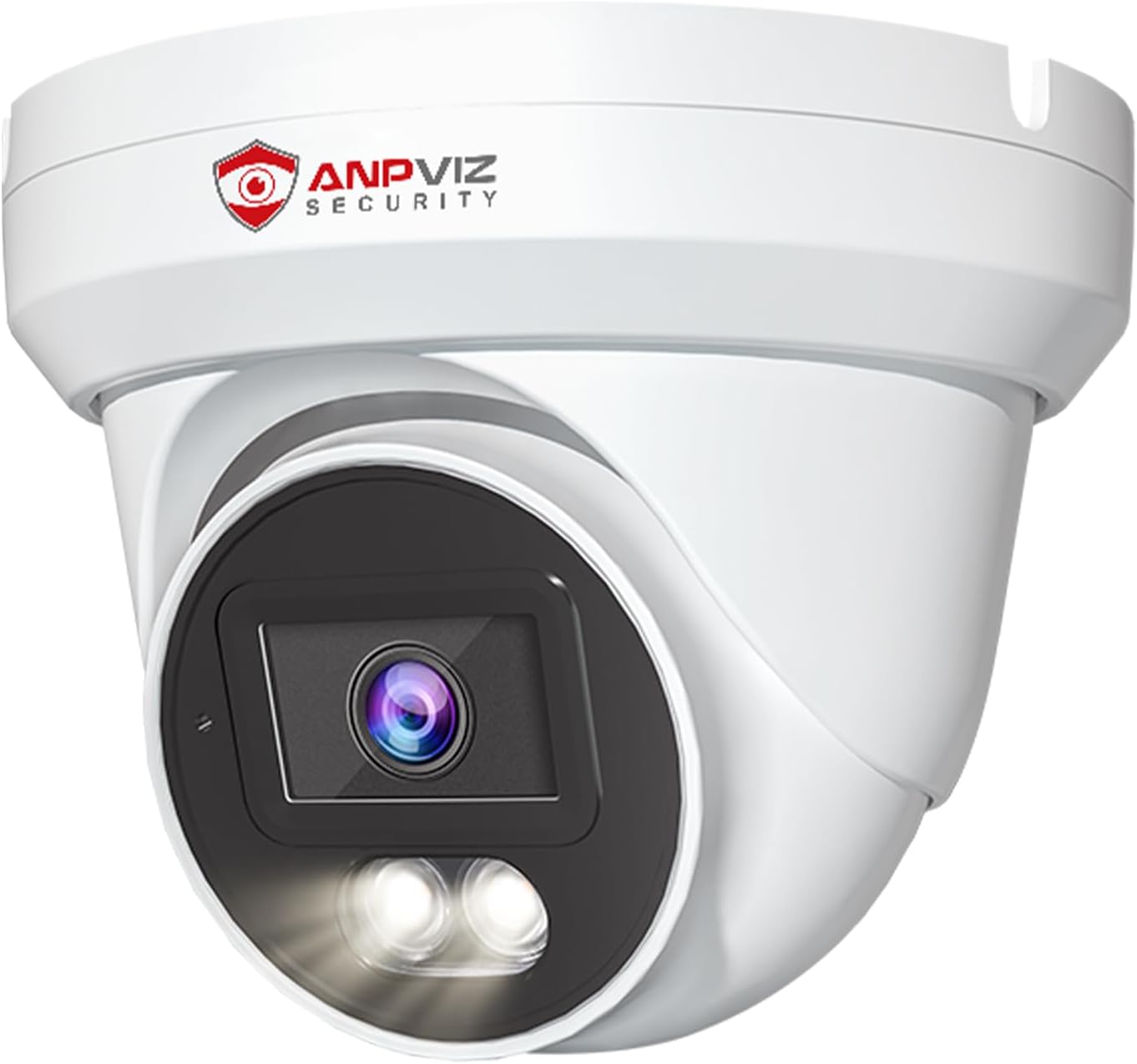
Imej 1: Depan view of the Anpviz 4K PoE Turret IP Camera, showcasing reka bentuk dan lensanya yang padat.
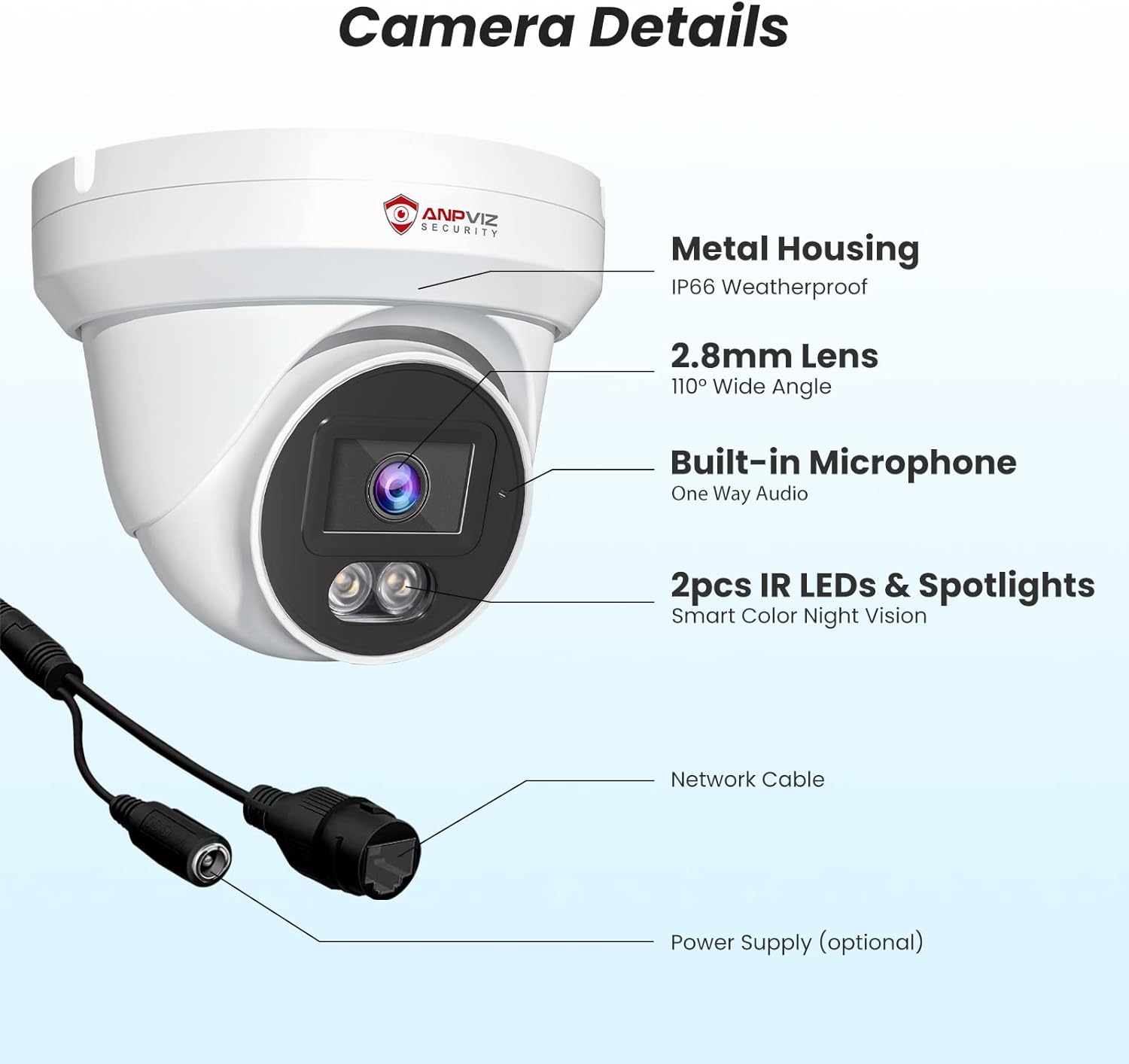
Imej 2: Terperinci view of the camera components, including the metal housing, 2.8mm lens, built-in microphone, IR LEDs, spotlights, network cable, and optional power supply port.
3. Persediaan dan Pemasangan
The Anpviz 4K PoE Turret IP Camera supports Power over Ethernet (PoE) for simplified installation. A single Ethernet cable provides both power and data connection to a compatible PoE NVR or PoE switch.
3.1 Pemasangan Fizikal
- Pilih Lokasi Pemasangan: The camera can be ceiling-mounted or wall-mounted. Ensure the chosen location provides the desired field of view and is within range of your PoE network.
- Sediakan Permukaan: Use the provided screw packs and waterproof lid for secure outdoor installation. Drill pilot holes as needed.
- Sambungkan Kabel Ethernet: Connect a standard Ethernet cable from your PoE NVR or PoE switch to the camera's network port. Ensure the waterproof lid is properly installed over the connection for outdoor use.
- Selamatkan Kamera: Mount the camera securely using the provided screws. Adjust the camera's angle to cover the desired surveillance area.

Image 3: Diagram illustrating the PoE Plug & Play setup, showing the camera connected to an NVR and router via a single Ethernet cable.
3.2 Initial Configuration (NVR Connected)
If connecting to an Anpviz U-Series NVR, the camera should be automatically detected. For initial setup and configuration, refer to the NVR's user manual. The following video demonstrates how to preview the PoE camera via a monitor connected to the NVR:
Video 1: Instructions on how to preview the PoE camera feed using a monitor connected to an NVR, including initial NVR configuration steps like setting a new password and accessing camera settings.
4. Arahan Operasi
4.1 4K Ultra HD Video Monitoring
The camera delivers 4K (3840x2160) resolution video, providing detailed and clear images for surveillance. The 110-degree wide-angle lens ensures a broad coverage area.

Image 4: Visual comparison demonstrating the superior clarity and detail of 4K Ultra HD (8MP) resolution compared to 1080P resolution.

Image 5: Illustration of the 110-degree wide-angle lens coverage, showing how it captures a larger area.
4.2 Pengesanan Manusia & Kenderaan AI
The camera features advanced AI technology to distinguish between human and vehicle movements and other environmental factors like leaves or insects. This reduces false alarms and ensures you receive relevant alerts.
- Konfigurasi: Enable human and vehicle detection settings through the NVR interface or mobile application.
- Makluman: Receive notifications on your smartphone or email when human or vehicle activity is detected.
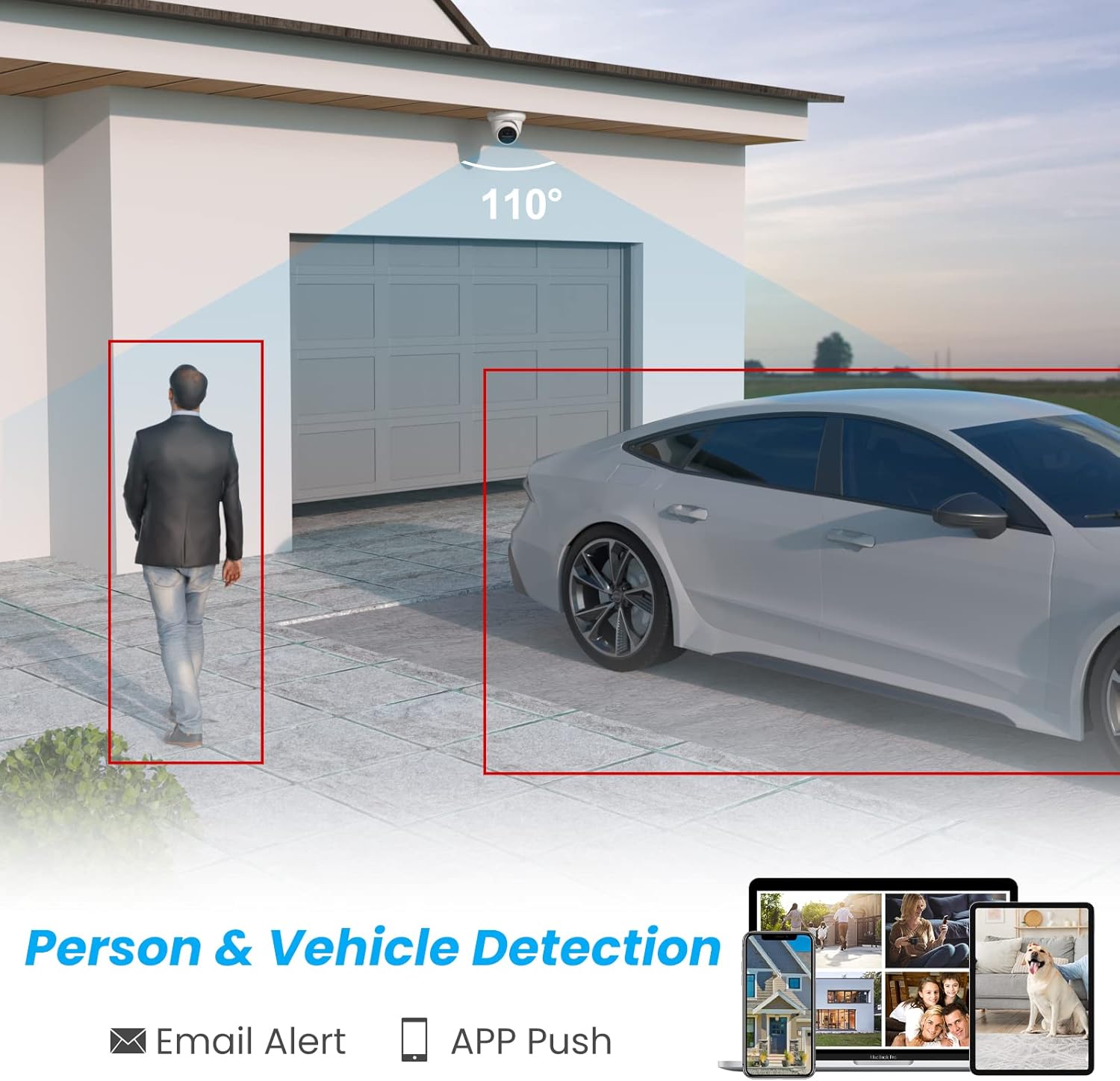
Image 6: Graphic demonstrating the camera's ability to detect and highlight human and vehicle presence within its field of view, triggering email and app push notifications.

Image 7: Illustration showing how the AI detection system filters out irrelevant alerts, focusing only on people and vehicles.
4.3 Smart Dual Light Color Night Vision
Kamera ini menawarkan pilihan penglihatan malam yang fleksibel:
- Penglihatan Malam IR: Provides black and white video in low-light conditions using infrared LEDs.
- Penglihatan Malam Warna: When motion is detected, the camera's warm lights illuminate the area, providing full-color video.
- Penyesuaian: You can customize the night vision mode to suit your preferences via the camera settings.
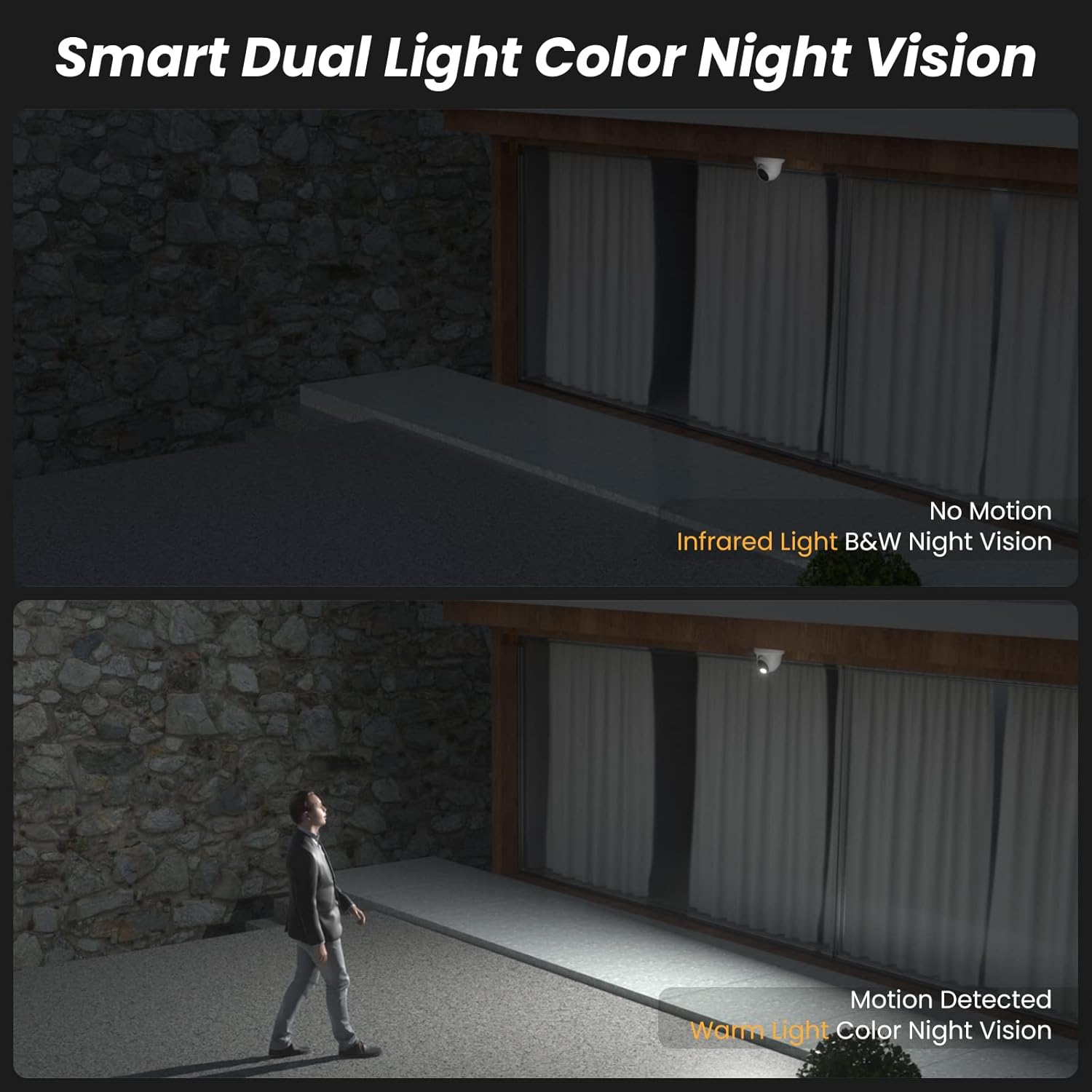
Image 8: Comparison showing infrared black and white night vision without motion, and color night vision with warm light activation upon motion detection.
Video 2: A short demonstration of the camera's infrared black and white night vision mode when no motion is detected.
Video 3: A short demonstration of the camera's white light color night vision mode activating upon motion detection.
4.4 Audio Sehala
The integrated microphone allows for one-way audio monitoring, capturing sounds from the camera's vicinity. This feature enhances situational awareness.

Image 9: Illustration showing the camera's built-in microphone capturing audio, which can be monitored remotely via an NVR or mobile device.
4.5 Remote Access and Live View
Akses suapan langsung kamera anda dan rakaman videotage from anywhere using the dedicated mobile app (VideoLink) or PC client (LMS).
- Apl Mudah Alih: Download the VideoLink app from the App Store or Google Play.
- Klien PC: Download the LMS client from the Anpviz support webtapak.
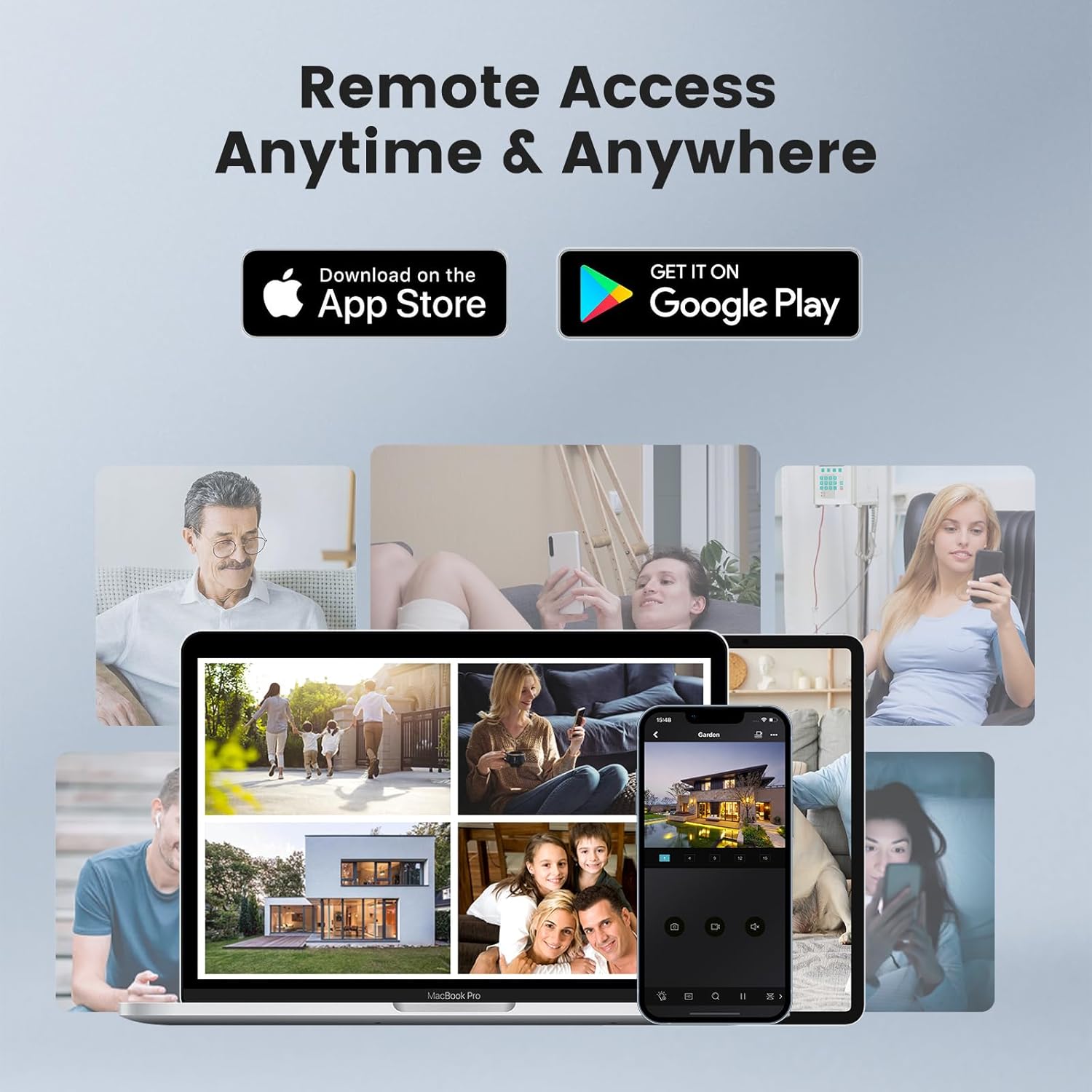
Image 10: Depiction of remote access capabilities, showing live camera feeds on various devices like smartphones, tablets, and laptops.

Imej 11: Selesaiview of multi-platform remote access, highlighting the VideoLink mobile app and LMS PC client for various operating systems and browsers.
The following video demonstrates how to download the VideoLink and LMS applications for PC:
Video 4: A short instructional video on how to download the VideoLink and LMS applications for PC from the Anpviz support webtapak.
5. Penyelenggaraan
- Pembersihan tetap: Periodically clean the camera lens with a soft, dry cloth to ensure clear image quality. Avoid abrasive cleaners.
- Kemas kini Firmware: Check the Anpviz support website regularly for firmware updates. Keeping your camera's firmware up-to-date ensures optimal performance and security.
- Pemeriksaan Kabel: For outdoor installations, periodically inspect the Ethernet cable and waterproof connections for any signs of wear or damage.
- Kitaran Kuasa: If the camera experiences issues, try power cycling it by disconnecting and reconnecting the PoE cable.
6. Penyelesaian masalah
- Tiada Suapan Video:
- Ensure the PoE connection is secure and the NVR/switch is powered on.
- Sahkan ketersambungan rangkaian.
- Check if the camera is properly added and configured in your NVR or viewperisian ing.
- Kualiti Imej Lemah:
- Bersihkan lensa kamera.
- Ensure sufficient lighting in the area, especially at night.
- Check video resolution settings in your NVR or app.
- Makluman Gerakan Palsu:
- Adjust the sensitivity settings for human/vehicle detection.
- Pastikan medan kamera view is not obstructed by moving objects like tree branches.
- Isu Capaian Jauh:
- Sahkan sambungan internet anda.
- Ensure the NVR or camera is properly connected to the internet and port forwarding (if applicable) is configured correctly.
- Update the mobile app or PC client to the latest version.
7. Spesifikasi
| Ciri | Spesifikasi |
|---|---|
| Nama Model | IPC-D3A83W-S |
| Resolusi Tangkapan Video | 4K (3840x2160) |
| Resolusi Pegun Berkesan | 8 MP |
| Viewsudut | 110 Darjah |
| Lensa | 2.8mm |
| Julat Penglihatan Malam | 98 Kaki |
| Teknologi Cahaya Rendah | Smart Color Night Vision (Default), Infrared Night Vision (Optional), Color Night Vision (Optional) |
| Teknologi Ketersambungan | Berwayar (PoE) |
| Protokol Ketersambungan | Ethernet |
| Audio | Built-in Microphone (One-way audio) |
| Jenis Makluman | Motion Only (AI Human & Vehicle Detection) |
| Penilaian Perlindungan Antarabangsa | IP66 (kalis air) |
| Penggunaan Dalaman/Luar | Dalaman, Luaran |
| Jenis Pemasangan | Ceiling Mount, Wall-Mounted |
| bahan | logam |
| Dimensi Produk (L x W x H) | 4.72 x 4.72 x 4.92 inci |
| Berat Barang | 1.01 paun (0.46 Kilogram) |
| Sumber Kuasa | Elektrik Berwayar (melalui PoE) |
| Peranti Serasi | Smartphone, PC, Monitor, Computer, Laptop |
8. Waranti dan Sokongan
Anpviz provides a 1-year warranty and lifetime technical support for this product. For any questions or issues, please contact our professional technical staff.
Maklumat Hubungan:
- Penjual Amazon: Contact through the Amazon platform.
- Sokongan E-mel: support@anpvizsecurity.com
- Waktu Operasi: Monday - Friday, 9:00 AM - 6:00 PM (Time Zone not specified, assume PST or EST based on Amazon.com)

Image 12: Graphic detailing Anpviz's 1-year warranty and lifetime technical support, including contact methods and operating hours.


