1. Pengenalan
The Elite Aria Smart Cooling Fan is an advanced device designed to enhance your indoor cycling experience by replicating outdoor ride conditions. It features intelligent airflow adjustment based on your workout intensity and data, reaching speeds up to 50 km/h. The Aria fan offers extensive compatibility with various sensors and devices, ensuring a highly immersive and effective training environment.
This manual provides essential information for the safe and efficient operation, setup, and maintenance of your Elite Aria Smart Cooling Fan. Please read it thoroughly before using the product.
2. Maklumat Keselamatan
- Sentiasa pastikan kipas diletakkan di atas permukaan yang stabil dan rata untuk mengelakkannya daripada terbalik.
- Keep hands, hair, and loose clothing away from the fan blades during operation.
- Jangan kendalikan kipas dengan kord kuasa atau palam yang rosak.
- Jangan rendamkan kipas di dalam air atau dedahkannya kepada kelembapan berlebihan.
- Cabut plag kipas daripada soket kuasa sebelum membersihkan atau melakukan sebarang penyelenggaraan.
- Perkakas ini tidak dimaksudkan untuk digunakan oleh orang (termasuk kanak-kanak) yang kurang keupayaan fizikal, deria atau mental, atau kurang pengalaman dan pengetahuan, melainkan mereka telah diberi pengawasan atau arahan mengenai penggunaan perkakas oleh orang yang bertanggungjawab untuk keselamatan mereka.
3. Kandungan Pakej
Sahkan bahawa semua item terdapat dalam pakej:
- Elite Aria Smart Fan Unit
- Penyesuai Kuasa
- 2 x Activated Carbon Filters (pre-installed or separate)
- Manual Pengguna (dokumen ini)
4. Persediaan
4.1 Membongkar dan Meletakkan
- Carefully remove the Elite Aria Smart Cooling Fan from its packaging.
- Place the fan on a flat, stable surface in front of your training setup.
- Adjust the fan's angle to optimize airflow. The Aria features 10 adjustable positions, ranging from 0° to 50°, to best cover a cyclist's body shape.
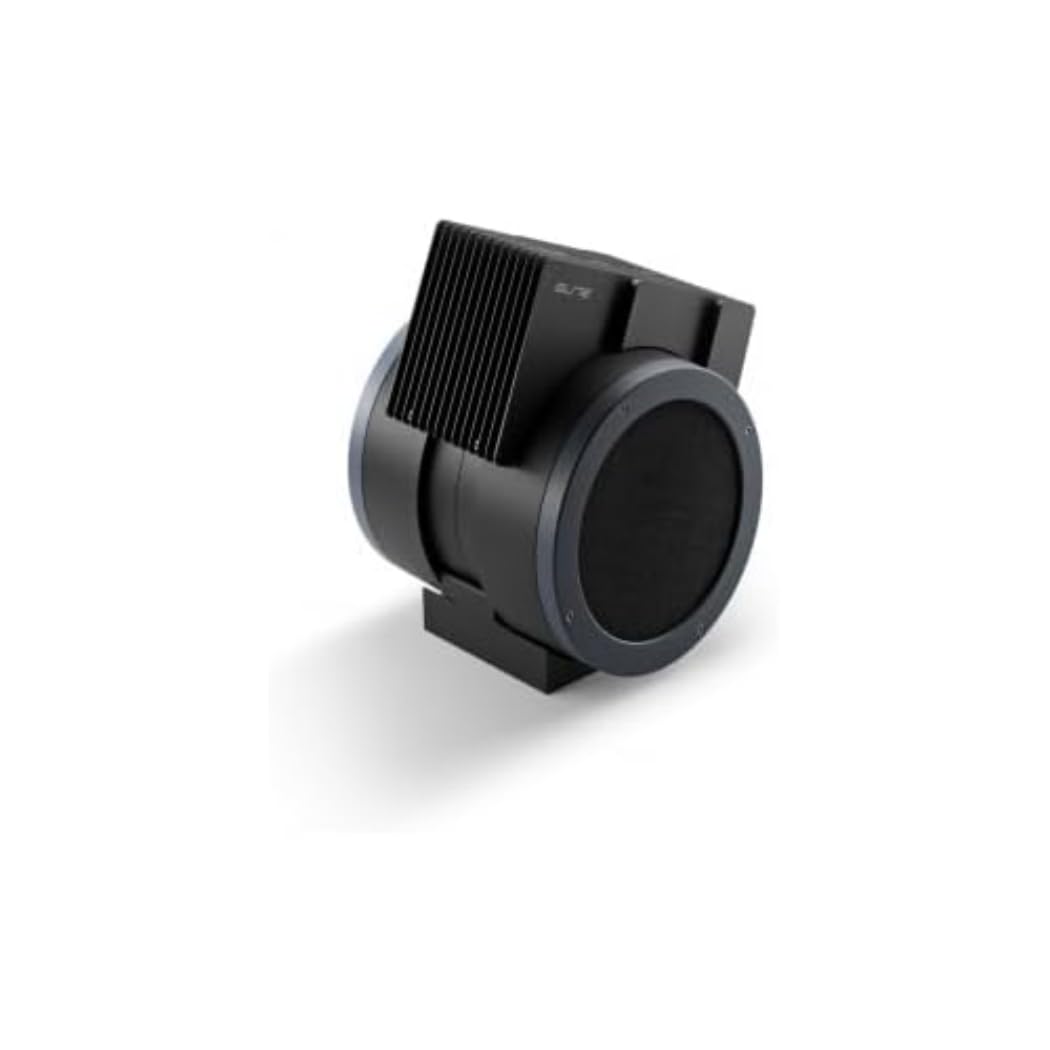
An image showing the Elite Aria Smart Cooling Fan, a black, cylindrical device with a rectangular top section containing cooling fins, designed for indoor cycling training.
4.2 Sambungan Kuasa
- Connect the power adapter to the fan's power input port.
- Palamkan penyesuai kuasa ke salur keluar elektrik yang sesuai.
- The fan will power on in standby mode or manual mode, indicated by the control panel lights.
4.3 Pemasangan Penapis (jika tidak diprapasang)
The Aria includes 2 activated carbon filters designed to filter air and remove workout odors. If not pre-installed, follow these steps:
- Locate the filter compartments on the fan (refer to the diagram in the quick start guide if available).
- Insert the activated carbon filters into their respective slots. Ensure they are securely seated.
5. Mod Operasi
5.1 Mod Manual
The Aria fan can be operated manually using the small keyboard on the unit:
- Butang Kuasa: Press to turn the fan on/off or activate standby mode.
- Pelarasan Kelajuan: Use the dedicated buttons to cycle through 4 manual wind intensity levels.
- Mod bersedia: Activate standby mode when not actively training.
5.2 Smart Mode (Automatic Adjustment)
The Aria fan's primary feature is its ability to automatically adjust airflow based on your workout data. It communicates wirelessly with various sensors and devices:
- ANT+ FE-C & ANT+ Speed Devices/Sensors: For speed-based airflow.
- ANT+ Power Meters: For power-based airflow.
- ANT+ & BLE Heart Rate Monitors: For heart rate-based airflow.
- ANT+ Body Temperature Sensors: For body temperature-based airflow.
To pair with a device or sensor:
- Ensure your sensor/device is active and within range.
- On the Aria's keyboard, press the button to select the desired data source (speed, power, heart rate, body temperature).
- The fan will automatically search for and connect to compatible sensors. Once connected, airflow will adjust dynamically.
5.3 My E-Training App Control
The Elite Aria fan can also be controlled via the My E-Training app, providing quick access to all main functions and advanced settings:
- Download and install the My E-Training app on your smartphone or tablet.
- Open the app and ensure Bluetooth is enabled on your device.
- Follow the in-app instructions to connect to your Elite Aria fan.
- Through the app, you can select the device/sensor to be connected, adjust wind power percentage, and customize advanced settings to suit your workout needs.
Note: You do not need a subscription to the My E-Training app to access all of Aria's features within the app.
6. Penyelenggaraan
6.1 Pembersihan
- Sentiasa cabut plag kipas sebelum membersihkan.
- Lap permukaan luar kipas dengan lembut, damp kain. Jangan gunakan pembersih atau pelarut yang melelas.
- Pastikan tiada air memasuki komponen dalaman.
6.2 Activated Carbon Filter Replacement
The activated carbon filters help remove workout odors. They should be replaced periodically depending on usage and air quality.
- Cabut plag kipas dari salur keluar kuasa.
- Cari petak penapis.
- Carefully remove the spent filters.
- Insert new activated carbon filters, ensuring they fit snugly.
- Dispose of old filters responsibly.
7. Penyelesaian masalah
- Kipas tidak dihidupkan:
- Check if the power cord is securely plugged into both the fan and the electrical outlet.
- Ensure the electrical outlet is functional.
- No automatic airflow adjustment:
- Ensure your sensors/devices are turned on and within range of the fan.
- Verify that the correct data source (speed, power, HR, temp) is selected on the fan's control panel or via the My E-Training app.
- Check battery levels of your external sensors.
- Try restarting both the fan and your sensors/devices.
- Aliran udara yang lemah:
- In manual mode, increase the speed level.
- In smart mode, ensure your workout intensity data is being correctly transmitted and interpreted.
- Check if the air intake or output is obstructed.
- Consider replacing the activated carbon filters if they are old or heavily used.
8. Spesifikasi
| Ciri | Spesifikasi |
|---|---|
| Nama Jenama | Elit |
| Nama Model | Aria |
| Nombor Bahagian | 3204003750 |
| bahan | Termoplastik |
| Dimensi Item (LxWxH) | 12.2 x 11.81 x 14.17 inci |
| Dimensi Pakej (LxWxH) | 17.72 x 17.32 x 14.76 inci |
| Berat Pakej | 6.2 Kilogram |
| Kelajuan Aliran Udara Maks | Hingga 50 km / j |
| Kedudukan Boleh Laras | 10 (0° to 50°) |
| Ketersambungan | ANT+ FE-C, ANT+ Speed, ANT+ Power, ANT+ HR, BLE HR, ANT+ Body Temperature |
| Komponen yang Disertakan | Aria Smart Fan, 2 Activated Carbon Filters |
9. Waranti dan Sokongan
Elite products are manufactured to high standards and are covered by a limited warranty. For specific warranty terms and conditions, please refer to the warranty card included with your product or visit the official Elite webtapak.
For technical support, troubleshooting assistance, or to inquire about replacement parts (such as activated carbon filters), please contact Elite customer service through their official webtapak atau maklumat hubungan yang diberikan dalam pembungkusan produk anda.
Sumber Dalam Talian:


