pengenalan
This manual provides essential instructions for the safe and efficient operation of your Deeyaple 3-in-1 Wireless Bluetooth Speaker with Alarm Clock and Cell Phone Stand, Model S207. Please read this manual thoroughly before use and retain it for future reference.
Maklumat Keselamatan
- Jangan dedahkan peranti kepada suhu yang melampau, cahaya matahari langsung atau kelembapan yang tinggi.
- Jauhkan daripada air dan cecair lain.
- Jangan buka atau cuba membaiki peranti ini sendiri. Hubungi kakitangan servis yang berkelayakan.
- Gunakan hanya kabel pengecasan yang disediakan.
- Elakkan daripada menjatuhkan atau meletakkan peranti kepada kesan yang kuat.
Kandungan Pakej
Sahkan bahawa semua item ada:
- Deeyaple 3-in-1 Wireless Bluetooth Speaker (Model S207)
- Kabel Pengecasan USB Jenis-C
- Manual Arahan
Produk Selesaiview
Komponen
The Deeyaple S207 integrates a Bluetooth speaker, digital alarm clock, and a foldable cell phone stand. It features a 12-hour time display, HD surround sound, a loud alarm, TF card reader, and a built-in microphone.

Imej: Depan view of the Deeyaple S207, highlighting the screen display, charging port, and control buttons.
Kawalan
| Butang | Fungsi |
|---|---|
| Main / Jeda / Panggil | Play/pause audio; Answer/End calls. |
| Kelantangan NAIK / Trek Seterusnya | Short press for next track; Long press for volume up. |
| Kelantangan Turun / Trek Sebelumnya | Short press for previous track; Long press for volume down. |
| Butang Cahaya | Controls LED light modes. |
| SET | Enter time/alarm setting mode; Confirm settings. |
Persediaan
Kuasa Awal Hidup
- Connect the provided USB Type-C cable to the charging port on the device and a suitable USB power adapter (not included).
- Peranti akan dihidupkan secara automatik.
Adjusting the Phone Stand
The phone stand is foldable and adjustable. Gently extend the stand and adjust the angle to your preferred viewing position. The non-slip pads will secure your device.
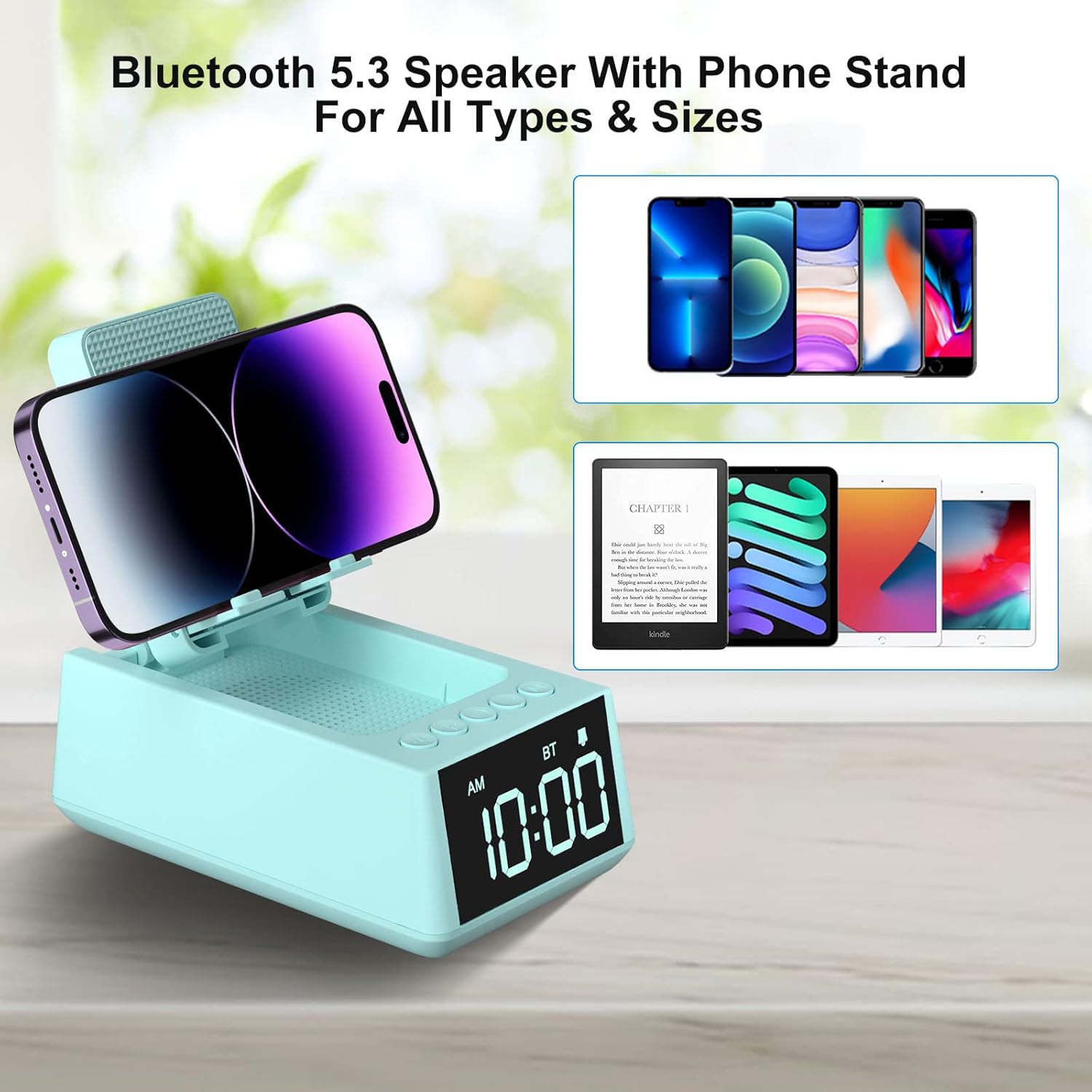
Image: The phone stand of the Deeyaple S207 shown in various adjustable positions, demonstrating its flexibility.
Arahan Operasi
Sambungan Bluetooth
- Press the "Play/Pause/Call" button once to enter Bluetooth pairing mode. The device will announce "Bluetooth mode".
- On your smartphone or tablet, enable Bluetooth and search for "Magic Arm" (or similar device name).
- Select the device to pair. The speaker will announce "Bluetooth connected" upon successful pairing.
- To disconnect, short press the "Play/Pause/Call" button twice.
Nota: After connecting, the audio time will automatically synchronize with the mobile phone time (iPhone only).
Video: This video demonstrates the detailed steps for setting up the Bluetooth connection on the Deeyaple S207 speaker.
Menetapkan Masa
- Short press the "SET" button to enter the time setting mode. The hour display will blink.
- Use the "+" and "-" buttons to adjust the hour (AM/PM 12-hour display).
- Short press "SET" again to move to minute setting. The minute display will blink.
- Use the "+" and "-" buttons to adjust the minutes.
- Short press "SET" again to confirm and exit time setting.
- To switch between 12-hour and 24-hour format, long press the "SET" button.
Menetapkan Penggera
- Long press the "SET" button to enter the alarm setting mode. The alarm hour display will blink.
- Use the "+" and "-" buttons to adjust the alarm hour.
- Short press "SET" again to move to alarm minute setting. The alarm minute display will blink.
- Use the "+" and "-" buttons to adjust the alarm minutes.
- Short press "SET" again to confirm and exit alarm setting. A small clock icon will appear on the display, indicating the alarm is set.
- To snooze the alarm, press any button except "SET". The alarm will sound again after 5 minutes.
- To turn off the alarm completely, short press "SET" when the alarm is sounding or when the clock icon is displayed. The clock icon will disappear.
Menggunakan Pendiri Telefon
The foldable stand supports smartphones and e-readers from 4 to 13 inches. Adjust the stand to hold your device vertically or horizontally for optimal viewing.

Image: The Deeyaple S207 with a smartphone placed horizontally on its adjustable stand, ideal for media consumption.
Mengecas Peranti Anda
The device supports wireless charging. Place your compatible smartphone on the charging pad located on the phone stand. Ensure the phone is centered for efficient charging.

Image: A smartphone being wirelessly charged on the Deeyaple S207, with musical notes indicating audio playback.
Fungsi Lampu LED
Press the "Light button" to cycle through different LED light modes.
Video: This video showcases the various display and light features of the Deeyaple S207 speaker stand.
Video: Video ini memberikan penamatview of the Deeyaple S207, highlighting its features as a cell phone stand with Bluetooth speaker and LED light.
Penyelenggaraan
- Bersihkan peranti dengan kain lembut dan kering. Jangan gunakan pembersih atau pelarut yang melelas.
- Pastikan port pengecas bebas daripada habuk dan serpihan.
- Simpan di tempat yang sejuk dan kering apabila tidak digunakan.
Menyelesaikan masalah
Tiada Kuasa
- Ensure the USB Type-C cable is securely connected to both the device and a working power source.
- Periksa sama ada penyesuai kuasa berfungsi dengan betul.
Isu Berpasangan Bluetooth
- Make sure the device is in pairing mode (indicated by "Bluetooth mode" announcement).
- Ensure your smartphone/tablet's Bluetooth is enabled and within range.
- Cuba lupakan peranti pada tetapan Bluetooth telefon anda dan pasangkan semula.
Pengecasan Tanpa Wayar Tidak Berfungsi
- Ensure your phone is wirelessly charging compatible.
- Tanggalkan sebarang sarung telefon tebal yang mungkin mengganggu pengecasan.
- Re-position your phone on the charging pad to ensure proper alignment.
Spesifikasi
- Jenama: Deeyaple
- model: S207
- Dimensi Produk: 5.68 x 3.52 x 2.16 inci
- Berat Barang: 1 paun (16 auns)
- Antara muka perkakasan: USB Jenis C
- Bateri: 1 bateri Lithium Ion diperlukan (termasuk)
- Peranti Serasi: Cell Phone, Smartphone, iPad, Kindle, Mobile Phone, Smart Phone, Tablet, Desktop, Small laptop, Small Palmtop iPhone 14, 14Plus, 14 Pro Max, 14 Pro, iPhone 13 Mini, iPhone 13, iPhone 13 Pro, iPhone 13 Pro Max, iPhone 12 Mini, 12, 12 Pro, 12 Pro Max, iPhone 11/11 Pro/11 Pro Max/X/Xs/Xs Max/8/8Plus, Samsung Galaxy S23/S22/S21 Plus/S10/S10e/S9/S8/Note 10, Pixel 3/2/XL, LG, One Plus, Motorola; iPad Pro 9.7, iPad Pro 10.5/9.7, iPad Air 2/9.7, iPad mini 4/3/2/9.7, Kindle, Kindle Oasis, New Kindle, Kindle Paperwhite3/2/1, Kindle Voyage, Kindle Touch, Kindle dx/dxg, Kindle fire 1/2, Kindle hd/hdx.
- UPC: 728990656334
Waranti dan Sokongan
For warranty information or technical support, please refer to the contact details provided with your purchase or visit the official Deeyaple webtapak.