1. Pengenalan
The Aputure MC PRO is a compact, high-performance RGBWW LED on-camera video light designed for professional and enthusiast filmmakers. Featuring a wide CCT range, full RGB color control, magnetic adsorption, and robust weather resistance, it offers versatile lighting solutions for various creative applications.

Image 1.1: The Aputure MC PRO light with its comprehensive accessory kit.
2. Kandungan Pakej
Sahkan bahawa semua item yang disenaraikan di bawah disertakan dalam pakej anda:
- Aputure MC PRO LED Video Light x 1
- Aputure MC Pro Flat Diffuser x 1
- Aputure MC Pro Dome Diffuser x 1
- Aputure MC Pro 30° Light Control Grid x 1
- Aputure Cold Shoe Ball Head x 1

Imej 2.1: Selesaiview of the Aputure MC PRO and its included accessories.
3. Persediaan
3.1 Pengecasan Awal
The Aputure MC PRO features a built-in 15.5Wh lithium-ion battery. Before first use, fully charge the device using the provided USB Type-C cable. The light also supports wireless charging for convenience.
3.2 Memasang Aksesori
The MC PRO utilizes a magnetic accessory mount system. Simply align the Flat Diffuser, Dome Diffuser, or 30° Light Control Grid with the front of the light until it snaps into place magnetically.

Image 3.1: The magnetic accessory mount allows for quick attachment of diffusers and grids.
3.3 Memasang Cahaya
The Aputure MC PRO can be mounted in several ways:
- Penjerapan Magnetik: The light features built-in magnets allowing it to attach to metallic surfaces.
- Kepala Bola Kasut Sejuk: Use the included Aputure Cold Shoe Ball Head to mount the light onto a camera's cold shoe or other compatible mounts.
- 1/4-20in Screw: The light has a 1/4-20in screw thread for direct mounting onto tripods or light stands.

Image 3.2: The magnetic base and cold shoe mount offer flexible positioning options.
4. Arahan Operasi
4.1 Hidupkan/Mati Kuasa
Locate the power button on the side of the unit. Press and hold to power the device on or off. The OLED display will illuminate upon activation.
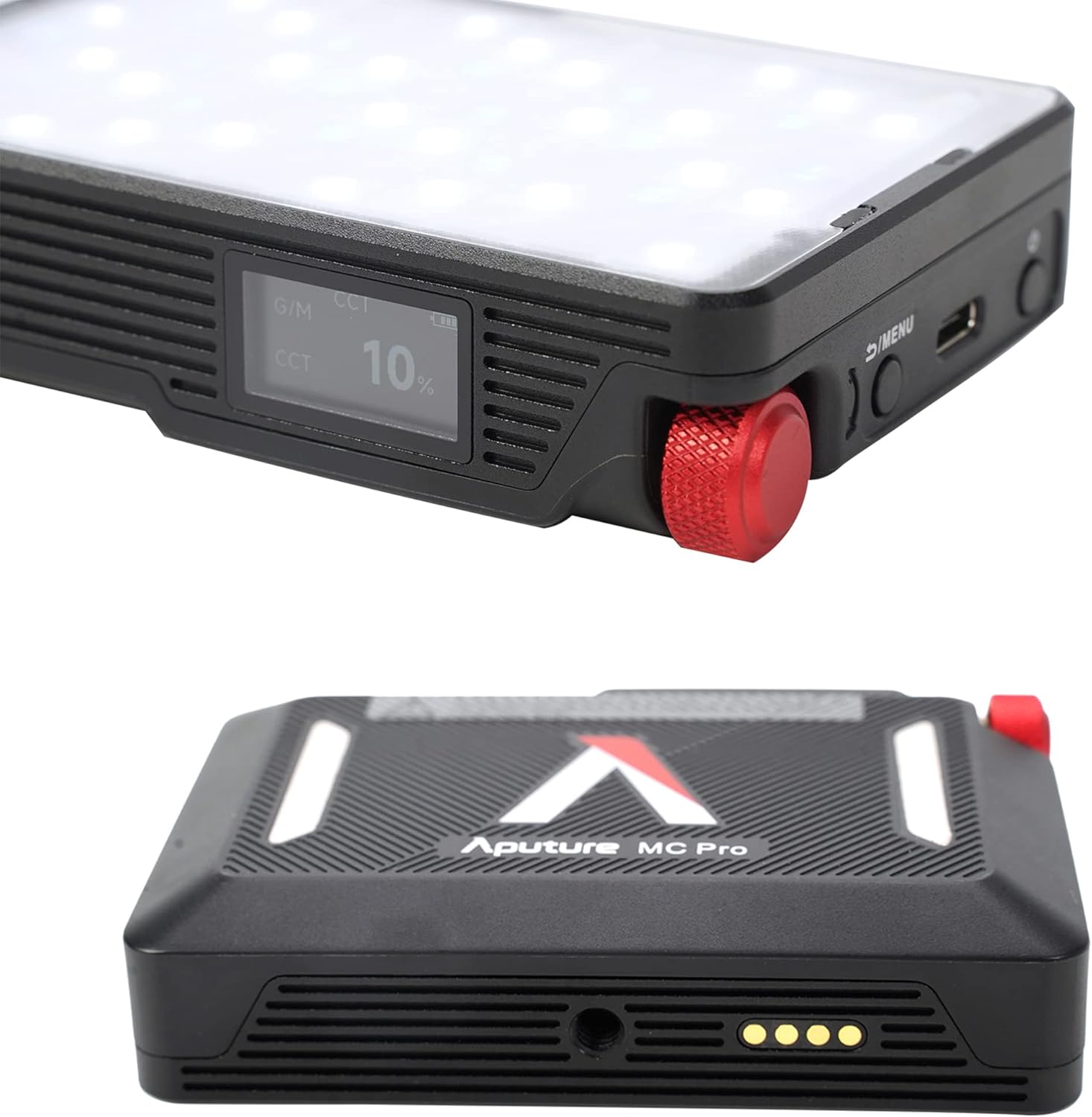
Image 4.1: The OLED display provides real-time information on light settings.
4.2 Adjusting Light Settings
Use the control knob and menu buttons to navigate through the various lighting modes and parameters:
- Mod CCT: Adjust color temperature from 2,000K to 10,000K with green-magenta adjustment.
- Mod HSI: Control hue, saturation, and intensity for full RGB color.
- Mod FX: Select from 15 built-in system effects such as Fireworks, Fire, Paparazzi, Faulty Bulb, TV, Pulsing, Cop Car, Lightning, Party Lights, Welding, Color Chase, Candle, Strobe, Explosion, and Club Lights.

Image 4.2: The light offers a range of special effects for creative lighting scenarios.
4.3 App Control (Sidus Link)
The Aputure MC PRO supports Sidus Link Bluetooth App Control, DMX/RDM1, and LumenRadio CRMX for advanced wireless control. Download the Sidus Link app on your smartphone to access comprehensive control over all light functions, including custom FX and color matching.

Image 4.3: The Sidus Link app provides extensive wireless control capabilities.
Video 4.1: Tamatview of the Aputure MC PRO RGBWW LED On-Camera Light, demonstrating its features and compact design.
5. Penyelenggaraan
5.1 Pembersihan
To clean the Aputure MC PRO, use a soft, dry cloth. Avoid using harsh chemicals or abrasive materials that could damage the finish or the LED panel. Ensure the device is powered off before cleaning.
5.2 Penyimpanan
Store the light in its included carrying case in a cool, dry place when not in use. Avoid extreme temperatures and direct sunlight.
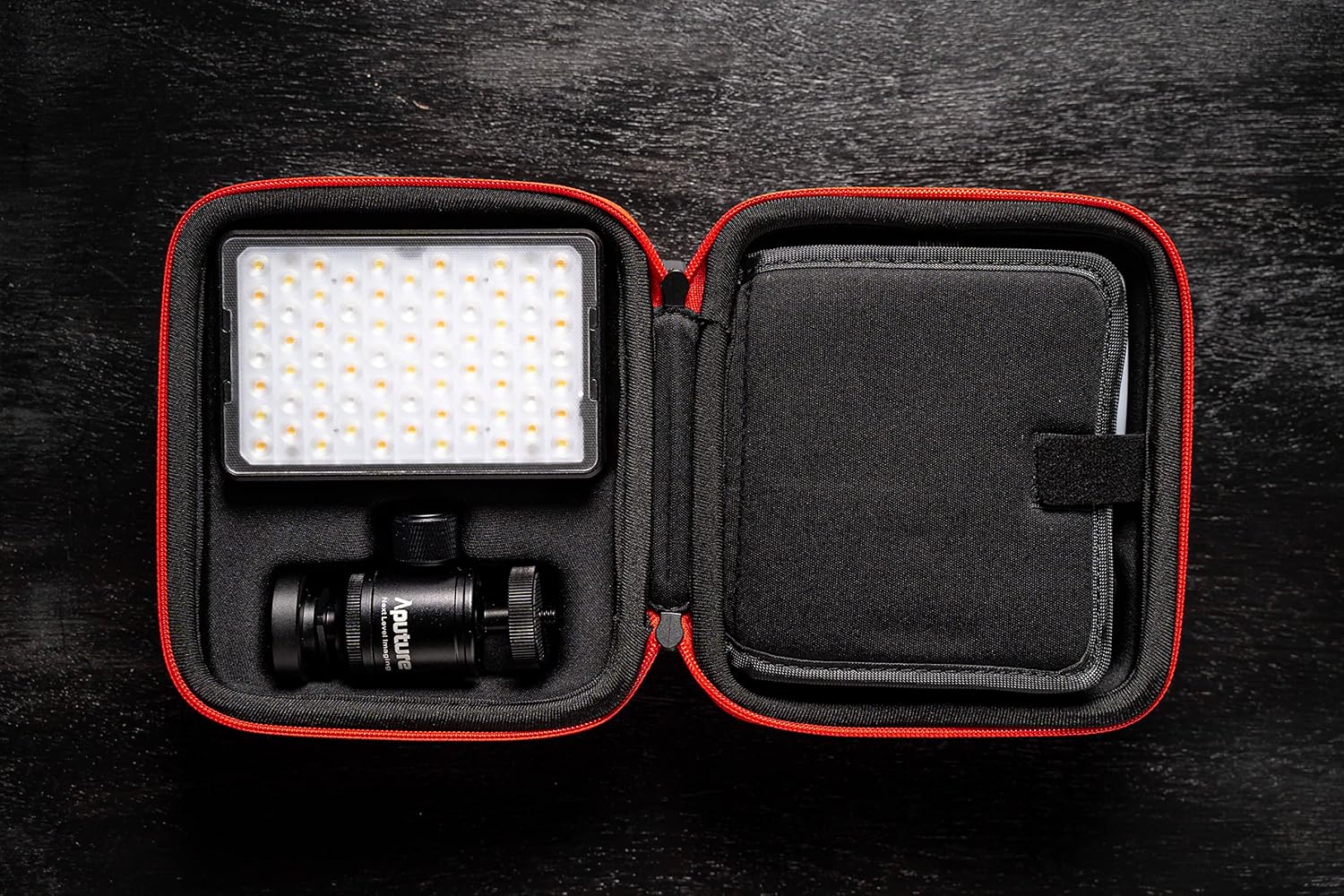
Image 5.1: The compact carrying case protects the light and its accessories during storage and transport.
5.3 Rintangan Cuaca
The Aputure MC PRO is IP65 dust and water-resistant, making it suitable for use in various environmental conditions. While it can withstand splashes and dust, it is not designed for submersion in water.

Image 5.2: The IP65 rating ensures durability in challenging weather conditions.
6. Penyelesaian masalah
- Lampu tidak menyala: Ensure the battery is charged. Connect the light to a power source using the USB-C cable.
- Isu sambungan aplikasi: Ensure Bluetooth is enabled on your device and the light. Restart both the light and the Sidus Link app.
- Output cahaya yang tidak konsisten: Check for any obstructions on the LED panel or diffusers. Ensure the light is not overheating (though the fan should prevent this).
7. Spesifikasi
| Ciri | Nilai |
|---|---|
| Dimensi Pakej | 6.54 x 6.06 x 3.43 inci |
| Berat Barang | 2.24 paun |
| Bateri | 1 bateri Lithium Ion diperlukan (termasuk) |
| Hayat Bateri | 2 Hours (at max output) |
| Teknologi Ketersambungan | Bluetooth |
| Antara Muka Perkakasan | USB Jenis C |
| Compatible Shoe Mount Type | Kasut Sejuk |
| Julat CCT | 2,000K to 10,000K with Green-Magenta Adjustment |
| CRI/TLCI | 96+ / 96+ |
| Penarafan IP | IP65 Tahan Debu & Air |
8. Waranti dan Sokongan
For warranty information, technical support, or service inquiries, please refer to the official Aputure webtapak atau hubungi bahagian perkhidmatan pelanggan mereka. Simpan resit pembelian anda sebagai bukti pembelian untuk tuntutan waranti.


