pengenalan
The Alecto BC110GN Simon is an educational sleep trainer and alarm clock designed for children. This device assists children in developing an understanding of time, promoting better sleep habits for both children and parents. It functions as a regular alarm clock and features a night light with color indicators for sleep and wake-up times.
Apa yang ada dalam Kotak
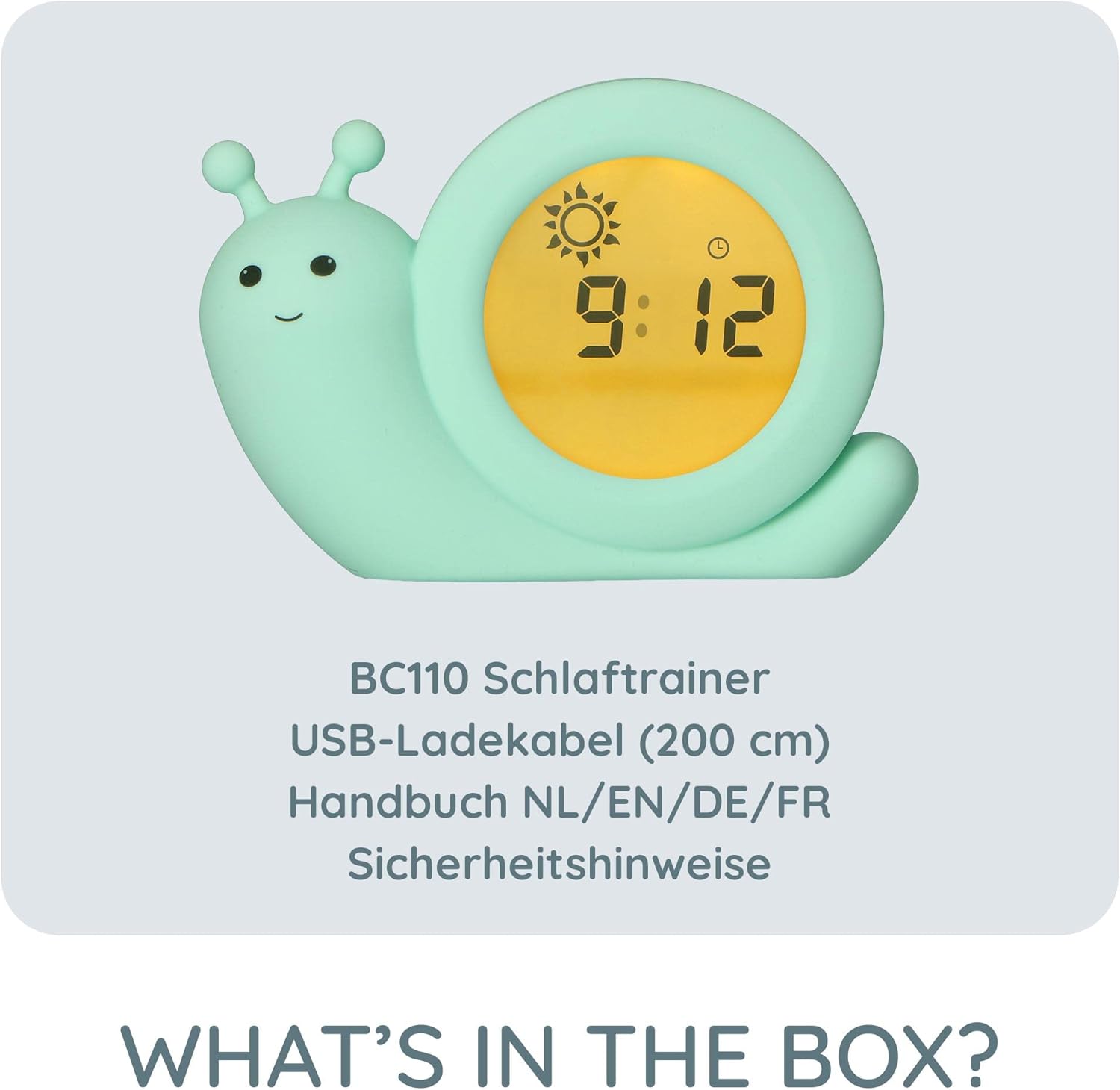
Image: The Alecto BC110GN Simon sleep trainer, USB charging cable, and multilingual manual.
- Alecto BC110GN Simon Sleep Trainer
- USB Charging Cable (200 cm)
- Multilingual User Manual (NL/EN/DE/FR)
- Arahan Keselamatan
Produk Selesaiview

Imej: Belakang view of the Alecto BC110GN Simon, highlighting the control buttons and charging port.
Butang dan Port Kawalan:
- Butang MOD: Used to switch between different settings modes.
- Butang SET: Used to confirm selections and enter setting adjustments.
- + / - Butang: Used to adjust values (e.g., time, alarm settings).
- Butang HIDUP/MATI: Controls the device's power.
- Main Power On/Off Switch: Located on the back for complete power control.
- DC 5V/500mA Charging Port: Untuk menyambungkan kabel pengecas USB.
Persediaan
1. Mengecas Peranti
Before initial use, fully charge the Alecto BC110GN Simon. Connect the supplied USB charging cable to the DC 5V/500mA port on the back of the device and plug the other end into a compatible USB power adapter (not included) or a computer USB port.

Image: The sleep trainer displaying night mode, illustrating its wireless capability after charging.
The device is rechargeable and can be used wirelessly once charged.
2. Kuasa Awal Hidup
Locate the main power On/Off switch on the back of the device and slide it to the 'On' position. The display will illuminate.
Arahan Operasi
Menetapkan Masa Semasa
- Tekan ke MODE button until the time display flashes.
- Gunakan + dan - butang untuk melaraskan jam.
- Tekan SET to confirm the hour and move to minutes.
- Gunakan + dan - butang untuk melaraskan minit.
- Tekan SET untuk menjimatkan masa semasa.
Menetapkan Masa Penggera
- Tekan ke MODE button repeatedly until the alarm icon (bell) appears and the alarm time flashes.
- Gunakan + dan - butang untuk menetapkan jam penggera yang diingini.
- Tekan SET to confirm the hour and move to minutes.
- Gunakan + dan - butang untuk menetapkan minit penggera yang diingini.
- Tekan SET untuk menjimatkan masa penggera.
- Untuk mengaktifkan/menyahaktifkan penggera, tekan butang HIDUP/MATI button when the alarm time is displayed. An alarm icon will indicate if it's active.

Image: The sleep trainer showing 8:44 with a sun icon, representing the set wake-up time.
Sleep Training Function (Color Indicators)
The Alecto BC110GN Simon uses color changes to visually indicate sleep and wake-up times for children.
- Blue Background + Moon: This indicates it is time to go to sleep or to stay in bed.

Image: The sleep trainer showing 1:26 with a blue background and moon, signifying sleep time.
- Yellow Background + Sun: This indicates it is time to wake up and get out of bed.
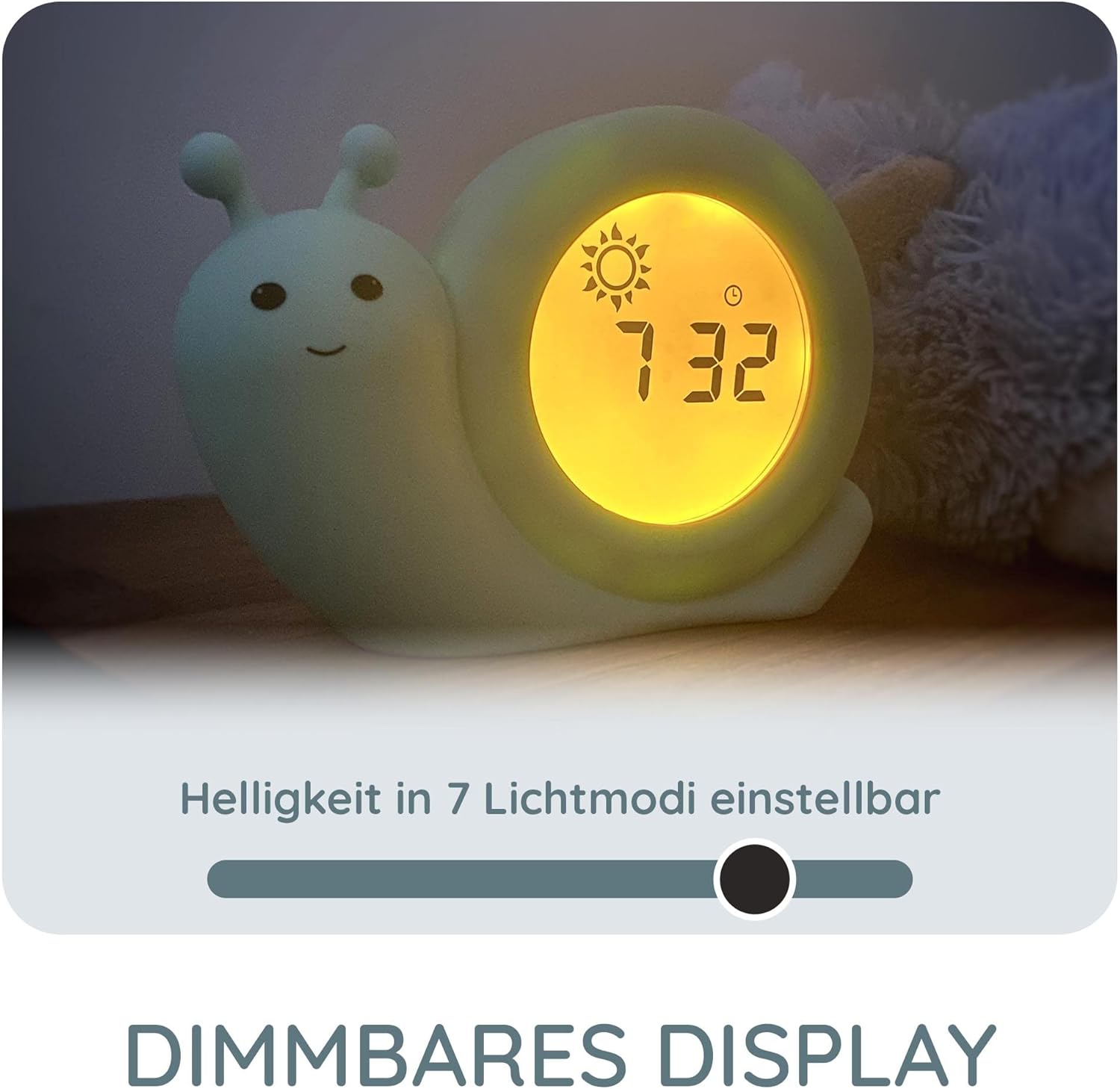
Image: The sleep trainer showing 8:27 with a yellow background and sun, signifying wake-up time.
The transition between blue and yellow can be set according to your child's sleep schedule.

Image: The sleep trainer displaying 8:34 with a split screen, showing both sun and moon, indicating a transition period between sleep and wake-up.
Melaraskan Kecerahan Paparan
The display brightness can be adjusted in 7 different light modes to suit your preference and the room's ambient light.

Image: The sleep trainer with a visual representation of its 7-level dimmable display.
Refer to the detailed manual for specific steps on adjusting brightness.
Penyelenggaraan
- Pembersihan: Lap peranti dengan kain lembut dan kering. Jangan gunakan pembersih atau pelarut yang melelas.
- Storan: Simpan peranti di tempat yang sejuk dan kering apabila tidak digunakan untuk tempoh yang lama.
- Penjagaan Bateri: To prolong battery life, avoid fully discharging the device frequently. Recharge when the battery indicator is low.
The device features a shock-absorbing silicone cover for protection against minor impacts.
Menyelesaikan masalah
Peranti Tidak Dihidupkan
- Ensure the main power On/Off switch on the back is in the 'On' position.
- Check if the battery is charged. Connect the device to a power source using the USB cable.
Display Not Changing Colors
- Verify that the sleep and wake-up times are correctly set.
- Ensure the sleep training function is activated (refer to the full manual for specific activation steps).
Penggera Tidak Berbunyi
- Confirm that the alarm time is set and the alarm function is activated (alarm icon visible).
- Check the volume settings if applicable (refer to the full manual).
For further assistance, consult the complete multilingual user manual provided with the product.
Spesifikasi
| Jenama | Alecto |
| Nombor Model | BC110GN |
| warna | Green (Mint) |
| Dimensi (L x W x H) | 14 x 3.81 x 9.5 cm |
| Berat badan | 280 gram |
| bahan | Plastic (with shock-absorbing silicone cover) |
| Sumber Kuasa | Battery Powered (1 Lithium-polymer battery required) |
| Mengecas | Micro-USB (DC 5V/500mA) |
| Jenis Paparan | Digital, Dimmable (7 light modes) |
Waranti dan Sokongan
Information regarding specific warranty terms and conditions is typically provided within the product packaging or on the manufacturer's official website. Please refer to the included safety instructions and the full user manual for detailed warranty information.
For product support, technical assistance, or inquiries about spare parts, please contact Alecto customer service. Contact details can usually be found in the provided manual or on the Alecto brand webtapak.


