1. Pengenalan
This manual provides detailed instructions for the setup, operation, and maintenance of your DreamSky DS2201 Wooden Digital Alarm Clock. Designed for bedrooms, this electric desk clock features large, easy-to-read numbers, a convenient USB charging port, and adjustable settings for alarm volume and display brightness. Please read this manual thoroughly to ensure proper use and to maximize the functionality of your device.
2. Ciri-ciri Utama
- Paparan Digital Besar: Features 1.8-inch large numbers for clear visibility from a distance.
- Kecerahan boleh laras: Offers 5 levels of display brightness, including an 'OFF' option, to suit various lighting conditions.
- Bateri tambahan: Requires 2 AAA alkaline batteries (not included) to maintain alarm function during power outages. The display will not illuminate when operating on battery power alone.
- Penggera Boleh Disesuaikan: Provides 5 levels of adjustable alarm volume, suitable for both light and heavy sleepers. The alarm sounds for 2 minutes.
- Fungsi Tunda: A dedicated snooze button on the top allows for an additional 9 minutes of sleep.
- Port Pengecasan USB: Includes a convenient USB port for charging smart devices and other gadgets.
- Waktu Penjimatan Siang (DST): Equipped with a manual DST button for easy time adjustments.
- Wood Décor Design: A sleek wooden finish integrates well with various room aesthetics.
3. Kandungan Pakej
Selepas membongkar, sila pastikan semua item yang disenaraikan di bawah ada dan dalam keadaan baik:
- DreamSky DS2201 Jam Penggera Digital Kayu
- Penyesuai Kuasa 5V/1A
- Manual Pengguna (dokumen ini)

Figure 3.1: Package contents including the alarm clock, power adapter, and user manual.
4. Persediaan
4.1 Sambungan Kuasa
- Connect the provided 5V/1A power adapter to the DC 5V port on the back of the alarm clock.
- Pasangkan penyesuai kuasa ke soket elektrik standard. Paparan jam akan menyala.

Figure 4.1: Powering the clock and using the USB charging port.
4.2 Pemasangan Bateri (Sandaran)
For alarm backup during power outages, install 2 AAA alkaline batteries (not included) into the battery compartment on the back of the clock. The display will not be active when running on battery power alone; only the alarm function is maintained.
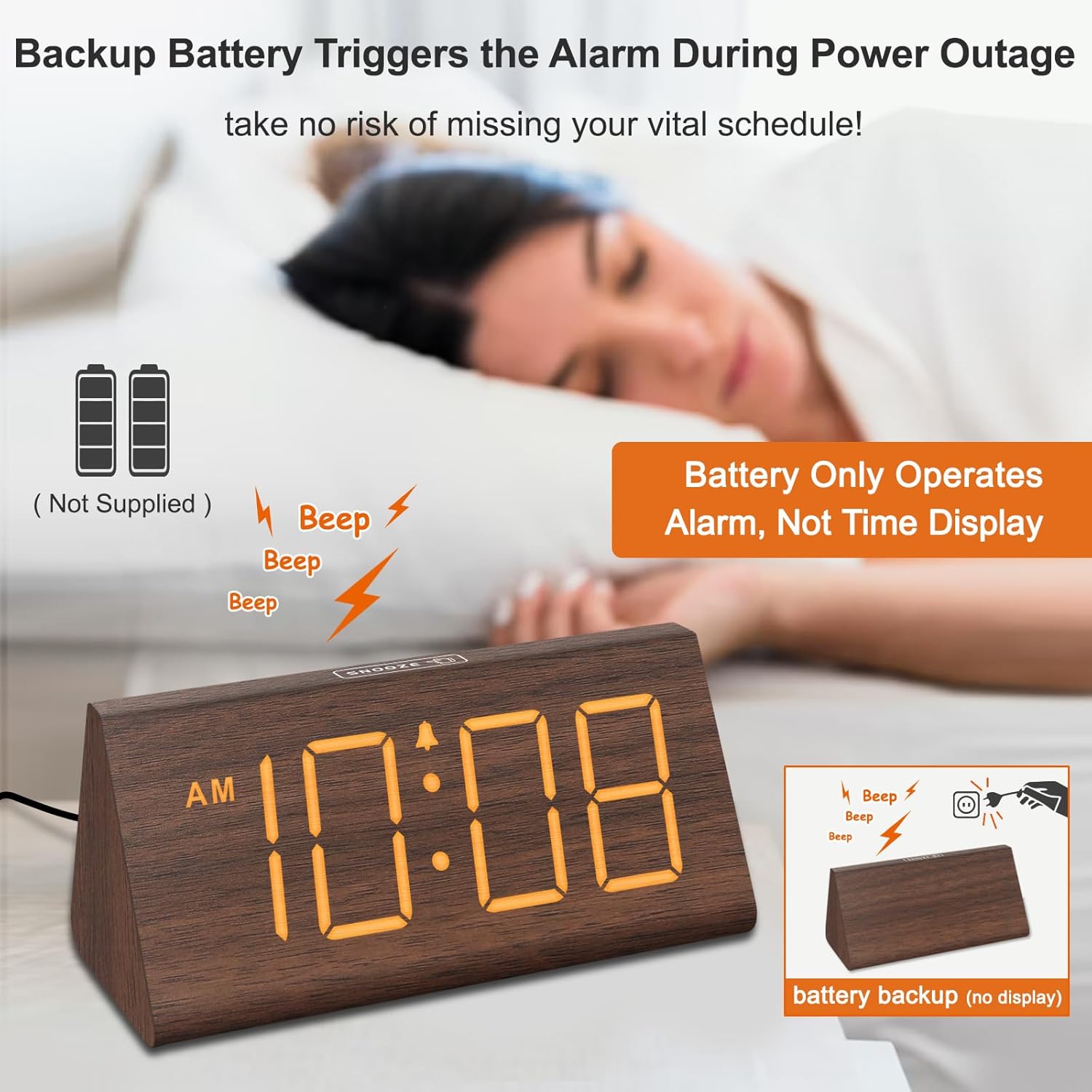
Figure 4.2: Battery compartment for alarm backup.
5. Arahan Operasi
5.1 Penetapan Masa
- Tekan ke MASA DITETAPKAN button on the back of the clock. The hour digits will flash.
- Gunakan + dan - butang untuk melaraskan jam.
- Tekan MASA DITETAPKAN again to set the minutes. The minute digits will flash.
- Gunakan + dan - butang untuk melaraskan minit.
- Tekan MASA DITETAPKAN a third time to confirm and exit time setting mode.
- Untuk bertukar antara format 12 jam dan 24 jam, tekan butang 12/24HR butang.
5.2 Tetapan Penggera
- Tekan ke SET ALARM butang. Angka waktu penggera akan berkelip.
- Gunakan + dan - butang untuk melaraskan jam penggera.
- Tekan SET ALARM again to set the alarm minutes. The minute digits will flash.
- Gunakan + dan - butang untuk melaraskan minit penggera.
- Tekan SET ALARM a third time to confirm and exit alarm setting mode.
- To turn the alarm ON or OFF, press the HIDUP/MATI button. An alarm icon will appear on the display when the alarm is active.
5.3 Fungsi Tunda
Apabila penggera berbunyi, tekan MENGEJUTKAN button located on the top of the clock to temporarily silence the alarm for 9 minutes. The alarm will sound again after 9 minutes. To turn off the alarm for the day, press any button on the back of the clock.

Figure 5.1: Snooze button and alarm volume control.
5.4 Pelarasan Kecerahan
Tekan ke DIMMER button on the back of the clock to cycle through 5 levels of brightness (L01 to L05) and an 'OFF' option for the display.

Figure 5.2: Display brightness levels.
5.5 Pelarasan Kelantangan
Gunakan VOL+ dan vol- buttons on the back of the clock to adjust the alarm volume across 5 available levels.
5.6 Waktu Penjimatan Siang (DST)
To activate or deactivate Daylight Saving Time, press the DST HIDUP / MATI button. When activated, the time will advance by one hour, and 'DST' will appear on the display. Press again to revert to standard time.
5.7 Port Pengecasan USB
The USB port on the back of the clock can be used to charge compatible smart devices. Simply connect your device's USB charging cable to the port.
6. Penyelenggaraan
- Clean the clock's surface with a soft, dry cloth.
- Avoid using abrasive cleaners, solvents, or harsh chemicals, as these may damage the finish.
- Jauhkan jam daripada cahaya matahari langsung, suhu melampau dan kelembapan tinggi.
7. Penyelesaian masalah
| Masalah | Kemungkinan Punca | Penyelesaian |
|---|---|---|
| Paparan dimatikan atau malap. | Power adapter not connected; brightness set to OFF or lowest level; running on battery backup. | Ensure the power adapter is securely plugged in. Press the DIMMER button to adjust brightness. Remember, the display does not light up when on battery backup. |
| Penggera tidak berbunyi. | Alarm is not activated; alarm volume is too low. | Tekan ke HIDUP/MATI button to activate the alarm (check for alarm icon on display). Adjust volume using VOL+. |
| Masa tidak betul. | Time not set correctly; DST setting incorrect. | Follow instructions in section 5.1 to set the time. Check DST setting using the DST HIDUP / MATI butang. |
| Pengecasan USB tidak berfungsi. | Device not compatible; cable faulty; clock not powered. | Ensure your device is compatible with USB charging. Try a different USB cable. Verify the clock is connected to AC power. |
8. Spesifikasi
- Jenama: DreamSky
- model: DS2201
- Jenis Paparan: digital
- Sumber Kuasa: Elektrik Bertali
- Dimensi Produk: 5.96"W x 2.7"H
- Bahan: kayu
- Berat Barang: 11.1 auns
- Bateri: 2 AAA batteries required (not included, for alarm backup only)
- Ketersambungan: USB
9. Waranti dan Sokongan
Your DreamSky DS2201 Wooden Digital Alarm Clock comes with a Waranti penggantian 1 tahun.
Untuk sokongan pelanggan atau pertanyaan, sila hubungi:
e-mel: info@dreamsky4u.com