1. Maklumat Keselamatan
Sila baca semua arahan dengan teliti sebelum pemasangan dan penggunaan. Simpan manual ini untuk rujukan masa hadapan.
- Jangan melebihi kapasiti berat maksimum 88 lbs (40 kg).
- Pastikan corak VESA TV anda serasi (100x100mm hingga 400x400mm).
- Verify that all screws are securely tightened before placing the TV on the stand.
- Jangan biarkan kanak-kanak memanjat atau bermain dengan penyangga TV.
- Letakkan penyangga di atas permukaan yang stabil dan rata untuk mengelakkannya daripada terbalik.
- Avoid placing heavy objects on the stand's base that could compromise stability.
2. Kandungan Pakej
Sahkan bahawa semua komponen ada dan tidak rosak sebelum memulakan pemasangan. Jika mana-mana bahagian hilang atau rosak, hubungi khidmat pelanggan.

Imej: Meletup view daripada komponen penyangga TV.
- Pangkalan Kaca Terbaja
- Lajur Sokongan
- Plat Pemasangan TV
- VESA Extension Brackets (if applicable for larger VESA patterns)
- Various Screws, Washers, and Spacers for TV attachment
- Assembly Hardware (bolts, nuts, Allen wrench)
- Kaki Getah tidak licin
3. Persediaan dan Pemasangan
Follow these steps to assemble your XINLEI Universal TV Stand Base.
- Attach Non-Slip Feet to Base: Secure the non-slip rubber feet to the underside of the tempered glass base.
- Lajur Sokongan Berkumpul: Attach the support column to the tempered glass base using the provided hardware. Ensure it is firmly secured.
- Attach TV Mounting Plate: Secure the TV mounting plate to the top of the support column.
- Sediakan TV untuk Pemasangan:
- Identify your TV's VESA mounting holes on the back.
- Select the appropriate screws and spacers from the provided hardware kit that fit your TV's VESA pattern.
- Attach the VESA extension brackets to the TV mounting plate if your TV's VESA pattern requires them (e.g., 400x400mm).
- Penting: Before attaching the TV to the stand, ensure that the mounting plate and screws will not block any ports or cables on the back of your television.
- Lekapkan TV: Carefully lift your TV and align its VESA holes with the mounting plate/brackets. Secure the TV using the selected screws and spacers. Ensure the TV is level and stable.

Image: Detail of the tempered glass base with non-slip feet.
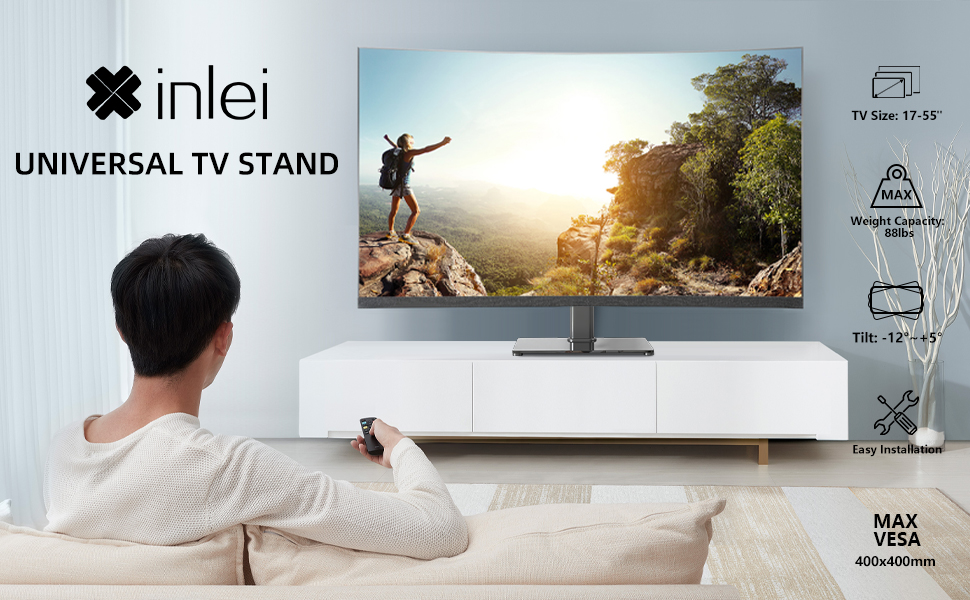
Image: Illustration emphasizing checking for port obstruction.

Image: Fully assembled TV stand with a television.
4. Arahan Operasi
The XINLEI Universal TV Stand Base offers height adjustment and tilt functionality for optimal viewing.
4.1 Pelarasan Ketinggian
This stand provides 3 adjustable height levels. To adjust the height:
- Carefully remove the TV from the mounting plate.
- Adjust the mounting plate's position on the support column to one of the three available height settings (11.1", 13.03", or 14.96" from the base).
- Secure the mounting plate at the desired height using the provided fasteners.
- Re-mount the TV onto the adjusted plate.
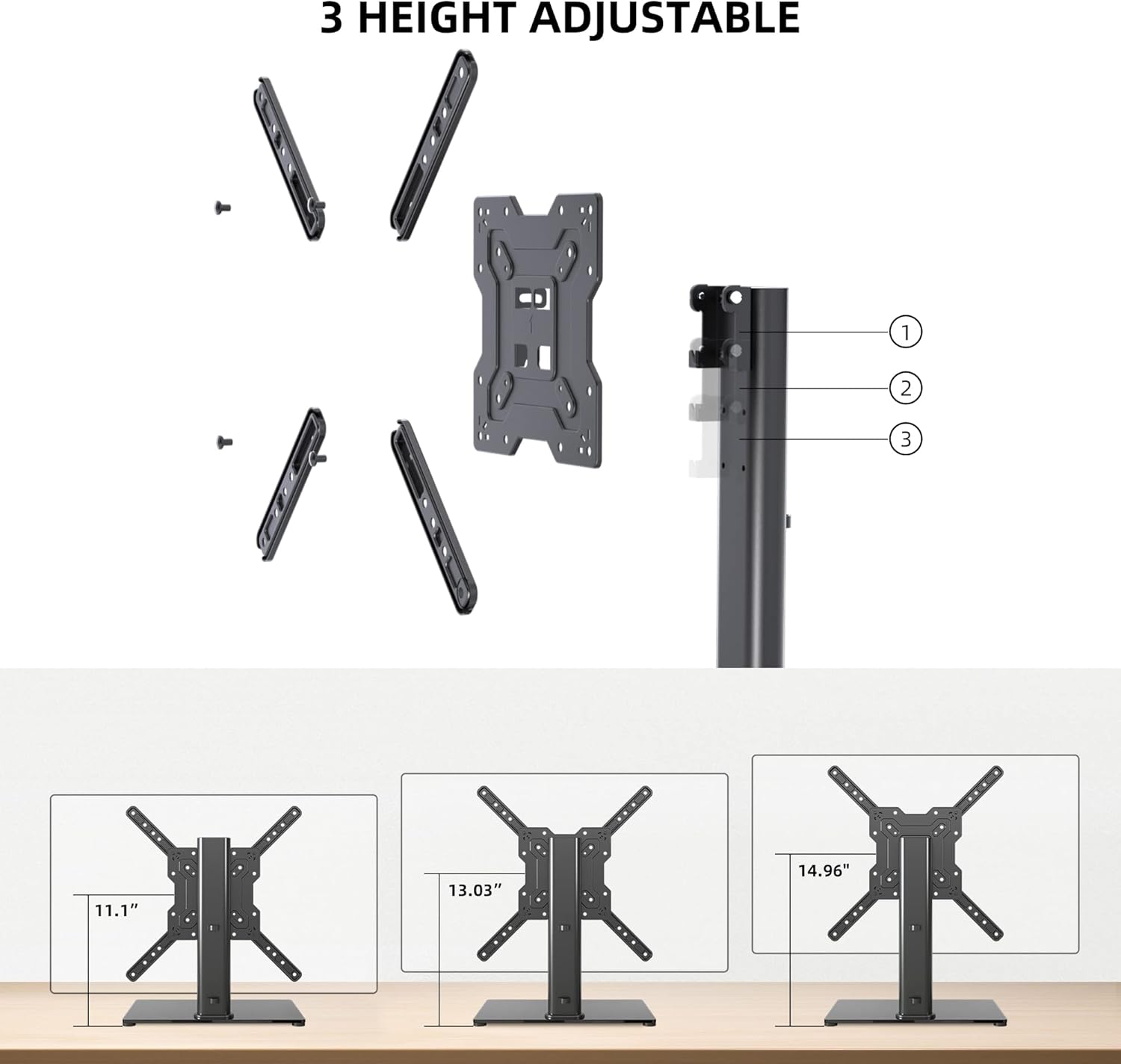
Image: Visual representation of the three height settings.
4.2 Pelarasan Kecondongan
The TV mounting plate allows for a tilt range of -12 to +5 degrees.
- Loosen the tilt adjustment screws on the side of the mounting plate.
- Gently tilt the TV to your preferred viewsudut ing.
- Tighten the tilt adjustment screws to secure the TV in position.

Image: Diagram demonstrating the tilt functionality.
4.3 Pengurusan Kabel
Utilize the integrated cable management system within the support column to keep cables organized and out of sight.

Imej: Cthample of cable management through the stand's column.
5. Penyelenggaraan
Penyelenggaraan berkala memastikan ketahanan dan operasi rak TV anda yang selamat.
- Pembersihan: Wipe the tempered glass base and metal components with a soft, damp kain. Elakkan pembersih atau pelarut yang melelas yang boleh merosakkan kemasan.
- Pemeriksaan: Periksa semua skru dan sambungan secara berkala untuk memastikan ia kekal ketat. Ketatkan semula jika perlu.
- Kestabilan: Ensure the stand remains on a level surface and that the non-slip feet are intact.
6. Penyelesaian masalah
If you encounter issues during assembly or use, refer to the following common solutions.
- TV Tidak Aras: Ensure the stand is on a flat surface. Check that the TV mounting plate is securely attached and that the VESA screws are tightened evenly.
- Screws Too Long/Short: The kit includes various screw lengths and spacers. Refer to your TV's manual for recommended screw sizes for VESA mounting. Use the appropriate spacers to ensure a secure fit without over-tightening or damaging the TV.
- Mount Blocks Ports: Before final mounting, always verify that the mounting plate does not obstruct any necessary ports on your TV. If it does, adjust the TV's position on the VESA plate or consider using longer spacers if safe and compatible.
- Pendirian Terasa Tidak Stabil: Confirm that all assembly bolts are fully tightened. Ensure the tempered glass base is placed on a solid, flat surface and that the non-slip feet are properly installed.
7. Spesifikasi
| Ciri | Spesifikasi |
|---|---|
| Model | TS102 |
| Saiz TV yang Serasi | 17 hingga 55 inci |
| Kapasiti Berat | 88 paun (40 kg) |
| Keserasian VESA | 100x100mm hingga 400x400mm |
| Pelarasan Ketinggian | 3 levels (11.1", 13.03", 14.96") |
| Sudut Kecondongan | -12° hingga +5° |
| Dimensi Asas | 10.24" x 15.75" |
| bahan | Kaca Tempered, Keluli |
| warna | Hitam |
| Berat Barang | 9.86 paun |

Image: Technical specifications and dimensions.
8. Waranti dan Sokongan
XINLEI products are designed for durability and performance. For warranty information or technical support, please refer to the product packaging or contact XINLEI customer service directly.
Sila sediakan nombor model anda (TS102) dan maklumat pembelian apabila menghubungi sokongan.


