pengenalan
The 1Mii B06T2 is a versatile 2-in-1 Bluetooth audio adapter designed to function as both a transmitter (TX) and a receiver (RX). This device allows you to add Bluetooth capabilities to non-Bluetooth audio sources or output devices, enabling wireless audio streaming with ease. It supports advanced Bluetooth 5.3 technology and various audio codecs including aptX Low Latency, aptX HD, and aptX Adaptive for high-quality, synchronized audio.

Figure 1: 1Mii B06T2 Bluetooth Transmitter Receiver
Ciri-ciri Utama
- 2-In-1 Transmitter & Receiver: Seamlessly switch between TX (transmit) and RX (receive) modes to suit your audio needs.
- Teknologi Bluetooth 5.3 Lanjutan: Ensures a stable, efficient, and wide-range wireless connection for an optimal audio experience.
- Support for aptX Low Latency, HD, & Adaptive: Minimizes audio delay for synchronized video playback and supports high-definition audio quality. Note: Your connected Bluetooth device must also support these codecs for full functionality.
- Keupayaan Pautan Dwi: In TX mode, connect two wireless headphones simultaneously to share audio with another person.
- Jangka Hayat Bateri: Provides over 15 hours of use in transmitter mode and over 14 hours in receiver mode on a single charge.
- Reka bentuk padat dan mudah alih: Ideal for use with TVs, PCs, gym equipment, airplane entertainment systems, home stereos, and car audio systems.
Apa yang ada dalam Kotak?
Sahkan bahawa semua item terdapat dalam pakej:
- 1Mii B06T2 2-in-1 Bluetooth Transceiver
- Kabel Pengecasan USB Jenis-C
- Kabel Audio 3.5mm

Figure 2: Package Contents including the 1Mii B06T2, USB Type-C charging cable, and 3.5mm audio cable.
Reka Letak Peranti
Familiarize yourself with the buttons and indicators on your 1Mii B06T2 device:
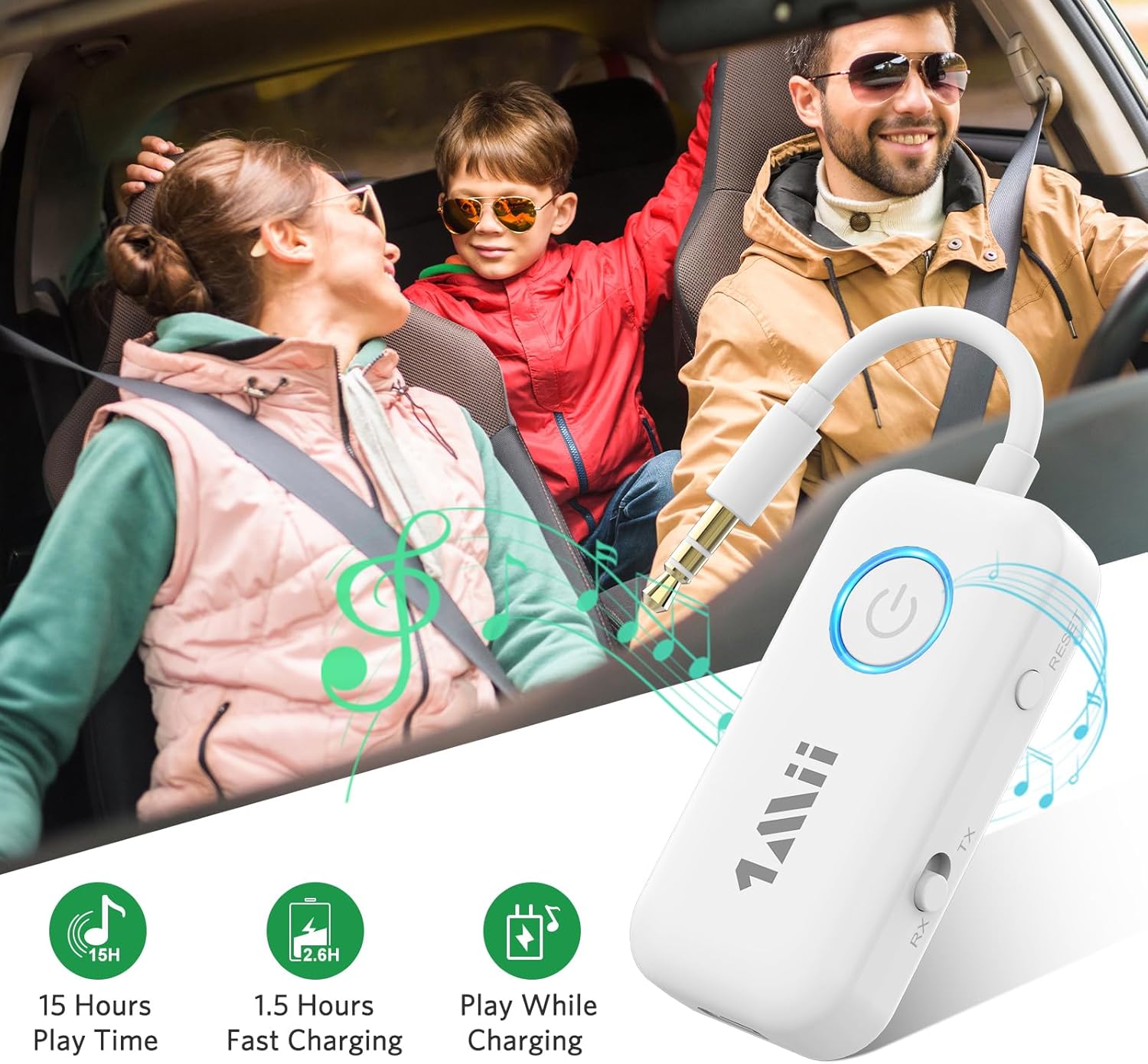
Figure 3: Device layout showing Power Button, LED Indicator, Reset Button, TX/RX Mode Switch, and Type-C Power Input.
- Butang Kuasa: Used to turn the device on/off and for Bluetooth pairing.
- Penunjuk LED: Displays device status (e.g., pairing mode, connected, charging).
- Butang TETAP SEMULA: Menetapkan semula peranti kepada tetapan kilang.
- TX/RX Mode Switch: Togol antara mod Pemancar (TX) dan Penerima (RX).
- Input Kuasa Jenis-C: For charging the device. Can also be used for audio transmission in TX mode.
Persediaan
1. Mengecas Peranti
Before first use, fully charge the 1Mii B06T2. Connect the provided USB Type-C charging cable to the device's Type-C port and the other end to a USB power source (e.g., computer USB port, USB wall adapter). The LED indicator will show charging status and turn off when fully charged. A full charge typically takes approximately 1.5 hours.
2. Menghidupkan/Mematikan
- Untuk Menghidupkan: Tekan dan tahan Butang Kuasa selama lebih kurang 3 saat sehingga penunjuk LED menyala.
- Untuk Mematikan: Tekan dan tahan Butang Kuasa selama lebih kurang 3 saat sehingga penunjuk LED dimatikan.
Arahan Operasi
Mod Pemancar (TX).
In TX mode, the 1Mii B06T2 transmits audio from a non-Bluetooth device (like a TV, PC, gym equipment, or airplane entertainment system) to your Bluetooth headphones or earbuds.
- Tukar ke Mod TX: Ensure the TX/RX mode switch on the side of the device is set to "TX".
- Sambung ke Sumber Audio: Plug the 3.5mm audio jack of the 1Mii B06T2 into the 3.5mm audio output port of your non-Bluetooth device (e.g., TV headphone jack, PC audio out).
- Masukkan Mod Berpasangan: Power on the 1Mii B06T2. The LED indicator will flash rapidly, indicating it is in pairing mode.
- Prepare Bluetooth Headphones: Put your Bluetooth headphones or earbuds into their pairing mode. Refer to your headphone's manual for specific instructions.
- Pasangkan Peranti: Place the 1Mii B06T2 close to your headphones. They should automatically connect. Once connected, the LED indicator on the B06T2 will stop flashing and remain solid.
- Dual Link (Optional): To connect a second pair of Bluetooth headphones, put the second pair into pairing mode, then double-click the Bluetooth button on the 1Mii B06T2. The LED will flash again, and once connected, it will become solid.
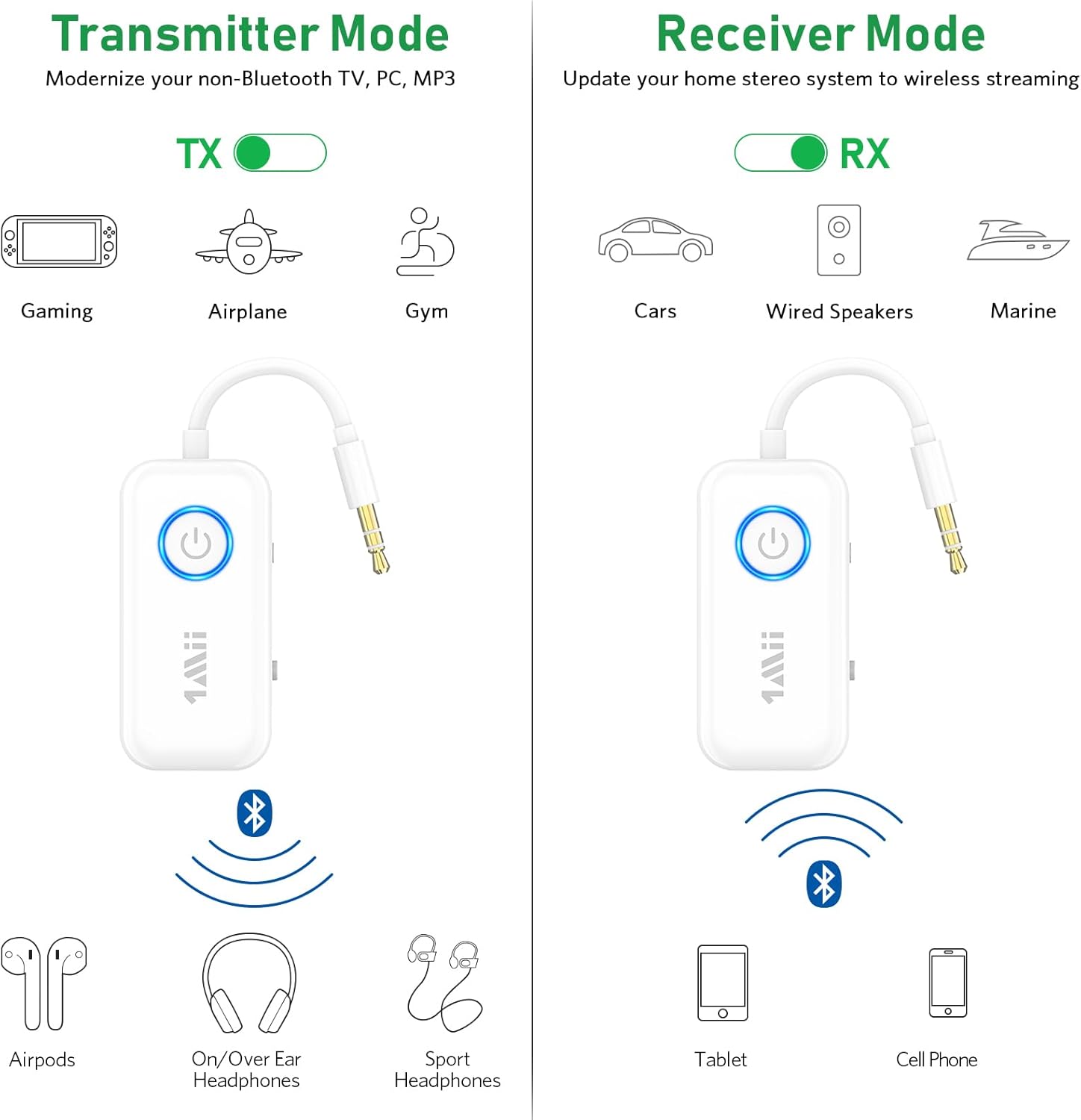
Figure 4: Illustration of Transmitter (TX) and Receiver (RX) modes.

Figure 5: Using the 1Mii B06T2 in Transmitter mode with an airplane's in-flight entertainment system.
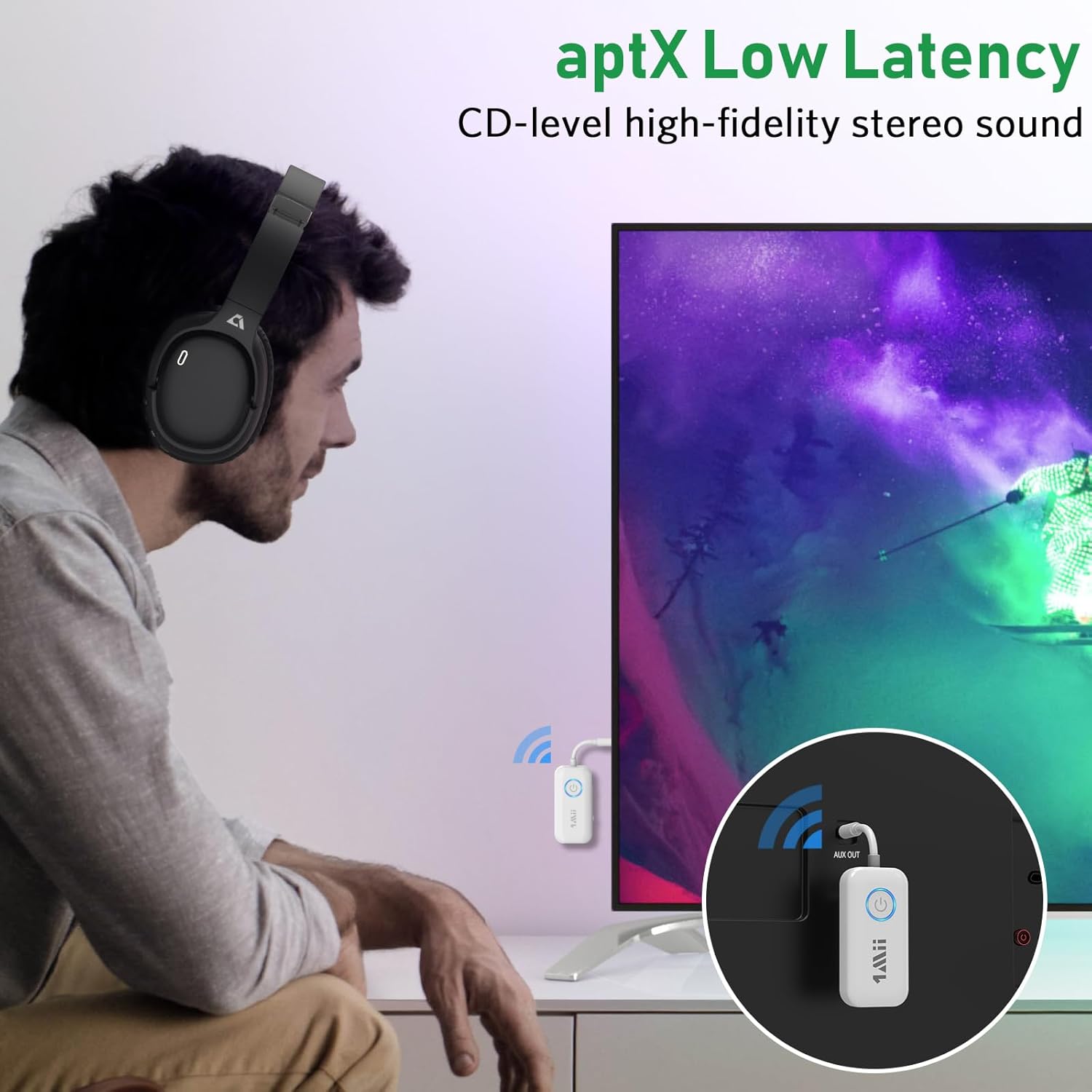
Figure 6: Demonstrating aptX Low Latency for synchronized audio when watching TV.
Mod Penerima (RX).
In RX mode, the 1Mii B06T2 receives audio from your Bluetooth-enabled device (like a smartphone or tablet) and outputs it to a non-Bluetooth audio system (like wired speakers or a car stereo).
- Tukar ke Mod RX: Ensure the TX/RX mode switch on the side of the device is set to "RX".
- Sambungkan ke Peranti Output Audio: Plug the 3.5mm audio jack of the 1Mii B06T2 into the 3.5mm AUX input port of your wired speaker, car stereo, or home stereo system.
- Masukkan Mod Berpasangan: Power on the 1Mii B06T2. The LED indicator will flash rapidly, indicating it is in pairing mode.
- Dayakan Bluetooth pada Peranti Anda: Pada telefon pintar, tablet atau peranti lain yang didayakan Bluetooth anda, pergi ke tetapan Bluetooth dan hidupkan Bluetooth.
- Select and Pair: In the list of available Bluetooth devices, find and select "B06T2" (or similar name). Once connected, the LED indicator on the B06T2 will stop flashing and remain solid.
- Mula Penstriman: You can now play audio from your device, and it will stream wirelessly to your connected audio system.

Figure 7: The 1Mii B06T2 functioning in Receiver mode, connected to a wired speaker.
Penyelenggaraan
- Pembersihan: Gunakan kain lembut dan kering untuk membersihkan peranti. Jangan gunakan pembersih cecair atau aerosol.
- Storan: Simpan peranti di tempat yang sejuk dan kering jauh dari cahaya matahari langsung dan suhu yang melampau.
- Penjagaan Bateri: Untuk memanjangkan hayat bateri, elakkan daripada kerap mencas sepenuhnya peranti. Caskannya secara berkala, walaupun tidak digunakan untuk tempoh yang lama.
- Elakkan Kelembapan: Jangan dedahkan peranti kepada air atau kelembapan berlebihan.
Menyelesaikan masalah
| Masalah | Kemungkinan Punca / Penyelesaian |
|---|---|
| Peranti tidak dihidupkan. | Bateri lemah atau kehabisan bateri. Cas peranti sepenuhnya. |
| Cannot pair with Bluetooth headphones/device. |
|
| Tiada audio atau kualiti audio yang lemah. |
|
| Audio delay (lip-sync issues). | Ensure both the 1Mii B06T2 and your Bluetooth headphones/speaker support aptX Low Latency (aptX LL) and that aptX LL is active. Some devices may default to other codecs if aptX LL is not supported by both ends. |
| Dual link not working. | Ensure the first device is connected, then put the second device into pairing mode and double-click the Bluetooth button on the 1Mii B06T2 to initiate pairing for the second device. |
Spesifikasi
| Ciri | Perincian |
|---|---|
| Jenama | 1Mii |
| Nombor Model | B06T2 |
| Teknologi Ketersambungan | Bluetooth |
| Standard Tanpa Wayar | Bluetooth 5.3 |
| Codec Audio yang Disokong | aptX Low Latency, aptX HD, aptX Adaptive |
| Antara Muka Perkakasan | Bluetooth, USB |
| Serasi Input Audio | 3.5mm AUX, USB |
| Mod Keluaran Audio | Stereo |
| Sumber Kuasa | Dikuasakan Bateri (Litium Polimer) |
| Dimensi Produk | 6 x 3 x 1.4 cm |
| Berat Barang | 22 Gram |
Waranti dan Sokongan
For warranty information and technical support, please refer to the official 1Mii website or contact 1Mii customer service directly. Details are typically provided with your product packaging or on the manufacturer's official support pages.
Pengeluar: 1Mii
Penjual: 1MiiDirect-CA (on Amazon.ca)
Untuk bantuan lanjut, anda boleh melawati 1Mii Store on Amazon.


