pengenalan
Thank you for choosing the Baseus Qpow2 10000mAh Power Bank. This portable charger is designed to provide reliable and fast charging for your mobile devices, featuring built-in cables for convenience and a compact design for portability. Please read this manual carefully to ensure proper use and maintenance of your device.
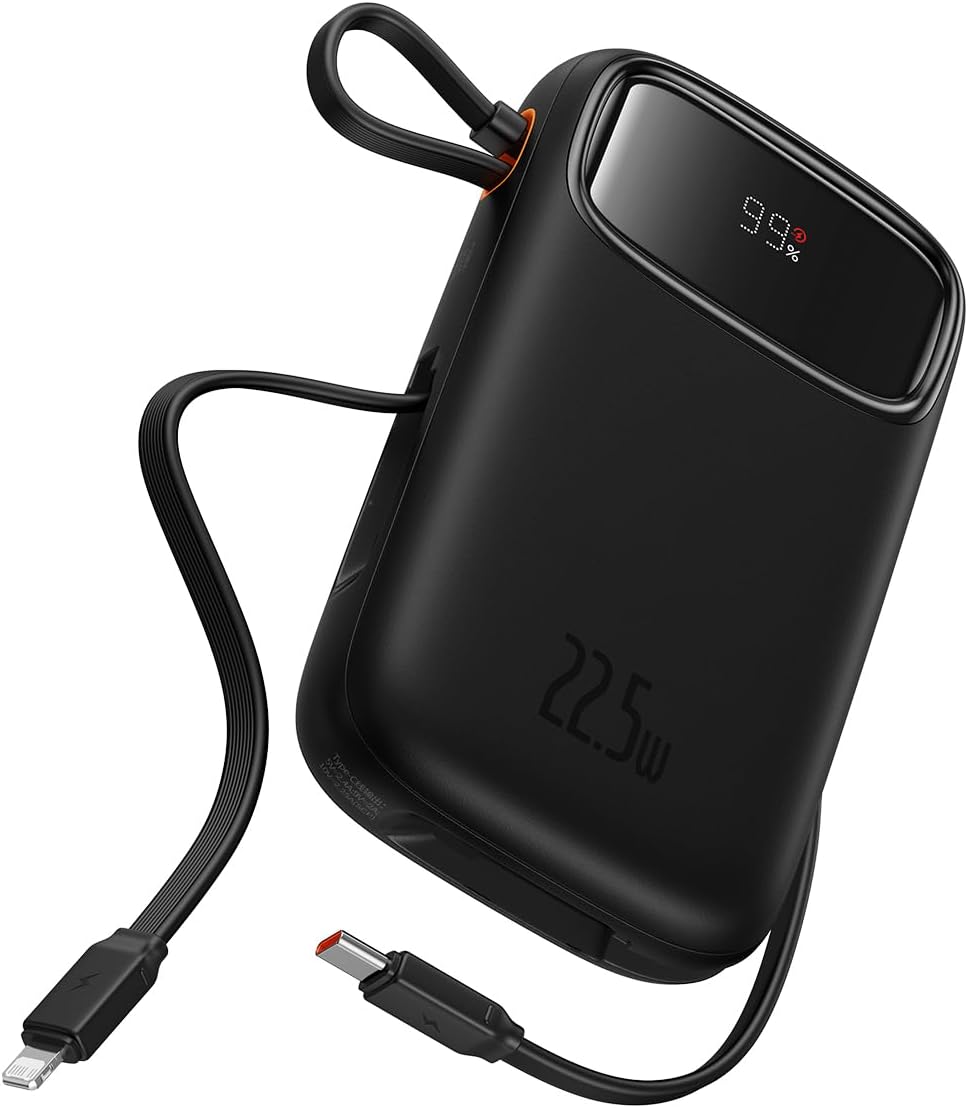
Figure 1: Baseus Qpow2 10000mAh Power Bank with built-in cables and LED display.
Ciri-ciri Produk
- Integrated Charging Technology: Built-in 22.5W USB-C and Lightning cables for universal compatibility.
- Pengecasan Cepat 22.5W: Delivers rapid charging for compatible devices, such as iPhone 14 (up to 1.8 times) and Samsung S23 (up to 1.5 times) with the 10000mAh capacity.
- Sokongan Berbilang Peranti: Charge up to four devices simultaneously using the built-in cables, 22.5W USB-C output, 20W Lightning output, and additional USB-C and USB-A ports.
- Ciri Keselamatan yang Dipertingkatkan: Equipped with smart chips for protection against overcharge, over-discharge, overvoltage, electromagnetic interference, overtemperature, overcurrent, overpower, and short circuits.
- Reka Bentuk Sedia Perjalanan: Lightweight and slim profile (4.52 x 2.83 x 0.78 inches, 0.54 lb) for easy portability. Features an LED digital display for battery status.

Figure 2: The power bank's compact dimensions (4.52*2.83*0.78 inches) and light weight (8.5 oz) make it highly portable.

Figure 3: The integrated cable doubles as a lanyard for easy carrying and storage.
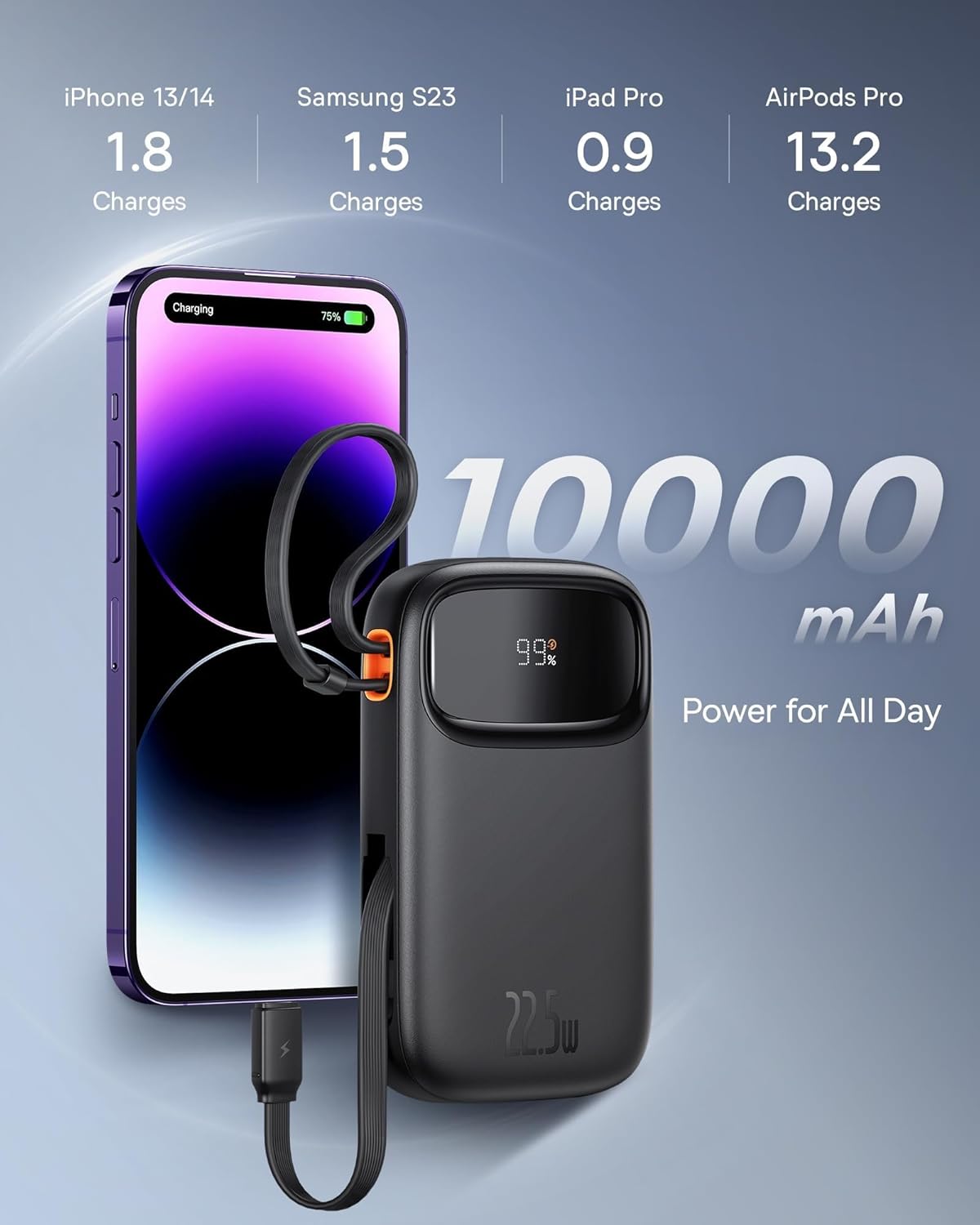
Figure 4: The 10000mAh capacity provides ample power for daily use, capable of charging an iPhone 13/14 approximately 1.8 times.
Persediaan
Pengecasan Awal
Before first use, fully charge your Baseus Qpow2 Power Bank. Connect the power bank to a power source using a compatible USB-C cable (not included for input, but the built-in USB-C cable can be used for output). The LED display will show the charging progress.
The power bank supports 18W USB-C input for recharging.

Figure 5: The USB-C port supports both 20W output and 18W input for recharging the power bank.
Arahan Operasi
Mengecas Peranti
The Baseus Qpow2 Power Bank offers multiple ways to charge your devices:
- Menggunakan Kabel Terbina dalam:
- Kabel USB-C: Pull out the built-in USB-C cable and connect it to your USB-C compatible device.
- Kabel kilat: Pull out the built-in Lightning cable and connect it to your Apple device.
- Menggunakan Port USB:
- Port USB-C: Connect your device's USB-C charging cable to the power bank's USB-C port.
- Port USB-A: Connect your device's USB-A charging cable to the power bank's USB-A port.
The power bank will automatically detect the connected device and begin charging. The LED display will show the remaining battery percentage.

Figure 6: The power bank can charge up to four devices simultaneously using its various output options.

Figure 7: The power bank features built-in Lightning and USB-C cables for convenient charging.
Penyelenggaraan
- Keep the power bank away from extreme temperatures, direct sunlight, and moisture.
- Jangan jatuhkan, buka atau cuba membaiki peranti itu sendiri.
- Bersihkan permukaan dengan kain lembut dan kering. Jangan gunakan bahan kimia yang keras atau bahan yang melelas.
- Store the power bank in a cool, dry place when not in use for extended periods. It is recommended to charge it to about 50% capacity before long-term storage.
Menyelesaikan masalah
| Masalah | Kemungkinan Punca | Penyelesaian |
|---|---|---|
| Power bank tidak dicas | Charging cable or adapter faulty; power bank fully charged; power source issue. | Check charging cable and adapter. Ensure power source is active. If fully charged, LED will show 100%. |
| Peranti tidak mengecas daripada bank kuasa | Power bank battery low; device cable faulty; device not compatible; power bank in standby. | Check power bank battery level. Try a different charging cable. Ensure device is compatible. Press power button to activate if in standby. |
| Pengecasan perlahan | Cable not supporting fast charging; device not supporting fast charging; multiple devices charging. | Use a fast-charging compatible cable. Ensure your device supports fast charging. Charging multiple devices simultaneously may reduce individual charging speeds. |
| Paparan LED tidak berfungsi | Kerosakan peranti. | Contact customer support if the issue persists after trying basic troubleshooting. |
Spesifikasi
| Ciri | Perincian |
|---|---|
| Nombor Model | LFZ107 |
| Kapasiti Bateri | 10000 Miliamp Jam (mAh) |
| Dimensi Produk | 13.8 x 3.2 x 9.6 cm (5.43 x 1.26 x 3.78 inci) |
| Berat Barang | 320 g (0.71 paun) |
| Input (USB-C) | 18W |
| Output (Built-in USB-C Cable) | 22.5W |
| Output (Built-in Lightning Cable) | 20W |
| Output (USB-C Port) | 20W |
| Output (Port USB-A) | 12W |
| Ciri Khas | Travel, Fast Charging, LED Display, Over Charging Protection, Short Circuit Protection, Charge 4 at Once |
| warna | Hitam |
Waranti dan Sokongan
The Baseus Qpow2 Power Bank comes with an 18-month warranty. For warranty claims or technical support, please contact Baseus customer service through their official webtapak atau peruncit tempat anda membeli produk tersebut.
For more information and support, visit the official Baseus store: Kedai Rasmi Baseus


