1. Produk Lebihview
The Nulea M501 is an ergonomic wireless trackball mouse designed for comfort and precision. It features multi-device connectivity, a rechargeable battery, and adjustable DPI settings, making it suitable for various computing environments and tasks.

Figure 1.1: Nulea M501 Wireless Trackball Mouse.
2. Kandungan Pakej
Sila semak kandungan pakej untuk memastikan semua item ada:
- Tetikus Trackball Tanpa Wayar Nulea M501
- Kabel Pengecas USB
- Manual Pengguna (dokumen ini)
- Penerima USB 2.4G (disimpan di dalam tetikus)
3. Ciri-ciri Produk

Figure 3.1: Key components of the Nulea M501 mouse.
- 1. Back/Forward Buttons: (Non-programmable) For navigation.
- 2. DPI Level Indicator: Shows current DPI setting.
- 3. Skin-friendly Surface: For improved tactility and comfort.
- 4. Detachable Ball: Untuk pembersihan yang mudah.
- Ergonomic Design and Smooth Thumb Control: Designed to reduce wrist and arm strain by allowing cursor movement via a smooth trackball. The optimal angle promotes a natural hand position for all-day comfort.
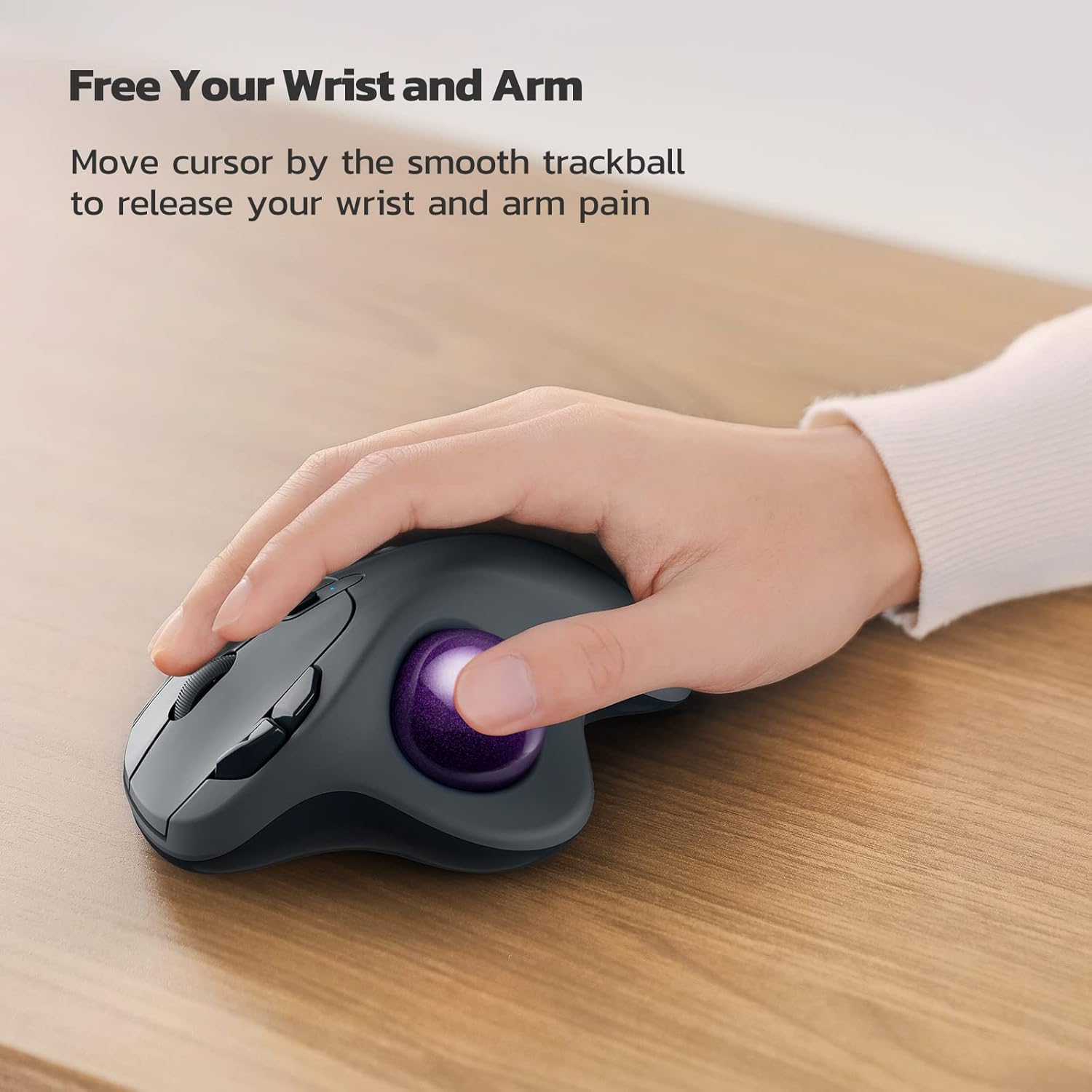
Figure 3.2: Ergonomic design for wrist and arm comfort.

Figure 3.3: The 49.5° angle promotes a natural hand position.
- Accurate Tracking with Adjustable DPI: Provides precise cursor movement with excellent accuracy and control. The smooth trackball enhances productivity in various environments, especially in narrow spaces.
Figure 3.4: Ideal for use in narrow spaces.
- True Wireless Freedom (Multi-Device Connectivity): Connects up to 3 devices via Bluetooth or the 2.4G USB dongle. Easily switch between connected devices using the button on the bottom of the mouse.

Figure 3.5: Seamless switching between up to three devices.
- Rechargeable Built-in Battery: Features a long-lasting rechargeable battery, eliminating the need for disposable dry cells.

Figure 3.6: Charging the Nulea M501 mouse.
- 6-Button High Performance: Includes ergonomic details and an elegant curved shape, along with back and forward buttons for enhanced productivity. Note: All buttons are non-programmable.
4. Persediaan
4.1 Pengecasan Awal
Before first use, please fully charge the mouse. Use the included USB charging cable to connect the mouse to a PC's USB port or a 5V charger. Do not use a fast charger.
4.2 Menyambung melalui Penerima USB 2.4G
- Locate the 2.4G USB receiver stored in the compartment at the bottom of the mouse.
- Palamkan penerima USB ke dalam port USB yang tersedia pada komputer anda.
- Hidupkan tetikus menggunakan suis kuasa di bahagian bawah.
- Tetikus harus bersambung secara automatik ke komputer anda.
4.3 Menyambung melalui Bluetooth
- Hidupkan tetikus menggunakan suis kuasa di bahagian bawah.
- Press the mode switch button on the bottom of the mouse to select a Bluetooth channel (e.g., BT1 or BT2). The indicator light will blink.
- Pada komputer atau peranti anda, dayakan Bluetooth dan cari peranti baharu.
- Select "Nulea M501" from the list of available devices to pair.
- Setelah dipasangkan, lampu penunjuk akan berhenti berkelip dan kekal pepejal.
5. Arahan Operasi
5.1 Pelarasan DPI
The Nulea M501 trackball mouse features adjustable DPI settings for precise cursor control. Press the DPI button (usually located near the scroll wheel) to cycle through different DPI levels. The indicator light will change or blink to show the current setting.
5.2 Bertukar Antara Peranti
If you have connected the mouse to multiple devices (via 2.4G USB and Bluetooth), you can switch between them by pressing the mode switch button on the bottom of the mouse. Each press will cycle to the next connected device.
5.3 Fungsi Butang
- Klik Kiri: Pemilihan piawai.
- Klik kanan: Menu konteks.
- Roda Tatal: Tatal ke atas/bawah, klik tengah.
- Butang Belakang/Maju: Navigasi web pages or folders. (Note: These buttons are non-programmable.)
- Butang DPI: Laraskan kepekaan kursor.
6. Penyelenggaraan
6.1 Membersihkan Bebola Jejak
Over time, dust and debris may accumulate around the trackball, affecting its smoothness. To clean:
- Gently push the trackball from the bottom of the mouse to remove it.
- Gunakan kain lembut dan tidak berbulu untuk mengelap bebola trek sehingga bersih.
- Clean the inside cavity of the mouse, paying attention to the three small support points where the ball rests.
- Reinsert the trackball into its socket.
6.2 Penjagaan Am
- Avoid exposing the mouse to extreme temperatures, direct sunlight, or high humidity.
- Do not disassemble the mouse, as this may void the warranty.
- Use a dry, soft cloth to clean the exterior of the mouse.
7. Penyelesaian masalah
| Masalah | Kemungkinan Punca | Penyelesaian |
|---|---|---|
| Tetikus tidak bertindak balas | Low battery; USB receiver disconnected; Bluetooth not paired. | Charge the mouse; Re-insert USB receiver; Re-pair Bluetooth. |
| Cursor movement is erratic or sticky | Trackball or internal sensors are dirty. | Clean the trackball and its cavity (refer to Section 6.1). |
| Tidak boleh bertukar antara peranti | Incorrect mode selected; Devices not properly paired. | Ensure devices are paired; Press the mode switch button firmly. |
| Sambungan Bluetooth tidak stabil | Gangguan; Peranti terlalu jauh; Bateri lemah. | Move closer to the device; Reduce interference; Charge the mouse. |
8. Spesifikasi
| Ciri | Perincian |
|---|---|
| Nombor Model | M501 |
| Ketersambungan | Bluetooth, Tanpa Wayar USB 2.4G |
| OS yang serasi | Windows, Mac OS |
| Teknologi Pengesanan Pergerakan | Trackball |
| Butang | 6 (Left/Right Click, Scroll Wheel, Back/Forward, DPI) |
| Jenis Bateri | Bateri Terbina Dalam Boleh Dicas semula |
| warna | Blue (with purple trackball) |
| Dimensi (L x W x H) | Lebih kurang 14.1 x 11.1 x 6.1 cm |
| Berat badan | lebih kurang 240 g |
9. Waranti dan Sokongan
Nulea products are designed and manufactured to the highest quality standards. For warranty information and technical support, please refer to the warranty card included with your product or visit the official Nulea webtapak. Sila simpan bukti pembelian anda untuk tuntutan waranti.
For further assistance, you may contact Nulea customer service through the contact information provided on the product packaging or the official webtapak.


