pengenalan
This manual provides detailed instructions for the proper use and maintenance of your ORICO DHF-2U2C 4-in-1 USB-C Hub. Please read this manual thoroughly before using the product to ensure optimal performance and longevity.
Produk Selesaiview
The ORICO DHF-2U2C is a compact and versatile 4-in-1 USB-C hub designed to expand the connectivity of your USB-C enabled devices. It features high-speed data transfer capabilities and Power Delivery (PD) charging.
Ciri-ciri Utama:
- 1 x USB-C 3.2 Gen2 port (10Gbps data transfer)
- 2 x USB-A 3.2 Gen2 ports (10Gbps data transfer)
- 1 x USB-C PD 100W charging port
- Aluminum alloy construction for efficient heat dissipation
- Fungsi Pasang dan Main
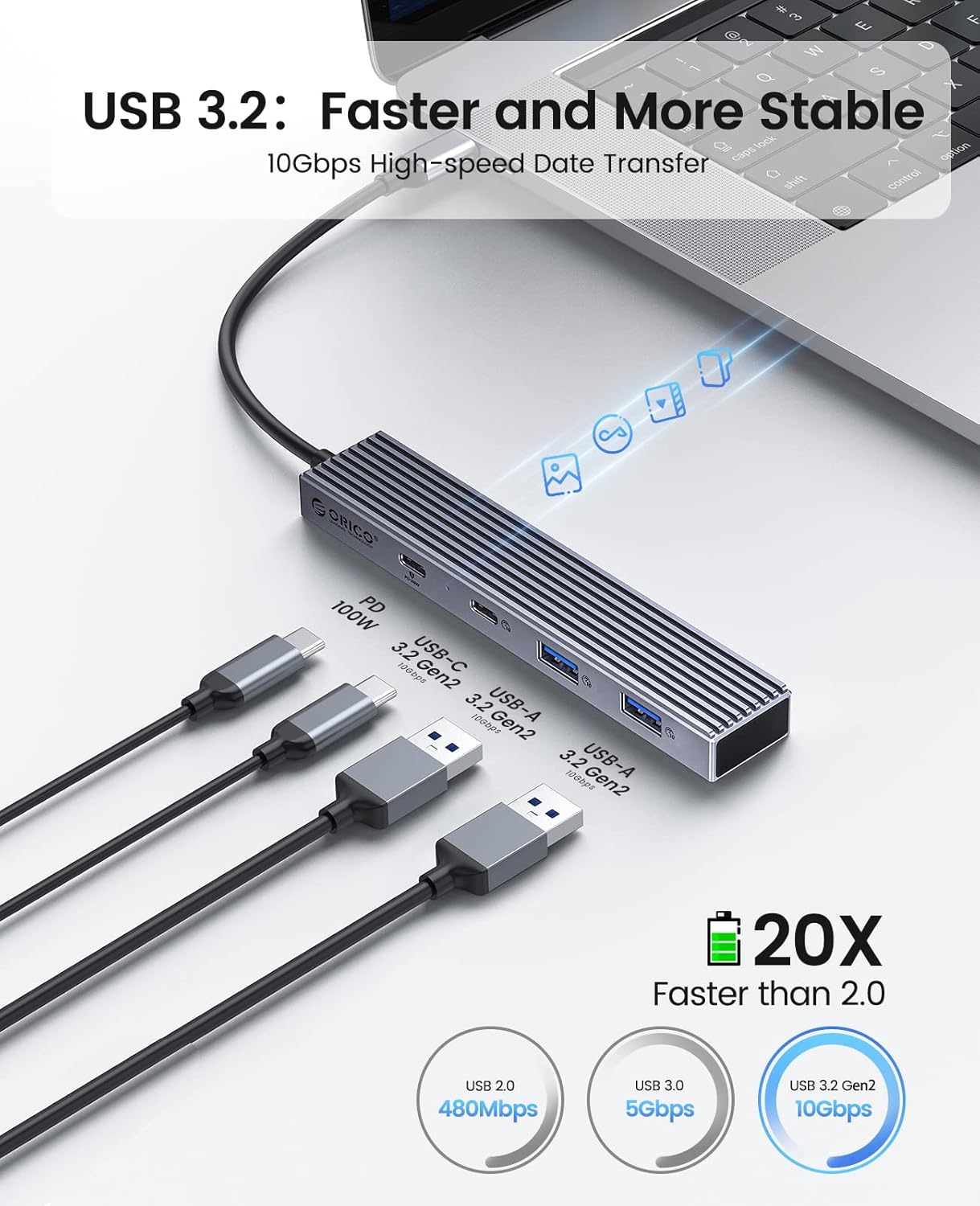
Rajah 1: The ORICO DHF-2U2C USB-C Hub, displaying its USB-C input cable, one USB-C data port, two USB-A data ports, and one USB-C Power Delivery port.
Arahan Persediaan
- Sambung ke Peranti Hos: Plug the integrated USB-C cable of the ORICO DHF-2U2C hub into an available USB-C port on your laptop, PC, MacBook, or other compatible device.
- Sambungan Kuasa (Pilihan): If your host device supports Power Delivery (PD) charging via its USB-C port, and you wish to charge it while using the hub, connect a compatible USB-C power adapter (up to 100W) to the dedicated USB-C PD port on the hub. Ensure your device's USB-C port supports charging.
- Pengecaman Peranti: The hub is plug-and-play and should be automatically recognized by your operating system (Windows, macOS, Linux, Chrome OS) without requiring additional drivers.
Video 1: A demonstration of unboxing and connecting the ORICO DHF-2U2C USB-C Hub to a laptop, showing the hub's ports and the Power Delivery charging function in action.
Arahan Operasi
Menyambung Peranti USB:
- Port Data USB-C: Connect USB-C peripherals such as external SSDs, flash drives, or other USB-C compatible devices to the USB-C data port for high-speed data transfer up to 10Gbps.
- USB-A Data Ports: Connect traditional USB-A peripherals like keyboards, mice, USB flash drives, or external hard drives to the two USB-A data ports. These ports also support data transfer speeds up to 10Gbps.

Rajah 2: The ORICO DHF-2U2C hub connected to a laptop, demonstrating the connection of external hard drives to its USB-A ports for data transfer.
Pengecasan Penghantaran Kuasa (PD):
The dedicated USB-C PD port allows you to charge your laptop or other compatible device while simultaneously using the hub's data ports. This port supports up to 100W power input. Ensure your power adapter and host device support PD charging for this function to work.
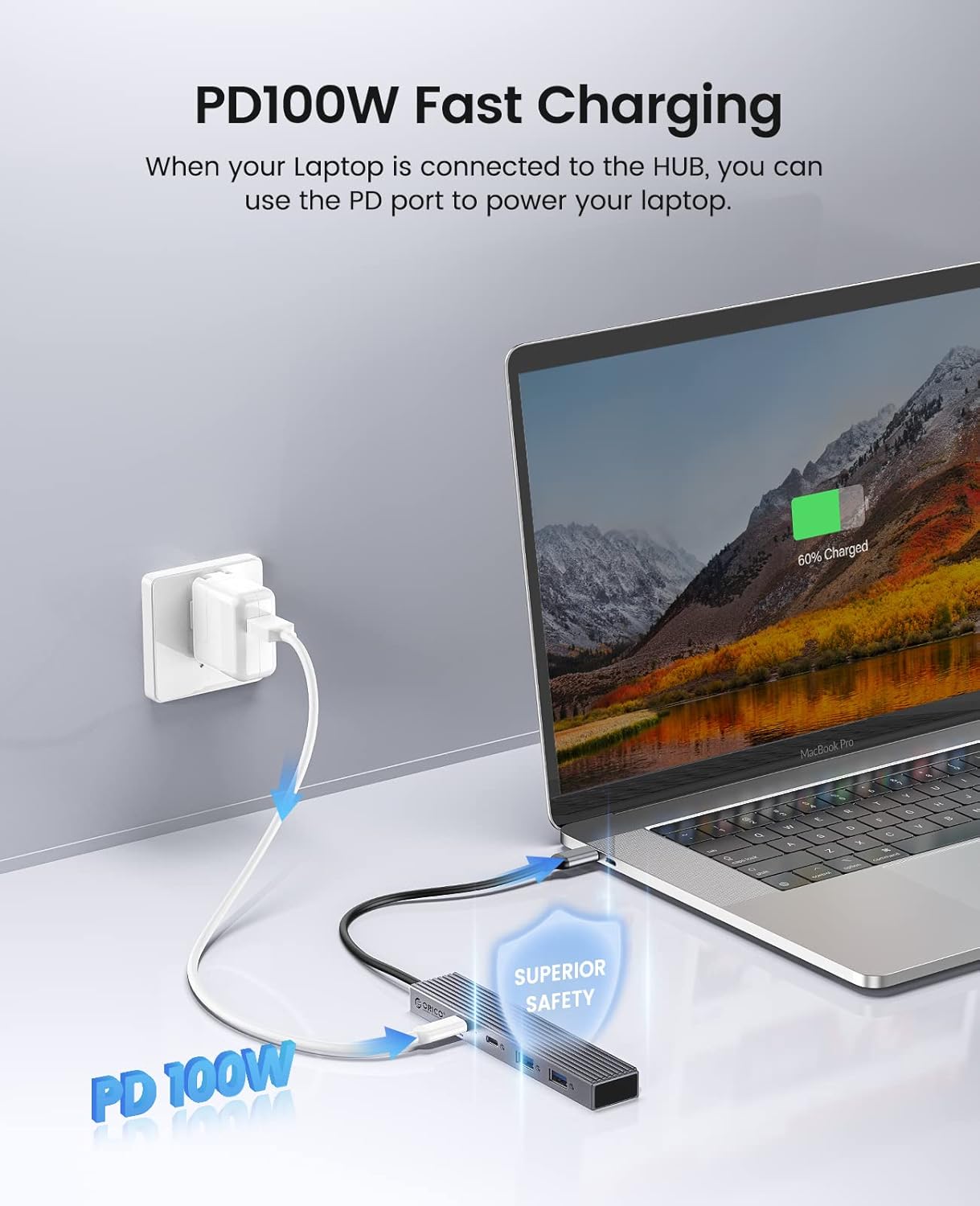
Rajah 3: The ORICO DHF-2U2C hub connected to a MacBook Pro, illustrating the use of the PD 100W port to charge the laptop while the hub is in use.
Penyelenggaraan
- Pastikan hab bersih dan bebas daripada habuk. Gunakan kain lembut dan kering untuk membersihkan.
- Elakkan mendedahkan hab kepada suhu, kelembapan atau cahaya matahari langsung yang melampau.
- Jangan cuba membuka atau membaiki peranti sendiri. Hubungi sokongan pelanggan untuk mendapatkan bantuan.
- Handle the hub and its cables gently to prevent damage.

Rajah 4: The compact ORICO DHF-2U2C hub being stored in a bag, demonstrating its portability and ease of transport.
Menyelesaikan masalah
| Masalah | Penyelesaian yang Mungkin |
|---|---|
| Hub not recognized by device. | Ensure the hub's USB-C cable is fully inserted into your device's USB-C port. Try connecting to a different USB-C port or restarting your device. |
| Devices connected to the hub are not working. | Verify that the connected devices are properly plugged into the hub. Check if the devices require external power. Ensure your operating system drivers are up to date. |
| Komputer riba tidak dicas melalui port PD. | Confirm that your laptop's USB-C port supports Power Delivery. Ensure your USB-C power adapter is functional and connected to the hub's PD port. Check the power adapter's wattagkeserasian e. |
| Kelajuan pemindahan data yang perlahan. | Ensure both your host device's USB-C port and the connected peripheral support USB 3.2 Gen2 (10Gbps). Older USB standards (USB 2.0, USB 3.0) will operate at their respective lower speeds. |
Spesifikasi
| Ciri | Perincian |
|---|---|
| Model | DHF-2U2C |
| Pelabuhan | 1 x USB-C 3.2 Gen2 (Data), 2 x USB-A 3.2 Gen2 (Data), 1 x USB-C (PD 100W Charging) |
| Kelajuan Pemindahan Data | Up to 10Gbps (USB 3.2 Gen2 ports) |
| Penghantaran Kuasa | Sehingga 100W (Input) |
| bahan | Aloi Aluminium + ABS |
| Dimensi (LxWxH) | 5.12 x 0.98 x 0.51 inci (130 x 25 x 13 mm) |
| Berat badan | 3.17 auns (90g) |
| Sistem Operasi yang Serasi | Windows, macOS, Linux, Chrome OS |
| Peranti Serasi | Laptops, PCs, MacBooks, Surface Pro, Smartphones, Tablets with USB-C port |
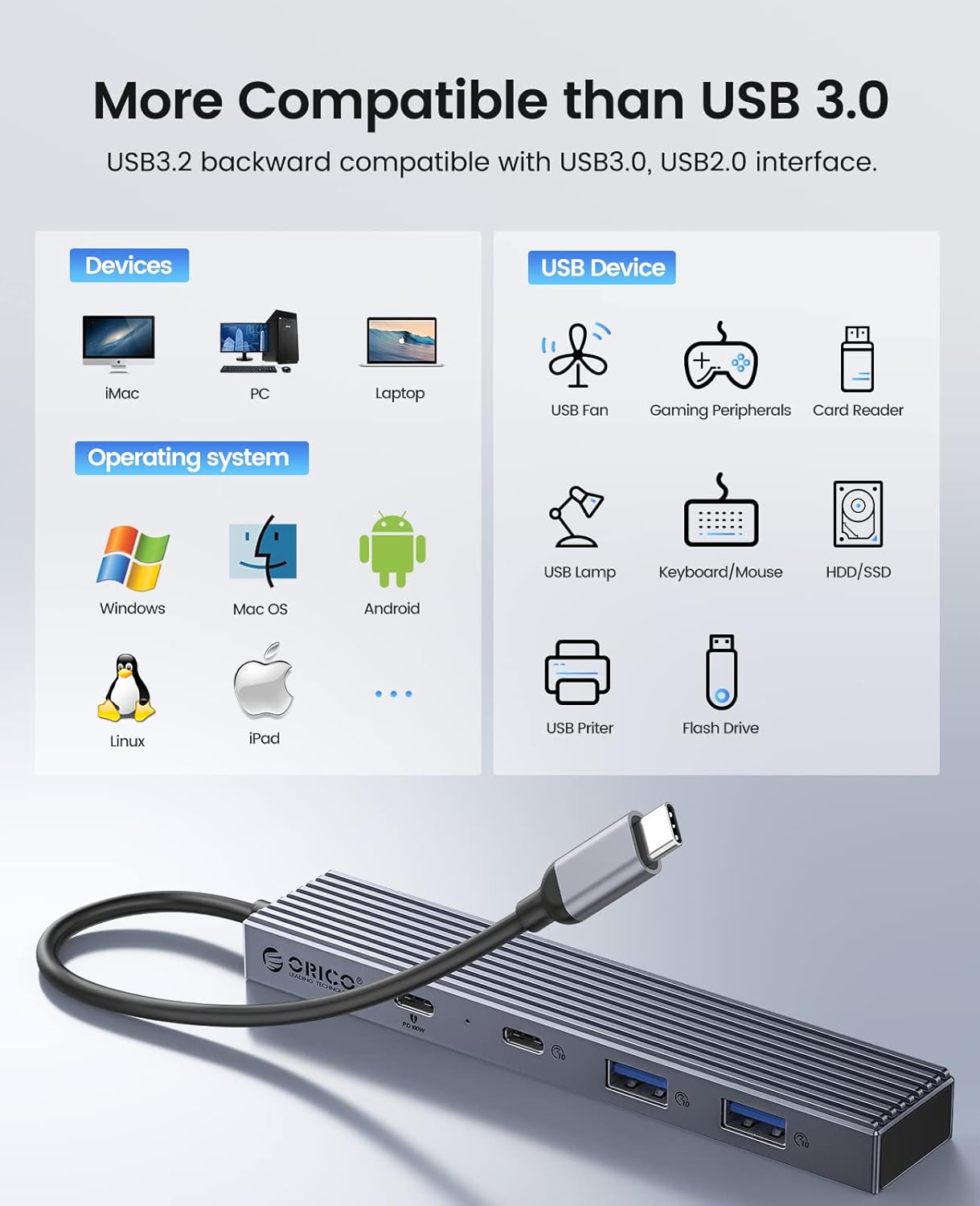
Rajah 5: An illustration of the broad compatibility of the ORICO DHF-2U2C hub with different devices and operating systems, including Windows, Mac OS, Linux, and iPad OS.
Waranti dan Sokongan
ORICO products typically come with a 12-month worry-free warranty and lifetime technical support. For warranty claims, technical assistance, or any product-related inquiries, please contact ORICO customer support through their official webtapak atau peruncit tempat produk itu dibeli.


