1. Pengenalan
This manual provides comprehensive instructions for the installation, operation, and maintenance of your TIGERKING Biometric Fingerprint Fireproof Safe, Model D66FR. Please read this manual thoroughly before using the safe to ensure proper functionality and security.
The TIGERKING D66FR safe is designed to protect your valuable documents, jewelry, and other personal items from fire and theft. It features multiple access methods including biometric fingerprint recognition, a digital PIN code, and emergency keys, offering enhanced security and convenience.
2. Maklumat Keselamatan
- Jangan simpan kunci kecemasan di dalam peti besi. Simpan di lokasi yang selamat dan berasingan.
- Ensure the safe is installed on a stable, level surface. For maximum security, utilize the pre-drilled holes for floor mounting.
- The safe is fireproof for 30 minutes at temperatures up to 1200°F (650°C), complying with UL 72 Standard. This protection applies to paper documents and other heat-sensitive items.
- Avoid exposing the safe to extreme humidity or direct water contact, as this may damage electronic components.
- The anti-theft alarm system activates after 3 incorrect PIN entries or significant vibration. This is a security feature and not a malfunction.
3. Kandungan Pakej
Sahkan bahawa semua komponen terdapat dalam pakej:
- 1 x TIGERKING Biometric Fingerprint Fireproof Safe (Model D66FR)
- 1 x Manual Pengguna
- 2 x Kunci Kecemasan
- 4 x Expansion Bolts (for floor mounting)

Image: The TIGERKING D66FR safe with its door open, revealing a spacious interior with multiple shelves. Various valuables such as necklaces, watches, stacks of cash, and gold coins are visible inside, demonstrating the safe's storage capacity. The biometric lock is visible on the exterior of the door.
4. Persediaan dan Pemasangan
4.1 Persediaan Awal
- Unpack the safe carefully and remove all packaging materials.
- Locate the emergency keys. These are typically found in a small bag attached to the safe or within a hidden compartment.
- Open the safe using one of the emergency keys. Insert the key into the keyhole, turn it clockwise, and then turn the handle to open the door.
- Install 4 AA batteries (not included) into the battery compartment located on the inside of the safe door. Ensure correct polarity.
- Close the safe door and test the electronic lock system.
4.2 Floor Mounting (Optional, Recommended for Security)
The safe is equipped with pre-drilled holes at the bottom for secure floor mounting. This significantly enhances theft resistance.
- Pilih lokasi yang sesuai untuk peti besi, pastikan ia rata dan stabil.
- Open the safe door and remove any shelves to access the pre-drilled holes at the bottom.
- Position the safe and mark the drilling points on the floor through the holes.
- Move the safe and drill holes into the floor at the marked positions using an appropriate drill bit for your floor material.
- Reposition the safe over the drilled holes.
- Insert the provided expansion bolts through the safe's holes and into the floor. Tighten them securely with a wrench.

Image: A composite image highlighting various internal features of the TIGERKING safe. It shows the easy installation process with a bolt securing the safe to the floor, two adjustable shelves, an LED interior light, and the soft interior lining that protects valuables.
5. Arahan Operasi
5.1 Kaedah Akses
The TIGERKING D66FR safe offers three primary ways to access its contents:
- Kunci Kecemasan: Insert the key into the keyhole, turn clockwise, then turn the handle. This method bypasses the electronic system.
- Cap jari: Place a registered fingerprint on the scanner, then turn the handle.
- Digital PIN: Enter your programmed PIN code on the keypad, then turn the handle.
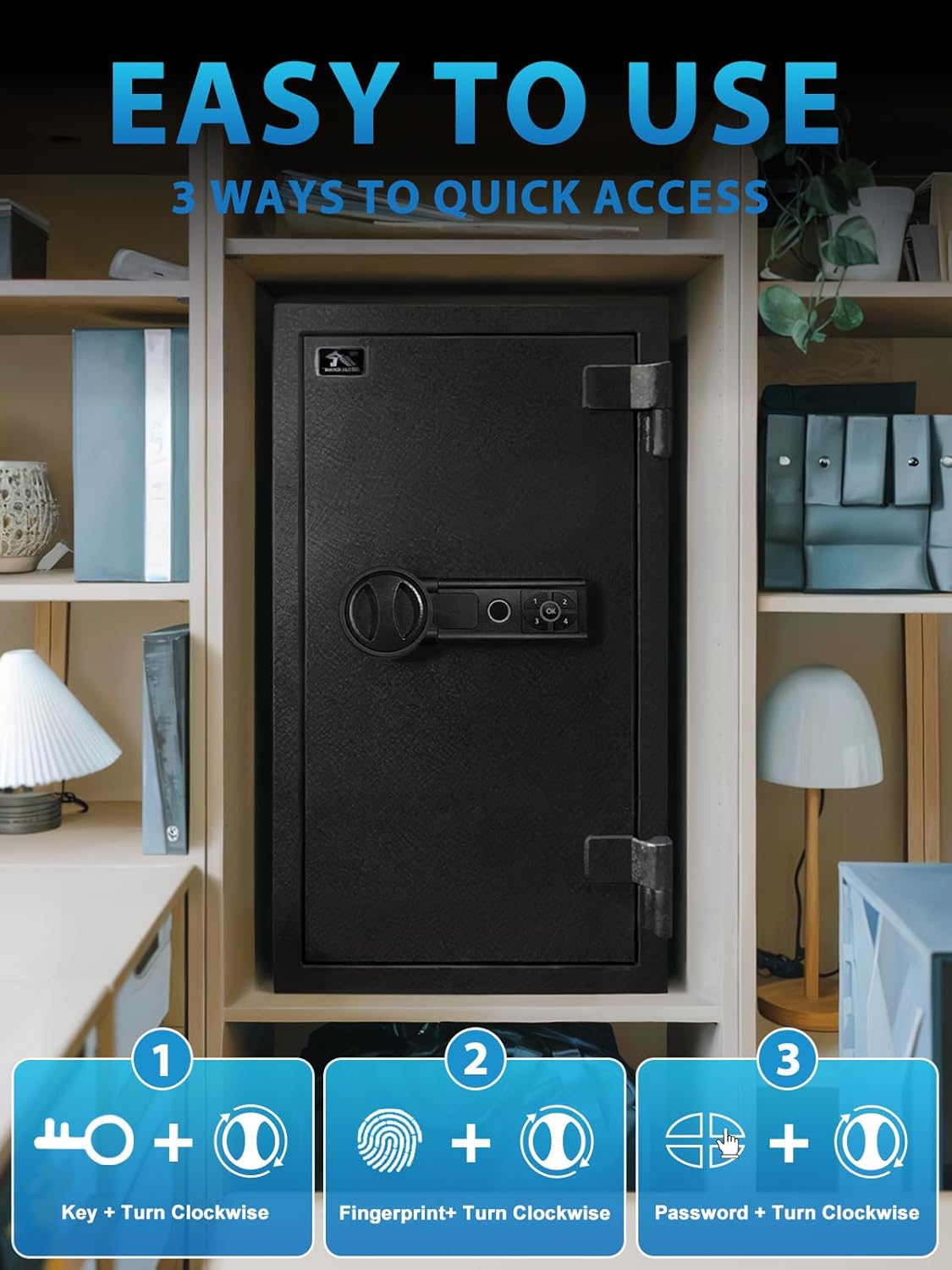
Image: A visual guide illustrating the three quick access methods for the TIGERKING safe. It shows icons for a key, a fingerprint, and a password, each combined with an icon for turning the safe handle clockwise to open the door.
5.2 Mendaftar Cap Jari
Peti besi boleh menyimpan sehingga 29 cap jari unik.
- With the safe door open, press the internal "SET" button (usually a small red button near the battery compartment). The indicator light will flash.
- Place the finger you wish to register firmly on the fingerprint scanner. Lift and repeat this process several times (typically 3-5 times) until the indicator light confirms successful registration (e.g., a green light or a beep).
- Ulangi untuk cap jari tambahan.
- To delete all registered fingerprints, consult the specific instructions in the full user manual for your model, as this process can vary.
5.3 Setting/Changing PIN Code
- With the safe door open, press the internal "SET" button.
- Enter your desired PIN code (typically 4-8 digits) on the keypad, then press "#" or "ENTER".
- Re-enter the same PIN code and press "#" or "ENTER" again to confirm. The indicator light will confirm successful programming.
- Test the new PIN code with the door open before closing it.
6. Features and Protection
6.1 Fire Protection
The TIGERKING D66FR safe is designed to withstand extreme temperatures, offering 30 minutes of fire protection at 1200°F (650°C). This feature is crucial for safeguarding important documents, digital media, and other heat-sensitive items during a fire incident.
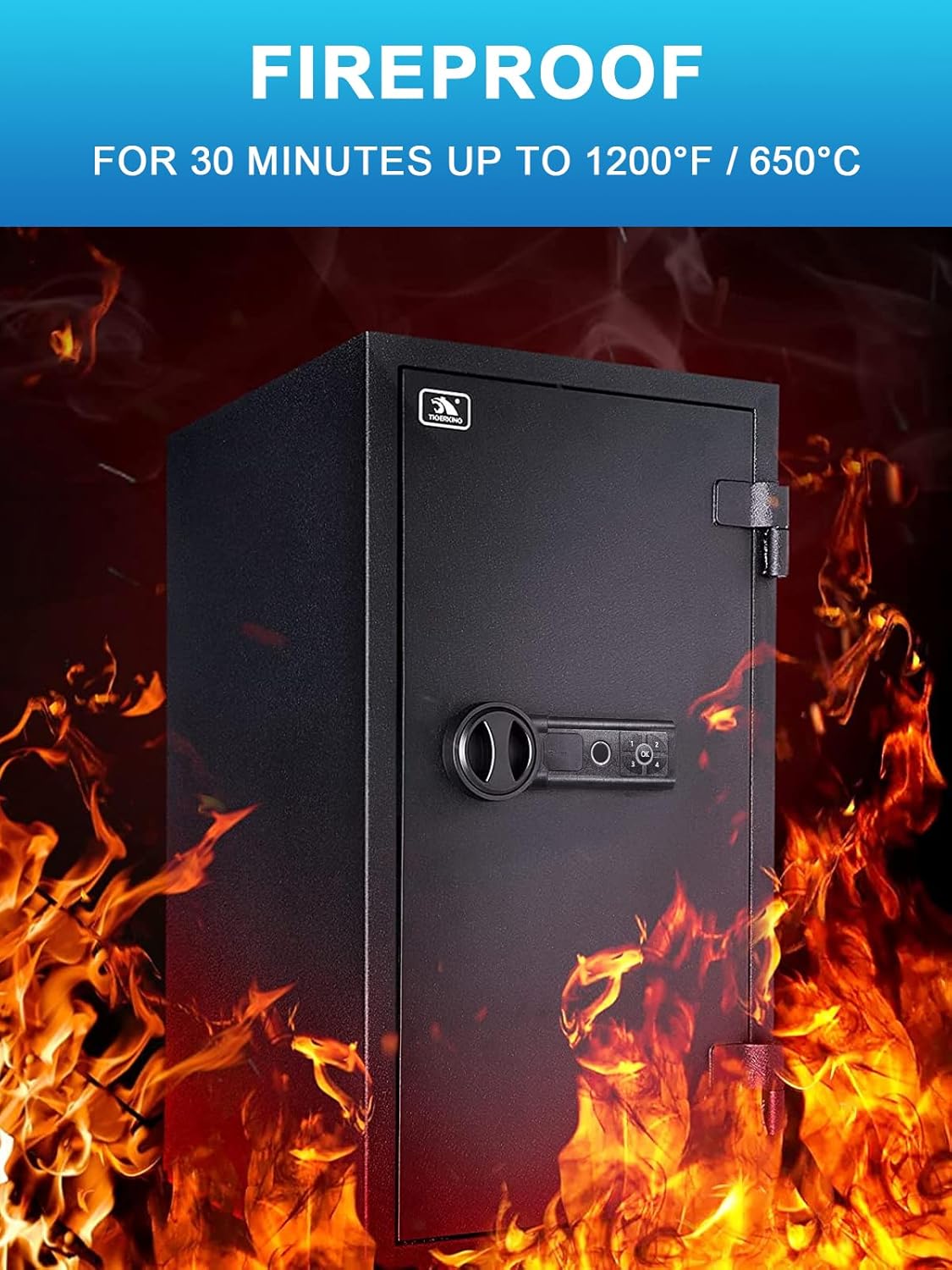
Image: The TIGERKING safe is depicted in a fiery environment, emphasizing its fireproof rating. Text overlays indicate its ability to protect contents for 30 minutes at temperatures up to 1200°F (650°C).
6.2 Anti-Theft Design
This safe incorporates several features to deter and resist theft:
- Pembinaan Keluli Pepejal: Made from robust alloy steel, providing significant resistance against forced entry.
- Thickened Anti-Drill Door Panel: The door panel is designed to resist drilling attempts.
- 1" Solid Live-Lock Bolts: Four thick, solid steel bolts secure the door firmly into the safe body.
- Seamless Pry-Resistant Door: Engineered to minimize gaps and resist prying tools.
- Tamper Alert System: An alarm activates after 3 incorrect PIN entries or if the safe experiences significant vibration, alerting you to potential tampering.

Image: A split image showcasing the robust security features of the TIGERKING safe. One panel shows a close-up of the thickened anti-drill door panel, and the other displays the solid 1-inch live-lock bolts and the seamless, pry-resistant design of the door.

Image: The TIGERKING safe with a red flashing alarm light on its top, illustrating its anti-theft system. Text indicates that the alarm is triggered by "3 Times Failed Password" or "Violent Vibration," signifying a dual warning system.
6.3 Organisasi Dalaman
- kapasiti: 3.47 cubic feet of internal storage space.
- Rak boleh tanggal: Two adjustable shelves allow for flexible organization of items of various sizes.
- Pencahayaan Dalaman LED: Provides illumination inside the safe for easy visibility in low-light conditions.
- Lapisan Dalaman Lembut: Protects delicate items from scratches and damage.
7. Penyelenggaraan
- Penggantian Bateri: Replace batteries promptly when the low battery indicator appears. Use high-quality AA alkaline batteries.
- Pembersihan: Lap bahagian luar peti besi dengan lembut, damp kain. Elakkan pembersih atau pelarut yang melelas.
- Penyelenggaraan lubang kunci: Do not lubricate the keyhole with oil. If the key mechanism feels stiff, consult customer support.
- Pengimbas cap jari: Keep the fingerprint scanner clean and dry for optimal performance.
8. Penyelesaian masalah
| Masalah | Kemungkinan Punca | Penyelesaian |
|---|---|---|
| Safe does not open with PIN/Fingerprint. | Low batteries, incorrect PIN/fingerprint, electronic malfunction. | Replace batteries. Re-enter PIN carefully. Re-register fingerprint. Use emergency key. |
| Penggera berbunyi tanpa diduga. | 3 incorrect entries, strong vibration/impact. | This is a security feature. The alarm will deactivate after successful access with a registered fingerprint or correct PIN. |
| Cap jari tidak dikenali. | Finger wet/dirty, scanner dirty, improper placement, unregistered fingerprint. | Ensure finger and scanner are clean and dry. Place finger firmly and completely on the scanner. Re-register fingerprint if necessary. |
| Key does not turn. | Wrong key, obstruction in keyhole, damaged lock. | Ensure you are using the correct emergency key. Do not force the key. Contact customer support if the issue persists. |
9. Spesifikasi
| Ciri | Perincian |
|---|---|
| Jenama | TIGERKING |
| Model | D66FR |
| Dimensi Produk (Luaran) | 17"D x 13.8"W x 26"H (43.2cm D x 35.1cm W x 66cm H) |
| Product Dimensions (Internal) | 24.6"H x 11.6"W x 13.23"D (62.5cm H x 29.5cm W x 33.6cm D) |
| Berat badan | 81.9 paun (37.15 kg) |
| Jenis Kunci | Biometrik, Kunci Gabungan Elektronik, Kunci |
| warna | Hitam |
| Kapasiti | 3.47 Cubic Feet (Internal: 2.19 Cu Ft) |
| bahan | Keluli Aloi |
| Ciri Khas | Alarm System, Anti-Theft, Biometric Fingerprint, Fireproof, Removable Shelf |
| Jenis Pemasangan | Lantai Lantai |
| Jenis Kawalan | Biometrik |
| Perlindungan Kebakaran | 30 minutes at 1200°F (650°C), UL 72 Standard Compliant |
| Kapasiti Cap Jari | Sehingga 29 cap jari |

Image: A detailed diagram illustrating the external and internal dimensions of the TIGERKING safe. Measurements for height, width, and depth are provided in inches and centimeters, along with the total weight of 81.9 lbs, highlighting the safe's substantial size and construction.
10. Waranti dan Sokongan
TIGERKING provides a one-year warranty for this product. For warranty claims, technical support, or any inquiries regarding your safe, please contact TIGERKING customer service through the retailer's platform or the official TIGERKING webtapak.
For additional resources and frequently asked questions, please visit the official TIGERKING store page: TIGERKING Store on Amazon.


