1. Pengenalan
The Jebao ELW Smart Wave Maker Circulation Pump is designed to create natural water movement within your aquarium, promoting a healthier environment for aquatic life. This pump features advanced SINE wave technology for ultra-quiet operation and high stability. It offers flexible control options, including a manual LCD display controller and Wi-Fi connectivity for control via a smartphone app (iOS and Android compatible).
The ELW series pumps are suitable for both marine and freshwater aquariums, featuring no exposed copper elements. The magnetic base allows for easy and secure positioning, and the pump head offers a 3D rotation angle to direct water flow precisely where needed.
2. Arahan Keselamatan Penting
AMARAN: Untuk mengelakkan kecederaan, langkah berjaga-jaga keselamatan asas harus dipatuhi, termasuk yang berikut:
- Read and follow all instructions carefully before using this appliance. Failure to do so may result in damage or injury.
- BAHAYA – Untuk mengelakkan kemungkinan renjatan elektrik, penjagaan khas perlu diambil kerana air digunakan dalam penggunaan peralatan akuarium. Bagi setiap situasi berikut, jangan cuba membaikinya sendiri; kembalikan perkakas ke kemudahan servis yang dibenarkan untuk diservis atau buang perkakas tersebut.
- Jika perkakas jatuh ke dalam air, JANGAN capailah ia. Mula-mula, cabut plagnya dan kemudian keluarkannya. Jika komponen elektrik basah, cabut plag perkakas dengan segera.
- Jangan kendalikan sebarang perkakas jika ia mempunyai kord atau palam yang rosak, atau jika ia tidak berfungsi atau telah terjatuh atau rosak dalam apa jua cara.
- To avoid the possibility of the appliance plug or receptacle getting wet, position the aquarium stand and tank to one side of a wall-mounted receptacle to prevent water from dripping onto the receptacle or plug. A “drip loop” should be arranged by the user for each cord connecting an aquarium appliance to a receptacle. The “drip loop” is that part of the cord below the level of the receptacle, or the connector if an extension cord is used, to prevent water from traveling along the cord and coming into contact with the receptacle. If the plug or receptacle does get wet, JANGAN unplug the cord. Disconnect the fuse or circuit breaker that supplies power to the appliance. Then, unplug and examine for the presence of water in the receptacle.
- Pengawasan rapi diperlukan apabila sebarang perkakas digunakan oleh atau berhampiran kanak-kanak.
- Untuk mengelakkan kecederaan, jangan sentuh bahagian yang bergerak atau bahagian panas seperti pemanas, reflektor,amp mentol, dan sebagainya.
- Sentiasa cabut plag perkakas dari soket apabila tidak digunakan, sebelum memakai atau menanggalkan bahagian, dan sebelum membersihkan. Jangan sekali-kali tarik kord untuk menarik plag dari alur keluar. Pegang palam dan tarik untuk memutuskan sambungan.
- Jangan gunakan perkakas untuk kegunaan selain daripada yang dimaksudkan. Penggunaan lampiran yang tidak disyorkan atau dijual oleh pengilang perkakas boleh menyebabkan keadaan tidak selamat.
- Jangan pasang atau simpan perkakas di tempat ia akan terdedah kepada cuaca atau suhu di bawah paras beku.
- Pastikan perkakas dipasang dengan selamat sebelum mengendalikannya.
- Baca dan patuhi semua notis penting pada perkakas.
- Jika kord sambungan diperlukan, kord dengan penarafan yang betul harus digunakan. Kord diberi nilai kurang amperes atau watt daripada kadaran perkakas mungkin terlalu panas. Penjagaan harus diambil untuk menyusun kord supaya ia tidak tersandung atau ditarik.
- Perkakas ini mempunyai palam terkutub (satu bilah lebih lebar daripada yang lain). Sebagai ciri keselamatan, palam ini akan dimuatkan dalam alur keluar terkutub hanya sehala. Jika palam tidak muat sepenuhnya dalam alur keluar, balikkan palamnya. Jika masih tidak muat, hubungi juruelektrik bertauliah. Jangan sekali-kali gunakan dengan kord sambungan melainkan palam boleh dimasukkan sepenuhnya. Jangan cuba untuk mengalahkan ciri keselamatan ini.
3. Kandungan Pakej
Carefully unpack all components and ensure everything listed below is present and undamaged. If any items are missing or damaged, please contact your retailer.
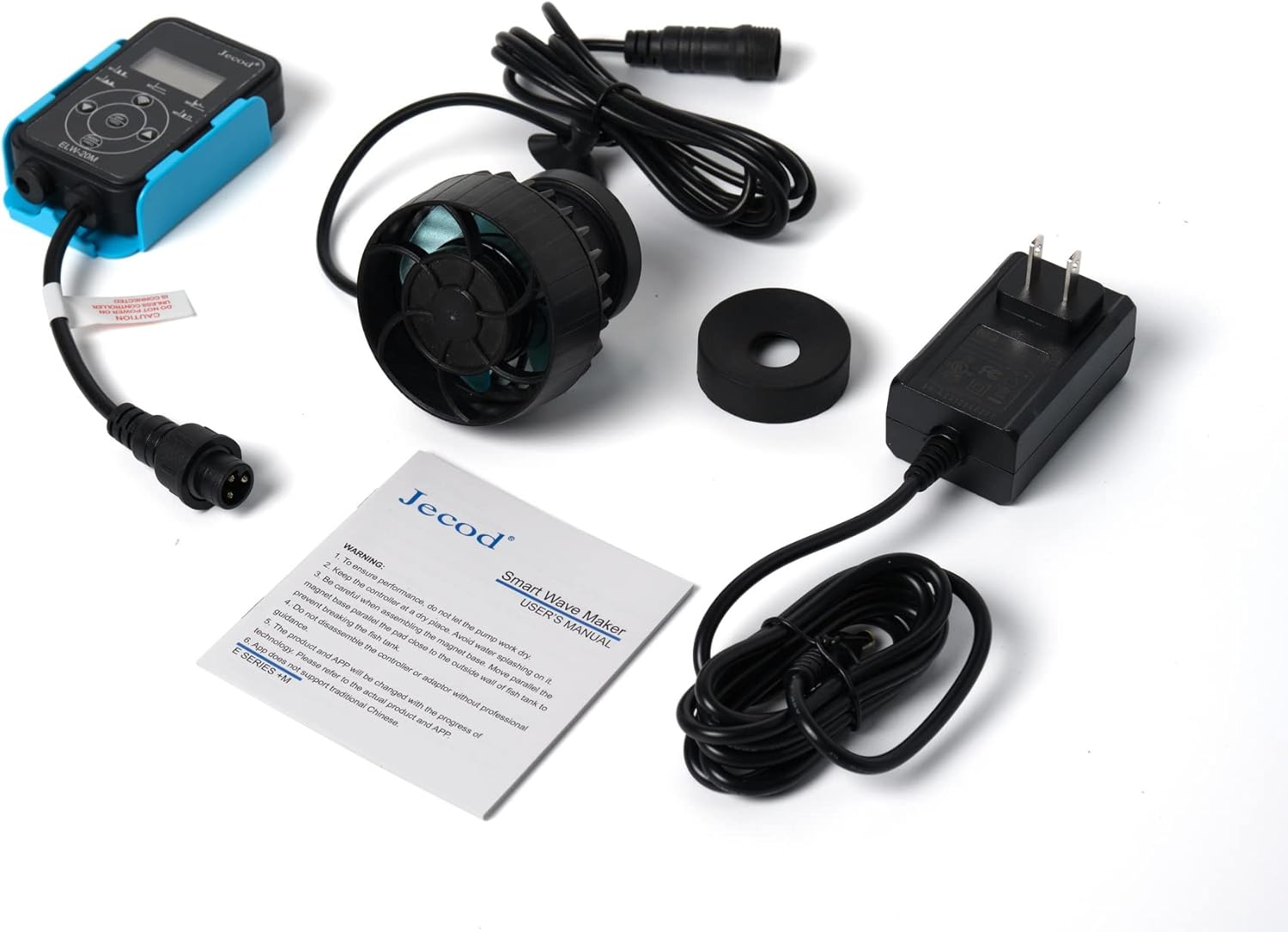
- Jebao ELW Smart Wave Maker Pump
- Controller with LCD Display
- Penyesuai Kuasa AC
- Pangkalan Magnetik
- Manual Pengguna
4. Persediaan dan Pemasangan
- Sediakan Akuarium: Ensure your aquarium glass is clean and free of algae or debris where you intend to mount the pump.
- Pasang Pam:
- Place the pump unit inside the aquarium, ensuring it is fully submerged.
- Align the external magnetic base on the outside of the aquarium glass, directly opposite the pump unit. The strong magnets will hold the pump securely in place.

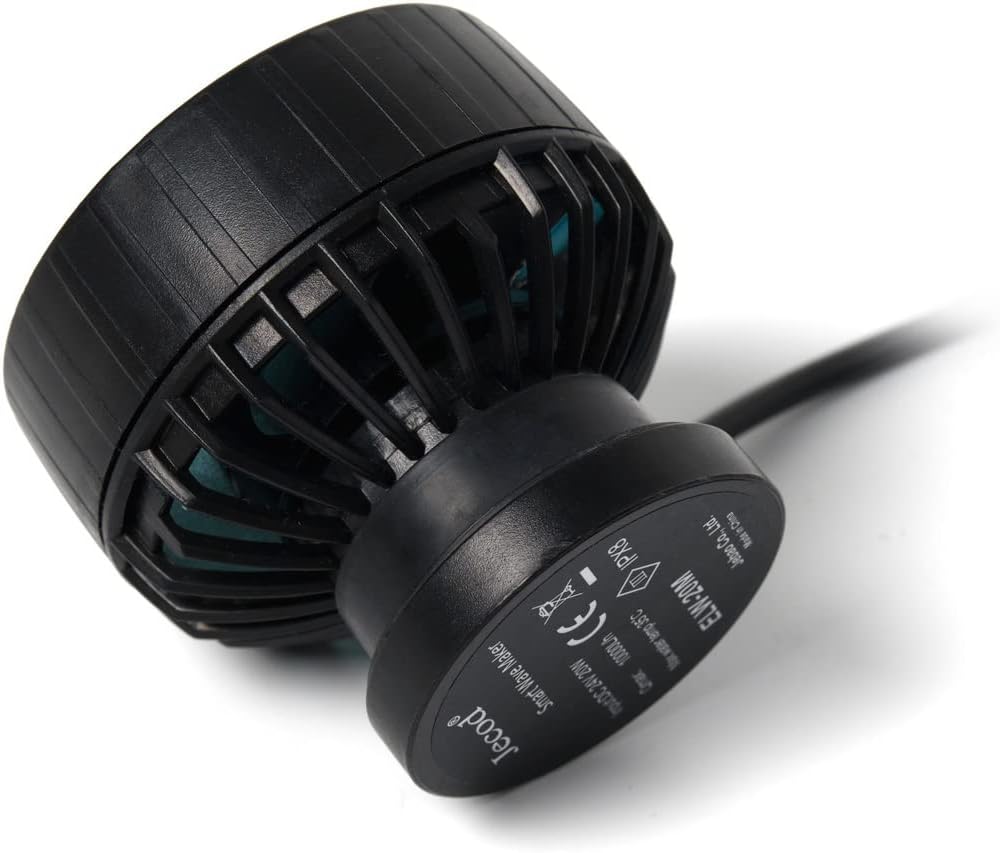
Rajah 4.1: Sisi view of the ELW pump, illustrating the magnetic base attachment point. - Adjust Pump Direction: The pump head can be rotated in 3D to adjust the output water direction. Position it to create optimal flow patterns in your tank, avoiding direct blasts onto corals or substrate.
- Sambungkan Pengawal: Connect the pump's cable to the designated port on the controller.
- Sambungkan Kuasa: Plug the AC power adapter into the controller, then plug the adapter into a suitable electrical outlet. Ensure a drip loop is formed with the power cord to prevent water from reaching the outlet.
- Persediaan Wi-Fi (Pilihan): For Wi-Fi control, download the Jebao App from your smartphone's app store (available for iOS and Android). Follow the in-app instructions to connect your pump to your 2.4GHz Wi-Fi network.
5. Arahan Operasi
The Jebao ELW pump can be operated using its manual LCD controller or through the Jebao smartphone application.
5.1 Manual Controller Operation
The LCD display controller allows for direct adjustment of pump settings. Refer to the specific button functions on your controller for detailed operation. Typically, you can adjust flow intensity and select various wave modes (if available) directly from the controller.
5.2 Wi-Fi App Control
Once connected to your Wi-Fi network via the Jebao App, you can access advanced control features:
- Pemilihan Mod: Choose from various wave patterns and flow modes to simulate natural ocean currents.
- Pelarasan Aliran: Precisely control the pump's output intensity.
- Penjadualan: Set daily or weekly schedules for different flow patterns and intensities.
- Mod Suapan: Temporarily pause the pump for feeding, allowing food to settle before circulation resumes.
For detailed instructions on using the app, please refer to the in-app guide or the official Jebao webtapak.
6. Penyelenggaraan
Regular maintenance ensures optimal performance and extends the lifespan of your Jebao ELW pump.
- Putuskan Kuasa: Always unplug the pump from the power outlet before performing any maintenance or cleaning.
- Keluarkan dari Akuarium: Carefully detach the pump from the magnetic base and remove it from the aquarium.
- Disassemble the Pump Head: Gently twist or unclip the front cover of the pump to access the impeller.
- Pendesak dan Perumahan Bersih: Remove the impeller and clean it thoroughly, along with the impeller housing, using a soft brush and clean water. Remove any algae, detritus, or mineral deposits. A solution of vinegar and water can help dissolve stubborn mineral buildup.
- Periksa Komponen: Check the impeller for any signs of wear or damage. Ensure the ceramic shaft (if applicable) is intact. Inspect the power cord for any fraying or damage.
- Pasang semula: Carefully reassemble the pump, ensuring all parts fit correctly.
- Pasang semula: Mount the pump back in the aquarium and reconnect the power.
Perform this cleaning routine at least once a month, or more frequently if you notice reduced flow or increased noise from the pump.
7. Penyelesaian masalah
| Masalah | Kemungkinan Punca | Penyelesaian |
|---|---|---|
| Pam tidak bermula atau beroperasi. | No power; loose connection; impeller jammed. | Check power outlet and connections. Ensure controller is properly connected. Unplug, disassemble, and clean the impeller. |
| Aliran air berkurangan. | Impeller or pump intake blocked by debris/algae; mineral buildup. | Perform thorough cleaning of the impeller and pump housing as described in the Maintenance section. |
| Pump is noisy or vibrating excessively. | Debris in impeller; improper mounting; worn impeller. | Clean the impeller. Ensure the pump is securely mounted to the aquarium glass. Inspect the impeller for damage and replace if necessary. |
| Tidak dapat menyambung ke Wi-Fi. | Incorrect Wi-Fi password; connecting to 5GHz network; router issues. | Ensure you are connecting to a 2.4GHz Wi-Fi network. Double-check the Wi-Fi password. Restart your router and try again. Refer to the app's troubleshooting guide. |
| Magnetic base does not hold securely. | Glass too thick for magnet strength; magnet damaged. | Ensure the aquarium glass thickness is within the recommended range for the pump's magnetic base. Inspect magnets for damage. |
8. Spesifikasi
Technical specifications for the Jebao ELW-20M Smart Wave Maker Circulation Pump:
| Ciri | Perincian |
|---|---|
| Model | ELW-20M |
| Kadar Aliran Maksimum | 2641 GPH (Gelen Sejam) |
| Saiz Tangki Disyorkan | 60-100 gelen |
| Sumber Kuasa | AC (via included adapter) |
| Voltage | DC 24V |
| Penggunaan Kuasa | 20W |
| Kekerapan | 60Hz |
| bahan | Plastik, Keluli Tahan Karat |
| warna | Hitam |
| Dimensions (Pump, no magnet) | 2-3/4" diameter x 1-3/4" |
| Berat Barang | 1.5 paun |
| Kawalan | Wi-Fi (iOS + Android) + Manual LCD Controller |
9. Waranti dan Sokongan
For warranty information, technical support, or service inquiries, please contact your original retailer or the manufacturer directly. Keep your purchase receipt as proof of purchase.
For the latest product information, firmware updates, and app support, please visit the official Jebao webtapak atau hubungi bahagian perkhidmatan pelanggan mereka.


