1. Pengenalan
The AEG 005073 OBD2 Evol 2 Diagnostic Tool is a universal diagnostic device designed to help you identify and resolve vehicle issues. Compatible with all OBD2-equipped vehicles manufactured since 2000, this tool offers a range of functions including reading and erasing fault codes, analyzing real-time vehicle data, and testing battery and charging systems. Its 2.4-inch color screen ensures clear display and readability.
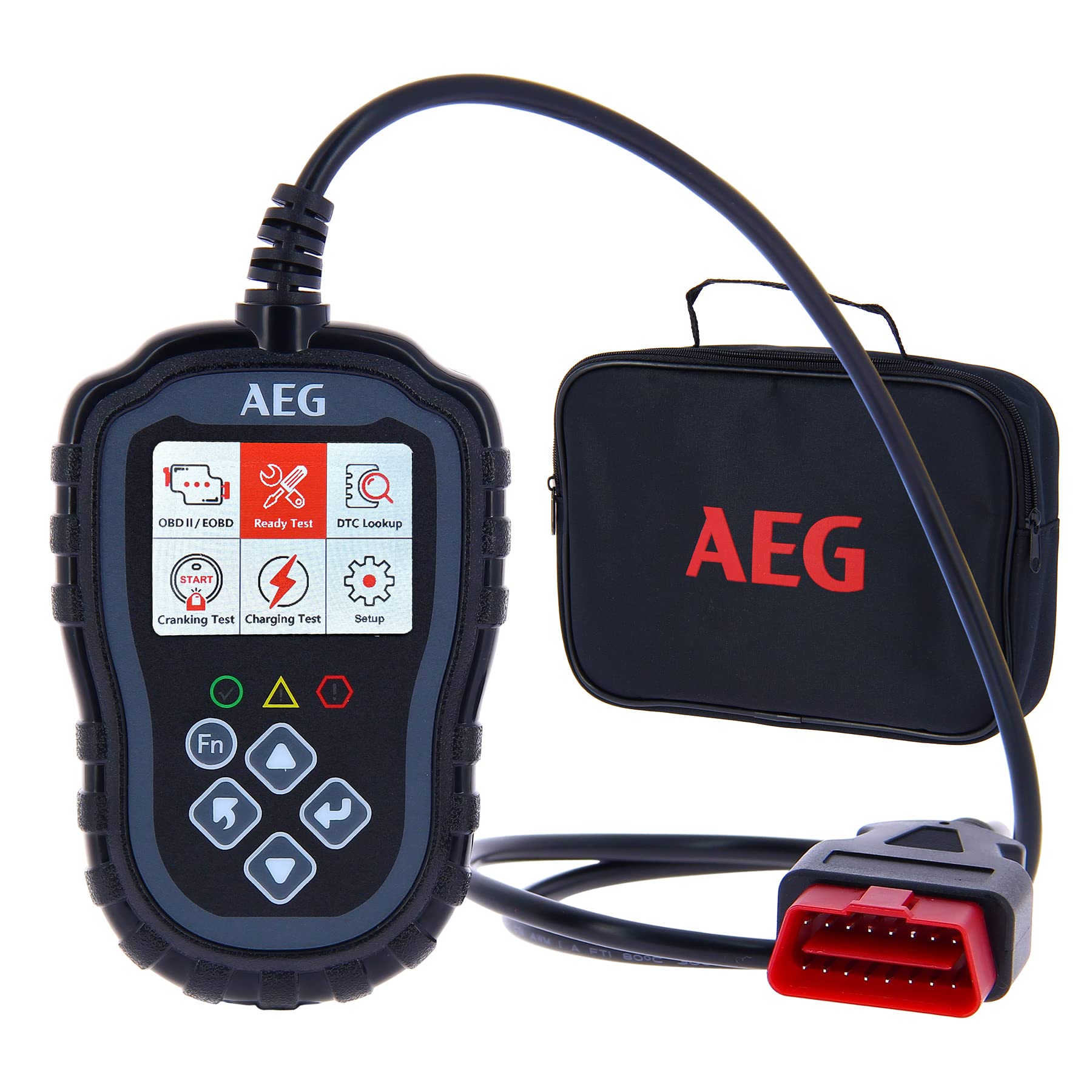
Figure 1: AEG 005073 OBD2 Evol 2 Diagnostic Tool in use.
2. Apa yang ada di dalam Kotak
- 1 x AEG 005073 OBD2 Evol 2 Diagnostic Tool
- 1 x Beg Penyimpanan

Figure 2: Packaging of the AEG 005073 OBD2 Evol 2 Diagnostic Tool.
3. Persediaan
- Cari Port OBD2: The OBD2 port is typically located under the dashboard on the driver's side. Refer to your vehicle's manual if you cannot find it.
- Sambungkan Alat: Plug the diagnostic tool's connector firmly into the vehicle's OBD2 port.
- Hidupkan Pencucuhan: Turn the vehicle's ignition to the 'ON' position (do not start the engine unless performing a cranking test). The tool will power on automatically.
- Pilih Bahasa: Navigate to the 'Setup' menu to select your preferred language (French, English, Spanish, Portuguese, Italian, German, Dutch, Finnish, Polish are available).
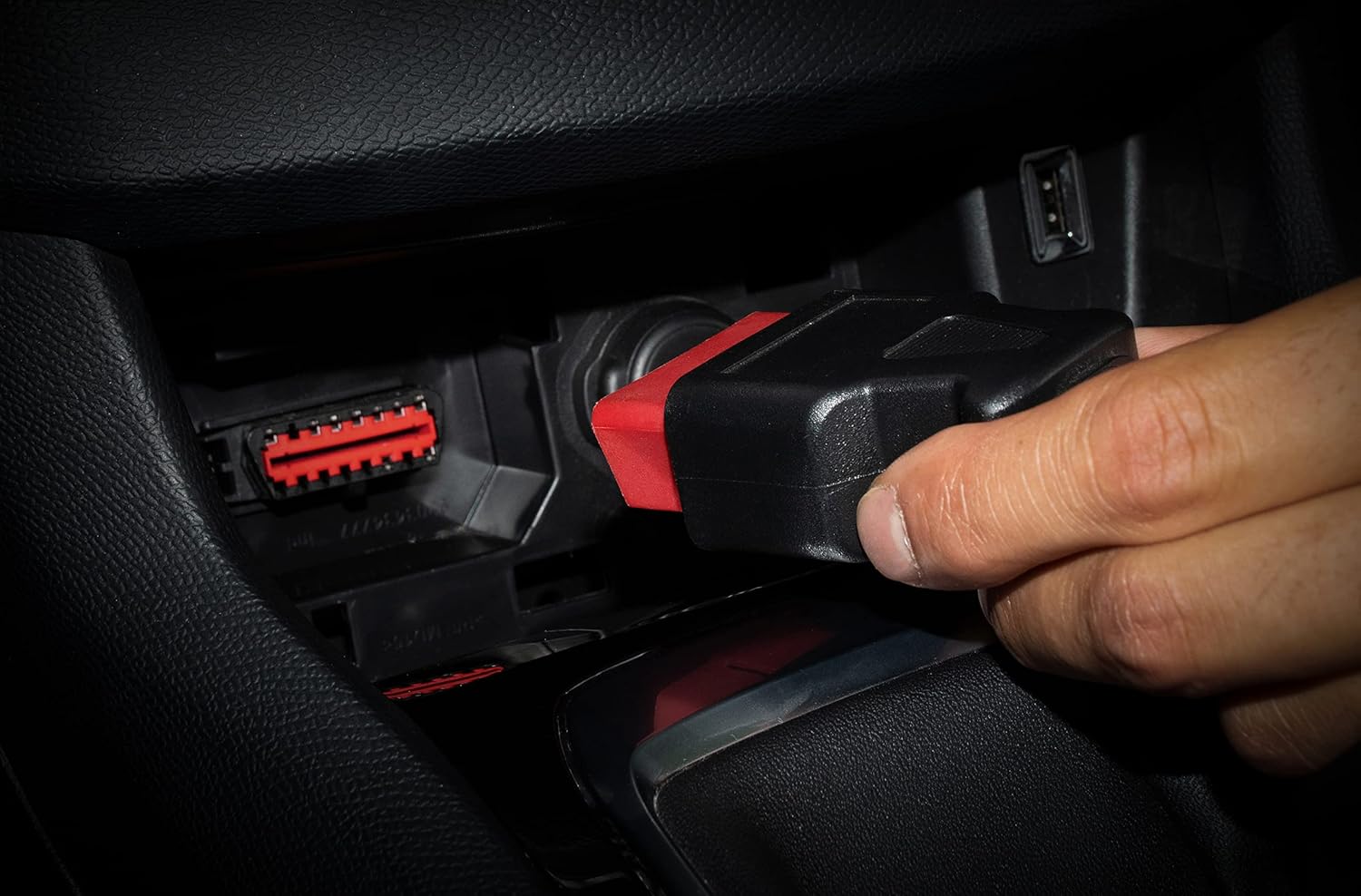
Figure 3: Connecting the diagnostic tool to the vehicle's OBD2 port.
Video 1: Demonstration on how to use an OBDII diagnostic tool, including connection and basic operation.
4. Arahan Operasi
The AEG 005073 OBD2 Evol 2 offers multiple diagnostic functions accessible via its intuitive menu. Ensure the ignition is ON for all diagnostic procedures.

Figure 4: Main menu of the diagnostic tool showing various functions.
4.1. Membaca dan Erasing Fault Codes
This function allows you to identify the cause of the 'Check Engine' light and clear it after repairs.
- Daripada menu utama, pilih 'Read Codes' kepada view Kod Masalah Diagnostik (DTC) semasa, belum selesai atau kekal.
- The tool will display detailed explanations for each code (e.g., EGR, temperature sensors, air intake circuit, injection, spark plugs).
- After addressing the issue, select 'Erase Codes' from the main menu. Confirm the action to clear the codes and turn off the 'Check Engine' light.
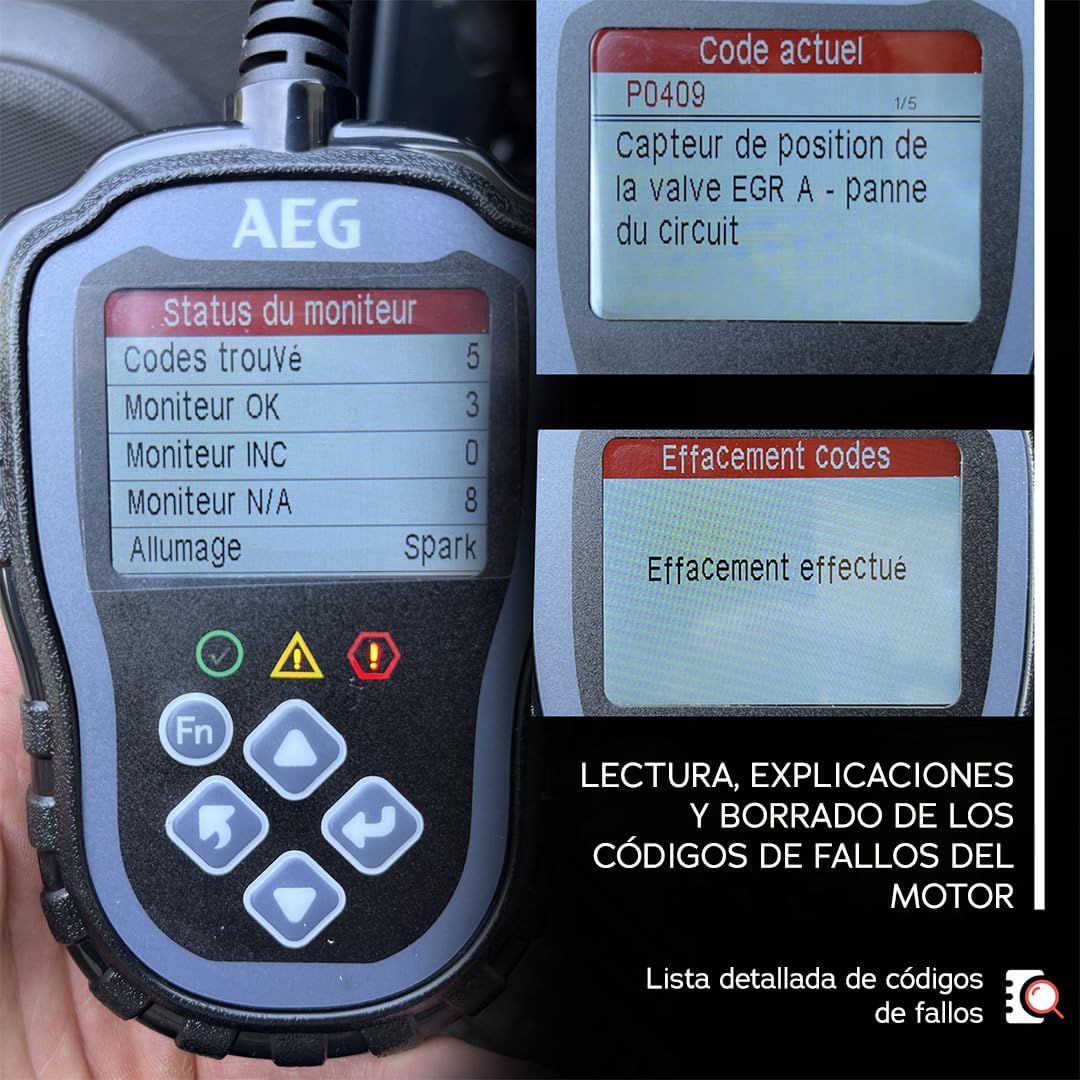
Figure 5: Display of a fault code and the option to erase codes.
Video 2: Introduction to the functions of an automotive code reader, including reading and erasinkod g.
4.2. Real-time Data Stream Analysis
Monitor various vehicle parameters in real-time to diagnose performance issues.
- Pilih 'Strim Data' daripada menu utama.
- View live data such as speed sensor, engine RPM, aspirated air temperature, coolant temperature, supported protocol, conduit pressure, lambda probe status, etc.

Figure 6: Real-time data stream and freeze frame data display.
4.3. Freeze Frame Analysis
Retrieve data recorded at the moment an anomaly occurred, providing a snapshot of vehicle conditions to aid in precise diagnosis.
- Pilih 'Freeze Frame' daripada menu utama.
- Review the stored data related to vehicle components and conditions at the time of the fault.
4.4. I/M Readiness Test (Emission Systems Diagnostic)
Check the status of emission systems and sensors to ensure your vehicle is ready for inspection.
- Pilih 'Ready Test' or 'Kesediaan Saya'.
- The tool will display the status of various monitors (MIS, FUE, CCM, CAT, HCAT, EVAP, A/C, AIR, O2S, HRT, EGR).

Figure 7: I/M Readiness display for emission system checks.
4.5. Battery and Charging System Test
Assess the health of your vehicle's battery and charging circuit.
- Ujian Cranking: Pilih 'Cranking Test' untuk memaparkan voltan bateritage during engine startup, indicating battery health.
- Ujian Pengecasan: Pilih 'Charging Test' to display the alternator/battery voltage both off-load and under load, checking the charging circuit status.

Figure 8: Battery and charging system test results.
Video 3: Demonstration of a 2-in-1 OBD2 scanner and battery tester, including battery and charging tests.
4.6. Carian DTC
Access a comprehensive directory of Diagnostic Trouble Codes and their explanations.
- Pilih 'DTC Lookup' daripada menu utama.
- Enter a DTC to view its detailed definition and potential causes.
Video 4: Selesaiview of the AEG OBD2 Evolution diagnostic tool, demonstrating its ease of use and key functions.
5. Protokol yang Disokong
The AEG 005073 OBD2 Evol 2 Diagnostic Tool supports the following OBD2 protocols:
- SAE J1850 PWM (41.6 KBAUD)
- SAE J1850 VPW (10.4 KBAUD)
- ISO 9141-2 (5BAUD INIT, 10.4 KB AUD)
- ISO 14230-4 KWP 2000 (5BAUD INIT, 10.4 KB AUD)
- ISO 14230-4 KWP 2000 (FAST INIT, 10.4 KB AUD)
- ISO 15765-4 CAN (11BIT ID, 500 KB AUD)
- ISO 15765-4 CAN (29BIT ID, 500 KB AUD)
- ISO 15765-4 CAN (11BIT ID, 250 KB AUD)
- ISO 15765-4 CAN (29BIT ID, 250 KB AUD)

Figure 9: Supported OBD2 protocols for wide vehicle compatibility.
6. Penyelenggaraan
- Keep the tool clean and dry. Use a soft, damp kain untuk mengelap bahagian luar.
- Avoid exposing the tool to extreme temperatures, direct sunlight, or corrosive chemicals.
- Store the tool in its provided pouch when not in use to prevent damage.
- Do not attempt to disassemble or repair the tool yourself. Contact customer support for assistance.
7. Penyelesaian masalah
7.1. Tool Does Not Power On
- Ensure the tool is securely connected to the vehicle's OBD2 port.
- Pastikan penyalaan kenderaan berada dalam kedudukan 'ON'.
- Check the vehicle's battery for sufficient charge.
7.2. Communication Error
- Confirm the vehicle is OBD2 compliant (manufactured after 2000).
- Ensure the connection to the OBD2 port is secure.
- Try the tool on a different OBD2 compliant vehicle to rule out a vehicle-specific issue.
7.3. Bacaan Tidak Tepat
- Ensure the vehicle's engine is running (for live data and some tests) or ignition is on (for code reading).
- Verify that the tool's software is up to date (if applicable, check manufacturer's webtapak).
8. Spesifikasi
- model: 005073
- Saiz Skrin: 2.4 inches (color display)
- Sumber Kuasa: Electric cable (via OBD2 port)
- Berat: 420 g
- Bahasa yang Disokong: French, English, Spanish, Portuguese, Italian, German, Dutch, Finnish, Polish
- Fungsi: Read/Erase DTCs, Live Data Stream, Freeze Frame, I/M Readiness, Cranking Test, Charging Test, DTC Lookup
- Keserasian: Universal for OBD2 vehicles from 2000 onwards
9. Waranti dan Sokongan
For warranty information and technical support, please refer to the documentation included with your product or visit the official AEG webtapak. Simpan resit pembelian anda sebagai bukti pembelian untuk tuntutan waranti.


