pengenalan
The MASTER & DYNAMIC MC300 is a 2-in-1 device designed to provide both a stable display for your headphones and a convenient wireless charging solution for compatible devices. It features a premium aluminum stand and a machined aluminum charge pad for efficient power delivery and heat dissipation. The unit also includes an additional USB-C port for wired charging of other compatible devices.

Image: The MC300 Wireless Charge Pad and Headset Stand, showcasing reka bentuknya yang anggun.
Apa yang ada dalam Kotak
Buka bungkusan dengan teliti dan pastikan semua item ada:
- Pad Cas Tanpa Wayar
- 1m USB-C to USB-C Power Cable
- 20cm USB-C to USB-C Charging Cable
- Headphone Stand Attachment
- Pemegang Kabel Magnetik

Image: The individual components of the MC300, including the base, stand, and cables.
Arahan Persediaan
1. Assembly of the Headphone Stand
- Locate the headphone stand attachment and the wireless charge pad base.
- Gently push down the collar located at the center of the charge pad base.
- Insert the bottom end of the headphone stand attachment into the opening in the charge pad base.
- Release the collar to secure the stand firmly in place. Ensure the stand is stable before proceeding.

Image: The underside of the MC300 base, showing the textured surface and connection points for the stand.
2. Sambungan Kuasa
- Connect the 1m USB-C to USB-C power cable to the designated power input port on the MC300 charge pad.
- Connect the other end of the power cable to a suitable USB power adapter (not included) and plug it into a wall outlet.
- The MC300 is now ready for use.
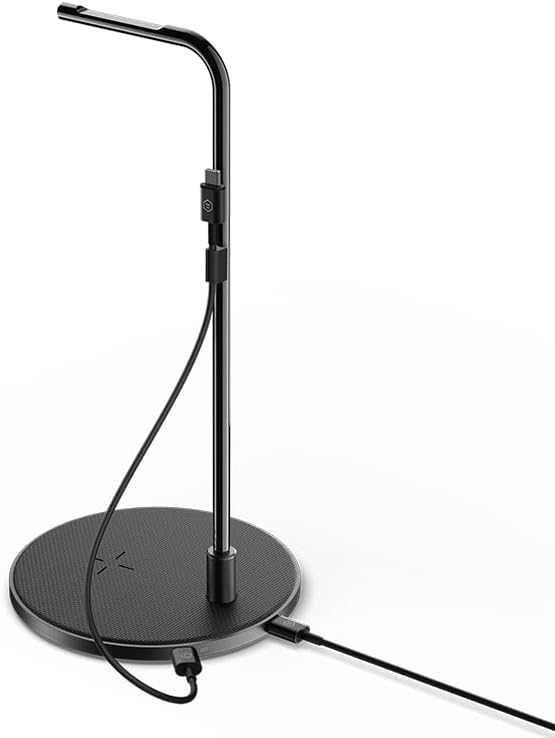
Image: The MC300 stand with the USB-C power cable connected to the base.
Arahan Operasi
1. Headphone Stand Use
The MC300 provides a dedicated space to store and display your headphones.
- Carefully place your headphones over the top curved arm of the stand.
- Ensure the headphones are balanced and securely resting on the stand.

Image: A pair of headphones neatly displayed on the MC300 Headset Stand.
2. Pengecasan Tanpa Wayar
The charge pad supports wireless charging for compatible devices.
- Place your wireless charging compatible device (e.g., smartphone, earbuds case) onto the center of the charge pad.
- For MagSafe compatible devices, the charge pad offers an easy magnetic connection.
- Ensure the device is properly aligned for optimal charging. A charging indicator on your device should confirm charging has begun.
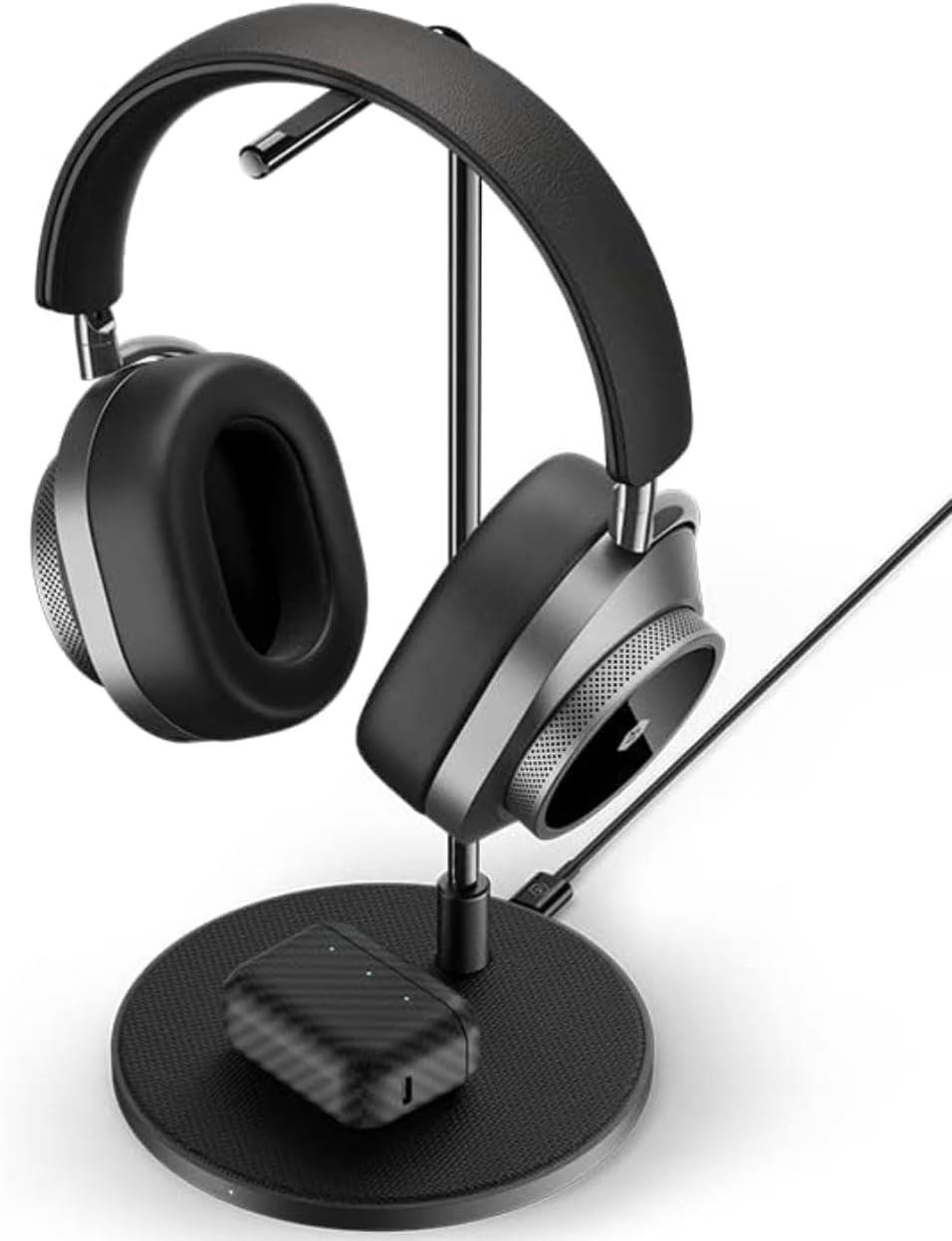
Image: Headphones on the stand, with a wireless earbud case charging on the base pad.
3. Additional Wired Charging
The MC300 includes a second USB-C port for wired charging.
- Connect the provided 20cm USB-C to USB-C charging cable to the secondary USB-C port on the MC300.
- Connect the other end of this cable to your headphones or other compatible devices that require wired charging.
Video: A short demonstration of the MC300 in a minimalist setup, showing its aesthetic integration and function as a base station for headphones and other items.
Keserasian
The MC300 Wireless Charge Pad and Headset Stand is compatible with:
- Master & Dynamic headphones.
- Other compatible headphones that fit the stand's dimensions.
- Wireless charging compatible devices, including iPhone 8 and newer mobile digital devices.
- MagSafe compatible devices for magnetic wireless charging.
Penyelenggaraan
To ensure the longevity and optimal performance of your MC300, follow these maintenance guidelines:
- Pembersihan: Use a soft, dry cloth to wipe down the aluminum surfaces and the coated canvas threading. Avoid abrasive cleaners or solvents that may damage the finish.
- Storan: When not in use for extended periods, store the MC300 in a cool, dry place.
- Pengendalian: Handle the stand with care to prevent scratches or damage to the aluminum components.
Menyelesaikan masalah
If you encounter issues with your MC300, refer to the following common problems and solutions:
| Masalah | Penyelesaian |
|---|---|
| Device not wirelessly charging. |
|
| Headphone stand is unstable. |
|
| Pengecasan berwayar tidak berfungsi. |
|
Spesifikasi
| Ciri | Perincian |
|---|---|
| Dimensi Produk | 5.51 x 5.51 x 11.18 inci |
| Berat Barang | 15.9 auns |
| Nombor Model | MC300 |
| Jenama | MASTER & DYNAMIC |
| warna | Black (Gunmetal/Black Canvas variant) |
| Peranti Serasi | Headphones, iPhone 8 and newer, MagSafe compatible devices |
Maklumat Keselamatan Penting
Sila baca dan patuhi garis panduan keselamatan ini untuk mengelakkan kerosakan pada produk atau kecederaan pada diri anda:
- Jangan dedahkan peranti kepada air atau kelembapan berlebihan.
- Elakkan suhu yang melampau.
- Jangan cuba membuka atau mengubah suai peranti. Ini akan membatalkan jaminan.
- Jauhkan daripada kanak-kanak.
- Use only the provided cables or certified compatible cables for power and charging.
Waranti dan Sokongan
MASTER & DYNAMIC products are designed for durability and performance. For specific warranty details, please refer to the warranty card included with your product or visit the official MASTER & DYNAMIC webtapak.
For technical support, troubleshooting assistance, or to inquire about replacement parts, please contact MASTER & DYNAMIC customer service through their official webtapak atau maklumat hubungan yang diberikan dalam pembungkusan produk anda.
Sokongan dalam talian: www.masterdynamic.com/support


