1. Lebihview
The DJI Mavic 3 Pro Fly More Combo with DJI RC is a high-performance drone system designed for advanced aerial photography and videography. This manual provides essential information for safe and effective operation, maintenance, and troubleshooting.

Image: DJI Mavic 3 Pro drone, DJI RC controller, and Intelligent Flight Batteries.
2. Apa yang ada di dalam Kotak
The DJI Mavic 3 Pro Fly More Combo (DJI RC) includes the following components:
- DJI Mavic 3 Pro Aircraft x1
- DJI RC Remote Controller x1
- Kayu Kawalan RC DJI (Pasangan) x1
- Bateri Penerbangan Pintar DJI Mavic 3 x3
- Propellers (Spare) x1 set
- DJI 100W USB-C Power Adapter AC Power Cable x1
- DJI 100W USB-C Power Adapter x1
- Kabel USB-C ke USB-C x2
- DJI Mavic 3 Battery Charging Hub (100W) x1
- Penutup Storan DJI Mavic 3 Pro x1
- DJI Mavic 3 Pro ND Filters Set (ND8/16/32/64) x1
- Beg Bahu DJI x1
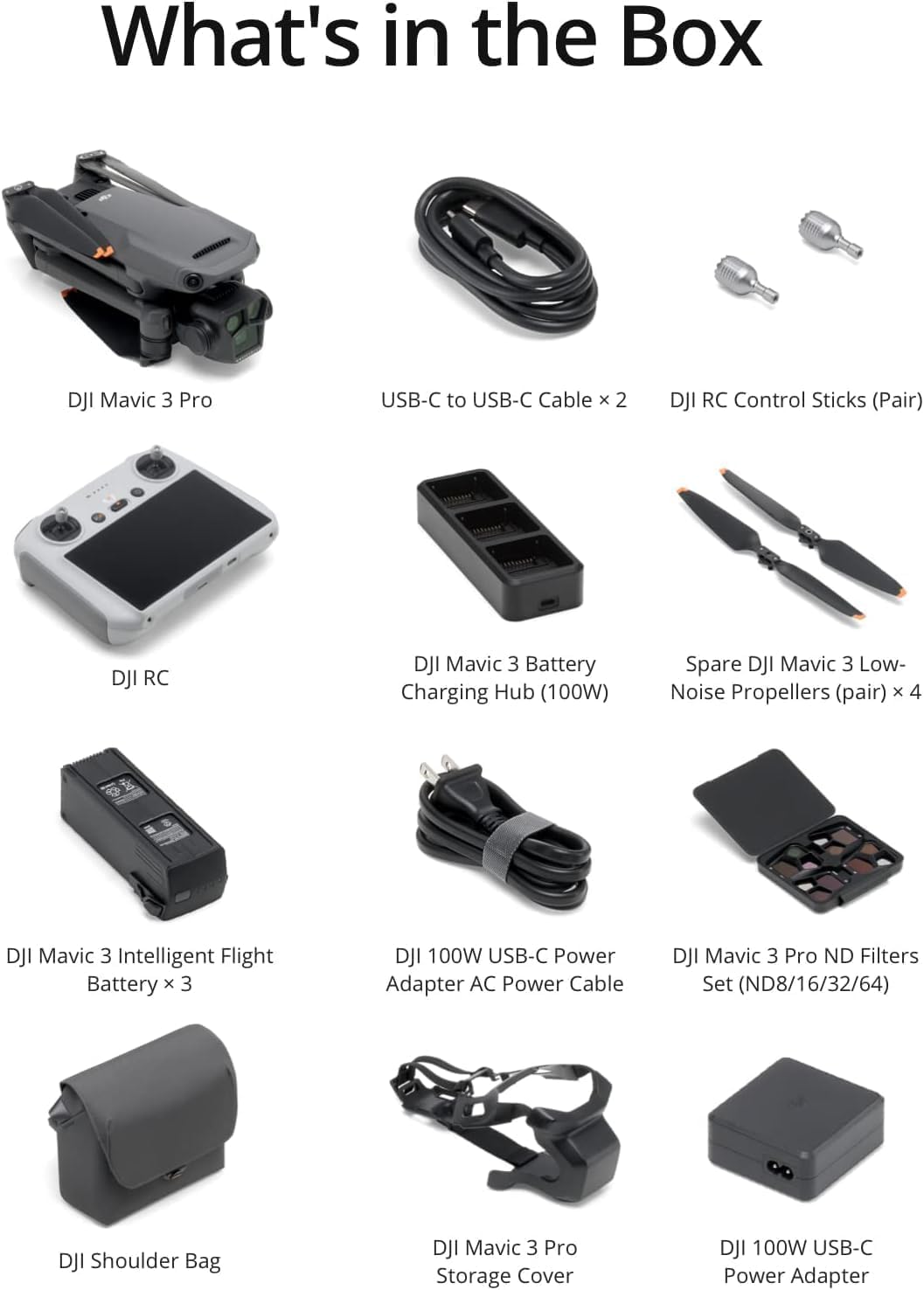
Image: All included accessories and the drone.
3. Persediaan
3.1 Drone Setup
Before first flight, carefully unfold the drone arms. Remove the gimbal protector by pressing and pulling it off. Ensure the small foam piece securing the gimbal is also removed.
Video: DJI Mavic 3 Pro First Use Guide, demonstrating initial setup steps including unfolding and gimbal protector removal.
3.2 Persediaan Alat Kawalan Jauh
Attach the control sticks to the DJI RC remote controller by screwing them into place. Extend the antennas for optimal signal transmission.
3.3 Pengecasan Bateri
Insert the Intelligent Flight Batteries into the 100W Battery Charging Hub. Connect the charging hub to the 100W USB-C Power Adapter using the provided USB-C to USB-C cable. The hub will charge batteries sequentially, prioritizing those with lower charge levels.
4. Ciri-ciri Utama
4.1 Hasselblad Main Camera
The Mavic 3 Pro features a Hasselblad 4/3 CMOS sensor main camera with a 24mm equivalent focal length, f/2.8-f/11 aperture, and 20 MP resolution. It supports shooting RAW photos with a dynamic range of up to 12.8 stops, ensuring immense detail and accurate color reproduction with Hasselblad Natural Colour Solution (HNCS).

Image: The triple-camera system of the DJI Mavic 3 Pro, highlighting different focal lengths.
4.2 Omnidirectional Obstacle Sensing and APAS 5.0
For enhanced flight safety, the Mavic 3 Pro is equipped with omnidirectional obstacle sensing. Eight vision sensors work in conjunction with a vision computing engine and APAS 5.0 to detect obstacles in all directions and plan safe flight routes, even in complex environments.

Image: DJI Mavic 3 Pro demonstrating omnidirectional obstacle sensing.
4.3 Extended Flight Time and O3+ Transmission
The Mavic 3 Pro offers a maximum flight time of 43 minutes, allowing for longer capture sessions. DJI O3+ transmission technology provides a stable signal and a transmission distance of up to 15 km, delivering a coherent 1080p/60fps live feed for smoother control.
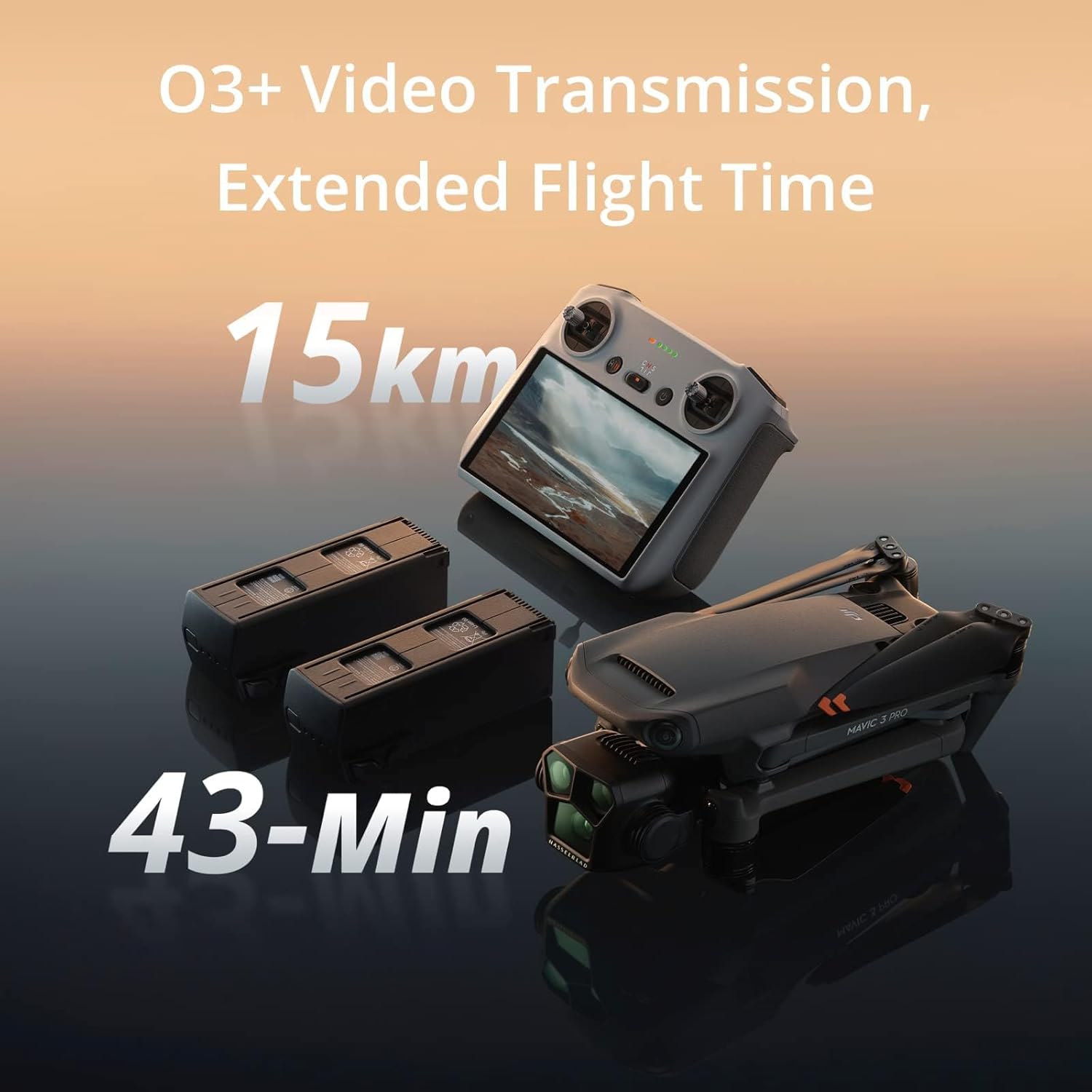
Image: Visual representation of 15km video transmission range and 43-minute flight time.
4.4 DJI RC Controller
The DJI RC is an ergonomic remote controller with a built-in screen, eliminating the need for a separate mobile device. It features a 700-nit bright display, ensuring visibility in broad daylight, and supports extended range with deployable antennas.
4.5 Firmware Upgrade Benefits
Recent firmware upgrades introduce Vision Assist for improved aerial safety and visual assistance in four directions. The 70mm Medium Tele Camera now supports 10-bit D-Log M & HLG color modes, expanding post-processing capabilities.
5. Arahan Operasi
5.1 Senarai Semak Pra-Penerbangan
- Ensure all batteries (aircraft and remote controller) are fully charged.
- Verify propellers are securely attached and free from damage.
- Remove the gimbal protector and any foam inserts from the camera.
- Check local regulations and ensure compliance with FAA Remote ID rules.
- Avoid flying in severe weather conditions (heavy wind exceeding 13.8 m/s, snow, rain, fog, hail, or lightning).
- Do not fly above 6000 m (19685 ft.) above sea level.
- Ensure ambient temperature is between -10° C (14° F) and 40° C (104° F).
- Avoid taking off from moving objects or near reflective surfaces.
- Fly in open areas away from crowds, buildings, mountains, and trees to maintain GNSS signal.
- Avoid areas with magnetic or radio interference (Wi-Fi hotspots, routers, Bluetooth devices, high-voltaggaris e, dan lain-lain).
5.2 Mod Penerbangan
The DJI Mavic 3 Pro supports various intelligent flight modes, including ActiveTrack, Cruise Control, and Waypoint Flight. ActiveTrack allows the drone to track subjects in eight directions, utilizing multiple vision sensors for subject recognition and stable tracking. Note that ActiveTrack is unavailable at video resolutions higher than 4K or frame rates over 60fps.
5.3 QuickTransfer
Utilize High-Speed QuickTransfer to quickly download footage to your smartphone via Wi-Fi 6, with a maximum download speed of up to 80 MB/s.
5.4 FAA Remote ID Compliance
The DJI Mavic 3 Pro is compliant with FAA Remote ID regulations. Users are advised to check the FAA's website for requirements regarding drone registration and Remote ID.
6. Penyelenggaraan
6.1 Penjagaan Bateri
- Simpan bateri di tempat yang sejuk dan kering.
- Avoid overcharging or completely draining batteries.
- Jika menyimpan untuk tempoh yang lama, nyahcas bateri kepada lebih kurang kapasiti 50-60%.
6.2 Penggantian Baling-Baling
Regularly inspect propellers for any signs of damage (cracks, bends, chips). Replace damaged propellers immediately using the spare propellers provided in the Fly More Combo. Follow the instructions in the DJI Fly app or the official user manual for proper replacement.
6.3 Gimbal Protection
Sentiasa pasang pelindung gimbal semasa mengangkut atau menyimpan dron untuk mengelakkan kerosakan pada kamera dan sistem gimbal.
7. Penyelesaian masalah
7.1 Isu Sambungan
- Ensure the remote controller and drone are fully charged and powered on.
- Verify that the remote controller antennas are properly extended.
- Move to an open area away from potential signal interference sources.
- Attempt to re-link the remote controller to the aircraft as per the DJI Fly app instructions.
7.2 Terlalu panas
If the remote controller or drone indicates overheating, land the aircraft immediately and allow components to cool down in a shaded area. Avoid direct sunlight during operation in hot climates.
7.3 Sekatan Penerbangan
If the drone is unable to take off or experiences restricted flight, check the DJI Fly app for any geofencing warnings or temporary flight restrictions (TFRs) in your area. Ensure all firmware is up to date.
8. Spesifikasi
| Spesifikasi | Nilai |
|---|---|
| Jenama | DJI |
| Nama Model | Mavic 3 Pro |
| Hasselblad Main Camera | 4/3 CMOS, 24mm equivalent, f/2.8-f/11, 20 MP |
| Masa Penerbangan Maks | 43 minit |
| Sistem Penghantaran Video | DJI O3+ |
| Julat Penghantaran Maks | 15 km |
| Penderiaan Halangan | Omnidirectional dengan APAS 5.0 |
| Resolusi Tangkapan Video | 4K, 5.1K |
| Resolusi Pegun Berkesan | 48 MP |
| Berat Barang | 958 Gram (2.11 paun) |
| Dimensi Produk | 13.68"L x 11.44"W x 4.24"H |
9. Notis Penting
9.1 Account Unbinding for Returns
To ensure a smooth return process and protect your account security, please complete the following steps before shipping back your DJI drone:
- Go to DJI Fly app > Profile > Device Management > Remove Device From Account to unbind it.
- Then log out of your account from DJI Fly.
Critical Notice: Failure to unbind may result in unauthorized access to your account via the bound devices or potential remote locking of the device, rendering it inoperable.
9.2 FAA Remote ID Compliance
The DJI Mavic 3 Pro complies with the FAA Remote ID rule. Please refer to the compliance document provided with your product for the user guide on Remote ID. Visit the FAA's official website for current requirements regarding drone registration and Remote ID.
10. Waranti & Sokongan
For official warranty information, technical support, and further assistance, please visit the Kedai DJI di Amazon or contact DJI Service LLC directly.


