1. Pengenalan
Thank you for choosing the ProfiCook PC SM 1237 A Cordless Immersion Blender. This manual provides essential information for the safe and efficient use, maintenance, and troubleshooting of your new appliance. Please read these instructions carefully before first use and keep them for future reference.

Image 1.1: The ProfiCook PC SM 1237 A Cordless Immersion Blender.
2. Arahan Keselamatan
Sentiasa patuhi langkah berjaga-jaga keselamatan asas apabila menggunakan peralatan elektrik untuk mengurangkan risiko kebakaran, renjatan elektrik dan kecederaan diri.
- Baca semua arahan sebelum mengendalikan perkakas.
- Do not immerse the motor unit in water or other liquids. Only the blending shaft is designed for immersion.
- Jauhkan tangan, rambut dan pakaian, serta spatula dan peralatan lain, daripada bilah yang bergerak semasa operasi untuk mengelakkan kecederaan.
- The blades are sharp. Handle with care when cleaning.
- Perkakas ini tidak dimaksudkan untuk digunakan oleh orang (termasuk kanak-kanak) yang kurang keupayaan fizikal, deria atau mental, atau kurang pengalaman dan pengetahuan, melainkan mereka telah diberi pengawasan atau arahan mengenai penggunaan perkakas oleh orang yang bertanggungjawab untuk keselamatan mereka.
- Kanak-kanak harus diawasi untuk memastikan bahawa mereka tidak bermain dengan perkakas.
- Do not use the appliance if the power cord, plug, or the appliance itself is damaged. Contact customer service for repair.
- Only use the USB-C charging cable and power adapter supplied with the appliance.
- Do not operate the appliance near hot surfaces or open flames.
- Ensure the appliance is switched off before assembling, disassembling, or cleaning.
- Do not overfill containers when blending to prevent spills.
- Exercise caution when blending hot liquids to avoid scalding.
3. Produk Lebihview
Familiarize yourself with the components and controls of your ProfiCook PC SM 1237 A Immersion Blender.
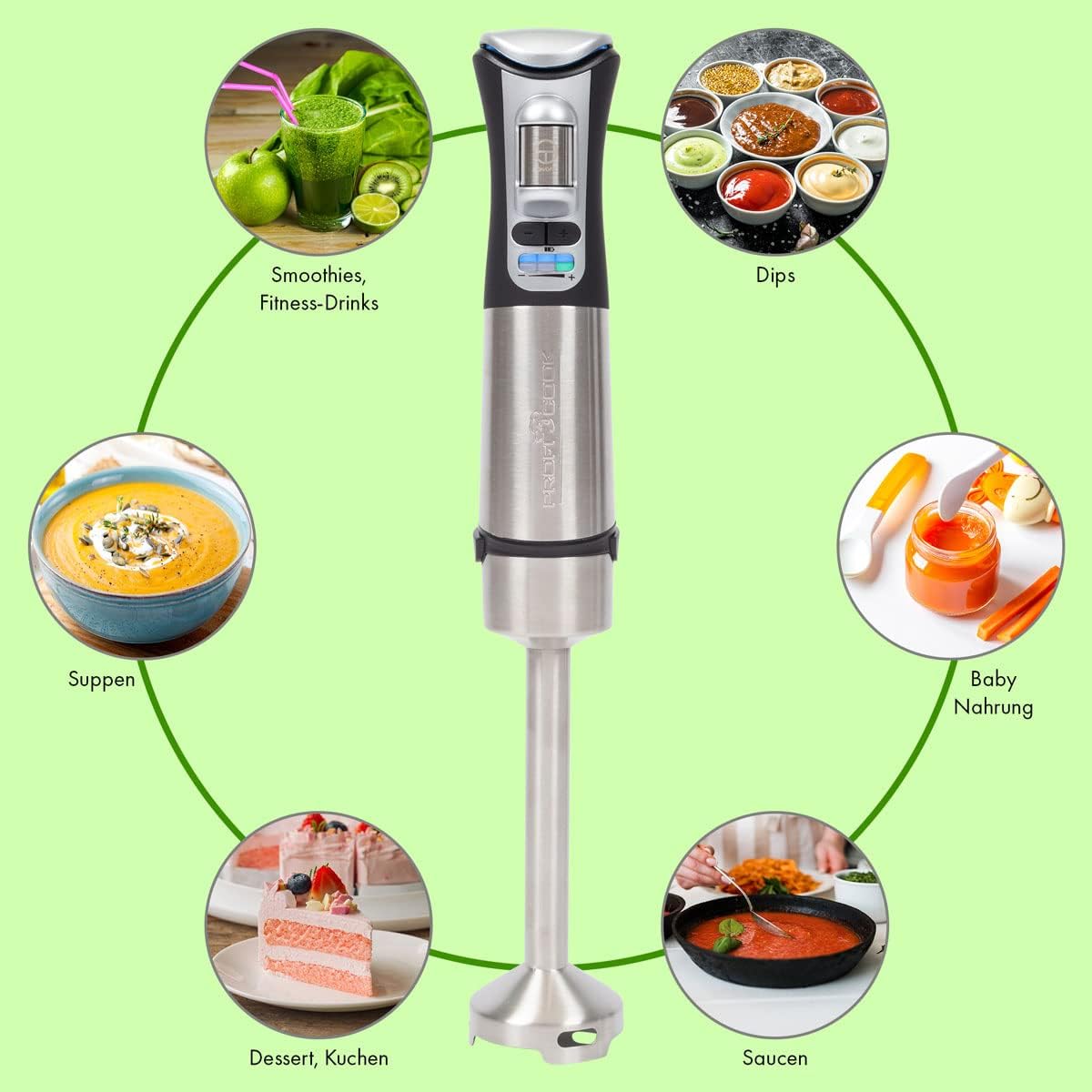
Imej 3.1: Selesaiview of the immersion blender's controls and charging port.
Komponen:
- Unit Motor: Contains the powerful Longlife motor, battery, and control panel.
- Aci Campuran: Detachable stainless steel shaft with a sharp blade and extra-wide mixing head.
- Kabel Pengecas USB-C: For connecting the blender to the power adapter.
- Penyesuai Kuasa: For charging the appliance from a wall outlet.
Ciri Panel Kawalan:
- Suis keselamatan: (1) Must be pressed before activating the ON/OFF switch.
- Paparan Status LED: (2) Shows various statuses.
- ON/OFF Touch Switch: (3) Activates and deactivates the blender.
- Butang Pelarasan Kelajuan: (4) Use '+' and '-' to select one of the 3 speed levels.
- Battery Status Indicator (Blue LED): (5) Displays the current battery charge level.
- Speed Level Indicator (Green LED): (6) Shows the selected speed level (1-3).
4. Persediaan
Before using your immersion blender for the first time, follow these steps:
- Bongkar: Keluarkan semua komponen dari pembungkusan dengan berhati-hati. Simpan bungkusan untuk penyimpanan atau pengangkutan masa hadapan.
- Bersih: Wash the detachable blending shaft in warm soapy water, rinse thoroughly, and dry completely. Wipe the motor unit with a damp kain.
- Berhimpun: Align the blending shaft with the motor unit and twist until it locks securely into place. Ensure it is firmly attached before use.

Image 4.1: Illustration of how to attach the removable stainless steel blending shaft to the motor unit.
5. Mengecas Bateri
The ProfiCook PC SM 1237 A is powered by a 7.4V lithium-ion battery, offering cordless convenience. Ensure the battery is fully charged before first use.
- Sambung: Plug the USB-C charging cable into the charging port located on the top of the motor unit.
- Hidupkan kuasa: Connect the other end of the USB-C cable to the provided power adapter, and then plug the adapter into a standard wall outlet.
- Pantau: Paparan LED akan menunjukkan status pengecasan. Pengecasan penuh biasanya mengambil masa kira-kira 2.5 jam.
- Putuskan sambungan: Once fully charged, unplug the power adapter from the wall outlet and then disconnect the USB-C cable from the blender.
A fully charged battery provides up to 25 minutes of continuous operation, depending on the load and speed setting.

Image 5.1: The included USB-C charging cable and power adapter.
6. Operasi
Using your cordless immersion blender is straightforward. Follow these steps for optimal results:
- Sediakan Bahan: Cut larger ingredients into smaller pieces for easier blending. Place ingredients in a suitable container (e.g., a tall beaker, pot, or bowl).
- Pengisar Celup: Submerge the blending shaft into the ingredients. Ensure the blade guard is fully covered to prevent splashing.
- Aktifkan: Tekan dan tahan butang Suis Keselamatan (1) on the top of the motor unit, then press the ON/OFF Touch Switch (3) to start the blender.
- Pilih Kelajuan: Gunakan Butang Pelarasan Kelajuan (4) ('+' and '-') to choose one of the three available speed levels. The Penunjuk Tahap Kelajuan (6) will show the selected speed.
- campuran: Move the blender gently up and down and in circular motions to ensure all ingredients are processed evenly.
- Selesai: Lepaskan ON/OFF Touch Switch (3) to stop the blender. Wait for the blades to stop completely before removing the blender from the container.
The extra-wide mixing head is designed to minimize splashing and ensure efficient blending. The blender is suitable for both cold and hot dishes, such as smoothies, sauces, shakes, purees, and soups.
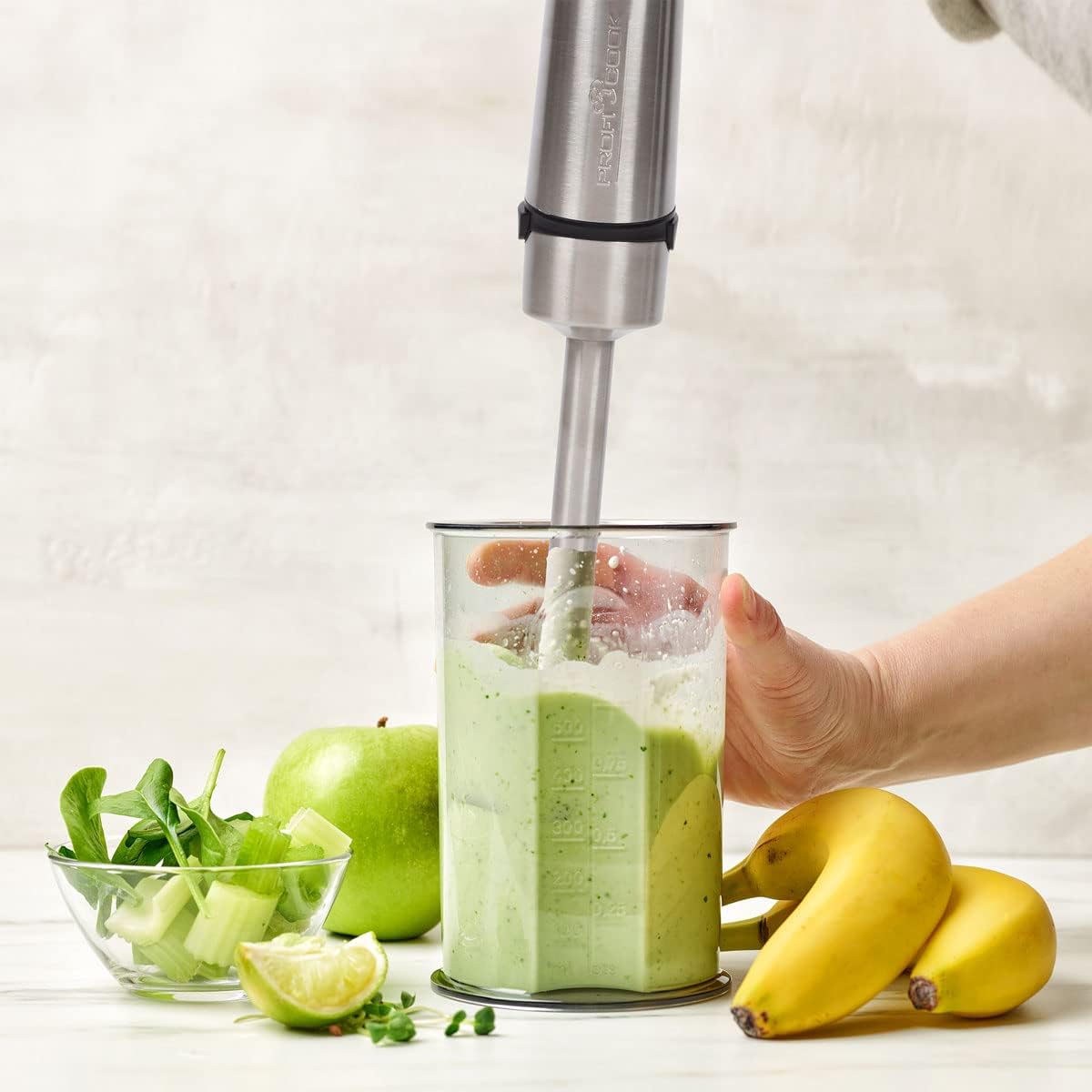
Image 6.1: Blending a smoothie with the ProfiCook immersion blender.

Image 6.2: The immersion blender can be used directly in pots for hot dishes.
7. Pembersihan dan Penyelenggaraan
Regular cleaning and proper maintenance will ensure the longevity and optimal performance of your immersion blender.
Pembersihan:
- Putuskan sambungan: Always ensure the blender is switched off and disconnected from the charging cable before cleaning.
- Detach Blending Shaft: Putar dan tarik aci pengadun untuk menanggalkannya daripada unit motor.
- Wash Blending Shaft: Wash the blending shaft, including the blade, under running water with a mild detergent. Use a brush if necessary to remove food residue. Caution: The blades are very sharp. Handle with extreme care.
- Unit Motor Bersih: Lap unit motor dengan iklanamp kain. Jangan rendam unit motor dalam air atau sebarang cecair lain.
- kering: Pastikan semua bahagian benar-benar kering sebelum dipasang semula atau disimpan.
Penyelenggaraan:
- Store the blender in a dry place when not in use.
- Avoid dropping the appliance or subjecting it to strong impacts.
- Do not attempt to repair the appliance yourself. Contact qualified service personnel for any repairs.
8. Penyelesaian masalah
If you encounter issues with your ProfiCook PC SM 1237 A, refer to the following table for common problems and solutions.
| Masalah | Kemungkinan Punca | Penyelesaian |
|---|---|---|
| Blender tidak dihidupkan. | Battery is depleted. Safety switch not pressed. Blending shaft not properly attached. | Charge the battery. Press the safety switch before the ON/OFF switch. Ensure the blending shaft is securely locked. |
| Poor blending performance. | Too many ingredients. Ingredients are too large. Low battery. | Reduce the amount of ingredients. Cut ingredients into smaller pieces. Charge the battery. |
| Blender berhenti semasa operasi. | Battery is depleted. Overload protection activated. | Charge the battery. Reduce the load, turn off, wait a few minutes, then restart. |
| Bateri tidak dicas. | Charging cable or adapter faulty. Not properly connected. | Check connections. Try a different USB-C port or adapter if available (ensure it meets specifications). |
If the problem persists after trying these solutions, please contact ProfiCook customer support.
9. Spesifikasi
Technical details for the ProfiCook PC SM 1237 A Cordless Immersion Blender:
| Ciri | Spesifikasi |
|---|---|
| Nombor Model | PC SM 1237 A (501237) |
| kuasa | 200 Watt |
| Voltage | 7.4 Volt (Bateri) |
| Jenis Bateri | Litium-Ion, 2000 mAh |
| Hayat Bateri | Sehingga 25 minit (lebih kurang) |
| Masa Mengecas | lebih kurang 2.5 jam |
| Bilangan Kelajuan | 3 |
| bahan | Keluli tahan karat, Polikarbonat |
| warna | Keluli Tahan Karat Hitam |
| Dimensi (L x W x H) | 10 x 5 x 1.27 cm (Product); 6P x 6l x 40H cm (Overall) |
| Berat badan | 650 g |
| Ciri Khas | Removable blade, LED display, Ergonomic Soft Touch handle, Extra wide mixing head |
| Komponen yang Disertakan | USB-C charging cable, Power adapter |

Image 9.1: Product dimensions of the immersion blender.
10. Waranti dan Sokongan
For warranty information, please refer to the warranty card included with your product or contact your retailer. For technical support or service inquiries, please contact ProfiCook customer service through their official webtapak atau maklumat hubungan yang diberikan bersama dokumentasi pembelian anda.


