1. Pengenalan
Welcome to the EIGHTREE Smart Plug user manual. This guide provides comprehensive instructions for setting up, operating, maintaining, and troubleshooting your smart plug. The EIGHTREE Smart Plug allows you to control your home appliances remotely, set schedules, and integrate with popular voice assistants like Amazon Alexa and Google Home, making your daily life more convenient and efficient.
2. Produk Lebihview
The EIGHTREE Smart Plug is a compact and versatile device designed to transform your traditional appliances into smart devices. It connects to your home's 2.4GHz Wi-Fi network, enabling remote control and automation.

Figure 2.1: EIGHTREE Smart Plug
Ciri-ciri Utama:
- Kawalan Jauh APP: Easily control your home appliances at any time and any place through the Smart Life APP. No more worrying about forgetting to turn off appliances when you are out.
- Kawalan Suara: Works with Google Assistant and Amazon Alexa, allowing for hands-free control of home electrical devices.
- Persediaan Mudah: Configuration takes less than two minutes. An upgraded chip ensures stable network connection and reduces offline incidents.
- Diverse Timer Scheduling: Set schedules and timers to automate when devices turn on or off.
- Ciptaan Adegan: Create custom scenes to control multiple devices with a single command.
- Kawalan Kumpulan: Group multiple smart plugs together for simultaneous control.
- Perkongsian Peranti: Share control of your smart plugs with family members.
- Saiz padat: Designed to not block adjacent outlets.
- Ciri-ciri Keselamatan: Includes overload protection, short-circuit protection, and made from flame-retardant material with an upgraded PCBA.

Figure 2.2: Smart Plug Features

Figure 2.3: Voice Control Capability

Rajah 2.4: Alat Kawalan Jauh APLIKASI

Figure 2.5: Schedule & Timers Functionality

Figure 2.6: Safe and Secure Design

Figure 2.7: Compact Size & Hub Free Design
3. Arahan Persediaan
Follow these steps to set up your EIGHTREE Smart Plug and connect it to your Wi-Fi network and smart home ecosystem.
3.1 Sambungan Awal
- Muat turun Aplikasi Smart Life: Cari untuk "Smart Life" in your mobile app store (App Store for iOS or Google Play Store for Android) and download the app.
- Daftar/Log Masuk: Open the Smart Life App and register for a new account or log in if you already have one.
- Prepare the Smart Plug: Plug the EIGHTREE Smart Plug into a power outlet. Ensure the indicator light on the plug is blinking rapidly (pairing mode). If not, press and hold the power button on the plug for 5-10 seconds until it blinks rapidly.
- Sambung ke Wi-Fi 2.4GHz: Ensure your mobile phone is connected to a 2.4GHz Wi-Fi network. The smart plug only supports 2.4GHz Wi-Fi.
- Tambahkan Peranti dalam Apl: Open the Smart Life App. The app may automatically discover the new device. If not, tap the "+" icon in the top right corner, then select "Electrical Outlet" or "Smart Plug" from the device list.
- Confirm Blinking Indicator: Confirm that the indicator light on the smart plug is blinking rapidly in the app.
- Masukkan Kata Laluan Wi-Fi: Enter your 2.4GHz Wi-Fi network password in the app and confirm.
- Berpasangan: The app will begin connecting to the smart plug. Once connected, the indicator light on the plug will stop blinking and turn solid. You can then rename your smart plug for easy identification.

Figure 3.1: Initial Connection Steps
3.2 Integrating with Voice Assistants
After successfully connecting your smart plug to the Smart Life App, you can link it with Amazon Alexa or Google Home for voice control.
Untuk Amazon Alexa:
- Open the Smart Life App, go to the "Me" tab, and tap "Third-Party Services".
- Select "Alexa" and follow the on-screen instructions to link your Smart Life account with Alexa. This typically involves enabling the Smart Life skill in the Alexa app and logging in with your Smart Life credentials.
- Once linked, discover devices in the Alexa app (or say "Alexa, discover devices"). Your smart plug will appear and can be controlled by voice.
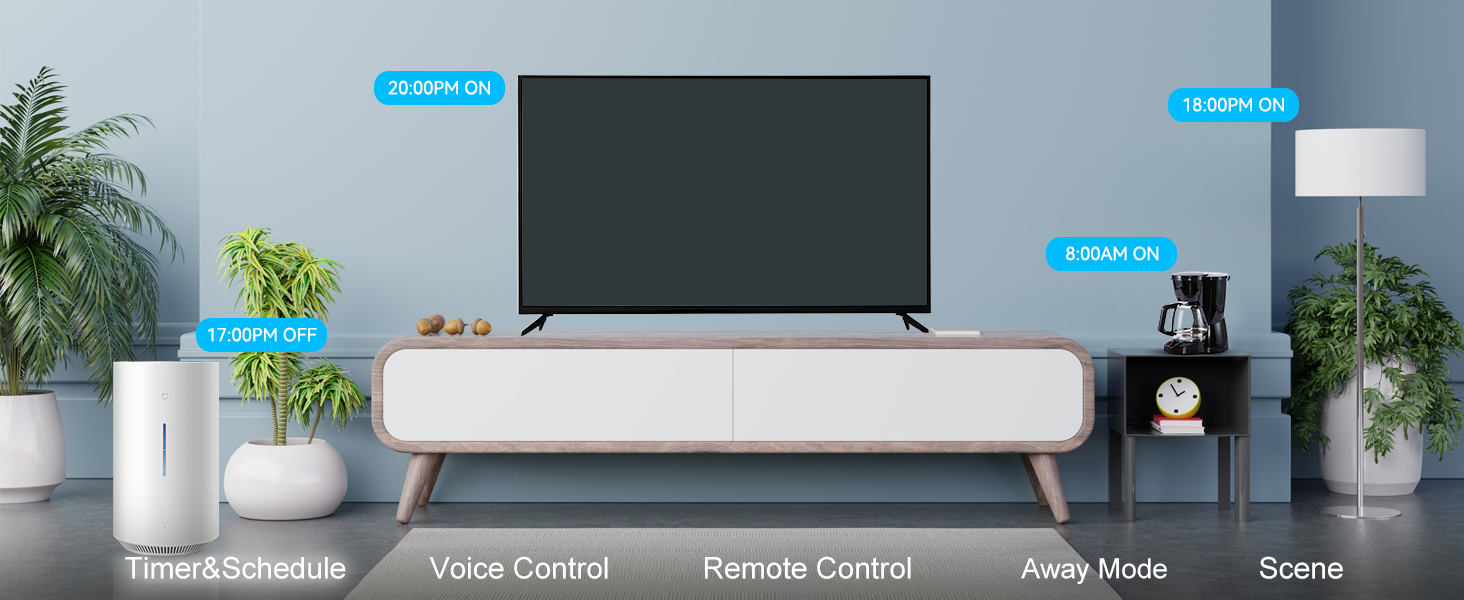
Figure 3.2: Linking with Amazon Alexa
Untuk Google Home:
- Open the Smart Life App, go to the "Me" tab, and tap "Third-Party Services".
- Select "Google Assistant" and follow the on-screen instructions to link your Smart Life account. This involves authorizing Smart Life to connect with Google Assistant.
- Once linked, your smart plug will be available for voice control through Google Assistant.
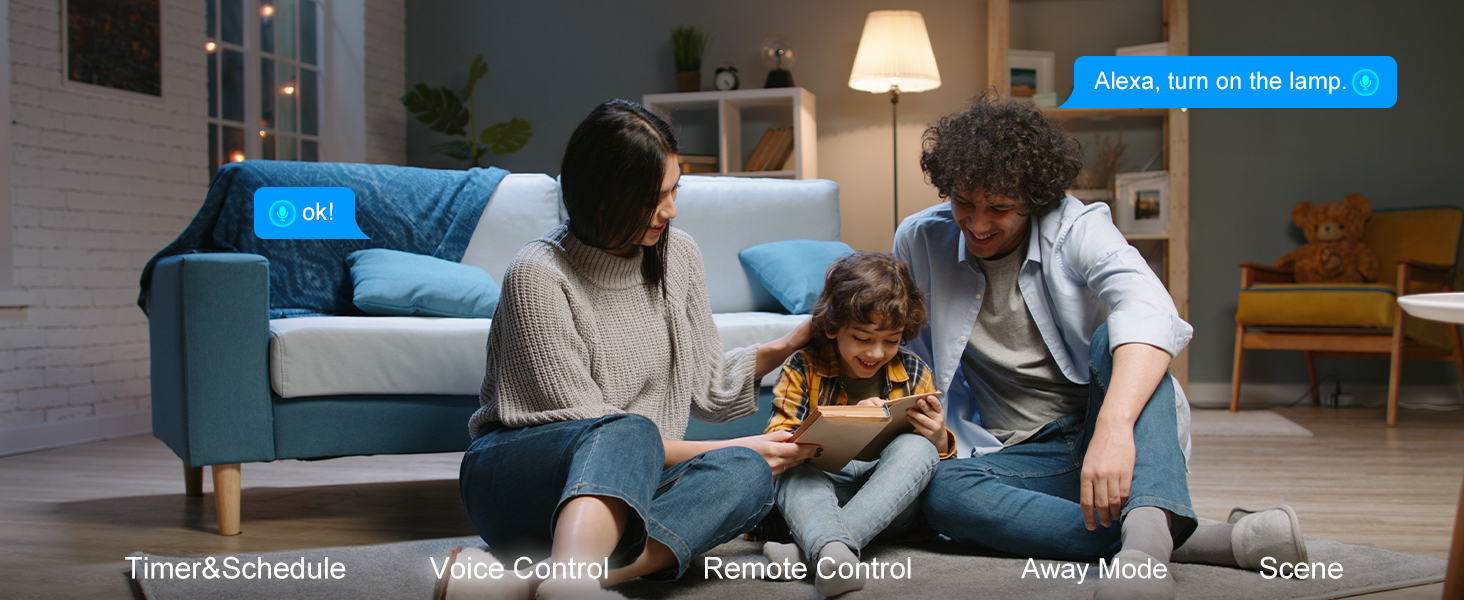
Figure 3.3: Linking with Google Home
Untuk SmartThings:
- Open the SmartThings App and tap "Add device".
- Cari untuk "Smart Life" or browse for partner devices.
- Follow the instructions to link your Smart Life account with SmartThings.
- Once linked, your smart plug will appear in SmartThings for control and automation.
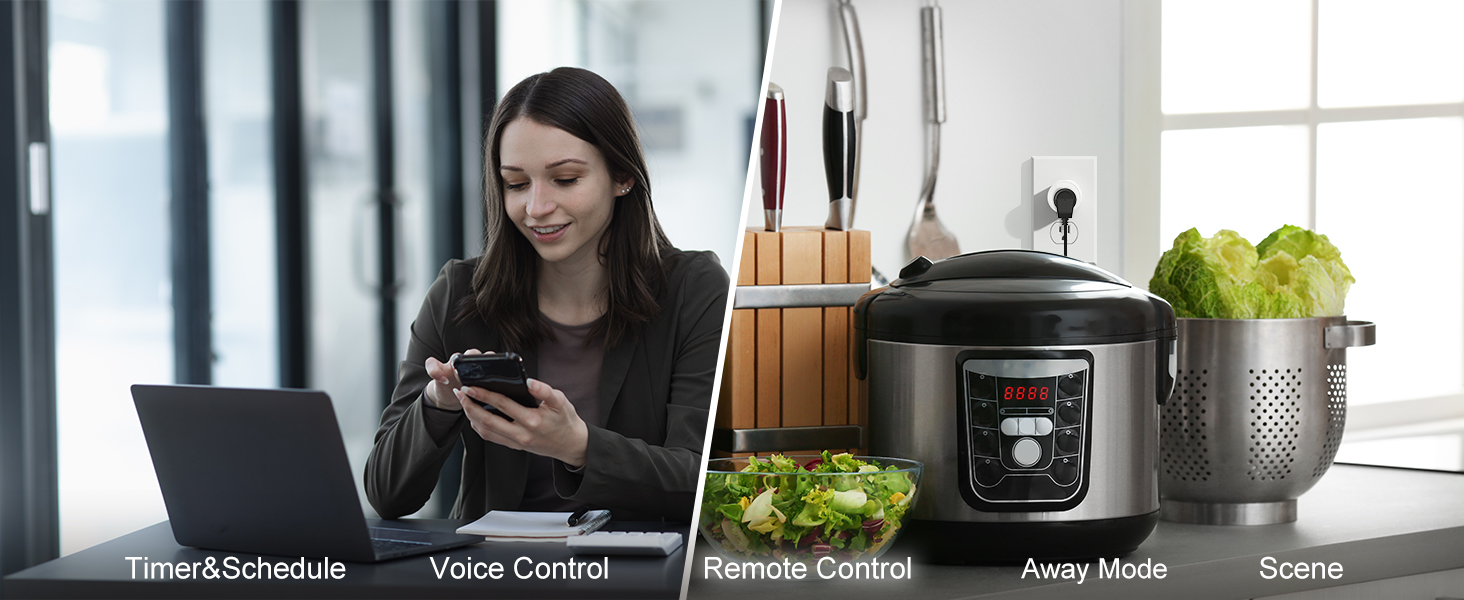
Figure 3.4: Linking with SmartThings
4. Arahan Operasi
Once your EIGHTREE Smart Plug is set up, you can begin to enjoy its smart functionalities.
4.1 Kawalan Manual
- Butang Hidup/Mati: Each smart plug has a physical button. Press it once to turn the connected appliance on or off.
4.2 Kawalan Jauh APP
Use the Smart Life App to control your smart plug from anywhere with an internet connection.
- Open the Smart Life App.
- Tap on the smart plug's icon on the main screen.
- Toggle the power button within the app to turn the connected appliance on or off.
4.3 Kawalan Suara
Control your smart plug using voice commands through Amazon Alexa or Google Home.
- Ensure your smart plug is linked to your voice assistant (refer to Section 3.2).
- Gunakan arahan seperti:
- "Alexa, hidupkan [nama peranti]"
- "Hei Google, matikan [nama peranti]"
- "Alexa, set [device name] to 50%" (if applicable for dimmable devices, though not a feature of this plug)
4.4 Penjadualan dan Pemasa
Automate your appliances by setting schedules and timers in the Smart Life App.
- Open the Smart Life App and select your smart plug.
- Ketik pada pilihan "Jadual" atau "Pemasa".
- Set specific times for the plug to turn on or off daily, weekly, or on custom days.
- You can also set countdown timers for temporary automation.
4.5 Scene Creation and Group Control
Enhance your smart home experience by creating scenes and grouping devices.
- Adegan: In the Smart Life App, navigate to "Smart" or "Scenes". Create a new scene and add actions for your smart plugs (e.g., "Good Morning" scene to turn on coffee maker and lights).
- Kumpulan: In the Smart Life App, select one of your smart plugs, then look for an option to "Create Group" or "Group Control". Add other smart plugs to this group to control them simultaneously (e.g., "Living Room Lights" group).
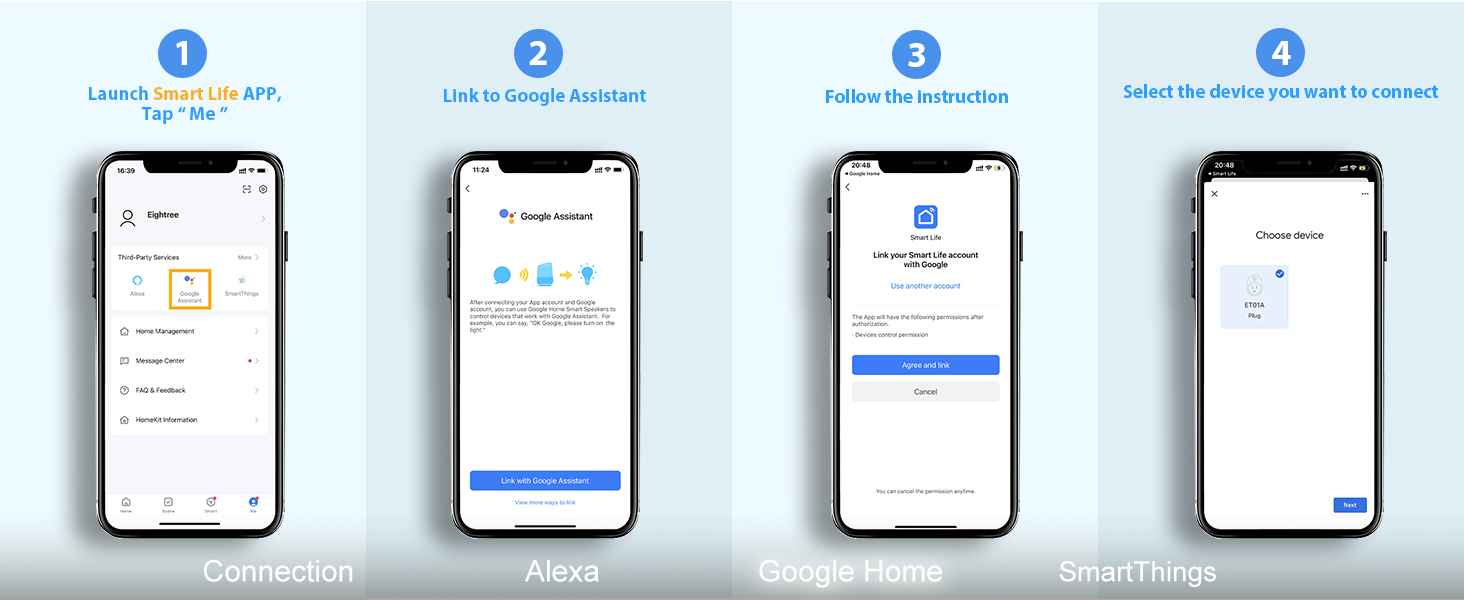
Figure 4.1: Scene Automation Examples
5. Penyelenggaraan
To ensure the longevity and optimal performance of your EIGHTREE Smart Plug, follow these simple maintenance guidelines:
- Pembersihan: Wipe the smart plug with a soft, dry cloth. Do not use liquid cleaners or abrasive materials.
- Persekitaran: Keep the smart plug in a dry environment, away from excessive heat, humidity, and direct sunlight. Avoid using it outdoors unless specifically rated for outdoor use.
- Penarafan Kuasa: Do not exceed the maximum load rating of the smart plug. Refer to the specifications section for details.
- Kemas kini Firmware: Periodically check the Smart Life App for any available firmware updates for your smart plug. Updates can improve performance and add new features.
6. Penyelesaian masalah
If you encounter issues with your EIGHTREE Smart Plug, refer to the following common problems and solutions:
| Masalah | Kemungkinan Punca | Penyelesaian |
|---|---|---|
| Smart Plug cannot connect to Wi-Fi. | Incorrect Wi-Fi password; Not 2.4GHz Wi-Fi; Too far from router; Plug not in pairing mode. | Double-check Wi-Fi password. Ensure your phone and plug are on a 2.4GHz network. Move plug closer to router. Reset plug to pairing mode (rapid blinking). |
| Kawalan suara tidak berfungsi. | Not linked to Alexa/Google Home; Incorrect device name; Voice assistant offline. | Verify Smart Life account is linked in Alexa/Google Home app. Ensure device name is recognized. Check internet connection of voice assistant device. |
| Plug frequently goes offline. | Weak Wi-Fi signal; Network interference. | Move plug closer to Wi-Fi router. Reduce interference from other 2.4GHz devices. Consider a Wi-Fi extender. |
| Perkakas tidak boleh dihidupkan/dimatikan. | Appliance not plugged in correctly; Appliance power switch is off; Smart plug is faulty. | Ensure appliance is fully plugged into the smart plug. Make sure the appliance's own power switch is in the ON position. Test the smart plug with another appliance. |
| Physical button not responding. | Temporary glitch; Hardware issue. | Unplug the smart plug for 10 seconds, then plug it back in. If issue persists, contact customer service. |
If the problem persists after trying these solutions, please contact EIGHTREE customer service for further assistance.
7. Spesifikasi
| Atribut | Perincian |
|---|---|
| Dimensi Produk | 1 x 1 x 1 inci; 2.08 auns |
| Nombor Model Item | ET01 |
| Pengeluar | LAPANREE |
| Mod Operasi | Mati |
| Vol Operasitage | 240 Volt |
| Jenis Kenalan | Biasa Terbuka |
| Jenis Penyambung | Pasangkan |
| Terminal | Sambung cepat |
| Jenis Litar | 1 hala |
| Jenis Penggerak | Sentuh Suis |
| Bahan Kenalan | Tembaga |
8. Waranti dan Sokongan
EIGHTREE is committed to providing high-quality products and excellent customer service.
8.1 Maklumat Waranti
Your EIGHTREE Smart Plug comes with a Waranti 24 bulan tanpa bimbang from the date of purchase. This warranty covers manufacturing defects and ensures the product's performance under normal use. Please retain your proof of purchase for warranty claims.
8.2 Khidmat Pelanggan
If you encounter any issues, have questions, or need further support, our dedicated customer service team is available 7 hari seminggu, 24 jam sehari.
- Kaedah Hubungan: Please get in touch with us directly via Amazon or email us. Refer to your product packaging or Amazon order details for specific contact information.
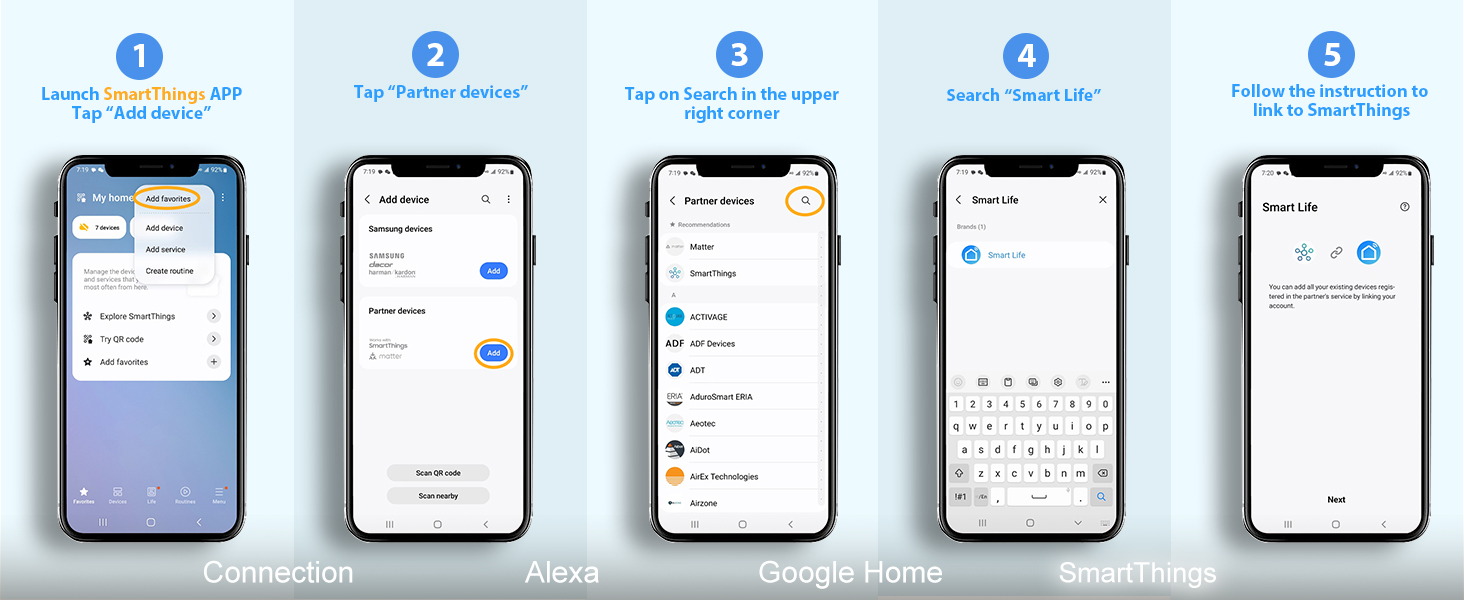
Figure 8.1: EIGHTREE Customer Support


