1. Pengenalan
The SABRENT DS-SD6P 6-Port USB-C Docking Station is designed to expand the connectivity of your Steam Deck, ROG Ally, tablets, phones, and USB-C laptops. This versatile hub offers essential ports for enhanced gaming, streaming, and productivity.
- Universal Gaming Dock: Connect your Steam Deck, ROG Ally, tablet, phone, or USB-C laptop with full support for DisplayPort Alt Mode and plug-and-play functionality — no drivers required.
- Power Up While You Play: Delivers up to 95W of PD3.0 charging via the USB-C input to keep your main device powered during heavy use — recommend pairing with a certified 100W adapter for best results.
- Crisp 4K Output: HDMI 2.0 port with HDCP 1.4 support provides up to 4K@60Hz resolution for compatible devices with DP Alt Mode — perfect for gaming, streaming, or extending your workspace.
- Multiple Peripheral Ports: Features 3 USB-A 5Gbps ports and an extra USB-C data port for external storage, controllers, keyboards, audio, and more. All ports offer fast, reliable connectivity without lag.
- Designed to Travel: Compact, non-slip form factor with integrated USB-C cable ensures simple setup anywhere. Note: This dock does not include Ethernet or M.2 SSD support — for power and connectivity only.

2. Produk Lebihview dan Pelabuhan
The SABRENT DS-SD6P features a comprehensive set of ports designed to enhance your device's capabilities. Familiarize yourself with the port layout:
- USB-C Input (PD3.0): For power delivery up to 95W. Connect your device's power adapter here.
- Port Data USB-C: For connecting USB-C peripherals or data transfer.
- Port HDMI 2.0: Menyokong output video sehingga 4K@60Hz.
- USB-A 5Gbps Ports (x3): For connecting USB-A peripherals like controllers, keyboards, mice, or external storage.

3. Arahan Persediaan
- Place the Dock: Position the docking station on a stable, flat surface. Its non-slip base will help keep it secure.
- Sambungkan Kuasa: Connect your device's original power adapter (or a certified 100W USB-C PD adapter for optimal performance) to the USB-C PD input port on the dock.
- Sambung ke Paparan: Use an HDMI 2.0 cable to connect the dock's HDMI output port to your TV or monitor.
- Sambung Peranti: Plug in any USB-A devices (e.g., controllers, keyboard, mouse, external storage) into the available USB-A ports. If you have a USB-C peripheral, use the dedicated USB-C data port.
- Sambungkan Peranti Anda: Gently place your Steam Deck, ROG Ally, tablet, or USB-C laptop onto the dock, ensuring the integrated USB-C cable from the dock is securely connected to your device's USB-C port.
- Hidupkan kuasa: Power on your device and your display. The dock supports plug-and-play functionality, so your display should automatically detect the input.

Panduan Video Persediaan
4. Arahan Operasi
4.1 Penghantaran dan Pengecasan Kuasa
The dock supports PD3.0 charging, delivering up to 95W to your connected device. Ensure you use a power adapter capable of supplying sufficient wattage (100W recommended) to power both the dock and your device during use.
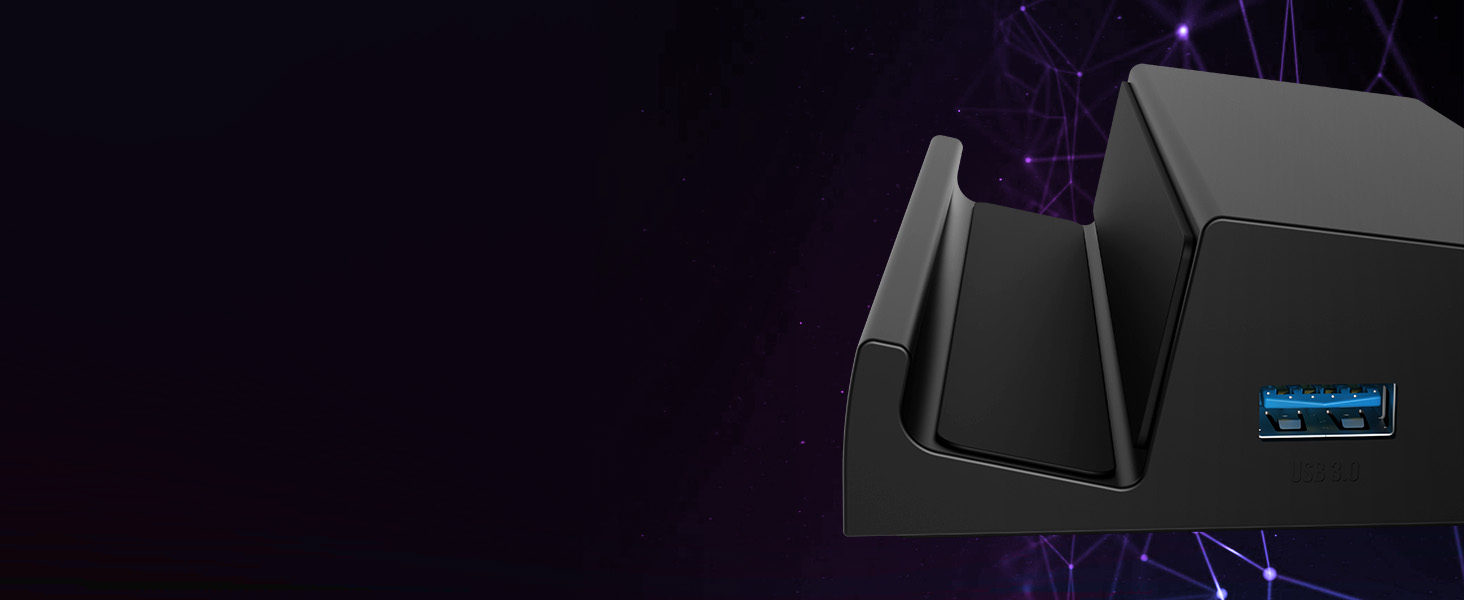
4.2 4K HDMI Output
Connect your device to an external display via the HDMI 2.0 port for resolutions up to 4K at 60Hz. This is ideal for an immersive gaming experience or extending your workspace.

4.3 Peripheral Connectivity
Utilize the 3 USB-A 5Gbps ports and the additional USB-C data port to connect a variety of peripherals. These ports offer fast and reliable connectivity without lag, enhancing your gaming or work setup.
5. Penyelenggaraan
To ensure the longevity and optimal performance of your SABRENT DS-SD6P Docking Station, follow these simple maintenance guidelines:
- Pembersihan: Use a soft, dry cloth to wipe down the exterior of the docking station. Avoid using harsh chemicals or abrasive materials that could damage the finish.
- Pengudaraan: The dock is designed to allow proper airflow for your device. Ensure that the vents on your Steam Deck or ROG Ally are not obstructed when placed on the dock.
- Pengurusan Kabel: Keep cables organized and untangled to prevent strain on the ports and connectors.
- Storan: Apabila tidak digunakan, simpan stesen dok di tempat yang sejuk dan kering, jauh daripada cahaya matahari langsung dan suhu yang melampau.


6. Penyelesaian masalah
If you encounter any issues with your SABRENT DS-SD6P Docking Station, please refer to the following common troubleshooting tips:
- Tiada Output Paparan:
- Ensure the HDMI cable is securely connected to both the dock and your display.
- Verify your display is set to the correct HDMI input source.
- Confirm your device supports DisplayPort Alt Mode via its USB-C port.
- Try a different HDMI cable or display to rule out compatibility issues.
- Tiada Pengecasan:
- Check that your power adapter is connected to the dock's USB-C PD input and is functioning correctly.
- Pastikan penyesuai kuasa anda membekalkan kuasa yang mencukupitage (100W recommended).
- Verify the integrated USB-C cable from the dock is fully inserted into your device.
- Peranti Tidak Dikesan:
- Ensure USB devices are properly inserted into the dock's USB-A or USB-C data ports.
- Try connecting the peripheral directly to your device to confirm it's working.
- Restart your device while connected to the dock.
For further assistance, please contact SABRENT customer support.
7. Spesifikasi
| Ciri | Perincian |
|---|---|
| Dimensi Produk | 4.84 x 3.07 x 1.17 inci |
| Berat Barang | 5.2 auns |
| Nombor Model Item | DS-SD6P |
| Jenama | SABRENT |
| warna | Hitam |
| Antara Muka Perkakasan | USB Jenis C |
| Peranti Serasi | Valve Steam Deck, ASUS ROG Ally |
| Jumlah Port USB | 5 (3x USB-A 5Gbps, 1x USB-C Data, 1x USB-C PD) |
| Jumlah Port HDMI | 1 (HDMI 2.0, 4K@60Hz) |
| Wattage | 95W (PD3.0 Charging) |
8. Waranti dan Sokongan
SABRENT products are designed for quality and reliability. For information regarding warranty coverage, product registration, or technical support, please visit the official SABRENT webtapak atau hubungi perkhidmatan pelanggan mereka secara langsung. Simpan resit pembelian anda untuk tuntutan waranti.
Untuk sokongan dan sumber tambahan, anda boleh melawati SABRENT Store on Amazon.


