1. Pengenalan
This manual provides essential instructions for setting up, operating, and maintaining your boAt Wave Call Plus Smart Watch. Please read this guide thoroughly to ensure optimal performance and longevity of your device. The boAt Wave Call Plus is designed to enhance your daily life with advanced features like Bluetooth calling, comprehensive health monitoring, and a vibrant HD display.
2. Kandungan Pakej
Upon unboxing your boAt Wave Call Plus Smart Watch, please verify that all the following items are included:
- boAt Wave Call Plus Smart Watch
- Kabel Pengecasan Magnetik
- Manual Pengguna
- Kad Waranti
3. Produk Lebihview
The boAt Wave Call Plus Smart Watch features a sleek design with a large display and comfortable strap. Familiarize yourself with its components for ease of use.
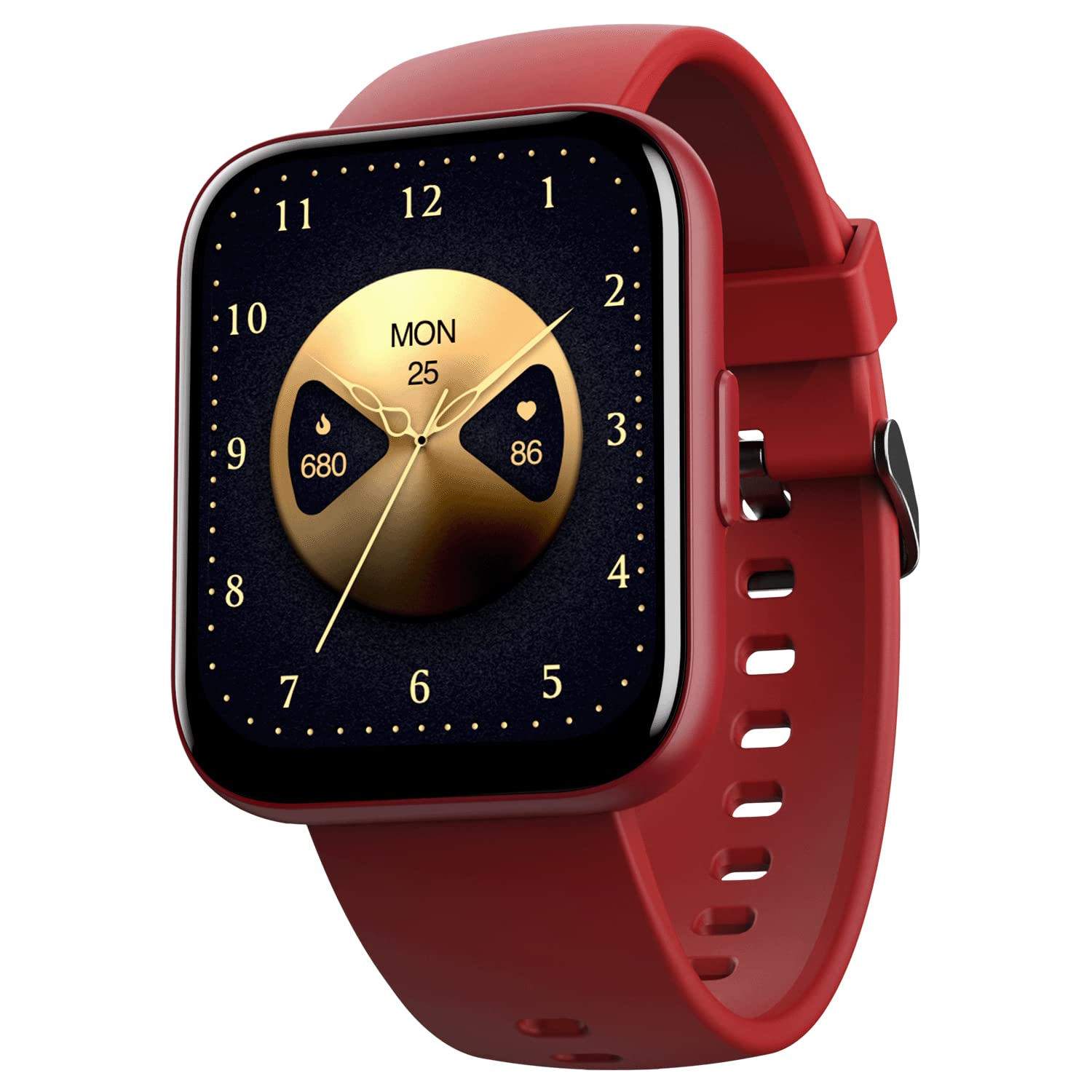
Image: The boAt Wave Call Plus Smart Watch in Cherry Red, showcasing its square display and silicone strap.
3.1. Paparan
The watch is equipped with a 1.83-inch (4.6 cm) HD Display, offering clear visuals and responsive touch interaction. It features 550 Nits brightness and a 240x284 resolution for an enhanced viewpengalaman dalam.

Imej: Dari dekat view of the boAt Wave Call Plus Smart Watch display, highlighting its 1.83-inch HD screen with 550 Nits brightness and 2.5D curve.
3.2. Dimensi
The watch measures approximately 26 x 4 x 1 cm and weighs 50g. The strap width is 22mm, suitable for wrist sizes between 2 and 4 inches.

Image: A diagram illustrating the dimensions of the boAt Wave Call Plus Smart Watch, including strap width and watch face measurements.
4. Persediaan
4.1. Mengecas Peranti
Before initial use, fully charge your boAt Wave Call Plus Smart Watch. Connect the magnetic charging cable to the charging points on the back of the watch and plug the USB end into a compatible power adapter (not included) or a computer's USB port. A full charge typically takes a few hours.
4.2. Pemasangan Apl dan Berpasangan
To unlock the full potential of your smart watch, download and install the boAt Crest App on your smartphone. The app is compatible with Android 6.0 and above, and iOS 9.0 and above.
- Scan the QR code in the user manual or search for 'boAt Crest App' in your smartphone's app store.
- Pasang aplikasi dan buat akaun atau log masuk.
- Pastikan Bluetooth didayakan pada telefon pintar anda.
- Open the boAt Crest App and follow the on-screen instructions to pair your Wave Call Plus Smart Watch.
- Sahkan permintaan berpasangan pada kedua-dua jam tangan dan telefon pintar anda.
5. Arahan Operasi
5.1. Panggilan Bluetooth
The Wave Call Plus features advanced Bluetooth calling capabilities, allowing you to make and receive calls directly from your wrist. It includes a built-in mic and speaker, along with an interactive dial pad.
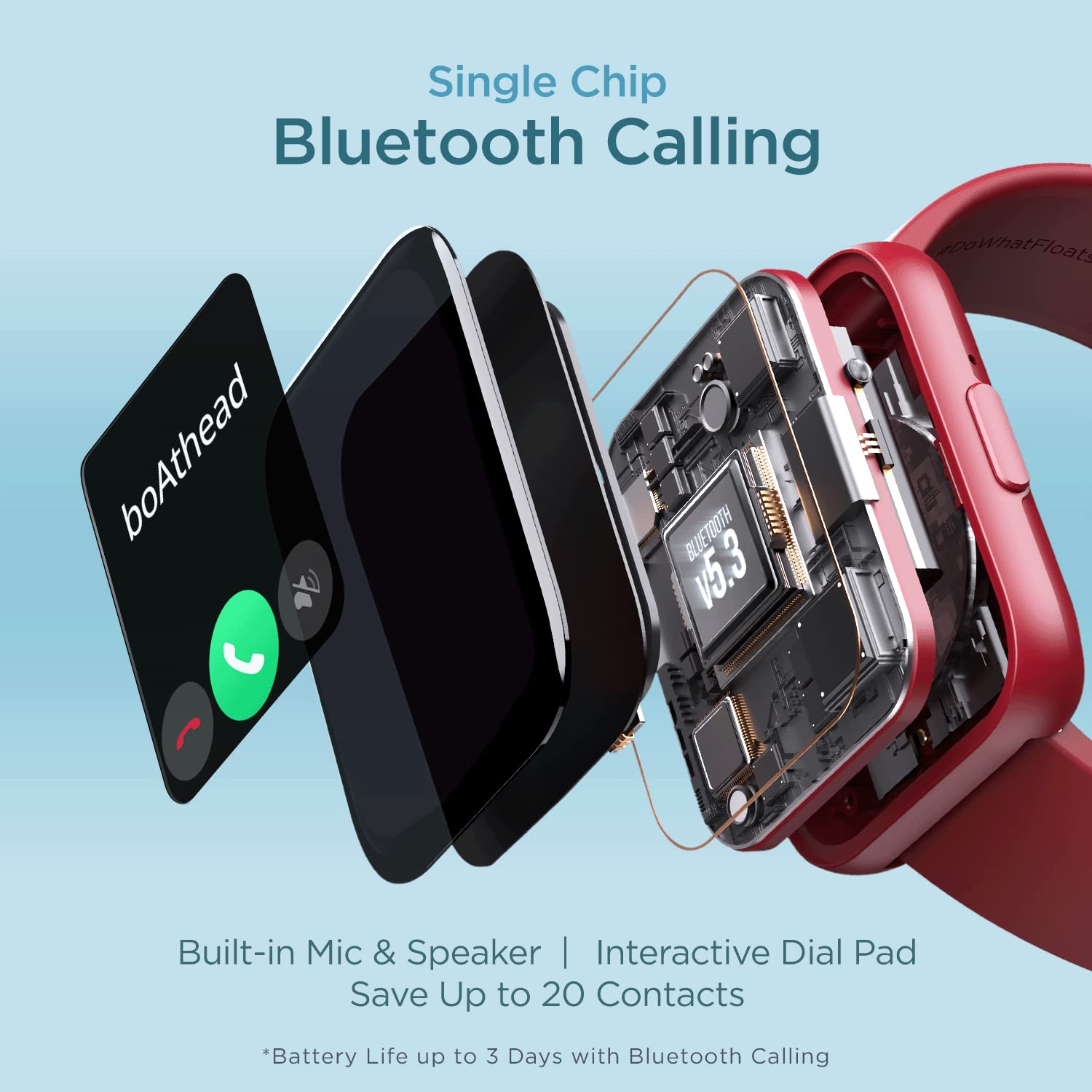
Imej: Meletup view diagram illustrating the single-chip Bluetooth calling technology within the boAt Wave Call Plus Smart Watch, highlighting the built-in mic and speaker.
The ENx™ Algorithm with AI noise cancellation ensures clear voice calls by filtering out background noise, making your conversations audible even in noisy environments.

Image: A waveform diagram demonstrating how the ENx™ Algorithm filters environmental noise to deliver a clear voice during calls.
5.2. Mod Sukan
The watch supports over 100 sports modes, including cycling, walking, running, football, strength training, yoga, and cricket. Select your desired activity from the watch menu to track your performance, calories burned, and other relevant metrics.

Image: An illustration of the boAt Wave Call Plus Smart Watch displaying various activity trackers and the '100+ Sports Mode' feature.
5.3. Pemantauan Kesihatan
Monitor your health fundamentals with the integrated sensors. The watch tracks Heart Rate (HR), Blood Oxygen (SpO2), and sleep patterns. It also offers guided breathing exercises for stress management and tracks your menstrual cycle.
Note: HR and SpO2 readings are for general fitness and wellness purposes only and are not intended for medical usage or diagnosis.

Image: Three boAt Wave Call Plus Smart Watches showcasing different health and wellness features, including heart rate, SpO2, and sleep tracking interfaces.
5.4. Pemberitahuan
Receive call alerts, SMS, and social media notifications directly on your watch. The 'Find my Phone' feature helps locate your paired smartphone.

Image: The boAt Wave Call Plus Smart Watch showing a WhatsApp notification, illustrating its notification alert feature.
5.5. Utility Features
The watch includes several utility functions for daily convenience:
- Alarms, Countdown Timer, Stopwatch: For time management.
- Kawalan Kamera: Kawal kamera telefon pintar anda dari jauh.
- Kawalan Muzik: Urus main balik muzik pada peranti yang dipasangkan.
- Kemas Kini Cuaca: Dapatkan maklumat cuaca semasa.

Image: A composite image displaying four key utility features of the boAt Wave Call Plus Smart Watch: Alarms, Camera Controls, Weather Updates, and Music Controls.
5.6. Muka Jam
Personalize your watch with over 100 cloud-based watch faces available through the boAt Crest App. You can also customize watch faces using your own photos.

Image: A vibrant collage showcasing a variety of the 100+ cloud watch faces available for the boAt Wave Call Plus Smart Watch.
5.7. Bilingual Support
The watch offers bilingual support, allowing you to choose between Hindi and English for the display interface.

Image: The boAt Wave Call Plus Smart Watch displaying its menu options in both Hindi and English, demonstrating its bilingual support.
6. Penyelenggaraan dan Penjagaan
To ensure the longevity and proper functioning of your boAt Wave Call Plus Smart Watch, follow these maintenance guidelines:
- Pembersihan: Regularly clean the watch screen and strap with a soft, dry cloth. Avoid using harsh chemicals or abrasive materials.
- Tahan Air: The watch has an IP68 rating, making it resistant to dust and splashes. However, it is not suitable for swimming or prolonged submersion. Avoid exposing it to hot water or steam.
- mengecas: Use only the provided magnetic charging cable. Do not force the charger if it does not connect easily.
- Storan: Simpan jam tangan di tempat yang sejuk dan kering apabila tidak digunakan.
7. Penyelesaian masalah
If you encounter issues with your boAt Wave Call Plus Smart Watch, refer to the following common solutions:
| Masalah | Penyelesaian yang Mungkin |
|---|---|
| Tonton tidak dihidupkan | Pastikan jam tangan dicas sepenuhnya. Sambungkannya ke pengecas selama sekurang-kurangnya 30 minit. |
| Tidak boleh berpasangan dengan telefon pintar | Check if Bluetooth is enabled on your phone. Restart both the watch and phone. Ensure the boAt Crest App is updated. |
| Isu panggilan Bluetooth | Verify the watch is properly connected via Bluetooth. Check phone's call audio settings. Ensure watch microphone/speaker are not obstructed. |
| Data kesihatan yang tidak tepat | Ensure the watch is worn snugly on your wrist. Clean the sensors on the back of the watch. Note that readings are not for medical use. |
| Hayat bateri pendek | Reduce screen brightness. Turn off unnecessary notifications. Limit continuous Bluetooth calling, which consumes more power. |
For further assistance, please refer to the support section of the boAt Crest App or contact boAt customer support.
8. Spesifikasi
Detailed technical specifications for the boAt Wave Call Plus Smart Watch:
| Ciri | Perincian |
|---|---|
| Jenama | botAt |
| Nama Model | Wave Call Plus |
| Saiz Paparan | 1.83 Inci (4.6 cm) |
| Jenis Paparan | HD Display, LCD |
| Resolusi | 240 x 240 |
| Kecerahan | 550 Nit |
| Ketersambungan | Bluetooth |
| Sistem Operasi | Android (compatible with Android 6.0+), iOS (compatible with iOS 9.0+) |
| Jenis Bateri | Polimer Litium |
| Hayat Bateri (Purata) | Up to 10 Days (2-3 days with BT Calling) |
| Ciri Khas | 100+ Sports Modes, Bilingual Support (Hindi & English), Bluetooth Calling with Dial Pad, ENx™ Technology (Clear Calls) |
| Tahan Air | Penilaian IP68 |
| Berat Barang | 50 g |
| Dimensi Produk | 26 x 4 x 1 cm |
9. Waranti dan Sokongan
Your boAt Wave Call Plus Smart Watch comes with a Waranti 1 Tahun dari tarikh pembelian. Sila simpan resit pembelian dan kad jaminan anda untuk sebarang tuntutan jaminan.
For warranty service, technical support, or further inquiries, please refer to the contact information provided on your warranty card or visit the official boAt support website. You can also find assistance within the boAt Crest App.


