pengenalan
Thank you for choosing the CPVAN Wireless Interlinked Smoke Alarm. This device is designed to provide early warning of smoke and fire, enhancing the safety of your home. It features wireless interlinking capabilities, allowing multiple alarms to communicate and activate simultaneously, ensuring comprehensive coverage. This manual provides essential information for the proper installation, operation, and maintenance of your smoke alarm.
Sila baca manual ini dengan teliti sebelum pemasangan dan simpan untuk rujukan masa hadapan.
Maklumat Keselamatan Penting
- This smoke alarm is designed for residential use.
- Do not paint the smoke alarm. Paint can clog the openings and interfere with the sensor's ability to detect smoke.
- Jangan pasang di kawasan yang mempunyai kelembapan yang tinggi, suhu yang melampau atau habuk yang berlebihan.
- Regularly test the alarm as instructed in this manual.
- The battery is sealed and not replaceable. Do not attempt to open the unit or replace the battery.
- In case of an alarm, evacuate immediately and call emergency services.
Kandungan Pakej
Sahkan bahawa semua item terdapat dalam pakej anda:
- CPVAN Wireless Interlinked Smoke Alarm (1 unit)
- Mounting Sticker (1 unit)
- Screw Kit (1 set)
- Manual Pengguna (1 unit)
Spesifikasi Teknikal
| Ciri | Spesifikasi |
|---|---|
| Model | SM11R4 |
| Sumber Kuasa | DC 3V (CR14505*2 Lithium Battery, sealed) |
| Hayat Bateri | 10 Years (non-replaceable) |
| Kelantangan Penggera | >85 dB(A) pada 3 meter |
| Sensitiviti Penggera | 0.09 - 0.17 dB/m |
| Makluman Bateri Rendah | 2.6 ± 0.1 V |
| Masa Senyap | lebih kurang 10 minit |
| Kekerapan Wayarles | 433.92MHz |
| Jarak Kerja | Up to 100m (outdoor open) |
| Interlinked Devices | Max 30 units per group |
| Jenis Sensor | Fotolistrik |
| Kelembapan Operasi | 95% |
| Dimensi Produk | 12 x 12 x 3 cm |
| Berat Barang | 210 g |
| Pensijilan | EN14604:2005, CE Certified |
Persediaan dan Pemasangan
1. Memilih Lokasi Pemasangan
Install smoke alarms in all sleeping areas and on every level of your home, including the basement. For optimal protection, install an alarm in each room, especially bedrooms. Avoid installing near windows, doors, or areas with high airflow that could prevent smoke from reaching the sensor. Keep away from kitchens and bathrooms to avoid false alarms from cooking fumes or steam.
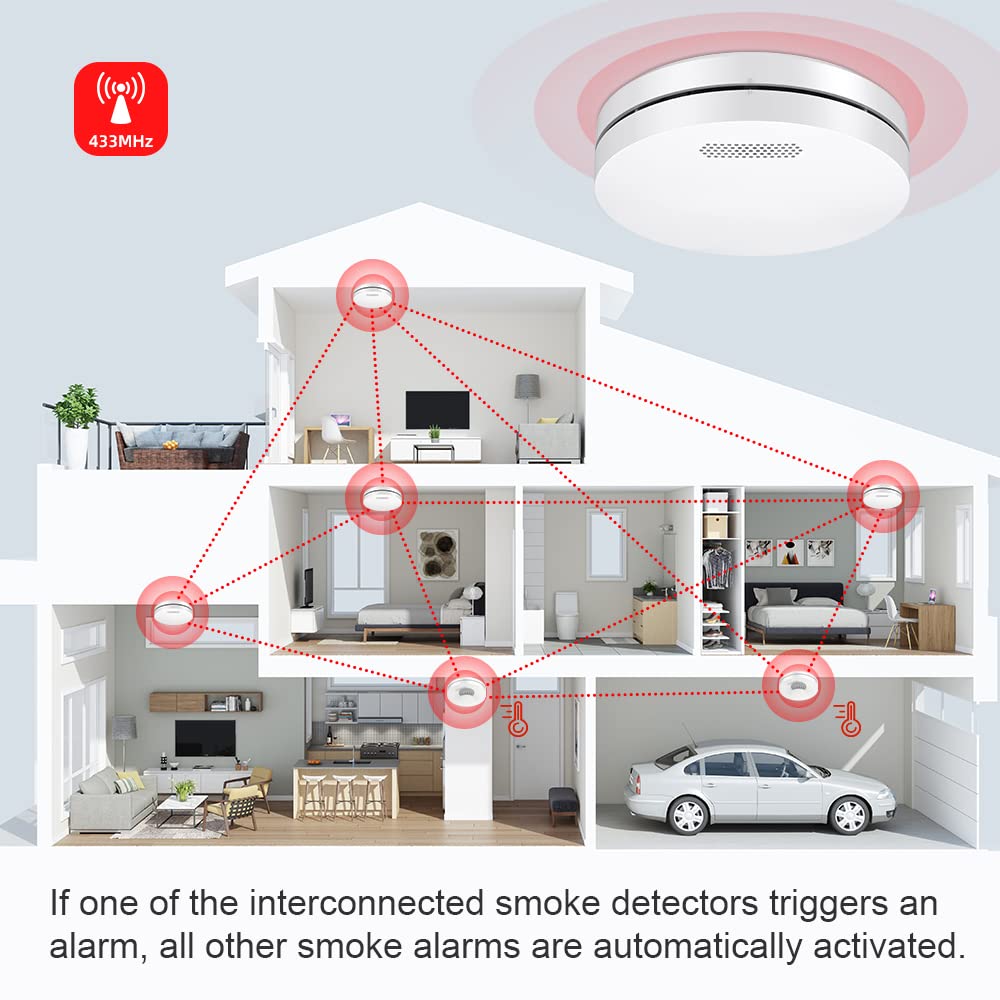
Image: Recommended placement of interlinked smoke alarms in a home. If one alarm detects smoke, all connected alarms will sound.
2. Memasang Penggera Asap
The CPVAN smoke alarm can be installed on any wall or ceiling without wiring.
- Choose a suitable location on the ceiling or wall.
- Use the provided screw kit to securely mount the alarm base. Alternatively, use the adhesive sticker for temporary or non-drilling installation, ensuring the surface is clean and dry.
- Attach the smoke alarm unit to the mounted base by twisting it clockwise until it clicks into place.

Image: The CPVAN smoke alarm features an ultra-thin design for discreet installation.
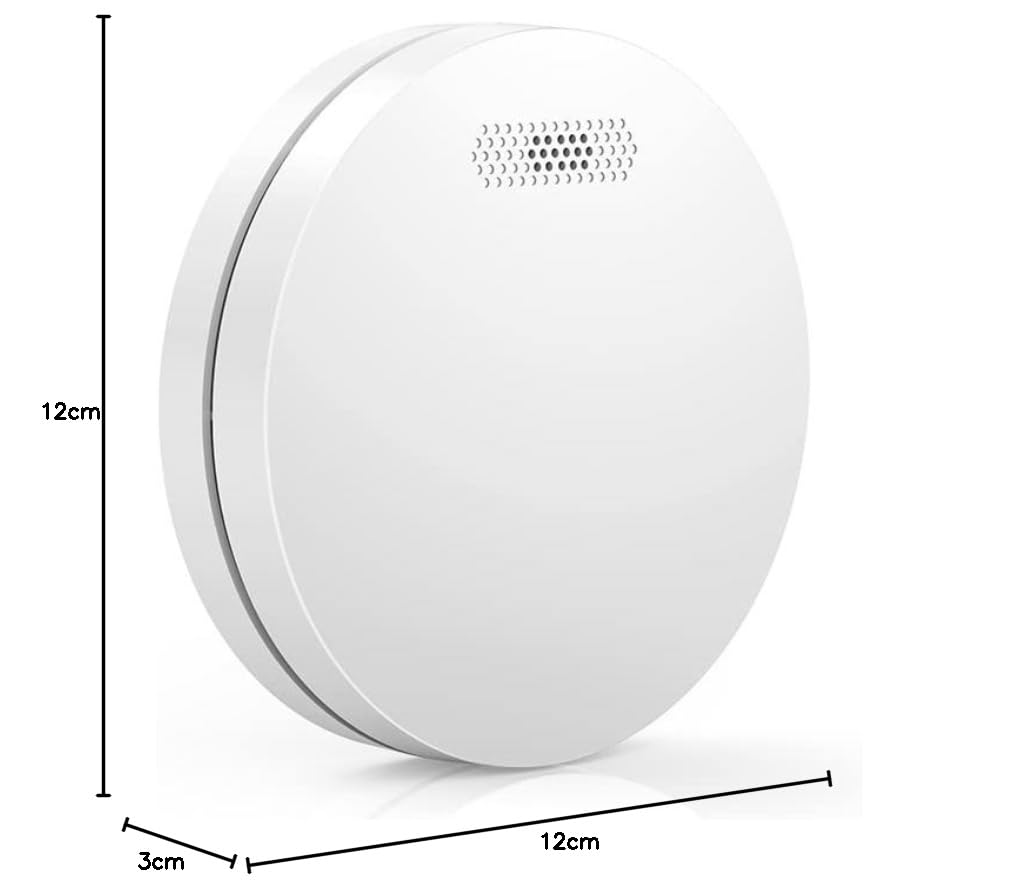
Image: Dimensions of the smoke alarm, measuring 12cm in diameter and 3cm in thickness.
3. Interlinking Multiple Alarms
Up to 30 CPVAN wireless smoke alarms can be interlinked to form a synchronized network. If one alarm detects smoke, all interlinked alarms will sound.
- Ensure all alarms are powered on.
- On one alarm (the master), press and hold the Test/Mute button for 3 seconds until it chirps. This puts it into pairing mode.
- Within 60 seconds, quickly press the Test/Mute button on each additional alarm you wish to interlink. Each alarm will chirp to confirm successful pairing.
- After pairing all desired alarms, press the Test/Mute button on the master alarm once to exit pairing mode.
- Test the interlinking by pressing the Test/Mute button on any one alarm. All interlinked alarms should sound.
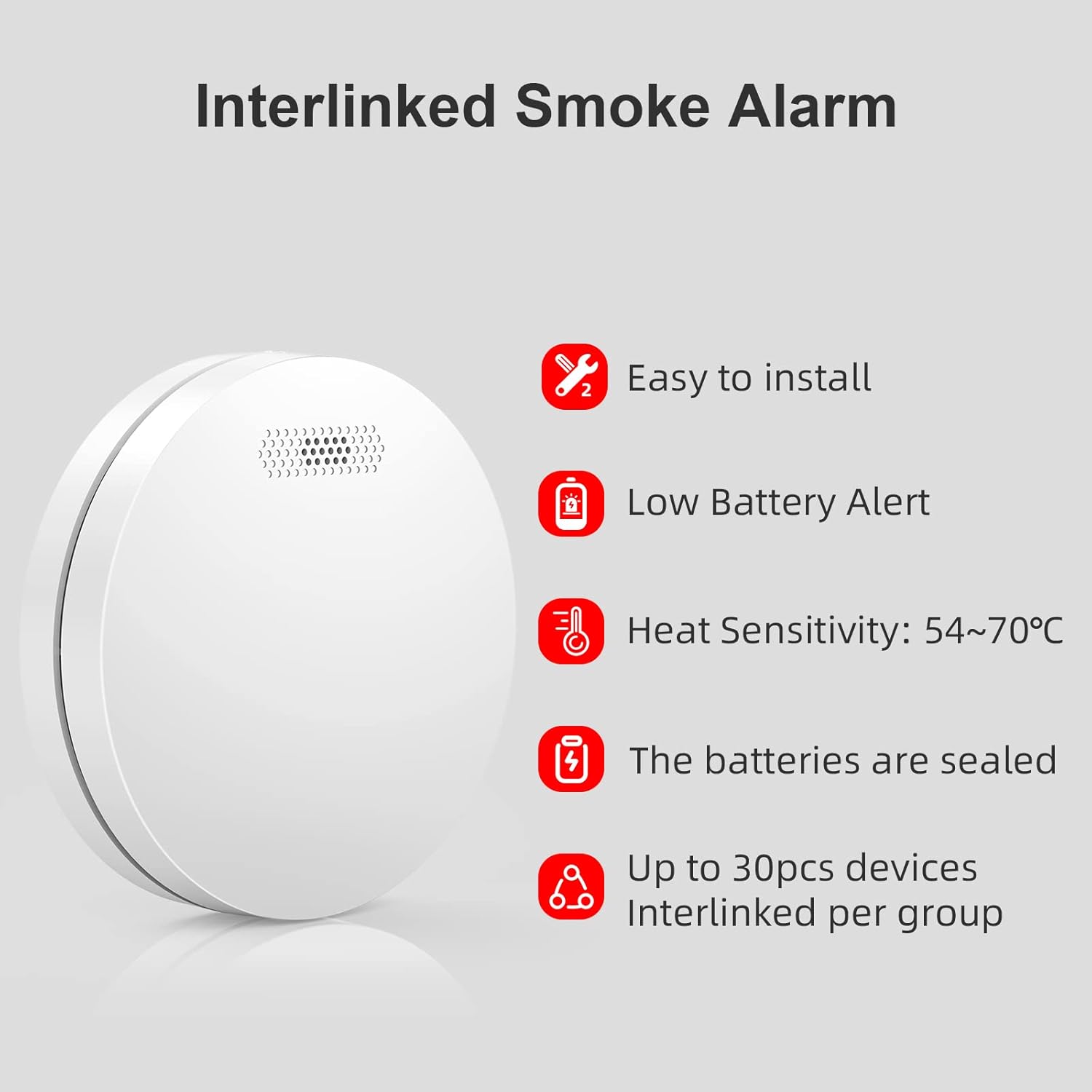
Image: Key features include easy installation, low battery alert, sealed 10-year battery, and interlinking capability for up to 30 devices.
Operasi
1. Menguji Penggera
It is recommended to test your smoke alarm at least once every 3 months. Press and hold the large Test/Mute button on the alarm. The alarm will sound a loud siren and the LED indicator will flash rapidly. Release the button to stop the test. If the alarm does not sound, refer to the Troubleshooting section.

Image: Components of the smoke alarm include the alarm speaker, test/mute button, and indicator light.
2. Fungsi Bisu
In case of a non-emergency alarm (e.g., from cooking fumes), you can temporarily silence the alarm for approximately 10 minutes by pressing the Test/Mute button. The alarm will automatically reset after the silence period. If smoke is still present, the alarm will reactivate.

Image: The large test/mute button allows for easy testing and silencing, even with a pole, eliminating the need for a ladder.
3. Makluman Bateri Rendah
The smoke alarm is equipped with a sealed 10-year lithium battery. When the battery is nearing the end of its life, the alarm will emit a short chirp approximately every 30-60 seconds, accompanied by a flashing LED. This indicates that the unit needs to be replaced. The battery is not user-replaceable.

Image: The smoke alarm features a 10-year sealed battery for continuous protection.

Image: The upgraded 3200mAh battery (2x CR14505) provides a 10-year lifespan, compared to typical 5-year batteries.
Penyelenggaraan
1. Ujian Biasa
Test your smoke alarm monthly to ensure it is functioning correctly. Press the Test/Mute button until the alarm sounds. If it does not sound, check the Troubleshooting section.
2. Pembersihan
Dust and debris can affect the performance of your smoke alarm. Clean the alarm at least once a year by gently vacuuming around the vents with a soft brush attachment. Do not use cleaning solvents or spray directly onto the alarm.
3. Hayat Bateri
The CPVAN smoke alarm is equipped with a sealed 10-year lithium battery. This battery is designed to last the entire lifespan of the alarm and is not replaceable. When the low battery alert sounds, the entire unit must be replaced.
Menyelesaikan masalah
| Masalah | Kemungkinan Punca | Penyelesaian |
|---|---|---|
| Penggera tidak berbunyi semasa ujian. | Unit not powered on, battery depleted, or unit malfunction. | Ensure the unit is properly twisted onto its base. If the unit is old and the battery is depleted (indicated by chirps), replace the entire unit. If new, contact support. |
| Alarm chirps every 30-60 seconds. | Amaran bateri lemah. | The sealed 10-year battery is nearing its end of life. Replace the entire smoke alarm unit. |
| False alarms (e.g., from cooking). | Alarm too close to kitchen/bathroom, dust accumulation, or high humidity. | Use the Mute function. Relocate the alarm if consistently triggered by non-fire sources. Clean the alarm as per maintenance instructions. |
| Interlinked alarms not communicating. | Alarms not properly paired, or too far apart. | Re-perform the interlinking procedure. Ensure alarms are within the 100m working distance (less indoors due to obstructions). |

Image: The photoelectric sensor is designed for sensitive and intelligent smoke detection, helping to reduce false alarms.
Pematuhan dan Pensijilan
This CPVAN Wireless Interlinked Smoke Alarm complies with the following standards:
- EN14604:2005: European standard for smoke alarms.
- Diperakui CE: Indicates conformity with health, safety, and environmental protection standards for products sold within the European Economic Area.
Waranti dan Sokongan
The CPVAN Wireless Interlinked Smoke Alarm is designed for a 10-year operational life, supported by its sealed, long-life battery. For any issues or inquiries regarding your product, please refer to the contact information provided with your purchase or visit the official CPVAN webtapak untuk sokongan pelanggan.


