1. Pengenalan
This manual provides instructions for the safe and efficient use of your Displays2go D2G52039 Battery-Powered LED Display Case Accent Lights. These lights are designed to illuminate display cases, curio cabinets, and retail showcases, highlighting items with 120-lumen white LED light. Please read this manual thoroughly before use and retain it for future reference.
2. Kandungan Pakej
- (2) Displays2go D2G52039 Display Case Accent Lights (Silver)
- Manual Pengguna
Note: 3 AAA batteries per light are required and not included.
3. Maklumat Keselamatan
- Jangan campurkan bateri lama dan baru.
- Jangan campurkan bateri beralkali, standard (karbon-zink), atau boleh dicas semula (nikel-kadmium).
- Masukkan bateri dengan polariti yang betul (+ dan -).
- Tanggalkan bateri jika produk tidak digunakan untuk tempoh yang lama.
- Jauhkan bateri daripada kanak-kanak.
- Do not expose the lights to water or excessive moisture. This product is for indoor use only.
- Do not attempt to disassemble or modify the lights.
4. Persediaan
4.1 Pemasangan Bateri
- Locate the battery compartment cover on the underside of the light base.
- Twist or slide the cover to open the compartment.
- Insert three (3) AAA batteries into the compartment, ensuring correct polarity (+ and -) as indicated inside.
- Gantikan penutup petak bateri dengan selamat.

Figure 1: Underside of the light base, indicating the battery compartment for AAA batteries.
4.2 Penempatan
Place the accent lights on a flat, stable surface within your display case or desired area. The light head is adjustable, allowing you to tilt it to direct the light beam onto specific items.

Figure 2: The accent light with its adjustable head, ready for placement.
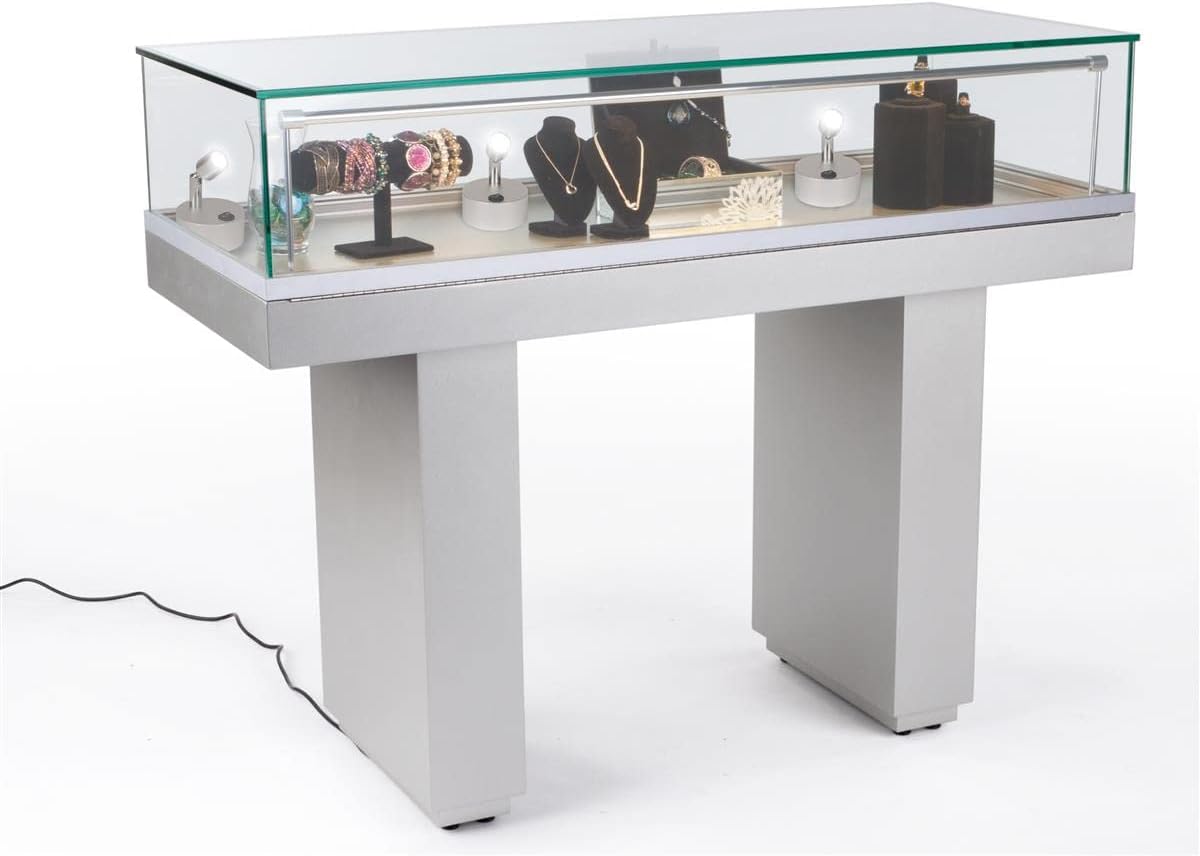
Gambar 3: Cthample of accent lights used within a display case to highlight various items.
5. Arahan Operasi
Each accent light features a simple on/off switch located on its base.
- To turn the light ON, press the "I" side of the rocker switch.
- To turn the light OFF, press the "O" side of the rocker switch.

Rajah 4: Jarak dekat view of the rocker switch for turning the light on or off.
6. Penyelenggaraan
6.1 Pembersihan
Wipe the lights with a soft, dry cloth. Do not use abrasive cleaners or solvents, as these may damage the finish or electronic components.
6.2 Penggantian Bateri
When the light output diminishes, it is time to replace the batteries. Follow the battery installation steps in Section 4.1 to replace the three (3) AAA batteries. Dispose of used batteries responsibly according to local regulations.
7. Penyelesaian masalah
| Masalah | Kemungkinan Punca | Penyelesaian |
|---|---|---|
| Cahaya tidak menyala. | Bateri habis atau tidak dipasang dengan betul. | Periksa polariti bateri. Gantikan dengan bateri AAA yang baru. |
| Cahaya malap. | Bateri hampir habis. | Gantikan dengan bateri AAA yang baru. |
| Cahaya berkelip-kelip. | Sambungan bateri longgar atau bateri lemah. | Ensure batteries are securely seated. Replace with fresh AAA batteries. |
8. Spesifikasi
| Ciri | Perincian |
|---|---|
| Nombor Model | D2G52039 |
| Jenama | Memaparkan2go |
| Jenis Cahaya | LED |
| Output Cahaya | 120 Lumen |
| Suhu Warna | 6000-6500K (Cahaya Putih) |
| Sumber Kuasa | 3 x Bateri AAA (Tidak Termasuk) |
| Wattage | 1W |
| Voltage | 3.7V |
| bahan | aluminium |
| warna | Perak |
| Dimensi (Keseluruhan) | 3.0" L x 3.0" W x 3.9" H |
| Berat (setiap satu) | 0.28 paun (lebih kurang 4.5 oz) |
| Ciri-ciri | Tilting head, Portable, Touch switch |
| Penggunaan Dalaman/Luar | Dalaman Sahaja |
9. Waranti dan Sokongan
For warranty information or technical support, please contact Displays2go customer service. Refer to your purchase documentation for specific warranty terms and contact details.
You can also visit the official Displays2go website for additional resources and support information.


