pengenalan
The Tecno Sonic 1 TWS Earbuds are designed to provide a superior audio experience with extended battery life and versatile wearing options. Featuring advanced call noise cancellation and a durable, water-resistant design, these earbuds are perfect for on-the-go use.
Ciri-ciri Utama:
- Up to 50 hours ultra-long battery life (with charging case)
- Free switching between in-ear and half in-ear wearing styles
- Effective call noise cancellation for clear communication
- Reka bentuk yang padat dan ringan untuk mudah dibawa
- Dual connection and synchronous fast pairing
- IPX5 water resistance for worry-free use
Panduan Persediaan
1. Pengecasan Awal
Before first use, fully charge the Tecno Sonic 1 earbuds and their charging case. Place both earbuds into the charging case and connect the case to a power source using the provided USB cable. The indicator lights on the case will show charging status.
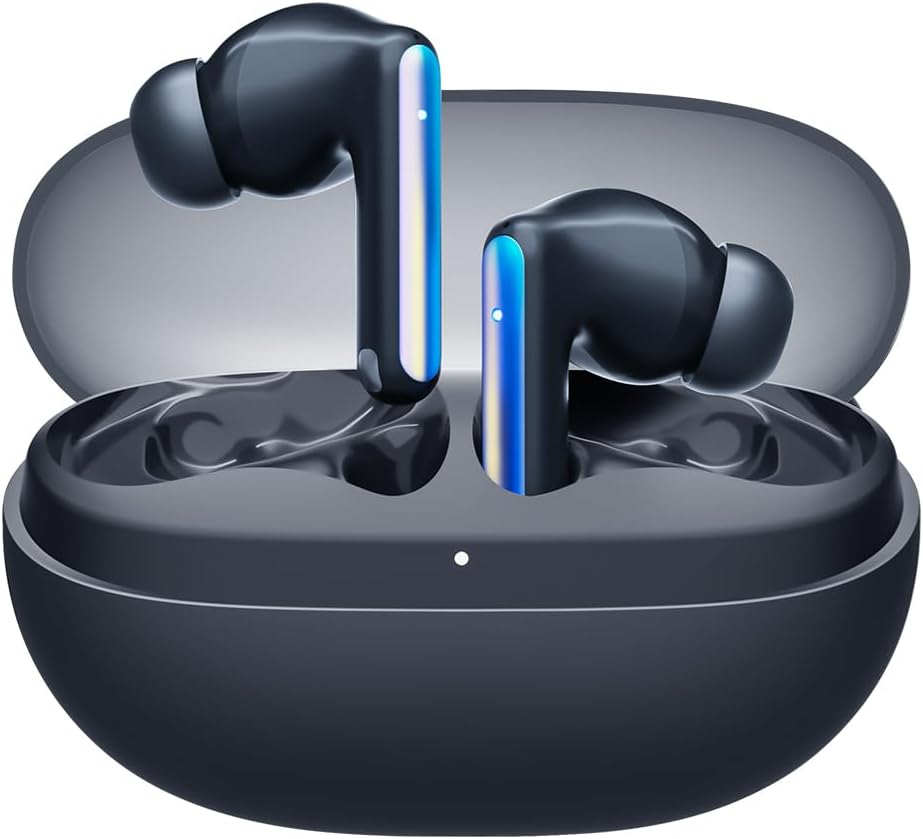
Image: Tecno Sonic 1 TWS Earbuds resting inside their charging case, indicating readiness for charging or storage.
2. Berpasangan dengan Peranti
- Pastikan fon telinga berada dalam bekas pengecasan dan penutup kotak terbuka.
- Pada peranti anda (telefon pintar, tablet, dll.), dayakan Bluetooth.
- Select "Tecno Sonic 1" from the list of available Bluetooth devices.
- Setelah disambungkan, gesaan suara akan mengesahkan gandingan yang berjaya.
Note: The earbuds support dual connection, allowing them to be paired with two devices simultaneously.
Arahan Operasi
Memakai Earbud
The Tecno Sonic 1 earbuds offer flexible wearing options: in-ear and half in-ear. Choose the ear tips that provide the most comfortable and secure fit for optimal sound quality and noise cancellation.
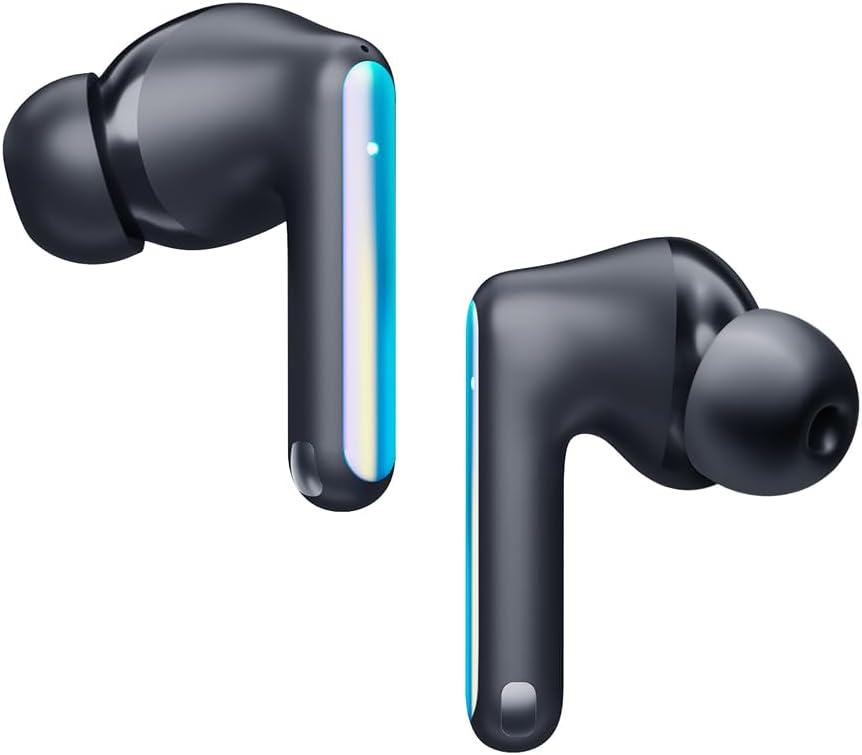
Image: Individual Tecno Sonic 1 TWS Earbuds, highlighting their sleek design and showing the different ear tip options for in-ear and half in-ear fit.
Kawalan Sentuh
| Tindakan | Fungsi |
|---|---|
| Ketik Tunggal (Kiri/Kanan) | Main/Jeda Muzik, Jawab/Tamatkan Panggilan |
| Ketik Dua Kali (Kanan) | Trek Seterusnya |
| Ketik Dua Kali (Kiri) | Trek Sebelumnya |
| Ketik Tiga Kali (Kiri/Kanan) | Aktifkan Pembantu Suara |
| Long Press (2s, Left/Right) | Tolak Panggilan |
Penyelenggaraan
Pembersihan
- Bersihkan fon telinga dan bekas pengecas dengan kerap menggunakan kain yang lembut, kering dan tidak berbulu.
- Tanggalkan hujung telinga dan bersihkannya dengan sabun lembut dan air, kemudian keringkan dengan teliti sebelum disambungkan semula.
- Jangan gunakan pembersih atau pelarut yang melelas.
Penyimpanan
Apabila tidak digunakan, simpan fon telinga di dalam bekas pengecasannya untuk melindunginya daripada habuk dan kerosakan, dan untuk memastikan ia kekal dicas.
Menyelesaikan masalah
Isu dan Penyelesaian Biasa:
- Fon telinga tidak berpasangan atau bersambung:
- Pastikan fon telinga dicas.
- Matikan dan hidupkan Bluetooth pada peranti anda.
- Forget "Tecno Sonic 1" from your device's Bluetooth list and try pairing again.
- Place earbuds back in the case, close the lid for 5 seconds, then open to reset.
- Tiada bunyi atau kelantangan rendah:
- Semak tahap kelantangan pada kedua-dua fon telinga dan peranti anda yang disambungkan.
- Pastikan fon telinga diletakkan dengan betul di telinga anda.
- Bersihkan sebarang serpihan dari gril fon telinga.
- Isu pengecasan:
- Verify the charging cable and adapter are working correctly.
- Pastikan kanta pengecas pada fon telinga dan sarung bersih dan kering.
Spesifikasi
| Ciri | Perincian |
|---|---|
| Jenama | Tecno |
| Nama Model | Sonic - 1 |
| Nombor Model Item | SC01 - Black |
| Teknologi Ketersambungan | Wayarles (Bluetooth) |
| Penempatan Telinga | Di Telinga |
| Faktor Bentuk Fon Kepala | Di Telinga |
| Kawalan Bunyi | Sound Isolation (Call Noise Cancellation) |
| Impedans | 3 Ohm |
| Bicu Fon Kepala | Tidak Jack |
| warna | Hitam |
| Dimensi Produk | 7.5 x 5.2 x 2.7 cm |
| Berat Barang | 52 Gram |
| Bateri | 1 bateri Lithium Ion (termasuk) |
| Tahan Air | IPX5 |
Waranti dan Sokongan
For warranty information and technical support, please refer to the documentation included with your purchase or visit the official Tecno webtapak. Simpan bukti pembelian anda untuk sebarang tuntutan waranti.
Anda boleh melawat Kedai Tecno di Amazon untuk mendapatkan lebih banyak maklumat produk dan sumber sokongan.