1. Pengenalan
The GONEO Portable Power Station GNV-USY16 is a versatile and reliable power source designed for various applications, including outdoor activities, emergency backup, and powering sensitive electronics. This manual provides essential information for safe operation, optimal performance, and proper maintenance of your device. Please read this manual thoroughly before using the power station.
2. Arahan Keselamatan Penting
- Do not disassemble, repair, or modify the unit. Incorrect reassembly may cause fire or injury.
- Jangan dedahkan unit kepada api atau suhu tinggi (melebihi 60°C/140°F).
- Do not use or store the unit in a bathroom or in areas exposed to rain or moisture.
- Use only the recommended accessories and chargers.
- Jauhkan unit daripada kanak-kanak dan haiwan peliharaan.
- Avoid dropping, heavy impacts, or strong vibrations.
- Jangan masukkan objek asing ke dalam port.
- Pastikan pengudaraan yang betul semasa penggunaan dan pengecasan. Jangan tutup unit.
- Sekiranya berlaku kebakaran, gunakan alat pemadam api serbuk kering.
3. Produk Lebihview
3.1 Kandungan Pakej
- GONEO Portable Power Station GNV-USY16
- Penyesuai Kuasa AC
- Kabel Pengecas Kereta
- Manual Pengguna
3.2 Pengenalan Komponen

Imej: Depan view of the GONEO Portable Power Station GNV-USY16, highlighting its various ports, display, and carrying handle.
3.3 Port Input/Output

Image: Close-up of the power station's input and output ports, including DC, PV, Car Socket, USB-C, USB-A, and AC outlets, with exampsedikit peranti yang serasi.
- DC Input/Output (12V/12A): For charging the power station or powering 12V DC devices.
- Input PV: For connecting solar panels to charge the power station.
- Car Socket (12V/12A): Untuk menguasakan peralatan kereta 12V.
- USB-C Input/Output (PD 100W): For fast charging the power station or compatible USB-C devices.
- USB-A Output (5V/2.4A): Untuk mengecas peranti USB standard.
- Keluaran AC (110V/600W): Soket AC standard untuk peralatan rumah.
3.4 Panel Paparan LED

Imej: A terperinci view of the 5.5-inch LED display, showing indicators for charging status (DC, CAR, PD), battery percentage, estimated time to full/empty, input/output power, and active output ports (DC, CIG, USB-A, USB-C, AC, LIGHT).
The 5.5-inch LED display provides real-time information about the power station's status:
- Bateri Percentage: Menunjukkan paras cas semasa.
- Masa untuk Penuh/Kosong: Estimated time remaining for charging or discharging.
- Kuasa Input: Displays the current power input (in Watts).
- Kuasa Output: Displays the current power output (in Watts).
- Penunjuk Pengecasan: DC, CAR, PD icons illuminate to show the active charging method.
- Penunjuk Output: Icons for DC, CIG (Car Socket), USB-A, USB-C, AC, and LIGHT illuminate when their respective outputs are active.
4. Persediaan dan Penggunaan Awal
- Membongkar: Keluarkan stesen janakuasa dan semua aksesori dari pembungkusan dengan berhati-hati.
- Caj Permulaan: Before first use, fully charge the power station using the provided AC adapter. Connect the AC adapter to the DC input port and plug it into a wall outlet. The LED display will show charging progress.
- Hidupkan/Mati Kuasa: Tekan dan tahan butang kuasa utama selama beberapa saat untuk menghidupkan atau mematikan unit.
5. Operasi
5.1 Mengecas Stesen Janakuasa
The power station can be recharged using three methods:
- Penyesuai AC: Connect the provided AC adapter to the DC input port.
- Panel Suria: Connect a compatible 100W solar panel to the PV input port.
- USB-C PD 100W: Use a compatible USB-C PD charger and cable.
For fastest charging, use both the USB-C PD port and the DC input port simultaneously. This can fully recharge the battery in approximately 2 hours.
5.2 Menjana Peranti
To power a device, ensure the power station is turned on. Press the respective output button (e.g., AC, DC, USB) to activate the desired port. The corresponding icon on the LED display will illuminate.
- Keluaran AC: Connect devices requiring 110V AC power (up to 600W).
- DC Output/Car Socket: Connect 12V DC devices.
- USB-A/USB-C Output: Connect USB-powered devices for charging.
5.3 Fungsi Lampu Suluh LED
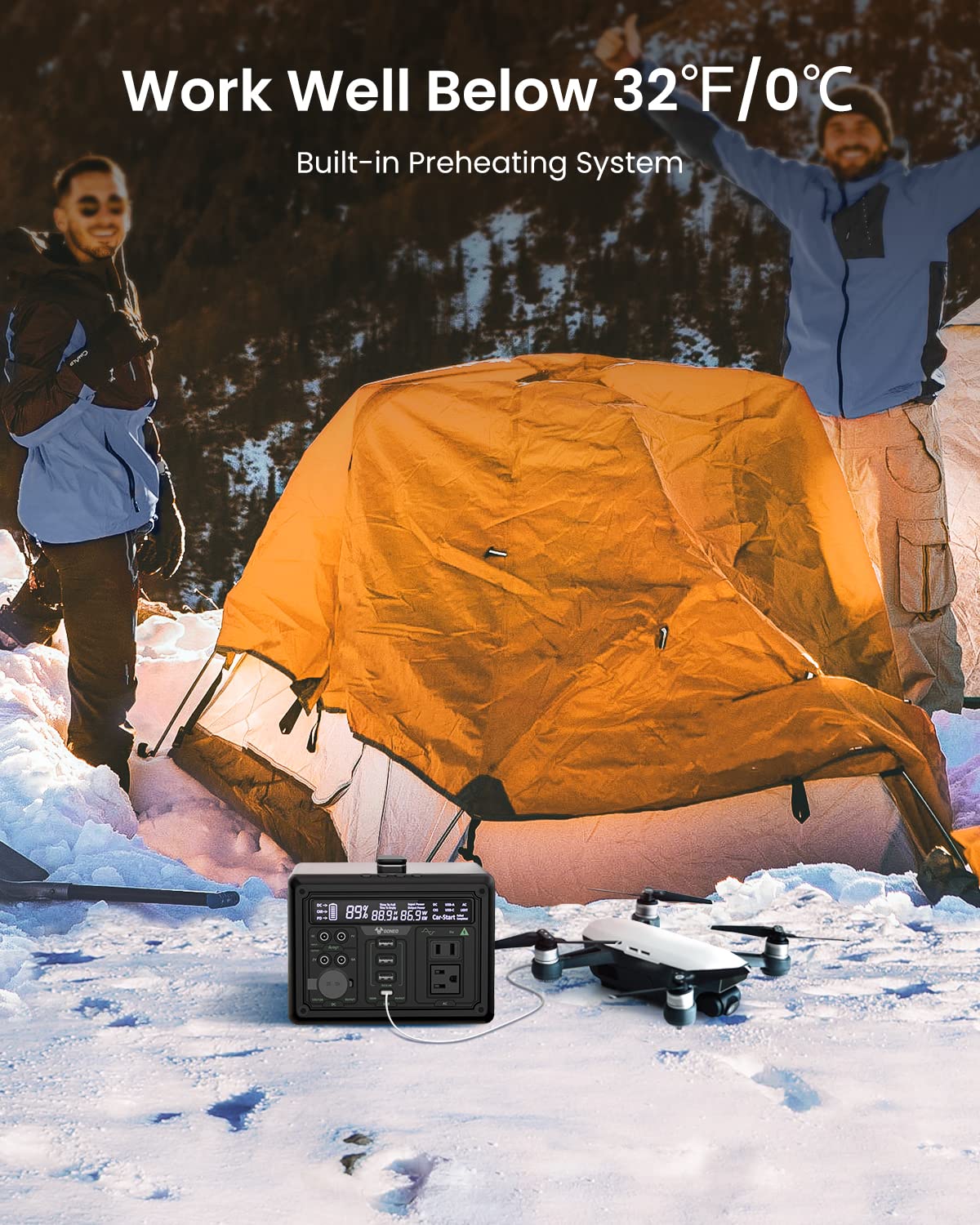
Image: The GONEO Power Station's 6.5-inch LED flashlight panel illuminating a camping tent at night, demonstrating its four lighting modes: Normal, Bright, SOS, and Flashing.
The power station features a 6.5-inch LED flashlight panel with four lighting modes:
- Biasa: Pencahayaan standard.
- terang: Increased brightness for enhanced visibility.
- SOS: Flashes the international distress signal.
- Berkelip: A continuous flashing pattern.
To activate or cycle through modes, press the dedicated flashlight button.
5.4 Operasi Suhu Rendah

Image: The GONEO Power Station in a snowy outdoor setting, demonstrating its ability to operate effectively in cold conditions (below 32°F/0°C) due to its built-in preheating system, shown charging a drone.
The power station includes a built-in preheating system that automatically detects low temperatures (down to -20°C/-4°F) and initiates heating to ensure optimal battery performance and charging capability in cold environments.
5.5 Operasi Senyap
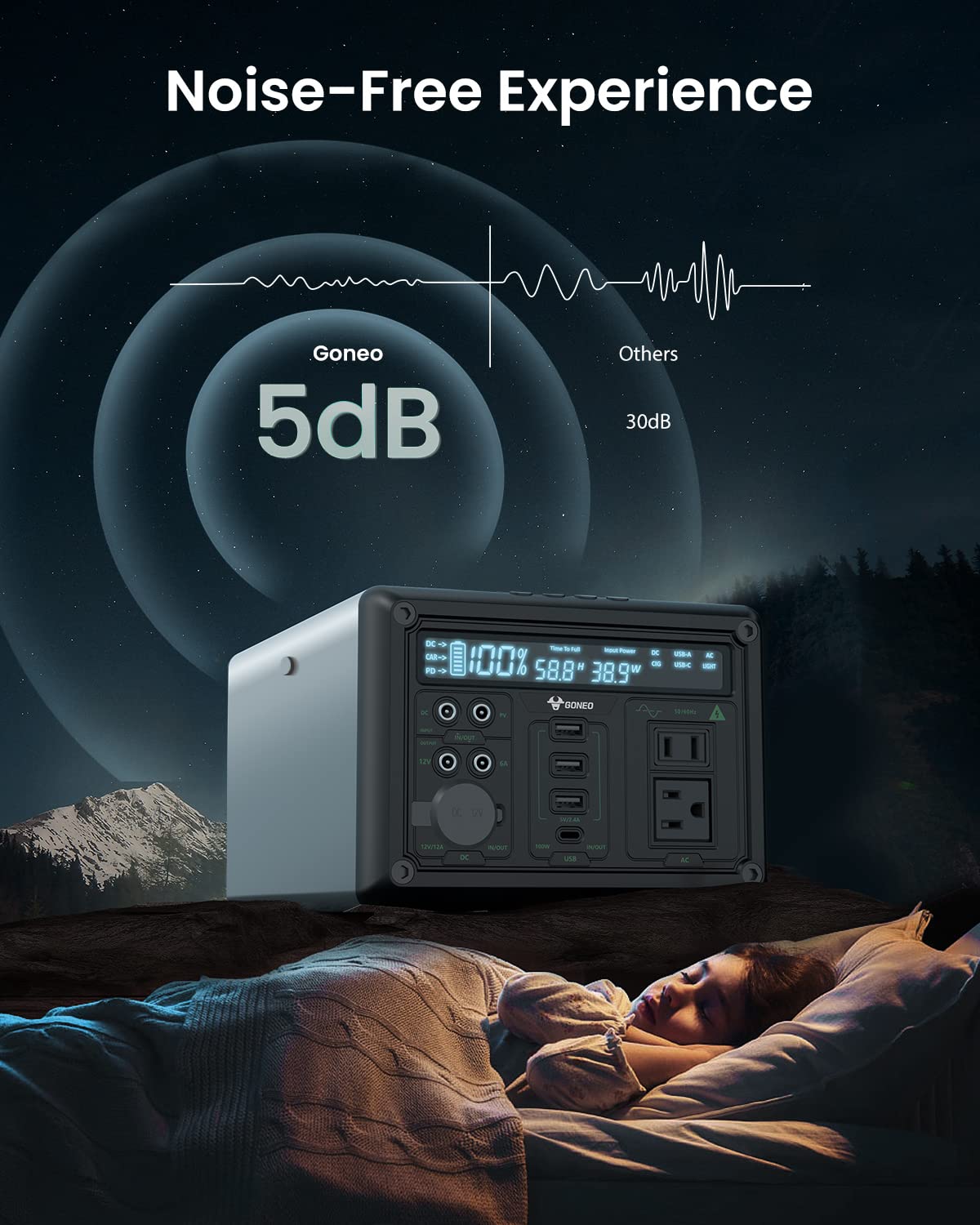
Image: The GONEO Power Station operating at a low noise level of 5dB, depicted next to a person sleeping peacefully in a tent, illustrating its fanless design for a quiet environment.
Designed with a fanless cooling system, the power station operates at a low noise level of approximately 5dB, providing a quiet environment suitable for camping, RV trips, or during power outages.
6. Penjagaan dan Penyelenggaraan
- Pembersihan: Gunakan kain kering dan lembut untuk mengelap bahagian luar unit. Jangan gunakan pembersih atau pelarut yang kasar.
- Storan: Store the power station in a cool, dry place, away from direct sunlight and extreme temperatures. For long-term storage, charge the unit to 50-80% every 3-6 months to preserve battery life.
- Penjagaan Bateri: Avoid fully discharging the battery frequently. Recharge the unit promptly after use.
7. Penyelesaian masalah
| Masalah | Kemungkinan Punca | Penyelesaian |
|---|---|---|
| Unit tidak dihidupkan | Bateri telah kehabisan kuasa sepenuhnya; Butang kuasa tidak ditekan cukup lama. | Cas unit; Tekan dan tahan butang kuasa selama 3-5 saat. |
| Tiada output daripada port | Output port not activated; Device draws too much power; Battery is low. | Press the corresponding output button; Check device wattage; Recharge the power station. |
| Mengecas perlahan-lahan | Using a low-power charger; Environmental temperature is too low. | Use the provided AC adapter or a 100W PD charger; Ensure unit is within operating temperature range. |
8. Spesifikasi Teknikal
| Model | GNV-USY16 |
| Kapasiti Bateri | 607Wh (Lithium Ion) |
| Output AC | 110V, 600W (Gelombang Sinus Tulen) |
| Input DC | 12V/12A |
| Input/Output USB-C | PD 100W |
| Keluaran USB-A | 5V/2.4A |
| Output Soket Kereta | 12V/12A |
| Lampu suluh LED | 6.5 inch, 4 Modes (Normal, Bright, SOS, Flashing) |
| Dimensi (LxWxH) | 27.94 x 18.8 x 13.72 cm (11.0 x 7.4 x 5.4 inci) |
| Berat badan | Not specified in provided data |
| bahan | aluminium |
| Suhu Operasi | -20°C hingga 40°C (-4°F hingga 104°F) |
9. Waranti dan Sokongan Pelanggan
For warranty information, technical support, or any questions regarding your GONEO Portable Power Station GNV-USY16, please refer to the warranty card included with your product or contact GONEO customer service directly. Contact details are typically available on the official GONEO webtapak atau melalui platform pembelian anda.


