1. Pengenalan
Thank you for choosing the fojep Wireless Earbuds BX28. These earbuds are designed to provide a high-quality audio experience with advanced features for daily use and sports activities. This manual will guide you through the setup, operation, and maintenance of your new earbuds.

Figure 1.1: fojep Wireless Earbuds BX28 with charging case. The earbuds feature an ergonomic design with earhooks for a secure fit, and the charging case has an LED digital display.
2. Kandungan Pakej
Sila sahkan bahawa semua item terdapat dalam pakej anda:
- fojep Wireless Earbuds (Left and Right)
- Sarung Pengecasan dengan Paparan Digital LED
- Kabel Pengecasan USB Jenis-C
- Eartips (3 sizes: S, M, L)
- Manual Pengguna
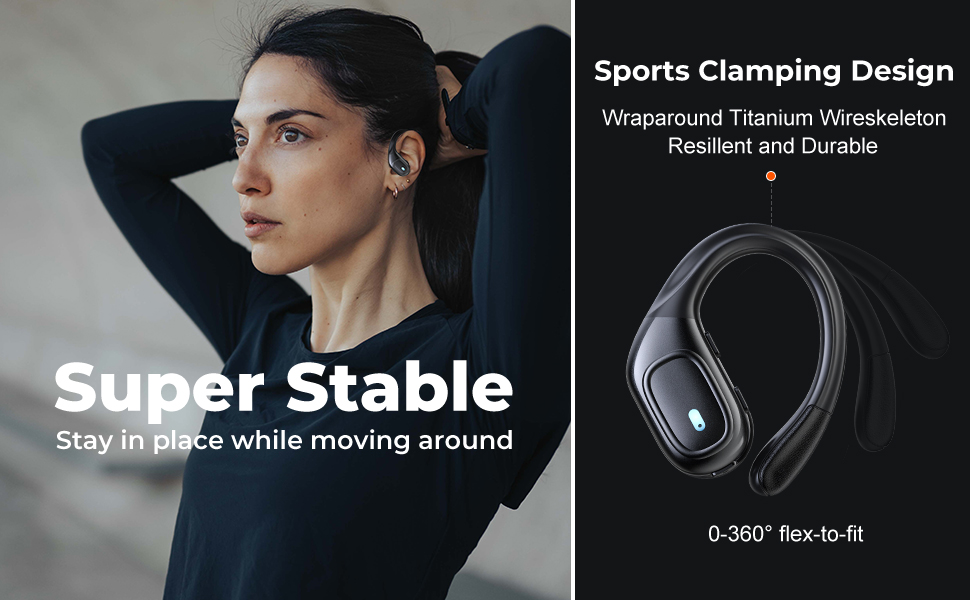
Figure 2.1: Illustration of the items included in the fojep BX28 earbud package, showing the earbuds, charging case, charging cable, and various eartip sizes.
3. Persediaan
3.1 Mengecas Fon telinga dan Sarung
Before first use, fully charge the earbuds and the charging case. The charging case features an LED digital display that shows the battery percentage of the case and individual battery status bars for each earbud.
- Place both earbuds into the charging case. Ensure they are correctly seated; the indicator lights on the earbuds will illuminate.
- Connect the USB Type-C charging cable to the charging port on the case and the other end to a USB power source (e.g., wall adapter, computer USB port).
- The LED display on the charging case will show the charging progress. A full charge typically takes approximately 1.5-2 hours.

Figure 3.1: The charging case displays the battery percentage for the case and individual charge levels for the left and right earbuds. The earbuds offer up to 7 hours of playtime, extended to 75 hours with the charging case.
3.2 Berpasangan dengan Peranti Bluetooth
The fojep BX28 earbuds feature one-step auto pairing for convenience.
- Buka bekas pengecas. Fon telinga akan dihidupkan secara automatik dan memasuki mod berpasangan.
- On your device (smartphone, tablet, laptop), activate Bluetooth.
- Cari untuk available Bluetooth devices. Select "BX28" daripada senarai.
- Setelah disambungkan, anda akan mendengar nada pengesahan dan fon telinga akan sedia untuk digunakan.
The earbuds will automatically reconnect to the last paired device when removed from the case, provided Bluetooth is enabled on the device.
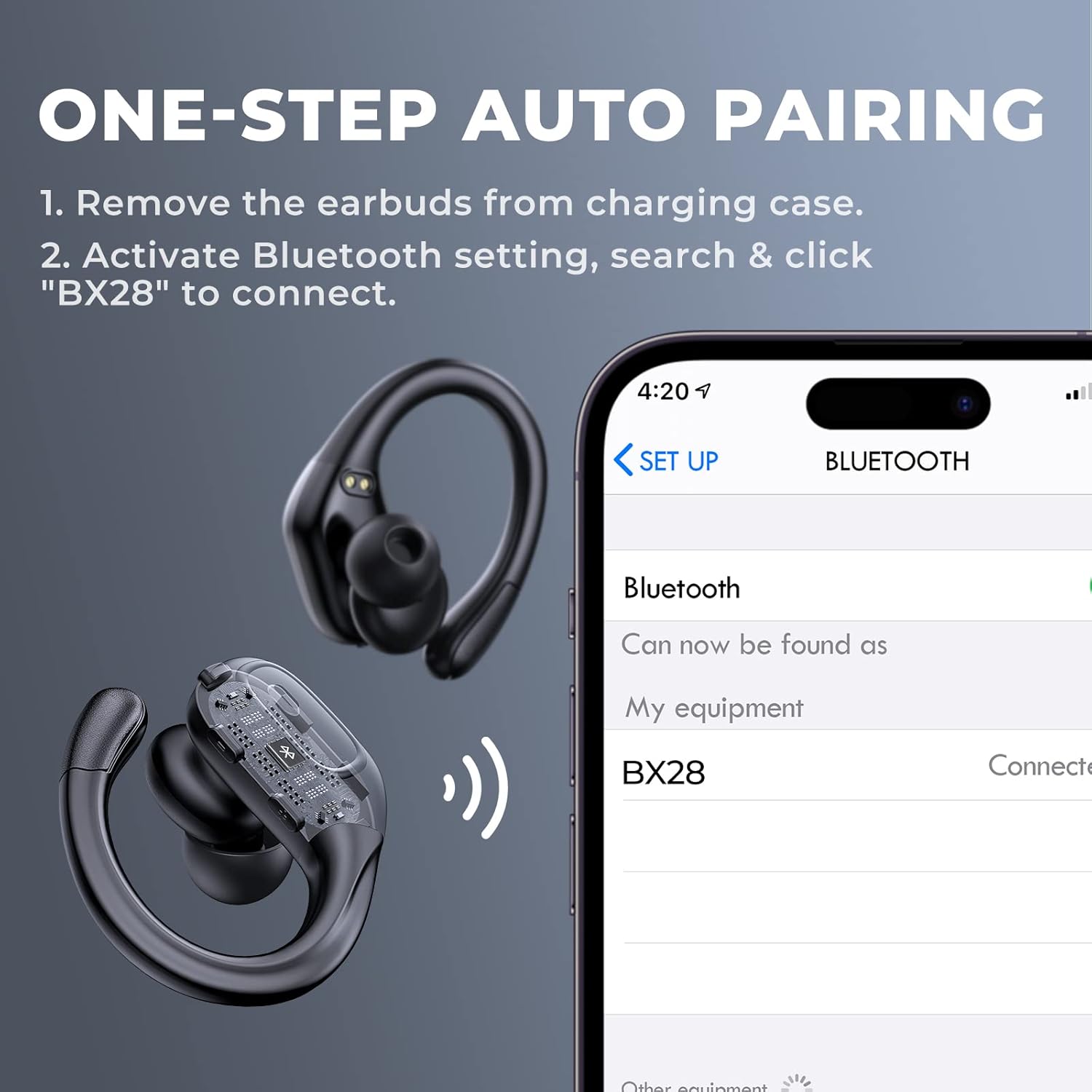
Figure 3.2: Visual guide for the one-step auto pairing process. Simply remove the earbuds from the charging case, and they will appear as "BX28" in your device's Bluetooth settings for connection.
3.3 Memakai Fon Telinga
For optimal sound quality and comfort, choose the correct size eartips and adjust the earhooks.
- Select the eartips (S, M, L) that provide a snug and comfortable fit in your ear canal. A good seal enhances bass response and noise isolation.
- Gently place the earbud into your ear, ensuring the earhook wraps securely around the back of your ear. The earhooks are flexible for a customized fit.

Figure 3.3: The ergonomic design of the fojep BX28 earbuds, featuring flexible earhooks and multiple eartip sizes (S/M/L) to ensure a comfortable and secure fit, especially during sports activities.
4. Arahan Operasi
The fojep BX28 earbuds feature intuitive touch controls on each earbud. The controls are mirrored on both earbuds, allowing for single-earbud use.
4.1 Kawalan Main Semula Muzik
| Tindakan | Earbud Kiri | Earbud Kanan |
|---|---|---|
| Main/Jeda | Ketik Tunggal | Ketik Tunggal |
| Lagu Seterusnya | T/A | Ketik Dua Kali |
| Lagu Sebelumnya | Ketik Dua Kali | T/A |
| Kelantangan Naik | T/A | Ketik Tiga Kali |
| Kelantangan Kurang | Ketik Tiga Kali | T/A |
4.2 Call Management Controls
| Tindakan | Earbud Kiri | Earbud Kanan |
|---|---|---|
| Jawab Panggilan | Ketik Tunggal | Ketik Tunggal |
| Tamatkan Panggilan | Ketik Tunggal | Ketik Tunggal |
| Tolak Panggilan | Tekan lama (2 saat) | Tekan lama (2 saat) |
4.3 Pembantu Suara
Activate your device's voice assistant (Siri, Google Assistant, etc.) by performing a specific tap gesture.
| Tindakan | Earbud Kiri | Earbud Kanan |
|---|---|---|
| Aktifkan Pembantu Suara | Tekan lama (2 saat) | Tekan lama (2 saat) |
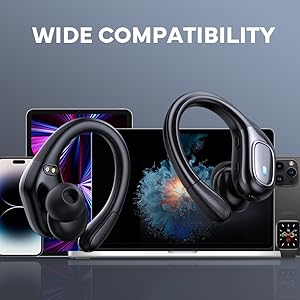
Figure 4.1: Detailed diagram of the touch controls for both left and right fojep BX28 earbuds, illustrating functions for music playback, call management, and voice assistant activation.
5. Penyelenggaraan
Proper maintenance ensures the longevity and optimal performance of your fojep Wireless Earbuds BX28.
5.1 Pembersihan
- Regularly clean the earbuds, especially the eartips and charging contacts, with a soft, dry, lint-free cloth.
- Untuk kotoran degil, sedikit dampen kain dengan air atau pembersih yang lembut dan tidak melelas. Elakkan kelembapan berlebihan.
- Jangan gunakan bahan kimia yang keras, alkohol atau bahan yang melelas.
- Pastikan fon telinga benar-benar kering sebelum meletakkannya semula ke dalam bekas pengecas.
5.2 Penyimpanan
- Apabila tidak digunakan, simpan fon telinga dalam bekas pengecasnya untuk melindunginya dan memastikan ia dicas.
- Simpan di tempat yang sejuk dan kering, jauh daripada suhu ekstrem dan cahaya matahari langsung.
5.3 Rintangan Air (IPX7)
The earbuds are rated IPX7 waterproof, meaning they can withstand submersion in up to 1 meter of water for 30 minutes. This makes them suitable for sweat resistance, rain, and splashes.
- Nota: Kes pengecasan adalah TIDAK waterproof. Do not expose the charging case to water.
- After exposure to water or sweat, ensure the earbuds are completely dry before placing them back into the charging case to prevent damage to the charging contacts.

Figure 5.1: The fojep BX28 earbuds are IPX7 rated, providing protection against rain, sweat, and splashes, making them suitable for various activities.
6. Penyelesaian masalah
If you encounter issues with your fojep Wireless Earbuds BX28, refer to the following common solutions:
| Masalah | Kemungkinan Punca | Penyelesaian |
|---|---|---|
| Fon telinga tidak berpasangan/bersambung | Bluetooth off, earbuds not in pairing mode, interference, previously paired device. |
|
| Hanya satu fon telinga berfungsi | Low battery, not properly paired, earbud not connected to each other. |
|
| Kelantangan rendah atau kualiti bunyi yang lemah | Incorrect eartip size, earwax buildup, low device volume, poor connection. |
|
| Kes pengecas tidak dicas | Faulty cable, power source issue, dirty charging port. |
|
7. Spesifikasi
| Ciri | Perincian |
|---|---|
| Nombor Model | BX28 |
| Versi Bluetooth | V5.3 |
| Masa Main Earbud | Sehingga 7 jam (caj tunggal) |
| Jumlah Masa Main (dengan bekas pengecasan) | Sehingga 75 jam |
| Penilaian Kalis Air | IPX7 (earbud sahaja) |
| Kaedah Kawalan | Kawalan Sentuh |
| Mikrofon | Built-in, CVC Noise Cancelling |
| Port Pengecasan | USB Jenis-C |
| bahan | plastik |
| warna | Hitam pekat |

Figure 7.1: The fojep BX28 earbuds utilize advanced Bluetooth 5.3 technology, offering improved connection stability and efficiency compared to older versions.

Figure 7.2: The fojep BX28 earbuds are widely compatible with various Bluetooth-enabled devices, including smartphones, tablets, laptops, and smartwatches.
8. Waranti & Sokongan
fojep products are designed with quality and reliability in mind. For warranty information and customer support, please refer to the following:
- Waranti: Specific warranty terms and duration may vary by region and retailer. Please retain your proof of purchase for warranty claims.
- Sokongan Pelanggan: If you experience any issues or have questions not covered in this manual, please contact fojep customer support through the platform where you purchased the product (e.g., Amazon Message Center).
- Sumber Dalam Talian: For the latest information, FAQs, and additional support, visit the official fojep store page on Amazon: fojep Amazon Store.
Your satisfaction is important to us. We are committed to providing excellent service and support.


