1. Pengenalan
This manual provides detailed instructions for the installation, operation, and maintenance of your AINAVITO 10-Inch QLED Car Radio. This unit is specifically designed for Jeep Compass and Patriot models manufactured between 2010 and 2016, offering an upgraded in-car entertainment and navigation experience. Please read this manual thoroughly before use to ensure proper functionality and safety.

Figure 1: AINAVITO 10-Inch QLED Car Radio with included backup camera and a smartphone demonstrating CarPlay/Android Auto functionality.
2. Persediaan dan Pemasangan
2.1 Kandungan Pakej
Sahkan bahawa semua komponen terdapat dalam pakej:
- 1x Car Head unit with Frame
- 1x Kabel RCA
- 1x Kabel Kuasa
- 1x Car Microphone
- 1x Antena GPS
- 1x Frame Removal Tools
- 1x Belakang View 1080P Camera (approx. 16.40 ft cable)
- 2x Kabel USB
- 1x Reversing Control Cable
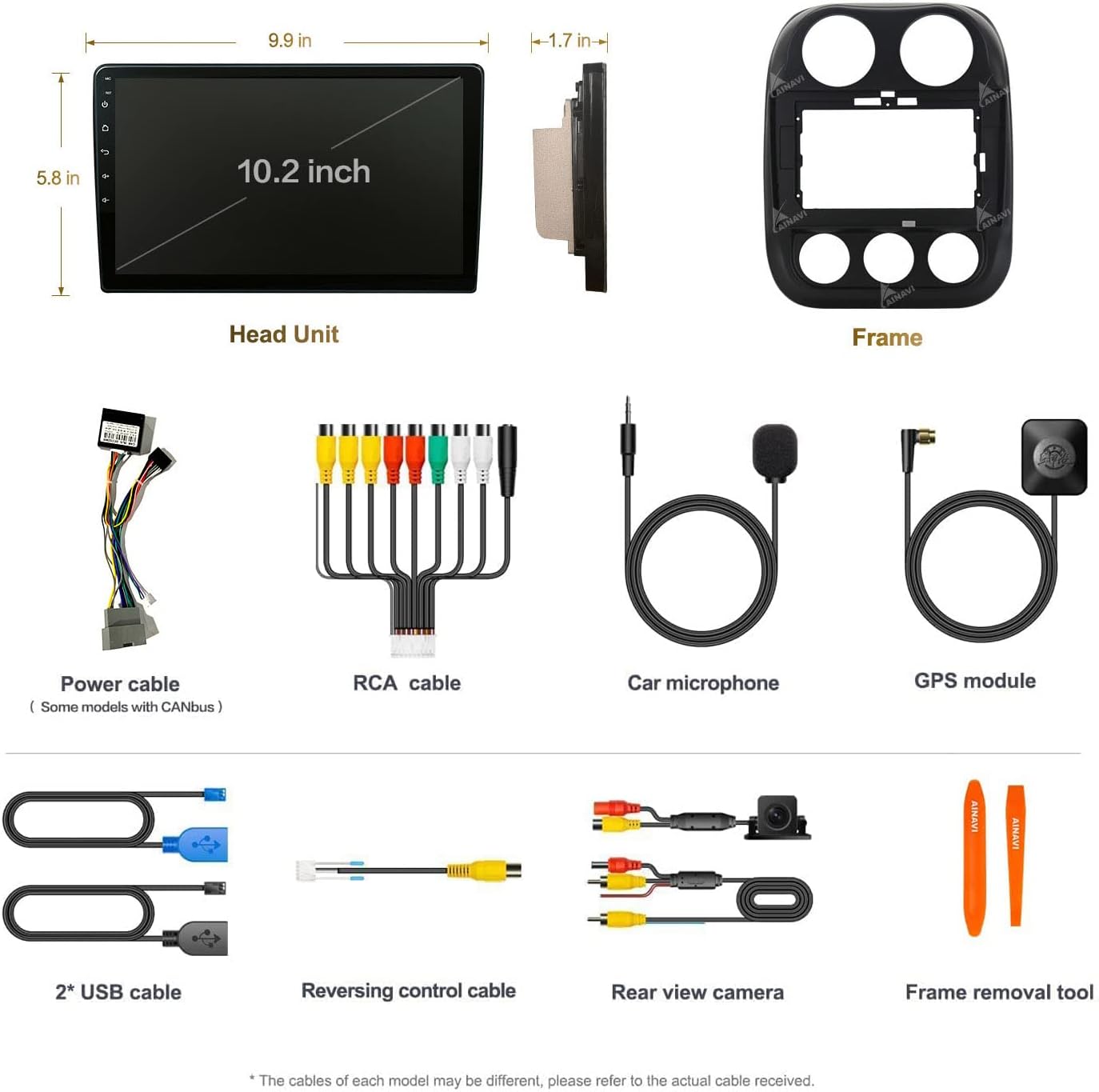
Gambar 2: Lebihview of all components included in the AINAVITO 10-Inch QLED Car Radio package.
2.2 Pemasangan Lebihview
This car stereo is designed for plug-and-play installation, minimizing the need for vehicle modifications. It supports the car's original information display and steering wheel control functions.

Figure 3: Visual comparison of the car's dashboard before and after the installation of the AINAVITO car radio.
2.3 Pemasangan Kamera Sandaran
The included AHD 1080P backup camera provides a clear view when reversing. Connect the camera to the designated input on the head unit. Ensure proper routing of the cable to avoid interference and damage.

Figure 4: Details of the Ultra HD 1080P Adjustable Reversing Camera.
3. Arahan Operasi
3.1 Antara Muka Pengguna (UI 3.0)
The device features a customized UI 3.0 with an intuitive desktop layout and editable applications. Navigate through the main interface to access various functions such as navigation, music, radio, and settings.

Figure 5: Main interface of the AINAVITO Car Radio with UI 3.0.
3.2 CarPlay Wayarles & Android Auto
Connect your smartphone via Bluetooth or USB cable to access Apple CarPlay or Android Auto. This allows you to use mobile functions like navigation, messaging, and music directly on the car radio display, enhancing driving safety.
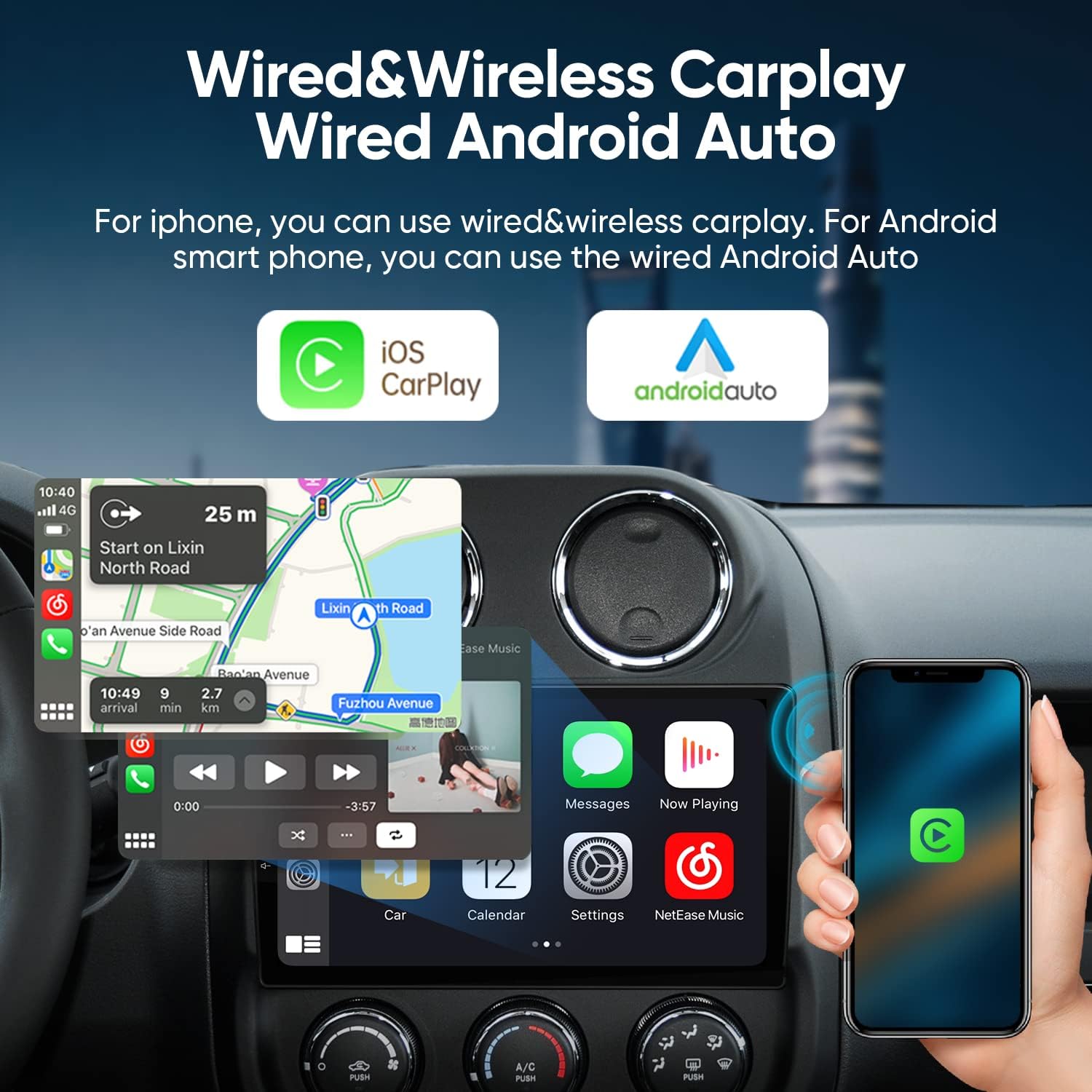
Rajah 6: Kesambungan CarPlay Tanpa Wayar dan Android Auto.
Video 1: Demonstrates CarPlay and Android Auto connection and other functions of the car radio. (Source: Roinvou, Seller)
Video 2: Shows the MT8163 Android Car Stereo and Wireless Apple CarPlay functionality. (Source: Dongguan Yanningqiu Trading Company, Seller)
Video 3: Illustrates the MT8163 Android Car Stereo and Wireless Android Auto features. (Source: Dongguan Yanningqiu Trading Company, Seller)
3.3 Ketersambungan dan Navigasi
The unit supports 5G WiFi and mobile hotspots for internet access. Built-in Bluetooth 5.0 enables hands-free calls, phone book download, and music playback. With WiFi connected, online GPS navigation is fully functional.

Figure 7: Features including 5G WiFi, GPS Map, FM Radio, and Google Assistant.
3.4 Sound Quality and Equalizer
Experience enhanced audio with the built-in 48-band EQ and various music effects. The professional tuning system allows for personalized sound settings.

Figure 8: 48-band Equalizer for sound customization.
3.5 Paparan Skrin Pisah
The split-screen function allows for simultaneous display of multiple applications, such as navigation and music, or entertainment and phone calls.

Figure 9: Split Screen Display functionality.
3.6 Kawalan Suara
Utilize voice commands for various functions, including navigation and general queries, with increased sensitivity for ease of use.

Figure 10: Voice control integration with the car radio.
4. Penyelenggaraan
To ensure the longevity and optimal performance of your AINAVITO Car Radio, follow these general maintenance guidelines:
- Pembersihan: Use a soft, dry cloth to clean the screen and exterior. Avoid abrasive cleaners or solvents that may damage the display or finish.
- Suhu: Elakkan daripada mendedahkan unit kepada suhu yang melampau, panas dan sejuk, untuk tempoh yang lama.
- Kemas Kini Perisian: Periodically check for available software updates to ensure you have the latest features and performance enhancements.
- Sambungan Kabel: Ensure all cables are securely connected and free from damage. Loose connections can lead to intermittent issues.
5. Penyelesaian masalah
If you encounter any issues with your AINAVITO Car Radio, refer to the following common troubleshooting steps:
- Tiada Kuasa: Check all power connections. Ensure the vehicle's ignition is on. Verify the fuse in the power cable.
- Tiada Bunyi: Check speaker connections. Ensure the volume is not muted or set to zero. Verify audio settings in the system menu.
- Isu Sambungan Bluetooth: Ensure Bluetooth is enabled on both the car radio and your smartphone. Delete previous pairings and attempt to re-pair. Check the device name and PIN.
- Kehilangan Isyarat GPS: Ensure the GPS antenna is properly installed and has a clear line of sight to the sky. Move the vehicle to an open area if signal is weak.
- Skrin sentuh Tidak Responsif: Try restarting the unit. If the issue persists, a factory reset may be necessary (note: this will erase all user data).
- CarPlay/Android Auto Tidak Bersambung: Ensure your phone's operating system is up to date. Try connecting with a different USB cable. Verify that the Zlink application is running correctly on the head unit.
Untuk isu berterusan yang tidak dapat diselesaikan melalui langkah-langkah ini, sila hubungi khidmat pelanggan.
6. Spesifikasi
| Dimensi Produk | 3.94 x 5.91 x 3.94 inci |
| Berat Barang | 2.39 auns |
| Jenama | AINAVITO |
| Jenis Perkhidmatan Kenderaan | kereta |
| Saiz Skrin | 9 Inci |
| Ciri Khas | 1080P Reversing Camera, Colorful keylight, Four Themes, 48EQ (Voice point touch control) + Professional DSP, 8Core, High Level QLED, Split Screen, Secondary Video Window, Dual USB, Support SWC, APK install |
| Teknologi Ketersambungan | Auxiliary, Bluetooth, Mirroring + Airplay, Wi-Fi, Wireless/Wire (CarPlay + Android Auto) |
| Jenis Peta | Europe, North America, South America, Worldwide |
| Mod Keluaran Audio | Stereo |
| Jenis Pemasangan | Pemasangan Panel |
| Resolusi | 720 x 1280 |
7. Waranti dan Sokongan
AINAVITO is committed to providing satisfactory service. For any installation assistance or technical inquiries, 24-hour after-sale service is available.
7.1 Menghubungi Sokongan
If you require technical support or have questions regarding your car stereo, please follow these steps:
- Locate the seller's information on the platform where you purchased the product.
- Utilize the 'Ask a question' feature to submit your query directly to the seller.

Figure 11: Steps to contact technical support for assistance.


