1. Pengenalan
The Phomemo B246D Thermal Label Printer is designed for efficient and versatile label printing, ideal for shipping, addressing, and various business needs. This printer utilizes thermal technology, eliminating the need for ink or toner, offering a cost-effective and clean printing solution. It supports a wide range of label types and is compatible with major operating systems and e-commerce platforms.

The Phomemo B246D printer shown with examples of shipping labels, fragile stickers, and thank you labels.

Thermal inkless technology means no ink, no toner, and no paper jams, providing a greener and more economical printing experience.
2. Apa yang ada di dalam Kotak
Upon unboxing your Phomemo B246D Thermal Label Printer, please ensure all the following components are present:
- 1 * 246S Pink Shipping Label printer
- 1 * Power Cord&Adapter for shipping label printer
- 1 * USB-C adapter for MAC OS
- 1 * PM-246S label printer quick start guide
- Label
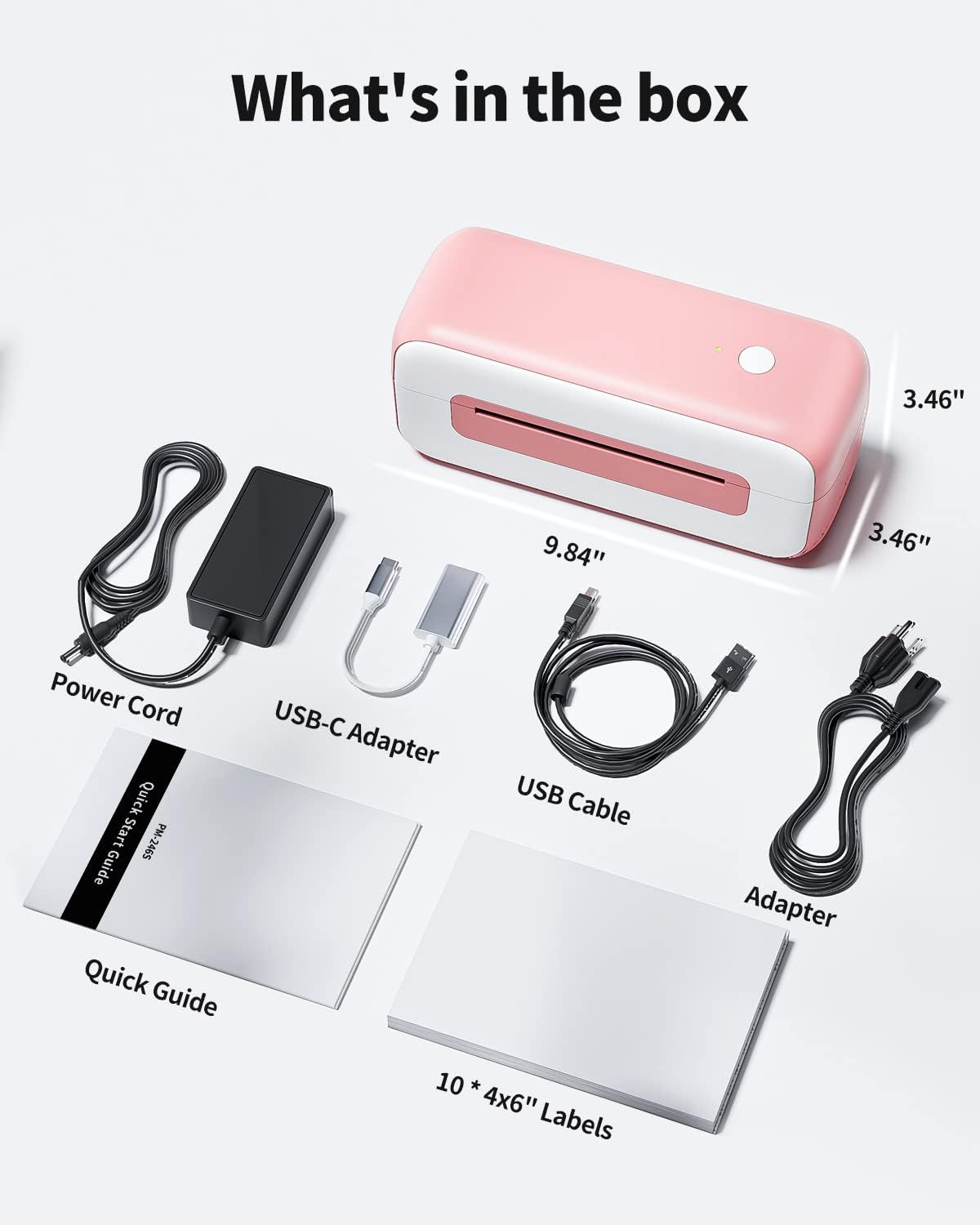
Berakhirview of all items included in the product packaging: the printer, power cord, USB-C adapter, USB cable, quick guide, and sample label.
3. Panduan Persediaan
Setting up your Phomemo B246D printer is designed to be quick and straightforward. Follow these steps to get started:
- Sambungkan Pencetak: Plug the power cord into the printer and a power outlet. Connect the printer to your computer using the provided USB cable. For Mac OS users, utilize the included USB-C adapter.
- Install Drivers/Software: The printer is compatible with Windows (7 and later), Mac OS (10.11 and later), and Linux Centos 7.0. Install the Smart Software "Labelife" for easy printing. Refer to the quick start guide for detailed installation instructions.
- Muatkan Label: Open the printer cover and load your thermal labels. Ensure the labels are properly aligned and the print side is facing up. The printer features intelligent label detection for automatic paper feeding.

The printer supports Windows, Mac OS, Chrome OS, and Linux for easy setup via USB connection.

The Phomemo B246D printer connects via USB cable to Windows, Mac OS, and Chrome OS (with Labelife extension).
4. Arahan Operasi
The Phomemo B246D is a versatile 3-in-1 multifunctional printer, capable of handling various labeling tasks for your business or personal use.
Label Types and Applications
This printer supports a wide array of labels, including shipping labels, address labels, business logos, barcodes, thank you labels, warning labels, and nutrition facts labels. It is suitable for both fanfold and roll labels, accommodating sizes from 1 inch to 4.6 inches in width.
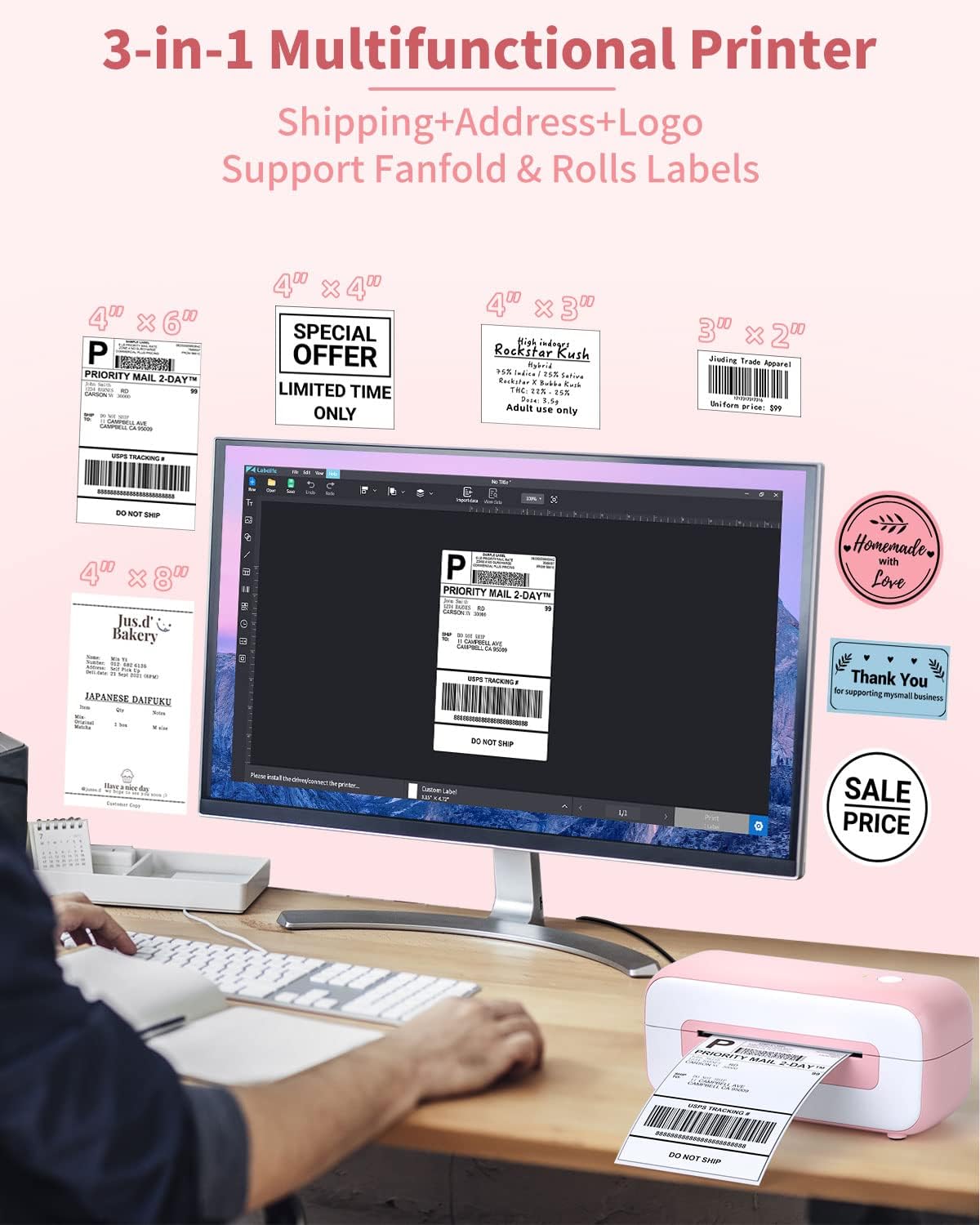
The printer supports various label types including shipping, address, and logo labels, as well as fanfold and roll labels in different sizes.
Software and Platform Compatibility
Utilize the "Labelife" software for designing and customizing your labels. The printer is compatible with all major shipping and sales platforms, ensuring seamless integration with your existing workflows. Supported platforms include Etsy, eBay, Amazon, Shopify, Poshmark, FedEx, ShipStation, ShippingEasy, Shippo, Ordoro, Endicia Dazzle, Shipwire, Shipworks, Stockx, and Xps ship.

The Phomemo B246D printer is compatible with a wide range of e-commerce and shipping platforms.

Examples of various label sizes and the extensive list of compatible e-commerce and shipping platforms.

The Labelife software provides tools for editing and customizing your labels before printing.
Printing Speed and Efficiency
The Phomemo B246D offers fast and clear printing, capable of printing at 152mm/s, which translates to approximately 120 pieces per minute, significantly improving efficiency for high-volume tasks.

The printer boasts a high printing speed of 152mm/s, enabling quick label production.
Video Produk
This video demonstrates the Phomemo B246D label printer in action, showcasing its one-click setup, continuous printing, multi-purpose label capabilities, customized printing options, and overall efficiency for small businesses.
5. Penyelenggaraan
The Phomemo B246D Thermal Label Printer requires minimal maintenance due to its inkless design. There is no need to replace ink cartridges or toner. To ensure optimal performance and longevity:
- Pembersihan: Periodically clean the print head with an alcohol wipe to remove any dust or adhesive residue. Ensure the printer is turned off and unplugged before cleaning.
- Storan: Store the printer in a clean, dry environment away from direct sunlight and extreme temperatures.
- Kualiti Label: Use high-quality thermal labels to prevent damage to the print head and ensure clear prints.
6. Penyelesaian masalah
For common issues and their solutions, please refer to the official Troubleshooting Guide. This document provides detailed steps to diagnose and resolve problems you might encounter with your Phomemo B246D printer.
7. Spesifikasi
Key technical specifications for the Phomemo B246D Thermal Label Printer:
| Ciri | Perincian |
|---|---|
| Nama Model | B246D |
| Teknologi Percetakan | terma |
| Teknologi Ketersambungan | USB |
| Output Pencetak | Monokrom |
| Kelajuan Cetakan Maksimum (Monokrom) | 120 ppm (152mm/s) |
| Saiz Media Maksimum | 4 x 6 inci |
| Peranti Serasi | Laptops, PC (Windows, Mac OS, Linux) |
| Kaedah Kawalan | App (Labelife software) |
| Berat Barang | 2.88 paun |
| Dimensi Produk | 9.84"D x 3.46"W x 3.46"H |
8. Waranti dan Sokongan
Phomemo thermal shipping label printers undergo strict inspection before transit. The product comes with a 24-month warranty, ensuring outstanding print quality and reliability. A dedicated technical team offers lifetime customer support for any assistance you may require.
For further detailed instructions and information, please refer to the official user guides:


