pengenalan
Welcome to the world of space exploration with Charlie The Astronaut! This manual provides essential information for setting up, operating, and maintaining your Xtrem Bots Charlie robot. Please read these instructions carefully before use to ensure proper function and safety.
Maklumat Keselamatan
- AMARAN: Tidak sesuai untuk kanak-kanak di bawah 3 tahun kerana bahagian yang kecil.
- Disyorkan untuk berumur 6 tahun ke atas.
- Sentiasa mengawasi kanak-kanak semasa bermain.
- Jangan campurkan bateri lama dan baru. Jangan campurkan bateri beralkali, standard (karbon-zink), atau boleh dicas semula (nikel-kadmium).
- Remove batteries if the robot will not be used for an extended period.
- Buang bateri dengan bertanggungjawab.
Kandungan Pakej
Pastikan semua item ada dalam pakej:
- 1 x Charlie The Astronaut Robot
- 1 x Manual Arahan (dokumen ini)
- Additional accessories (if applicable, check packaging)
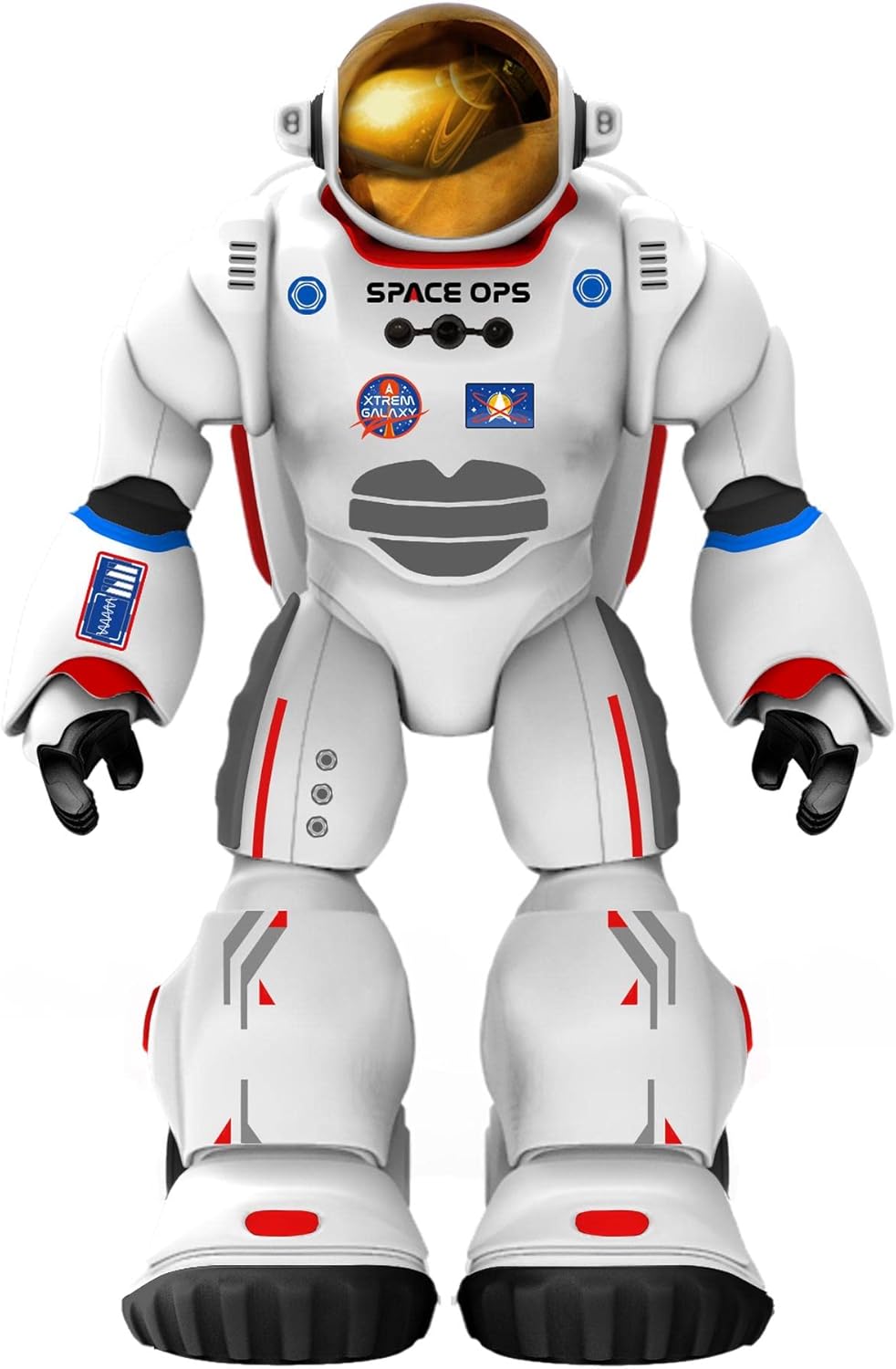
Imej 1: Depan view of Charlie The Astronaut robot, showcasing its white astronaut suit with red and blue accents, a gold visor, and "SPACE OPS" branding.
Persediaan
1. Pemasangan Bateri
Charlie The Astronaut requires 3 x AA 1.5V batteries (not included).
- Locate the battery compartment on the back of the robot.
- Menggunakan pemutar skru, buka penutup petak bateri.
- Insert 3 AA 1.5V batteries, ensuring correct polarity (+/-).
- Gantikan penutup petak bateri dan kencangkannya dengan skru.

Imej 2: Sisi view of Charlie The Astronaut robot, showing its profile and the details of its suit.
2. Pemasangan dan Sambungan Apl
To unlock Charlie's full potential, download the official Xtrem Bots app on your mobile device.
- Cari untuk "Xtrem Bots" in your device's app store (Google Play Store for Android or Apple App Store for iOS).
- Muat turun dan pasang apl.
- Turn on Charlie The Astronaut by pressing the power button (location may vary, refer to robot for specific button).
- Dayakan Bluetooth pada peranti mudah alih anda.
- Open the Xtrem Bots app and follow the on-screen instructions to connect to Charlie via Bluetooth.
Arahan Operasi
Charlie The Astronaut offers over 200 actions and 20 functions, controllable through the dedicated app.
1. Modul Pengaturcaraan
Use the programming module within the app to create custom sequences of actions for Charlie.
- Open the app and navigate to the "Programming" section.
- Drag and drop action blocks to build your desired program.
- Execute the program to watch Charlie perform the programmed actions.
2. Remote Control System
Control Charlie's movements and actions in real-time using the app's remote control interface.
- Access the "Remote Control" section in the app.
- Use the on-screen joysticks and buttons to guide Charlie.
3. Smart Control (Hand Movements)
Charlie features advanced technology allowing control via hand gestures.
- Activate "Smart Control" mode in the app.
- Follow the app's instructions for specific hand gestures to control Charlie's movements.
4. Gyroscope Control
Control Charlie by tilting your mobile device.
- Enable "Gyroscope Control" in the app.
- Tilt your device forward, backward, left, or right to direct Charlie.
Spacepedia and Space Quiz
Discover the universe with Charlie's integrated "Spacepedia" and test your knowledge with the space quiz.
- Spacepedia: Access the "Spacepedia" section in the app to learn about the universe, solar system, space vehicles, and more.
- Space Quiz: Challenge yourself with over 300 questions in the space quiz module to test your astronomical knowledge.
Penyelenggaraan
- Pembersihan: Wipe the robot with a soft, dry cloth. Do not use harsh chemicals or immerse in water.
- Storan: Store Charlie in a cool, dry place away from direct sunlight when not in use.
- Penjagaan Bateri: Remove batteries if the robot will be stored for an extended period to prevent leakage.
Menyelesaikan masalah
| Masalah | Kemungkinan Punca | Penyelesaian |
|---|---|---|
| Robot tidak dihidupkan. | Bateri mati atau tidak dimasukkan dengan betul. | Replace batteries with new AA 1.5V batteries, ensuring correct polarity. |
| Cannot connect to the app via Bluetooth. | Bluetooth is off on the device; robot is off; app is not updated. | Ensure Bluetooth is enabled on your mobile device. Turn the robot off and on again. Update the Xtrem Bots app to the latest version. |
| Robot is unresponsive or moves erratically. | Low battery power; interference; app glitch. | Replace batteries. Move away from other electronic devices that may cause interference. Restart the app and the robot. |
Spesifikasi
- model: 3803085
- Jenama: Xtrem Bots
- Dimensi: 4.72 x 10.83 x 13.78 inci (12 x 27.5 x 35 cm)
- Ketinggian: 29 cm (kira-kira 11.4 inci)
- Berat: 1.3 paun (0.59 kg)
- Sumber Kuasa: 3 x bateri AA 1.5V (tidak termasuk)
- Ketersambungan: Bluetooth
- Umur Disyorkan: 6 tahun dan ke atas
- Bahan: plastik
Waranti dan Sokongan
For warranty information and technical support, please refer to the official Xtrem Bots webtapak atau hubungi perkhidmatan pelanggan mereka. Syarat jaminan tertentu mungkin berbeza mengikut wilayah dan peruncit.
Pengeluar: BR Toys Limited
Untuk bantuan lanjut, layari: www.xtrembots.com


