Manual Pengguna Fon Kepala Wayarles Zebronics ZEB-PARADISE
Model: ZEB-PARADISE
1. Produk Lebihview
The Zebronics ZEB-PARADISE is a versatile wireless headphone designed for an immersive audio experience. It features Bluetooth connectivity, an AUX input, Micro SD card support, and an FM radio function, providing multiple ways to enjoy your music and manage calls.

Image 1: Zebronics ZEB-PARADISE Wireless Headphone. This image displays the over-ear design of the headphone, highlighting its sleek appearance and comfortable earcups.
2. Kandungan Pakej
Sila tandai kotak untuk item berikut:
- 1 Unit Headphone
- 1 Unit Charging Cable
- 1 Unit Aux Cable
- 1 Unit User Manual
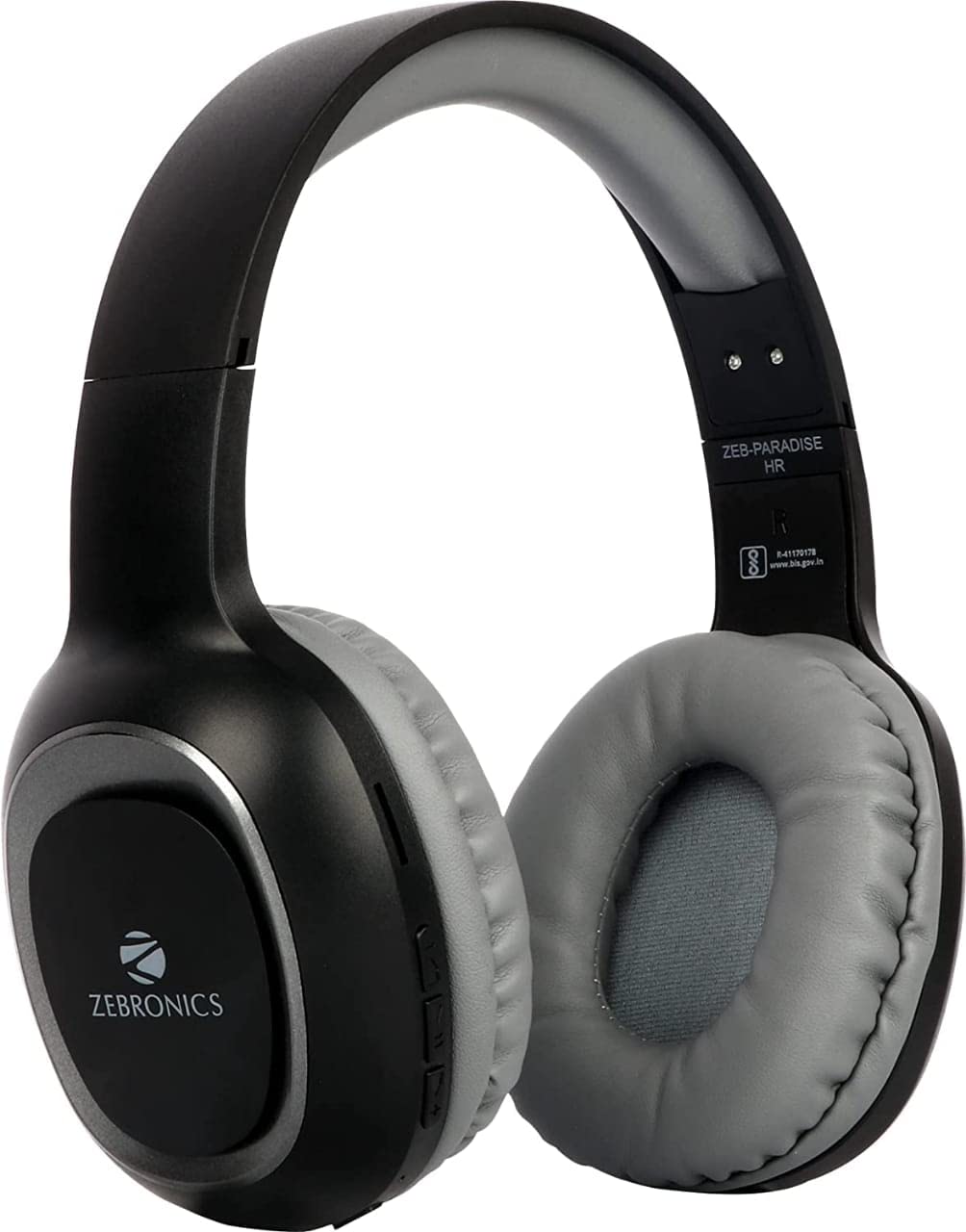
Image 2: Packaging of the Zebronics ZEB-PARADISE Wireless Headphone. This image shows the product box, detailing the package contents and key features printed on the packaging.
3. Maklumat Keselamatan
Awas:
Please be aware of your surroundings while using the headphone. Constant exposure to high volume may damage your hearing. Please use the headphone at moderate volume to protect your ears.
4. Ciri-ciri Utama
- Bluetooth v4.2 Connectivity
- AUX Input for Wired Connection
- Micro SD Card Support for MP3 Playback
- Fungsi Radio FM
- Call Function with Built-in Microphone
- Media Volume Control
- Dual Pairing Capability
- Pemacu Audio 40mm
- Bateri Boleh Dicas Semula Terbina dalam
- Sokongan Pengecasan Pantas
5. Persediaan
5.1 Mengecas Fon Kepala
- Connect the provided USB charging cable to the charging port on the headphone.
- Sambungkan hujung kabel USB yang satu lagi ke penyesuai kuasa USB (tidak disertakan) atau port USB komputer.
- The LED indicator will illuminate to show charging status. It will typically turn off or change color once fully charged.
5.2 Berpasangan Bluetooth
- Ensure the headphone is fully charged.
- Press and hold the Power button on the headphone until the LED indicator flashes blue and red, indicating pairing mode.
- On your smartphone or Bluetooth-enabled device, go to the Bluetooth settings and search for available devices.
- Select "ZEB-PARADISE" from the list of found devices.
- Setelah dipasangkan, penunjuk LED akan berkelip biru perlahan atau kekal biru padu.
5.3 Using the AUX Cable
- Connect one end of the provided 3.5mm AUX cable to the AUX input port on the headphone.
- Connect the other end of the AUX cable to the 3.5mm audio output jack of your audio device.
- Fon kepala akan bertukar kepada mod AUX secara automatik.
6. Arahan Operasi
6.1 Kawalan Asas
- Hidupkan/Mati Kuasa: Tekan dan tahan butang Kuasa.
- Main/Jeda: Tekan butang Main/Jeda sekali.
- Jilid Naik / Laluan Seterusnya: Press the Volume Up (+) button to increase volume. Press and hold to skip to the next track.
- Turunkan Volume / Lagu Sebelumnya: Press the Volume Down (-) button to decrease volume. Press and hold to go to the previous track.
- Suis Mod: Press the 'M' button to switch between Bluetooth, FM Radio, and Micro SD modes.
6.2 Fungsi Panggilan
- Jawab Panggilan: Tekan butang Main/Jeda sekali apabila panggilan masuk.
- Tamatkan Panggilan: Tekan butang Main/Jeda sekali semasa panggilan.
- Tolak Panggilan: Press and hold the Play/Pause button for 2 seconds when a call comes in.
- Dail Semula Nombor Terakhir: Tekan dua kali butang Main/Jeda.
Mod Radio 6.3 FM
- Tukar ke mod Radio FM menggunakan butang 'M'.
- Press the Play/Pause button once to auto-scan and save available FM channels.
- Use the Volume Up (+) and Volume Down (-) buttons to navigate between saved channels.
6.4 Main Semula Kad Mikro SD
- Insert a Micro SD card (with MP3 files) into the designated slot on the headphone.
- Switch to Micro SD mode using the 'M' button.
- Music playback will start automatically. Use the control buttons for play/pause, next/previous track, and volume adjustment.
7. Penyelenggaraan
- Bersihkan fon kepala dengan kain lembut dan kering. Jangan gunakan bahan kimia yang keras atau bahan yang melelas.
- Elakkan mendedahkan fon kepala kepada suhu, kelembapan atau cahaya matahari langsung yang melampau.
- Store the headphone in a cool, dry place when not in use.
- Do not attempt to disassemble or repair the headphone yourself, as this will void the warranty.
8. Penyelesaian masalah
- Tiada Kuasa: Ensure the headphone is fully charged. Connect it to a power source using the charging cable.
- Tidak Dapat Berpasangan melalui Bluetooth: Make sure the headphone is in pairing mode (flashing blue and red LED). Ensure Bluetooth is enabled on your device and it is within range. Try restarting both devices.
- Tiada Bunyi: Check the volume level on both the headphone and your connected device. Ensure the correct mode (Bluetooth, AUX, SD) is selected. If using AUX, ensure the cable is fully inserted.
- Radio FM Tidak Berfungsi: Ensure you are in an area with good FM signal. Perform an auto-scan to save channels.
- Micro SD Card Not Playing: Ensure the Micro SD card is inserted correctly and contains compatible audio files (cth, MP3).
9. Spesifikasi Teknikal
| Ciri | Spesifikasi |
|---|---|
| Model | ZEB-SYURGA |
| Ketersambungan | Tanpa Wayar (Bluetooth v4.2) |
| Komponen yang Disertakan | Headphone, Charging Cable, Aux Cable, User Manual |
| Pemandu | 40mm |
| Bateri | Terbina dalam Boleh dicas semula |
| Ciri Khas | FM Radio, Micro SD Card Support, Call Function, Media Volume Control, Dual Pairing, Fast Charging |
| Bicu Fon Kepala | Jack 3.5 mm |
| Faktor Bentuk | Atas Telinga |
| warna | Hitam |
| Pengeluar | Zebronics India Private Limited |
10. Waranti dan Sokongan
10.1 Maklumat Waranti
This product comes with a standard manufacturer's warranty. Please refer to the warranty card included in your package or contact customer support for detailed warranty terms and conditions.
10.2 Sokongan Pelanggan
For any complaints, feedback, or support inquiries, please contact:
Consumer Care Executive
Alamat: ZEBRONICS INDIA PRIVATE LIMITED, NO. 118, POONAMALLEE HIGH ROAD, CHENNAI-600084.
telefon: 044-4000 0004
e-mel: ENQUIRY@ZEBRONICS.COM
Anda juga boleh melawat pegawai tersebut webtapak: www.zebronics.com