1. Pengenalan
1.1 Produk Selesaiview
The ZKTeco MB2000 is an advanced access control and attendance recording device designed for efficient management of personnel entry and exit. It features fingerprint recognition technology for secure and reliable identification. This manual provides detailed instructions for the installation, operation, and maintenance of your MB2000 device.
1.2 Ciri-ciri Utama
- Pengecaman Cap Jari: High-accuracy biometric identification for access and attendance.
- IPX7 International Protection Rating: Provides protection against water immersion up to 1 meter for 30 minutes.
- Reka bentuk ringan: Facilitates easy installation and portability.
- Kesambungan Tanpa Wayar: Enables flexible data transfer and device management.
1.3 Kandungan Pakej
Sahkan bahawa semua item terdapat dalam pakej:
- ZKTeco MB2000 Fingerprint Device
- Berdiri Pemasangan
- User Card (for initial setup or specific functions)
- Penyesuai Kuasa (tidak disenaraikan secara eksplisit tetapi tersirat untuk operasi)
- Manual Pengguna (dokumen ini)
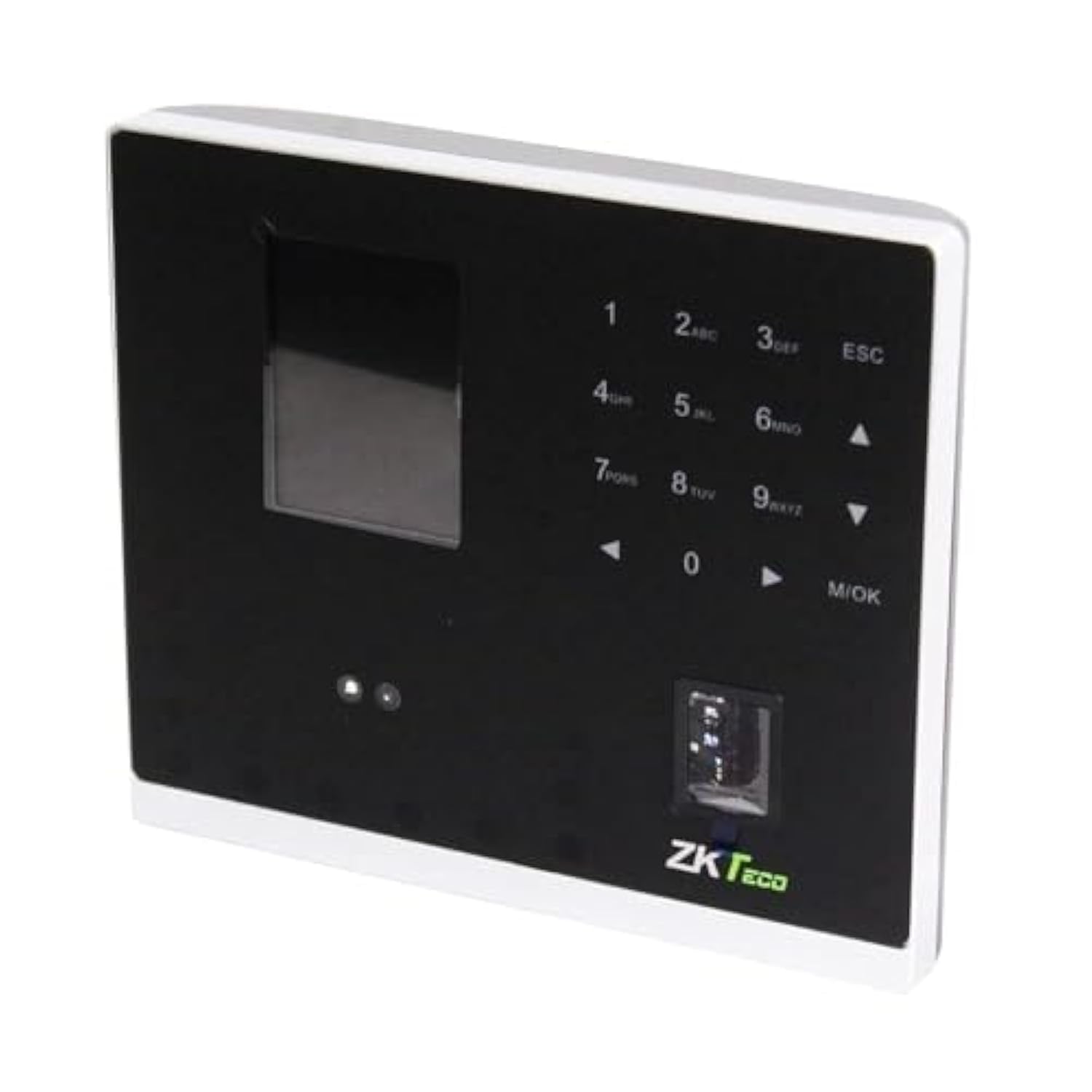
Rajah 1.1: ZKTeco MB2000 Access Control and Attendance Recording Device. This image shows the front view of the compact device, highlighting its fingerprint sensor and display screen.
2. Maklumat Keselamatan
Please read and understand all safety instructions before operating the device to prevent injury or damage.
- Bekalan Kuasa: Use only the specified power adapter provided with the device. Using an incorrect power supply may damage the device and void the warranty.
- Persekitaran: Do not expose the device to extreme temperatures, direct sunlight, or corrosive substances. While rated IPX7, prolonged submersion or exposure to high-pressure water jets is not recommended.
- Pengendalian: Avoid dropping or subjecting the device to strong impacts. Do not attempt to disassemble or repair the device yourself. Contact qualified service personnel for assistance.
- Pembersihan: Gunakan kain lembut dan kering untuk membersihkan. Jangan gunakan pembersih cecair atau aerosol.
3. Panduan Persediaan
3.1 Membongkar dan Pemeriksaan
Carefully remove the device and all accessories from the packaging. Inspect for any signs of damage. If any components are missing or damaged, contact your supplier immediately.
3.2 Memasang Peranti
The MB2000 can be mounted using the provided stand. Choose a stable, flat surface for placement. Ensure the device is positioned at a comfortable height for users to access the fingerprint sensor.
- Attach the stand securely to the back of the MB2000 device.
- Place the device with the stand on your desired surface.
- Ensure the device is stable and will not easily tip over.
3.3 Sambungan Kuasa
Sambungkan penyesuai kuasa ke port input kuasa peranti dan kemudian pasangkannya ke soket elektrik standard. Peranti akan dihidupkan secara automatik.
3.4 Tatarajah Awal
Upon first power-on, the device may prompt you to set up an administrator. Follow the on-screen instructions to register the first administrator fingerprint or card. This administrator will have privileges to manage users and device settings.
4. Arahan Operasi
4.1 Pendaftaran Pengguna
Untuk mendaftar pengguna baharu:
- Access the device menu using the administrator's fingerprint or card.
- Navigate to the 'User Management' section.
- Pilih 'Tambah Pengguna'.
- Enter the user's ID and name (if applicable).
- Register the user's fingerprint by placing their finger on the sensor multiple times as prompted.
- Alternatively, register a user card by presenting it to the device's card reader.
- Simpan maklumat pengguna.
4.2 Kawalan Akses
For access control, registered users can gain entry by:
- Pengesahan Cap Jari: Place a registered finger on the sensor. The device will verify the fingerprint and grant access if authorized.
- Card Presentation: Present a registered user card to the device's card reader. The device will verify the card and grant access if authorized.
4.3 Rakaman Kehadiran
The device automatically records attendance when a user successfully verifies their identity for access. The timestamp of the verification is logged as an attendance record.
4.4 Pengurusan Data
Attendance logs and user data can be managed through the device's interface or by connecting to a compatible software (if available). Refer to the device's on-screen menu for options to download data via USB or network connection.
5. Penyelenggaraan
5.1 Pembersihan
Pembersihan berkala membantu mengekalkan prestasi optimum:
- Sensor cap jari: Gently wipe the sensor surface with a soft, lint-free cloth. Do not use abrasive materials or harsh chemicals.
- Device Surface: Clean the device's exterior with a slightly damp cloth, then dry immediately with a soft, dry cloth.
5.2 Kemas Kini Perisian
Semak pengeluar website periodically for software or firmware updates. Updates can improve performance, add features, or fix bugs. Follow the provided instructions carefully when performing updates.
5.3 Sandaran Data
Regularly back up attendance logs and user data to prevent loss. This can typically be done via USB export or through connected management software.
6. Penyelesaian masalah
This section addresses common issues you might encounter with the MB2000 device.
| Masalah | Kemungkinan Punca | Penyelesaian |
|---|---|---|
| Peranti tidak dihidupkan. | No power, faulty adapter, or power outlet issue. | Check power connection. Ensure the adapter is correctly plugged in. Test the power outlet with another device. |
| Cap jari tidak dikenali. | Cap jari tidak berdaftar, sensor kotor atau penempatan yang salah. | Ensure the fingerprint is registered. Clean the sensor. Place the finger flat and centered on the sensor. Try re-registering the fingerprint. |
| Kad tidak dikenali. | Card not registered or incorrect card type. | Verify the card is registered. Ensure it is a compatible card type. |
| Isu pemindahan data. | Incorrect settings, cable issues, or software incompatibility. | Check network settings or USB cable connection. Ensure the management software is compatible and correctly configured. |
7. Spesifikasi Teknikal
| Spesifikasi | Perincian |
|---|---|
| Nombor Model | MB2000 |
| Jenama | ZKTeco |
| Dimensi Penghantaran | 31 x 25.5 x 12.5 cm |
| Berat Barang | 1.5 kg |
| Ciri Khas | Ringan |
| Ketersambungan | Tanpa wayar |
| warna | Hitam |
| Komponen yang Disertakan | Fingerprint device, stand, card |
| Penilaian Perlindungan Antarabangsa | IPX7 (kalis air) |
| Bilangan Saluran | 1 |
| Tarikh Tersedia Pertama | 6 November 2022 |
8. Waranti dan Sokongan
For warranty information, please refer to the warranty card included with your product or the purchase documentation. For technical support or service inquiries, please contact your local ZKTeco distributor or visit the official ZKTeco weblaman web untuk maklumat hubungan.


