pengenalan
This manual provides detailed instructions for the setup, operation, maintenance, and troubleshooting of your MageGee Star98 Wired Mechanical Gaming Keyboard. This keyboard features a 98-key layout, Red mechanical switches, and customizable backlighting, designed for an enhanced typing and gaming experience.
Apa yang ada dalam Kotak
- MageGee Star98 Mechanical Keyboard
- Kabel USB
- Additional Red Keycaps (quantity may vary)
Arahan Persediaan
- Sambungkan Papan Kekunci: Plug the provided USB cable into the USB port on the keyboard and then into an available USB port on your computer.
- Pemasangan Pemandu: The keyboard is plug-and-play and does not require additional driver installation for basic functionality. Your operating system (Windows, Mac, Linux, Android) will automatically recognize the device.
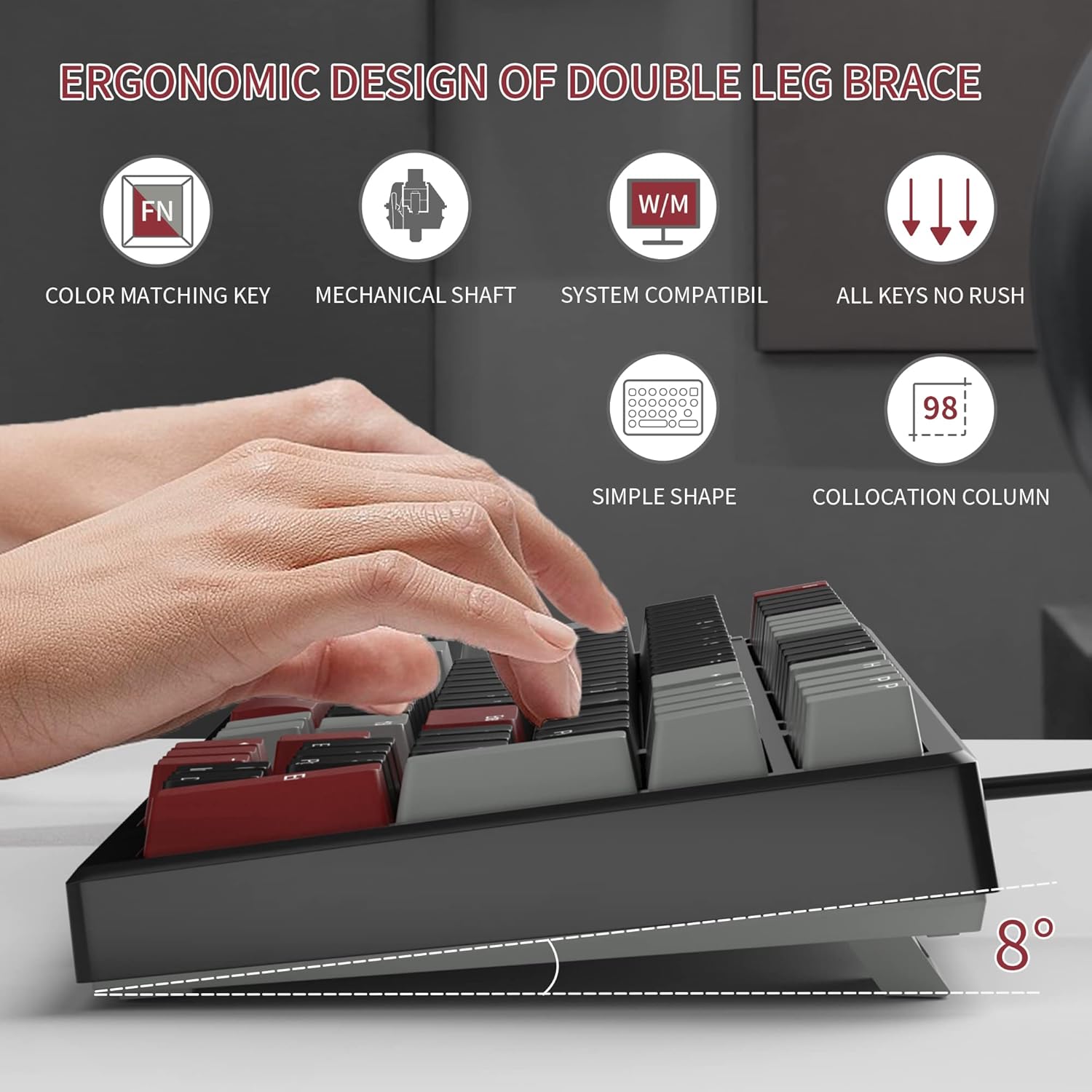
- Adjust Tilt Legs: For ergonomic comfort, you can extend the adjustable tilt legs located on the underside of the keyboard.
Arahan Operasi
Ciri-ciri Utama
- Susun Atur 98-Kekunci: This compact layout retains most standard keyboard functionality while saving desk space.
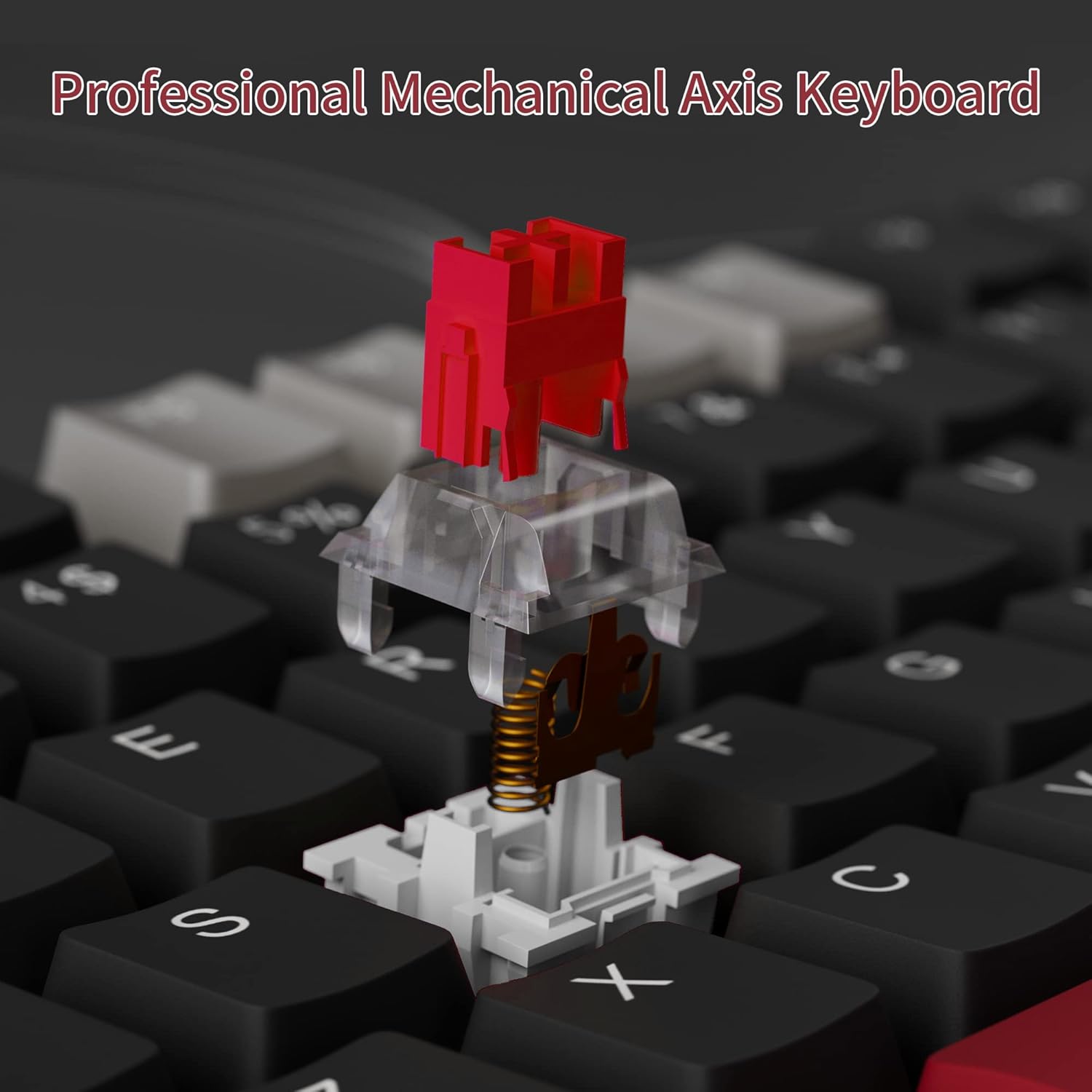
- Suis Mekanikal Merah: Provides a fast response with tactile feedback for typing and gaming.
- Anti-Ghosting: All 98 keys support anti-ghosting for simultaneous key presses.
- Reka Bentuk Boleh Tukar Panas: Compatible with most 3-pin and 5-pin mechanical switches, allowing for customization.
- Pencahayaan latar: Features solid sea blue backlighting with multiple operational modes.
- Kunci Kekunci MENANG: Function to prevent accidental presses of the Windows key during gaming.
Mod Lampu Latar
The keyboard's backlight has multiple operational modes. Refer to the keyboard's function key combinations (usually Fn + specific keys) for cycling through modes or turning the backlight off. Specific key combinations are typically printed on the keycaps or detailed in a quick start guide.
Suis Boleh Tukar Panas
The MageGee Star98 keyboard features a hot-swappable design, allowing users to change mechanical switches without soldering. This feature supports most 3-pin and 5-pin switches available on the market.
- Alih keluar Keycap: Use a keycap puller to gently remove the desired keycap.
- Alih Keluar Suis: Use a switch puller to carefully extract the mechanical switch from its socket.
- Masukkan Suis Baharu: Align the pins of the new switch with the holes on the PCB and press firmly until it clicks into place. Ensure pins are not bent.
- Gantikan Kekunci: Letakkan penutup kekunci semula pada batang suis baharu.


Penyelenggaraan
- Membersihkan Kap Kunci: Gunakan yang lembut, damp cloth to wipe down keycaps. For deeper cleaning, keycaps can be removed using a keycap puller and washed with mild soap and water, then thoroughly dried before reattaching.
- Pembersihan Di Bawah Penutup Kekunci: Gunakan udara termampat untuk membuang habuk dan serpihan dari antara suis dan di bawah penutup kekunci.
- Penjagaan Kabel: Elakkan selekoh tajam atau tarikan berlebihan pada kabel USB untuk mengelakkan kerosakan.
Menyelesaikan masalah
- Papan kekunci tidak bertindak balas:
- Pastikan kabel USB disambungkan dengan selamat ke kedua-dua papan kekunci dan komputer.
- Cuba palamkan papan kekunci ke port USB lain pada komputer anda.
- Uji papan kekunci pada komputer lain untuk menolak isu khusus sistem.
- Kunci tidak mendaftar atau menaip dua kali:
- Remove the keycap and switch for the affected key. Inspect for any debris or bent pins on the switch.
- If the switch is damaged, replace it with a new one (utilizing the hot-swappable feature).
- Pastikan suis dipasang sepenuhnya di dalam soketnya.
- Backlight not working or incorrect mode:
- Refer to the keyboard's function key combinations to cycle through backlight modes or turn it on/off.
- Pastikan papan kekunci menerima kuasa yang mencukupi daripada port USB.
Spesifikasi
| Ciri | Perincian |
|---|---|
| Jenama | MageGee |
| Model | Bintang98 |
| Teknologi Ketersambungan | Berwayar (USB) |
| Penerangan Papan Kekunci | mekanikal |
| Jenis Suis | Suis Merah |
| Kiraan Kunci | 98 Kekunci |
| Pencahayaan latar | Solid Sea Blue (Single Color) |
| Keserasian | Win2000, WinXP, WinME, Vista, Win7, Win8, Win10, Android, Linux, Mac |
| bahan | Akrilonitril Butadiena Stirena (ABS) |
| Berat Barang | 2.16 paun |
| Dimensi Pakej | 16.14 x 6.97 x 1.77 inci |
Waranti dan Sokongan
For warranty information and customer support, please refer to the official MageGee weblaman web atau hubungi khidmat pelanggan mereka secara langsung. Butiran biasanya diberikan bersama pembungkusan produk atau pada halaman pengilang webtapak.


