1. Pengenalan
Thank you for choosing the Xtreme Wireless Super Slim Keyboard. This manual provides essential information for setting up, operating, maintaining, and troubleshooting your new keyboard. Designed for universal use with Windows and Mac desktop computers, this keyboard offers a reliable wireless connection up to 33 feet away using its included USB Nano Receiver.
Apa yang ada di dalam Kotak:
- Xtreme Wireless Super Slim Keyboard
- Penerima Nano USB
Note: 2 AAA batteries are required and not included with this unit.
2. Persediaan
2.1 Pemasangan Bateri
The keyboard requires two (2) AAA batteries (not included) for operation.
- Cari penutup petak bateri di bahagian bawah papan kekunci.
- Luncurkan penutup terbuka.
- Masukkan dua bateri AAA, pastikan terminal positif (+) dan negatif (-) sejajar dengan penunjuk di dalam petak.
- Tutup penutup petak bateri dengan selamat.
2.2 Connecting the USB Nano Receiver
The Xtreme Wireless Super Slim Keyboard uses a plug-and-play USB Nano Receiver for wireless connectivity.
- Locate an available USB port on your desktop computer (Windows or Mac).
- Insert the USB Nano Receiver firmly into the USB port.
- Komputer anda sepatutnya mengesan dan memasang pemacu yang diperlukan secara automatik. Proses ini mungkin mengambil masa beberapa saat.
- Sebaik sahaja pemacu dipasang, papan kekunci sedia untuk digunakan.
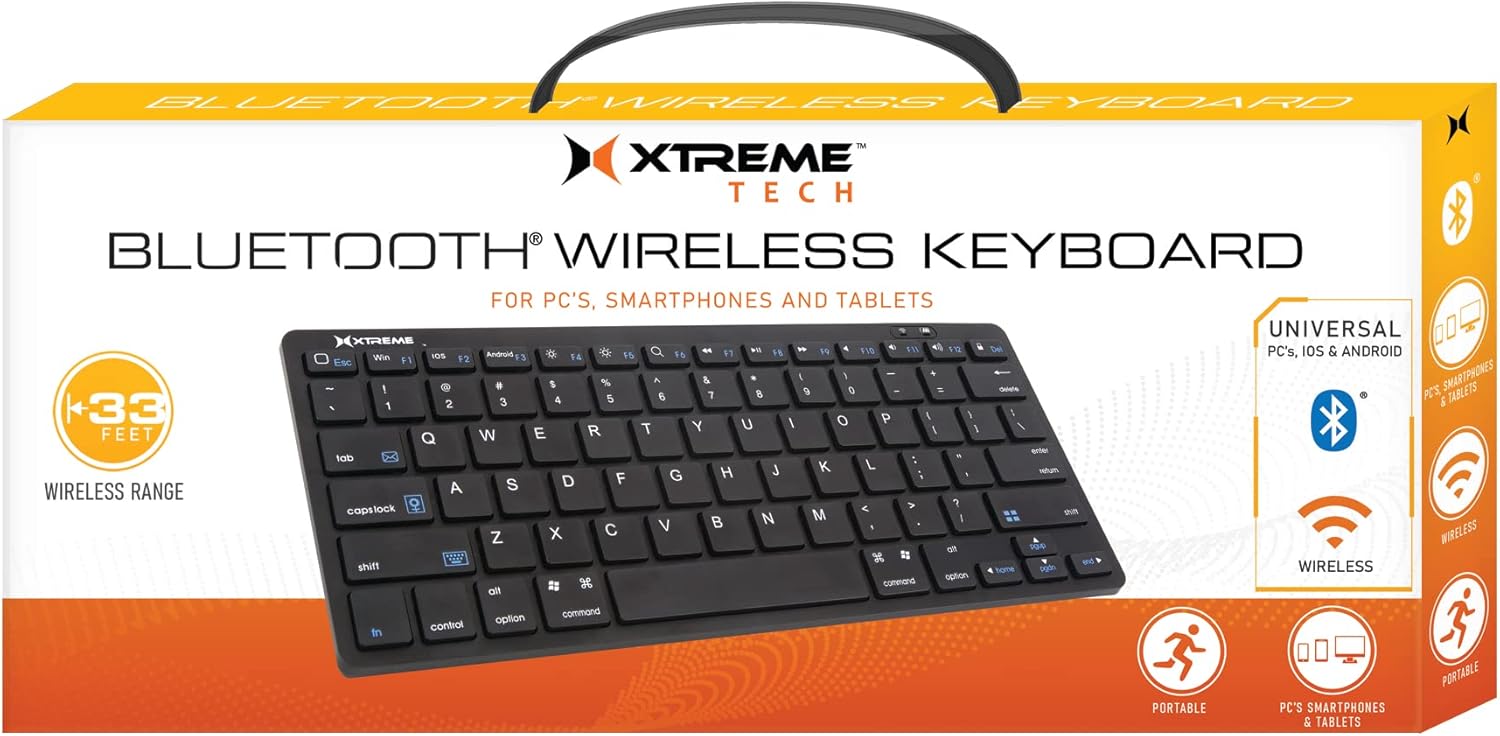
Image: The Xtreme Wireless Super Slim Keyboard shown with its compact design and the small USB Nano Receiver, ready for connection to a computer.
3. Mengendalikan Papan Kekunci
3.1 Operasi Asas
Once connected, the keyboard functions like a standard computer keyboard. Simply begin typing. The wireless connection allows you to operate the keyboard from a distance of up to 33 feet (approximately 10 meters) from your computer, providing flexibility in your workspace.
3.2 Keserasian
This keyboard is universally compatible with both Windows and Mac operating systems. No special software or complex setup is required beyond inserting the USB Nano Receiver.
4. Penyelenggaraan
4.1 Pembersihan
Untuk mengekalkan rupa dan fungsi papan kekunci:
- Use a soft, dry, lint-free cloth to wipe the surface of the keyboard.
- Untuk kotoran degil, sedikit dampLap kain dengan air atau larutan pembersih yang lembut dan tidak kasar. Elakkan kelembapan berlebihan.
- Do not spray cleaners directly onto the keyboard.
- Gunakan udara termampat untuk mengeluarkan habuk dan serpihan dari antara kekunci.
4.2 Penggantian Bateri
When the keyboard's performance degrades or it stops responding, it may be time to replace the batteries. Follow the battery installation steps in Section 2.1.
4.3 Penyimpanan
When not in use for extended periods, it is recommended to remove the batteries to prevent leakage and damage to the keyboard. Store the keyboard in a cool, dry place.
5. Penyelesaian masalah
5.1 Papan Kekunci Tidak Bertindak Balas
- Semak Bateri: Pastikan bateri AAA baru dipasang dengan betul.
- Check Receiver Connection: Make sure the USB Nano Receiver is securely plugged into a working USB port on your computer. Try a different USB port.
- Julat: Ensure the keyboard is within the 33-foot operating range of the receiver.
- Gangguan: Move the keyboard and receiver away from other wireless devices or large metal objects that might cause interference.
- Mulakan semula Komputer: Sometimes, a simple computer restart can resolve connectivity issues.
5.2 Keys Not Functioning Correctly
- Kekunci Bersih: Check for any debris or obstructions under the keys. Refer to Section 4.1 for cleaning instructions.
- Tahap Bateri: Low battery power can sometimes cause erratic key behavior. Replace batteries if necessary.
6. Spesifikasi
| Ciri | Perincian |
|---|---|
| Nama Model | XCA2-1004-BLK |
| Jenama | XTREME DIGITAL LIFESTYLE ACCESSORIES |
| Teknologi Ketersambungan | USB Wireless (via Nano Receiver) |
| Julat Tanpa Wayar | Sehingga 33 kaki (10 meter) |
| Peranti Serasi | PC (Windows), Mac |
| Sumber Kuasa | 2 x Bateri AAA (tidak termasuk) |
| warna | Hitam |
| Komponen yang Disertakan | Penerima Nano |
| Pengeluar | Aksesori Jem |
7. Waranti dan Sokongan
For information regarding warranty coverage and technical support for your Xtreme Wireless Super Slim Keyboard, please refer to the documentation included with your product packaging or visit the official XTREME DIGITAL LIFESTYLE ACCESSORIES website. You may also contact the seller, AllTech 365, for purchase-specific support.
Sumber Dalam Talian:


