1. Pengenalan
Thank you for choosing the PUREMIC Wireless Karaoke Microphone Q1PRO. This handheld, rechargeable microphone system is designed to provide crystal clear sound quality and versatile connectivity for various entertainment setups, including cars, speakers, phones, TVs, laptops, and tablets. Enjoy 8 unique sound effects to enhance your karaoke experience.
This manual provides detailed instructions for setting up, operating, and maintaining your PUREMIC Q1PRO microphone to ensure optimal performance and longevity.

Figure 1: Wide Compatibility of PUREMIC Q1PRO
2. Apa yang ada di dalam Kotak
Sila semak kandungan pakej untuk memastikan semua item ada:
- Mikrofon x 1
- Penerima Mikrofon x 1
- Kabel Jenis-C x 1
- Portable Bag x 1
- Manual Pengguna x 1 (Dokumen ini)

Rajah 2: Kandungan Pakej
3. Panduan Persediaan
3.1. Mengecas Peranti
Both the microphone and the receiver have built-in rechargeable batteries. Ensure both devices are fully charged before first use for optimal performance.
- Connect the provided Type-C cable to the charging port on both the microphone and the receiver.
- Plug the other end of the Type-C cable into a standard USB power adapter (not included).
- The indicator light on the devices will show charging status (refer to device for specific light behavior).
- A full charge provides approximately 15 hours of playtime for the microphone and up to 4 hours for the receiver.

Rajah 3: Hayat Bateri Berakhirview
3.2. Connecting to a Car Audio System
Follow these steps to connect your PUREMIC Q1PRO to your car's audio system via the AUX input:
- Insert the 3.5mm AUX cable of the receiver into your car's AUX connection socket.
- Press and hold the receiver's power button to turn it on. The indicator light will illuminate.
- Turn on the microphone by pressing its power button. The blue indicator light will turn on.
- Pada telefon pintar atau tablet anda, pergi ke tetapan Bluetooth dan cari peranti yang tersedia.
- Select 'Loostone PureMic Q1PRO' (or similar name) from the list to pair.
- Once paired, you can play music from your phone through the car's speakers and use the microphone for karaoke.
Video 1: How to Connect Puremic Q1 Microphone to Car/Speaker/Phone. This video demonstrates the connection process for both car and speaker setups.

Figure 4: Connecting to Car Audio System
3.3. Connecting to a Speaker or Other Devices
To connect your PUREMIC Q1PRO to a speaker, TV, or other compatible device:
- Insert the 3.5mm AUX cable of the receiver into the AUX input of your speaker or device.
- Press and hold the receiver's power button to turn it on.
- Turn on the microphone by pressing its power button.
- On your smartphone, tablet, or other Bluetooth-enabled device, go to Bluetooth settings and search for 'Loostone PureMic Q1PRO' (or similar name).
- Select the device to pair. Once connected, audio from your device will play through the speaker, and the microphone will be ready for use.

Figure 5: Connecting to a Portable Speaker
4. Arahan Operasi
4.1. Hidupkan/Mati Kuasa dan Kawalan Kelantangan
- Hidupkan kuasa: Tekan dan tahan butang kuasa (⏻) on both the microphone and the receiver until the indicator light turns on.
- Matikan: Tekan dan tahan butang kuasa (⏻) again until the indicator light turns off.
- Kawalan Kelantangan: Gunakan sehingga (▲) dan ke bawah (▼) arrow buttons on the microphone to adjust the microphone's volume.
4.2. Kesan Bunyi
The PUREMIC Q1PRO features 8 unique sound effects to enhance your singing. Press the effect button (⊞) on the microphone to cycle through the available effects:
- Standard Effect
- Male Effect
- Female Effect
- Children Effect
- Monster Effect
- Concert Effect
- Living Room Effect
- K.T.V. Effect
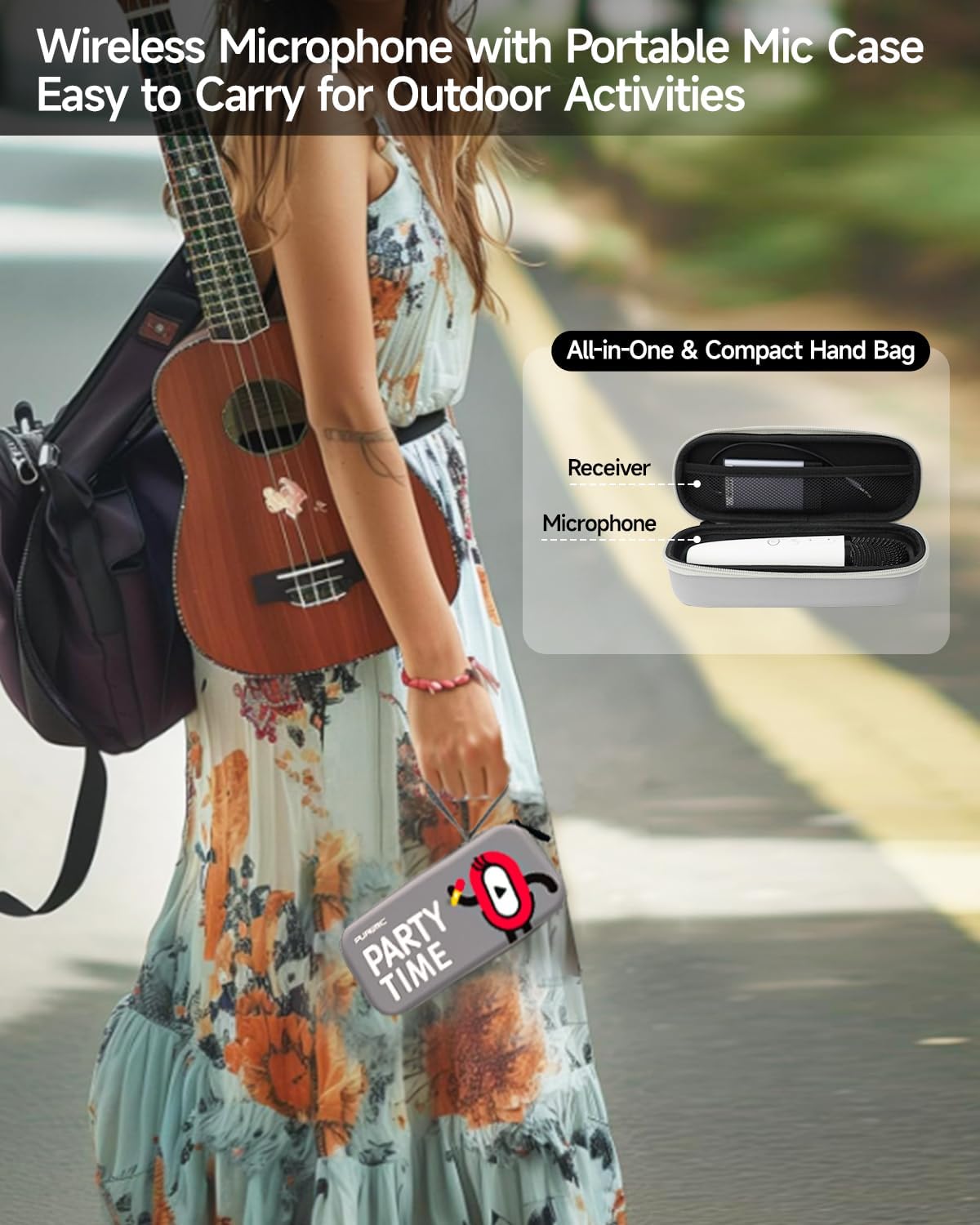
Figure 6: Available Sound Effects
5. Penyelenggaraan
- Pembersihan: Wipe the microphone and receiver with a soft, dry cloth. Do not use harsh chemicals or abrasive cleaners.
- Storan: When not in use, store the microphone and receiver in the provided portable bag to protect them from dust and damage.
- Penjagaan Bateri: Untuk memanjangkan hayat bateri, elakkan daripada menyahcas sepenuhnya peranti dengan kerap. Mengecasnya dengan kerap, walaupun tidak digunakan secara berterusan.
- Keadaan Persekitaran: Elakkan mendedahkan peranti kepada suhu yang melampau, cahaya matahari langsung atau kelembapan yang tinggi.

Figure 7: Portable Storage Bag
6. Penyelesaian masalah
| Masalah | Kemungkinan Punca | Penyelesaian |
|---|---|---|
| Tiada bunyi dari mikrofon | Microphone or receiver is off; Low battery; Incorrect connection; Volume too low. | Ensure both devices are powered on and charged. Check AUX cable connection. Increase microphone and speaker volume. |
| Penggandingan Bluetooth gagal | Receiver not in pairing mode; Device too far; Interference. | Ensure receiver is on and ready to pair. Move devices closer. Turn off other Bluetooth devices. Restart both devices and try again. |
| Sound distortion or feedback | Microphone too close to speaker; Volume too high; Environmental interference. | Increase distance between microphone and speaker. Lower microphone or speaker volume. Move away from other electronic devices. |
| Hayat bateri pendek | Incomplete charging; Old battery. | Ensure devices are fully charged. If battery life significantly degrades, contact customer support. |
7. Spesifikasi
| Ciri | Perincian |
|---|---|
| Nama Model | Bluetooth Microphone-Q1PRO |
| Berat Barang | 12 auns (0.75 paun) |
| Dimensi Produk | 8.46 x 3.15 x 2.36 inci |
| bahan | Akrilonitril Butadiena Stirena |
| warna | putih |
| Sumber Kuasa | Dikuasakan Bateri (termasuk 1 bateri Polimer Litium) |
| Teknologi Ketersambungan | UHF |
| Jenis Penyambung | Jack 3.5 mm |
| Faktor Bentuk Mikrofon | pegang tangan |
| Corak Kutub | Satu arah |
| Julat Kekerapan | 657MHz - 662MHz |
| Respons Kekerapan | 20000 Hz |
| Nisbah Isyarat-ke-Bunyi | 75 dB |
| Ciri Khas | Battery Indicator Light, Volume Control, Mute Function, Noise Reduction, 8 Sound Effects |
| Peranti Serasi | Television, Car, Smartphone, Karaoke Machine, Speaker |
| Pengeluar | LOOSTONE |
| Negara Asal | China |
| Tarikh Mula-mula Tersedia | 21 Oktober 2022 |

Rajah 8: Dimensi Produk
8. Waranti dan Sokongan
PUREMIC products are designed for quality and reliability. For warranty information, technical support, or any inquiries regarding your PUREMIC Wireless Karaoke Microphone Q1PRO, please refer to the contact information provided on the product packaging or visit the official PUREMIC webtapak.
Sila simpan bukti pembelian anda untuk tuntutan waranti.


