1. Pengenalan
Terima kasih kerana membeliasing the Admiral 50 Inch 4K Smart LED TV, model ADL50UMSACN. This manual provides essential information for the safe and efficient use of your new television. Please read this manual thoroughly before operating the TV and retain it for future reference.
This television features a 50-inch 4K UHD display, integrated Google Android TV for smart functionality, Dolby Sound System, built-in Chromecast, Bluetooth, and Wi-Fi connectivity, offering a comprehensive home entertainment experience.
2. Maklumat Keselamatan
Arahan Keselamatan Penting:
- Baca semua arahan sebelum mengendalikan TV.
- Keep the TV away from heat sources, direct sunlight, and water.
- Pastikan pengudaraan yang betul di sekitar TV untuk mengelakkan terlalu panas. Jangan halang bukaan pengudaraan.
- Gunakan hanya kord kuasa yang dibekalkan bersama TV. Jangan bebankan soket kuasa secara berlebihan.
- Lindungi kord kuasa daripada berjalan atau tersepit.
- Cabut palam TV semasa ribut petir atau apabila tidak digunakan untuk tempoh yang lama.
- Jangan cuba servis TV sendiri. Rujuk semua servis kepada kakitangan perkhidmatan yang berkelayakan.
- Jauhkan bahagian-bahagian kecil dan bateri daripada capaian kanak-kanak.
3. Kandungan Pakej
Sila pastikan semua item ada dan dalam keadaan baik:
- Admiral 50 Inch 4K Smart LED TV
- Stand TV (2 keping)
- Alat Kawalan Jauh
- Kabel Kuasa
- Manual Pengguna (dokumen ini)
- Skru untuk Pemasangan Stand
4. Persediaan
4.1 Membongkar TV
Carefully remove the TV from its packaging. It is recommended to have two people for this process due to the size and weight of the television. Place the TV screen-down on a soft, flat surface (like a blanket or foam) to prevent damage during stand installation.
4.2 Memasang Kaki TV
Untuk memasang penyangga yang disertakan:
- Kenal pasti bahagian penyangga kiri dan kanan.
- Jajarkan setiap bahagian dirian dengan slot yang sepadan di bahagian bawah TV.
- Pasangkan setiap bahagian penyangga menggunakan skru yang disediakan. Pastikan ia diketatkan dengan kuat tetapi jangan terlalu ketat.
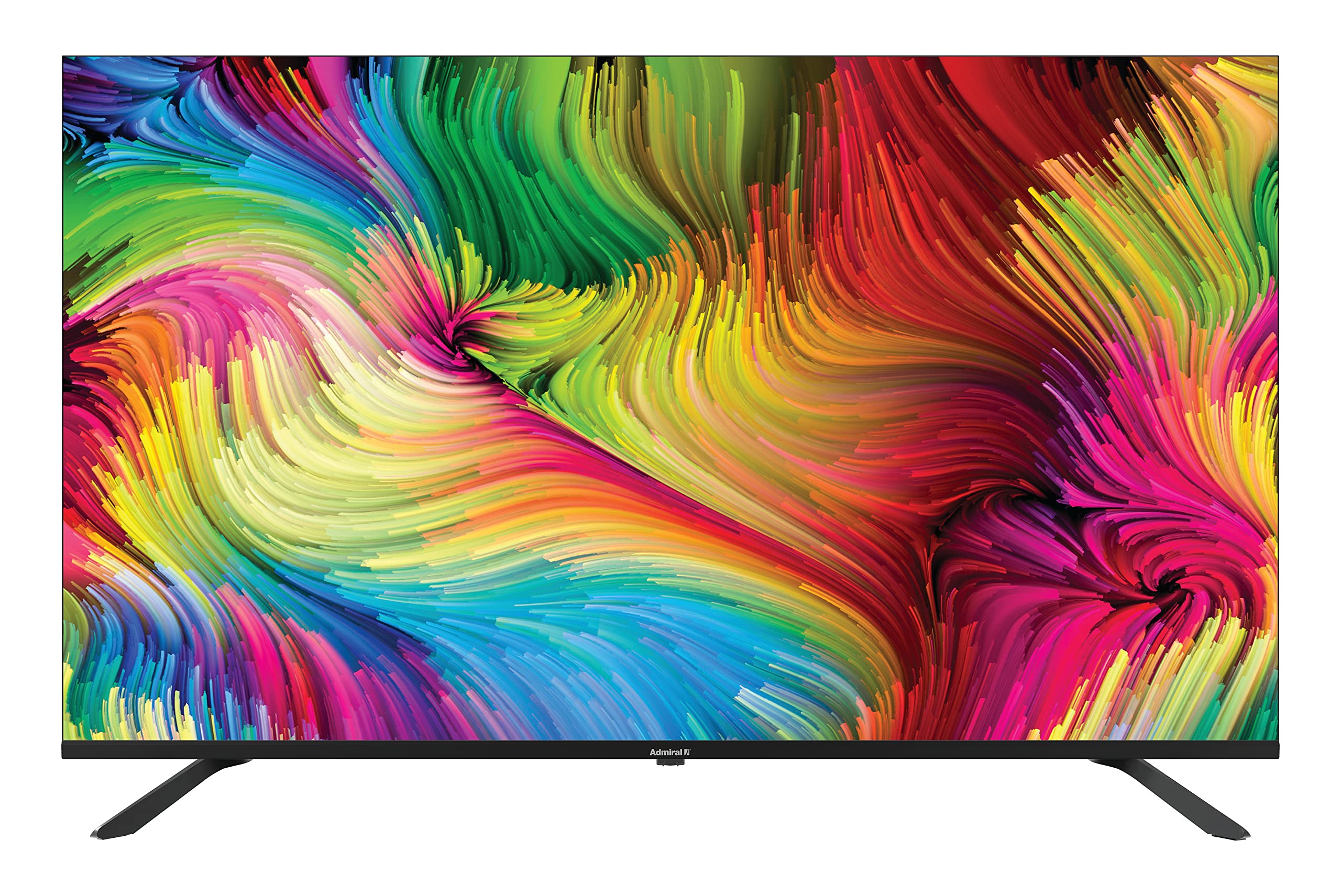
Image: Admiral 50 Inch 4K Smart LED TV with its stand attached, viewed dari sudut.
4.3 Pemasangan Dinding (Pilihan)
If you choose to wall mount your TV, please consult a professional installer. The TV uses a VESA compatible mounting pattern. Ensure the wall mount can support the weight of the TV (approximately 9.3 kg) and is installed securely.
4.4 Menyambung Peranti
Connect your external devices (e.g., cable box, Blu-ray player, gaming console) to the appropriate ports on the back or side of the TV. Common connections include HDMI for high-definition video and audio.

Imej: Sisi view of the Admiral 50 Inch 4K Smart LED TV, illustrating the slim profile and potential locations for connectivity ports.
4.5 Kuasa Penyambungan dan Persediaan Awal
After connecting all devices, plug the power cable into the TV and then into a wall outlet. Press the power button on the TV or remote control. The TV will guide you through the initial setup process, including language selection, network connection (Wi-Fi), and channel scanning.
5. Arahan Operasi
5.1 Fungsi Kawalan Jauh
The remote control allows you to access all TV functions. Familiarize yourself with the buttons for power, volume, channel selection, input source, and smart TV navigation.

Image: A person comfortably seated, operating the Admiral 50 Inch 4K Smart LED TV with a remote control.
5.2 Smart TV Features (Google Android TV)
Your Admiral TV runs on Google Android TV, providing access to a wide range of applications and services:
- Akses Apl: Navigate to the home screen to find pre-installed apps like Netflix, YouTube, and Amazon Instant Video. You can download more apps from the Google Play Store.
- Chromecast Terbina dalam: Stream content (videos, music, photos) directly from your compatible smartphone, tablet, or computer to the TV screen.
- Kesambungan Wi-Fi: Connect to your home wireless network for internet access and smart features.
- Bluetooth: Pair Bluetooth-enabled devices such as headphones or game controllers for enhanced audio or gaming experiences.
- Kawalan Suara: Use the voice assistant feature (if available on your remote) to search for content, control playback, and more.
5.3 Fungsi Asas TV
- Hidupkan/Mati Kuasa: Tekan butang kuasa pada alat kawalan jauh atau TV.
- Kawalan Kelantangan: Gunakan butang Kelantangan Naik/Turun.
- Pemilihan Saluran: Gunakan butang Saluran Atas/Bawah atau pad nombor.
- Sumber Input: Press the 'Input' or 'Source' button to switch between HDMI, AV, TV, etc.
- Menu Tetapan: Access picture, sound, network, and system settings via the 'Settings' button on your remote.
6. Penyelenggaraan
6.1 Membersihkan Skrin
Untuk membersihkan skrin, lap perlahan-lahan dengan kain lembut yang tidak berbulu. Untuk tanda degil, ringankan dampen kain dengan air atau pembersih skrin khusus. Do not use harsh chemicals, abrasive cleaners, or alcohol-based solutions as they can damage the screen surface.
6.2 Cleaning the TV Cabinet
Wipe the TV cabinet with a soft, dry cloth. If necessary, a slightly damp cloth can be used, followed by a dry cloth. Ensure no liquid enters the ventilation openings.
6.3 Penyimpanan
If you need to store the TV for an extended period, unplug it from the power outlet, remove batteries from the remote, and cover it to protect against dust. Store in a cool, dry place.
7. Penyelesaian masalah
Sebelum menghubungi sokongan pelanggan, sila rujuk isu dan penyelesaian biasa berikut:
- Tiada Kuasa: Pastikan kabel kuasa dipasang dengan kukuh pada TV dan soket dinding yang berfungsi. Cuba pasang peranti lain ke soket yang sama untuk mengesahkan ia mempunyai kuasa.
- Tiada Gambar atau Bunyi:
- Check that the correct input source is selected (e.g., HDMI 1, AV).
- Sahkan semua kabel disambungkan dengan selamat.
- Tingkatkan tahap kelantangan.
- Alat Kawalan Jauh Tidak Berfungsi:
- Gantikan bateri dengan yang baru.
- Pastikan tiada halangan antara alat kawalan jauh dan penderia IR TV.
- Smart Features/Internet Not Working:
- Check your Wi-Fi connection in the TV's network settings.
- Restart your home router/modem.
- Mulakan semula TV dengan mencabutnya dari salur keluar kuasa selama beberapa minit, kemudian pasangkannya semula.
- Kualiti Gambar Lemah:
- Check the resolution settings of your connected device.
- Laraskan tetapan gambar (kecerahan, kontras, ketajaman) dalam menu TV.
- Ensure the signal source (antenna, cable, streaming) is strong and clear.
8. Spesifikasi
| Ciri | Spesifikasi |
|---|---|
| Jenama | Laksamana |
| Nombor Model | ADL50UMSACN |
| Saiz Skrin | 50 Inci |
| Teknologi Paparan | LED |
| Resolusi | 4K UHD (3840 x 2160) |
| Kadar Segar Semula | 60 Hz |
| Sistem Operasi | TV Android Google |
| Teknologi Ketersambungan | Wi-Fi, Bluetooth |
| Ciri Khas | Browser, Chromecast Built-in |
| Perkhidmatan Internet yang Disokong | Amazon Instant Video, Netflix, YouTube |
| Dimensi Produk (dengan pendirian) | 111 x 31 x 69.7 cm |
| Berat Barang | 9.3 Kilogram |
| Komponen yang Disertakan | Berdiri, TV |
9. Waranti dan Sokongan
Your Admiral 50 Inch 4K Smart LED TV ADL50UMSACN comes with a Waranti 2 tahun. Sila simpan bukti pembelian anda untuk tuntutan waranti.
For technical assistance, troubleshooting beyond this manual, or warranty service, please contact Admiral customer support. Refer to the contact information provided with your purchase documentation or visit the official Admiral webtapak untuk butiran sokongan.


