1. Pengenalan
This manual provides detailed instructions for the setup, operation, and maintenance of your CUPEISI Android 14 Tablet, Model Q2S. Please read this manual thoroughly before using your device to ensure proper functionality and to maximize its lifespan.
The CUPEISI Q2S is a 7-inch tablet featuring the Android 14 operating system, a 1.6GHz Quad-core processor, 8GB RAM (4GB fixed, 4GB virtual), 32GB internal storage expandable up to 1TB, a 1024x600 IPS touch screen, and dual cameras.
2. Kandungan Pakej
Sahkan bahawa semua item yang disenaraikan di bawah terdapat dalam pembungkusan produk anda:
- CUPEISI Android 14 Tablet (Model Q2S)
- Kabel USB Jenis-C
- Manual Pengguna (dokumen ini)
Jika ada item yang hilang atau rosak, sila hubungi sokongan pelanggan.
3. Peranti Lebihview
Biasakan diri anda dengan komponen fizikal tablet anda.
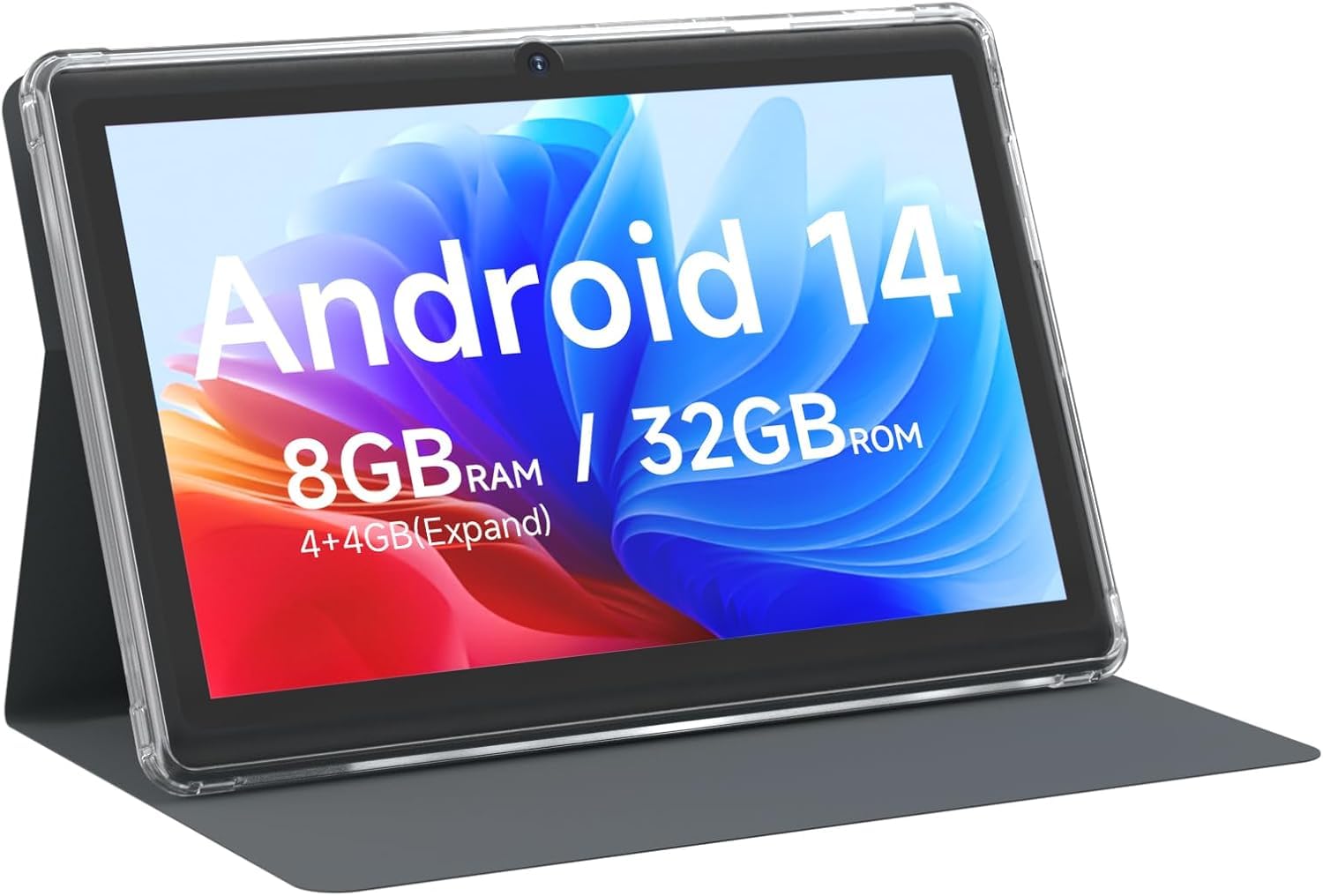
Rajah 3.1: Depan view of the CUPEISI Q2S Tablet, showing the display with various application icons.

Rajah 3.2: Depan dan belakang views of the CUPEISI Q2S Tablet, highlighting its compact design and textured rear panel.

Rajah 3.3: The 7-inch IPS screen of the CUPEISI Q2S Tablet, showcasinkualiti paparannya.
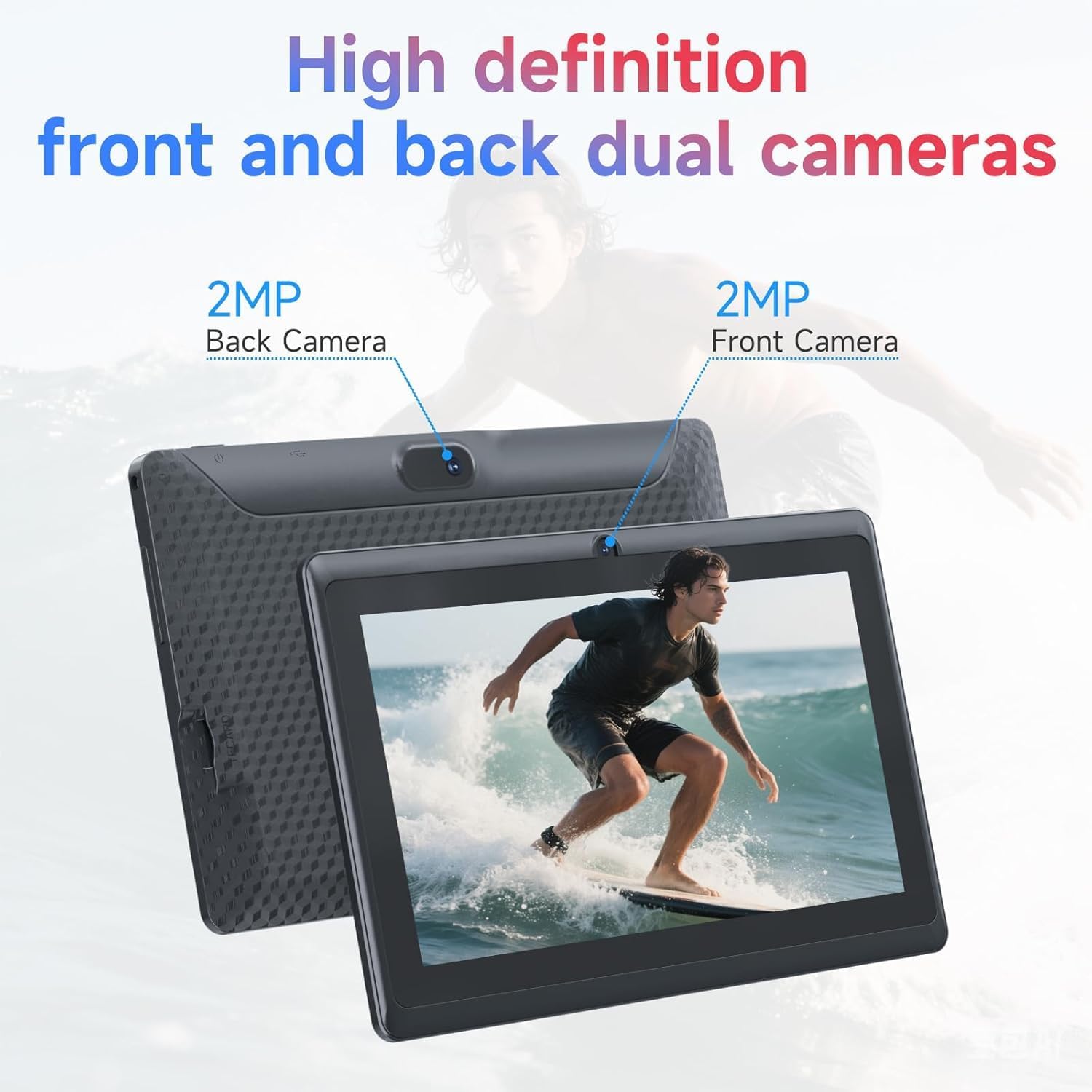
Rajah 3.4: Illustration of the CUPEISI Q2S Tablet's front and rear camera locations.
3.1 Butang dan Port
- Butang Kuasa: Press and hold to turn the tablet on or off. Press briefly to sleep or wake the screen.
- Butang Kelantangan: Laraskan kelantangan audio.
- Port USB Jenis-C: For charging the tablet and connecting to a computer for data transfer.
- Slot Kad MicroSD: Insert a microSD card for expanded storage.
- Kamera Depan: Located on the front bezel, used for video calls and selfies.
- Kamera Belakang: Located on the back panel, used for taking photos and videos.
- Penceramah: Output audio.
4. Persediaan
4.1 Mengecas Tablet
Before first use, fully charge the tablet. Connect the provided Type-C USB cable to the tablet's charging port and the other end to a compatible USB power adapter (not included) or a computer's USB port. The battery indicator on the screen will show charging status.
4.2 Menghidupkan/Mematikan
- Untuk Menghidupkan: Press and hold the Power button until the CUPEISI logo appears.
- Untuk Mematikan: Tekan dan tahan butang Kuasa sehingga menu pilihan kuasa muncul. Pilih "Matikan kuasa" dan sahkan.
- Untuk Mulakan Semula: Daripada menu pilihan kuasa, pilih "Mulakan Semula" dan sahkan.
4.3 Wizard Persediaan Awal
Upon first power-on, the tablet will guide you through an initial setup process:
- Pemilihan Bahasa: Pilih bahasa pilihan anda.
- Sambungan Wi-Fi: Connect to an available Wi-Fi network. This is essential for downloading apps and accessing online services.
- Akaun Google: Sign in with your Google account or create a new one. This allows access to Google Play Store, Gmail, and other Google services.
- Tarikh & Masa: Tetapkan tarikh dan masa yang betul, atau benarkan rangkaian menetapkannya secara automatik.
- Kunci skrin: Set up a PIN, pattern, or password for screen security.
5. Arahan Operasi
5.1 Navigasi Asas
- Gerak isyarat sentuh: Ketik untuk memilih, leret untuk menatal, cubit untuk mengezum.
- Skrin Utama: Hab pusat untuk aplikasi dan widget anda.
- Panel Pemberitahuan: Leret ke bawah dari bahagian atas skrin untuk mengakses pemberitahuan dan tetapan pantas.
- Laci Apl: Leret ke atas dari bawah skrin ke view semua aplikasi yang dipasang.
5.2 Installing and Managing Apps
You can download and install applications from the Google Play Store. The tablet is GMS certified, ensuring compatibility with Google services.
- Pasang Apl: Buka Gedung Play app, search for your desired app, and tap "Install".
- Nyahpasang Apl: Press and hold an app icon on the home screen or app drawer, then drag it to "Uninstall" or select the uninstall option. Alternatively, go to Tetapan > Aplikasi > Lihat semua aplikasi, select the app, and tap "Uninstall".
6. Ketersambungan
6.1 Sambungan Wi-Fi
Untuk menyambung ke rangkaian Wi-Fi:
- Pergi ke Tetapan > Rangkaian & Internet > Wi-Fi.
- Togol Wi-Fi On.
- Pilih rangkaian yang anda inginkan daripada senarai rangkaian yang tersedia.
- Masukkan kata laluan jika digesa dan ketik Sambung.
The tablet supports 2.4G/5G WiFi 6 for faster and more stable connections.
6.2 Berpasangan Bluetooth
To pair with a Bluetooth device (e.g., headphones, speakers):
- Pergi ke Tetapan> Peranti yang disambungkan> Pilihan sambungan> Bluetooth.
- Togol Bluetooth On.
- Pastikan peranti Bluetooth anda berada dalam mod berpasangan.
- Ketik Pasangkan peranti baru and select your device from the list.
- Ikut sebarang gesaan pada skrin untuk melengkapkan gandingan.
7. Penggunaan Kamera
Your tablet is equipped with a 2MP front camera and a 5MP rear camera.
- Buka Kamera apl.
- Ketik ikon kamera untuk bertukar antara kamera hadapan dan belakang.
- Ketik butang pengatup untuk mengambil foto.
- Pilih mod video untuk merakam video.
8. Pengurusan Storan
The tablet comes with 32GB of internal storage. You can expand this storage up to 1TB using a microSD card.

Rajah 8.1: Tablet screen illustrating available storage space (8GB RAM, 32GB ROM).
8.1 Memasukkan Kad MicroSD
- Cari slot kad mikroSD pada sisi tablet.
- Carefully insert the microSD card into the slot until it clicks into place.
- The tablet will detect the new storage. You may be prompted to format the card for optimal use with the tablet.
8.2 Mengurus Storan
Kepada view and manage your storage, go to Tetapan > Storan. Here you can see how much space is used by apps, photos, videos, and other files, and manage your microSD card.
9. Penyelenggaraan
9.1 Membersihkan Tablet
- Gunakan kain lembut dan tidak berbulu untuk membersihkan skrin dan badan tablet.
- Untuk calitan degil, sedikit dampen kain dengan air atau pembersih skrin yang direka untuk elektronik.
- Elakkan menggunakan bahan kimia yang keras, pembersih yang melelas, atau semburan aerosol.
9.2 Penjagaan Bateri
- Avoid exposing the tablet to extreme temperatures (hot or cold).
- Do not allow the battery to fully discharge frequently. Charge it before it drops below 20%.
- Gunakan hanya kabel Jenis-C yang disediakan untuk pengecasan.
9.3 Kemas Kini Perisian
Semak kemas kini perisian secara berkala untuk memastikan prestasi dan keselamatan yang optimum. Pergi ke Tetapan > Sistem > Kemas kini sistem.
10. Penyelesaian masalah
Bahagian ini menangani isu biasa yang mungkin anda hadapi dengan tablet anda.
10.1 Tablet Does Not Turn On
- Ensure the tablet is sufficiently charged. Connect it to a power source and wait a few minutes before attempting to power it on again.
- Tekan dan tahan butang Kuasa selama sekurang-kurangnya 10-15 saat untuk melakukan mula semula secara paksa.
10.2 Slow Performance or Apps Crashing
- Tutup aplikasi latar belakang yang tidak diperlukan.
- Clear the cache of frequently used apps (Tetapan > Apl > Lihat semua apl > [Nama Apl] > Storan & cache > Kosongkan cache).
- Ensure you have sufficient free storage space. Uninstall unused apps or move large files ke kad microSD.
- Mulakan semula tablet.
10.3 Isu Sambungan Wi-Fi
- Ensure Wi-Fi is enabled on the tablet (Tetapan > Rangkaian & Internet > Wi-Fi).
- Mulakan semula penghala Wi-Fi anda.
- Forget the network and reconnect (Tetapan > Rangkaian & Internet > Wi-Fi, tap the network, then lupa).
10.4 Bateri Habis Cepat
- Kurangkan kecerahan skrin.
- Lumpuhkan Wi-Fi, Bluetooth dan GPS apabila tidak digunakan.
- Tutup aplikasi latar belakang yang menggunakan kuasa yang tinggi.
- Semak penggunaan bateri masuk Tetapan > Bateri untuk mengenal pasti apl yang haus kuasa.
11. Spesifikasi
Detailed technical specifications for the CUPEISI Android 14 Tablet Q2S.
| Nama Model | Q8MPRO |
| Nombor Model Item | S2S |
| Sistem Operasi | Android 14 |
| Pemproses | 1.6 GHz Quad-core (ARM) |
| RAM | 8GB (4GB fixed, 4GB virtual) |
| Storan Dalaman | Memori Denyar 32 GB |
| Storan Boleh Dikembangkan | Sehingga 1TB melalui kad MicroSD |
| Saiz Skrin | 7 Inci |
| Resolusi Skrin | 1024 x 600 pixels IPS HD Touch Screen |
| Kamera Belakang | 5 MP |
| Kamera Depan | 2 MP |
| Jenis Wayarles | 802.11g (2.4G/5G WiFi 6) |
| Bluetooth | BT 5.0 |
| Purata Hayat Bateri | 6 Jam |
| Berat Barang | 13.4 auns |
| Dimensi Produk | 7.5 x 0.3 x 4.3 inci |
12. Maklumat Keselamatan
- Do not expose the tablet to water or excessive moisture.
- Avoid dropping or subjecting the tablet to severe impacts.
- Do not attempt to disassemble or repair the tablet yourself. This may void the warranty and cause damage.
- Use the tablet in well-ventilated areas.
- Jauhkan tablet daripada medan magnet yang kuat.
- Buang tablet dan baterinya secara bertanggungjawab mengikut peraturan tempatan.
13. Waranti dan Sokongan
For warranty information and customer support, please refer to the documentation provided with your purchase or visit the official CUPEISI website. If you encounter any issues not covered in this manual, please contact CUPEISI customer service for assistance.


