1. Pengenalan
Thank you for choosing the OwLUCK Light Socket Security Camera. This device is designed to provide comprehensive surveillance for your home or office with easy installation and smart features. It offers 720p video resolution, full-color night vision, motion detection, two-way audio, and compatibility with Amazon Alexa and Google Home. This manual will guide you through the setup, operation, and maintenance of your new security camera.

Image: The OwLUCK Light Socket Security Camera, showcasing its light bulb form factor and an example of the mobile application interface with live view and tracking alarm features.
2. Produk Lebihview
The OwLUCK Light Socket Security Camera integrates seamlessly into standard E27 screw bulb connectors, offering a discreet and versatile surveillance solution. Its design includes advanced features for reliable monitoring.
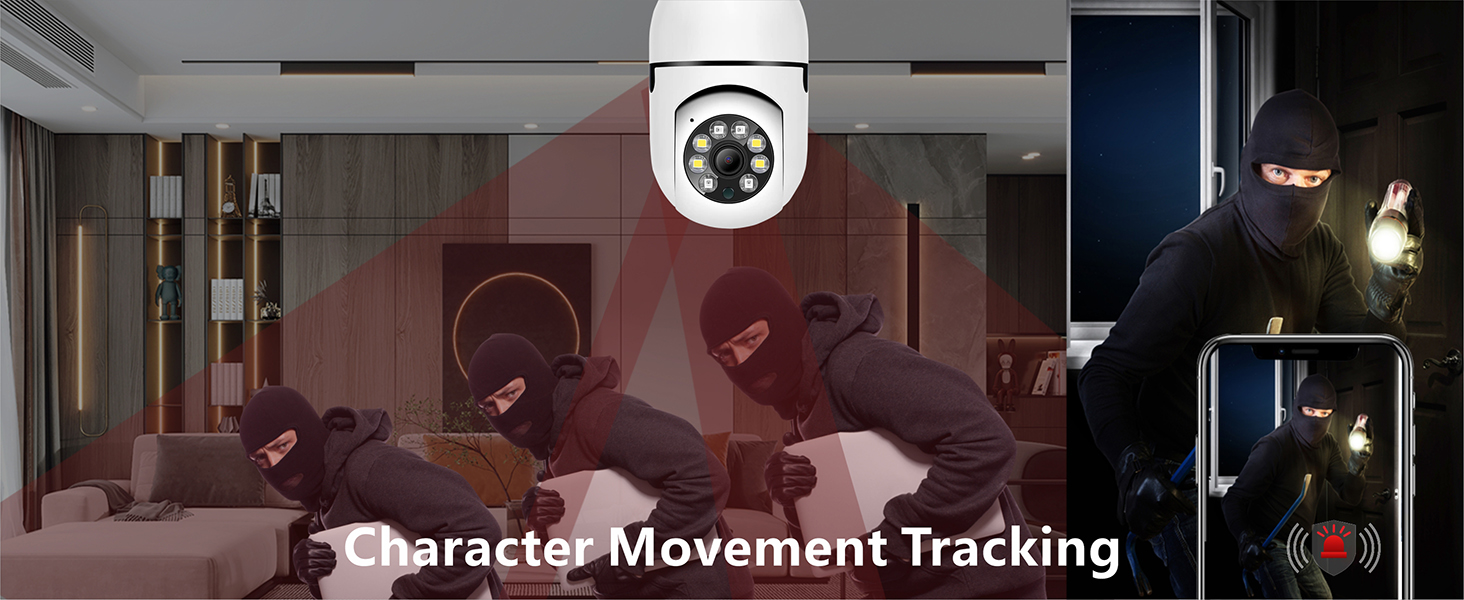
Image: A detailed diagram illustrating the key components of the light bulb camera, including the E27 screw bulb connector, infrared sensors, camera lens, microphone, sound sensor, speaker, antenna, reset hole, and SD card slot.
Ciri-ciri Utama:
- Pemasangan Mudah: Screws directly into a standard E27 light socket.
- Video HD 720p: Provides clear video capture for monitoring.
- Panorama 360 ° View: Menawarkan bidang yang luas view with 360-degree horizontal rotation and 95-degree vertical tilt, eliminating blind spots.
- Penglihatan Malam Warna Penuh: Enhanced visibility in low-light conditions, providing clear, colorful images even at night.
- Pengesanan & Penjejakan Gerakan: Automatically detects movement, tracks subjects, and sends real-time alerts to your mobile device.
- Audio Dua hala: Mikrofon dan pembesar suara terbina dalam membolehkan komunikasi masa nyata.
- Pelbagai Pilihan Storan: Supports local storage via a Micro SD card (up to 128GB, not included) and optional cloud storage.
- Keserasian Rumah Pintar: Works with Amazon Alexa and Google Home for voice control and integration.
- Penilaian IP65: Suitable for outdoor use, offering protection against dust and water jets.
3. Pemasangan
The OwLUCK Light Socket Security Camera is designed for simple, wire-free installation. Follow these steps to set up your camera:
3.1 Pemasangan Fizikal
- Pilih Lokasi: Select a standard E27 light socket where you wish to install the camera. Ensure the location provides a clear view of the area you want to monitor and is within range of your 2.4GHz Wi-Fi network.
- Matikan: Before installation, ensure the power to the light socket is turned OFF at the circuit breaker to prevent electrical shock.
- Skru Dalam Kamera: Carefully screw the OwLUCK Light Socket Security Camera into the E27 light socket until it is securely fastened. Do not overtighten.
- Hidupkan kuasa: Restore power to the light socket. The camera will power on and begin its initialization process. You may hear a startup chime or see an indicator light.

Image: Visual guide showing the simple process of screwing the camera into a light socket for quick installation.
3.2 Muat Turun Apl dan Sambungan Wi-Fi
The camera operates via a mobile application, compatible with Tuya Smart Life. Ensure your smartphone is connected to a 2.4GHz Wi-Fi network before proceeding, as the camera does not support 5GHz Wi-Fi.
- Muat turun Aplikasi: Cari untuk "Tuya Smart" or "Smart Life" in your smartphone's app store (Google Play Store for Android or Apple App Store for iOS) and download the application.
- Daftar/Log Masuk: Buka aplikasi dan daftar untuk akaun baharu atau log masuk jika anda sudah memilikinya.
- Tambah Peranti: Tap the "+" icon or "Add Device" button in the app. Select "Security & Video Surveillance" and then "Smart Camera" or similar.
- Sambung ke Wi-Fi: Follow the on-screen instructions to connect the camera to your 2.4GHz Wi-Fi network. This typically involves scanning a QR code displayed on your phone with the camera, or entering your Wi-Fi password.
- Peranti Sedia: Once connected, the camera's indicator light will change (refer to app instructions for specific light behavior), and you will see the camera added to your device list in the app.
4. Arahan Operasi
Once installed and connected, you can control and monitor your camera using the mobile application.
4.1 Langsung View dan Kawalan Pan/Tilt
- Open the app and select your camera from the device list to access the live video feed.
- Use the on-screen controls to pan (rotate horizontally 360°) and tilt (adjust vertically 95°) the camera lens to view kawasan yang berbeza.

Image: The camera's 360-degree panoramic view capability, allowing comprehensive monitoring of an entire room, along with its two-way voice dialogue feature.
4.2 Pengesanan Gerakan dan Makluman
- The camera is equipped with motion detection. When motion is detected, the camera will automatically capture the event and send an alarm notification to your phone.
- You can customize detection sensitivity and set specific alarm zones within the app settings.
- The camera also features mobile tracking, which allows it to follow detected movement within its field of view.

Image: The camera's character movement tracking feature, which automatically captures and follows motion, and the mobile phone notification system for detected abnormalities.
4.3 Penglihatan Malam
- Kamera secara automatik bertukar kepada mod penglihatan malam dalam keadaan cahaya malap.
- It supports both infrared night vision (black and white) and full-color night vision, providing clear images even in complete darkness.
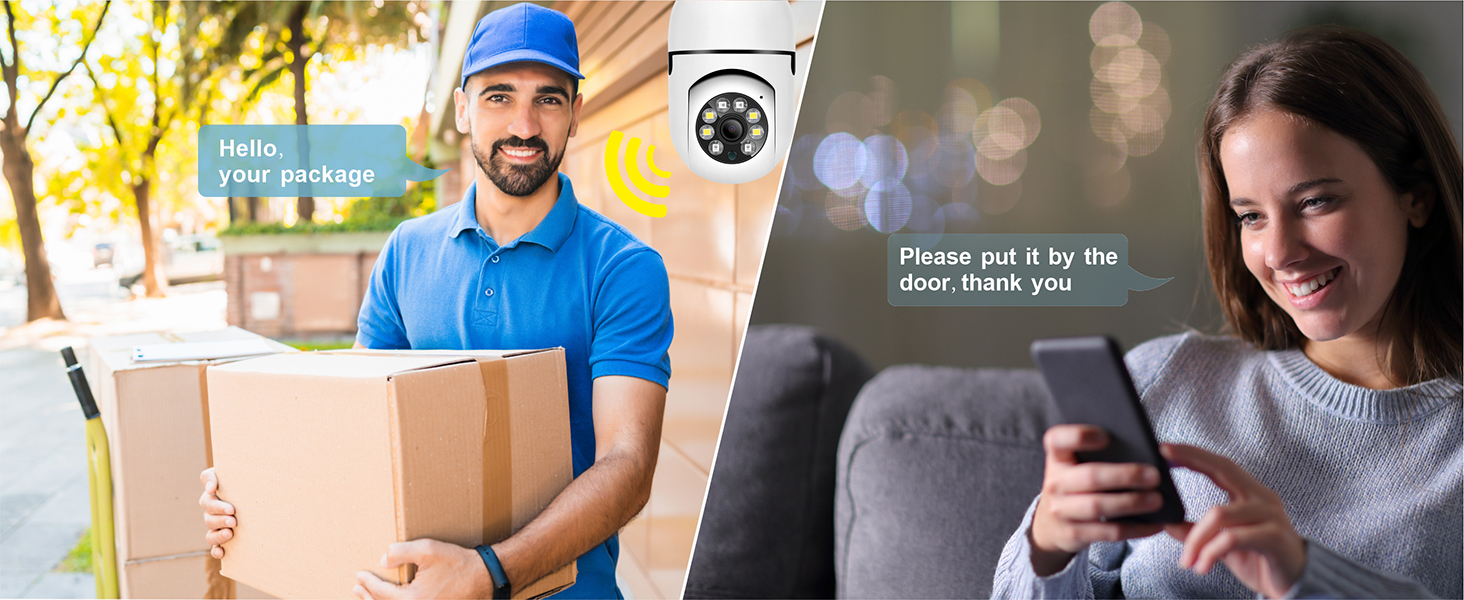
Image: A visual comparison demonstrating the difference between infrared (black and white) and full-color night vision capabilities of the camera.
4.4 Audio Dua Hala
- Ketik ikon mikrofon dalam siaran langsung view interface to activate two-way audio.
- You can speak through your phone, and your voice will be projected through the camera's speaker, allowing for real-time conversation with anyone near the camera.
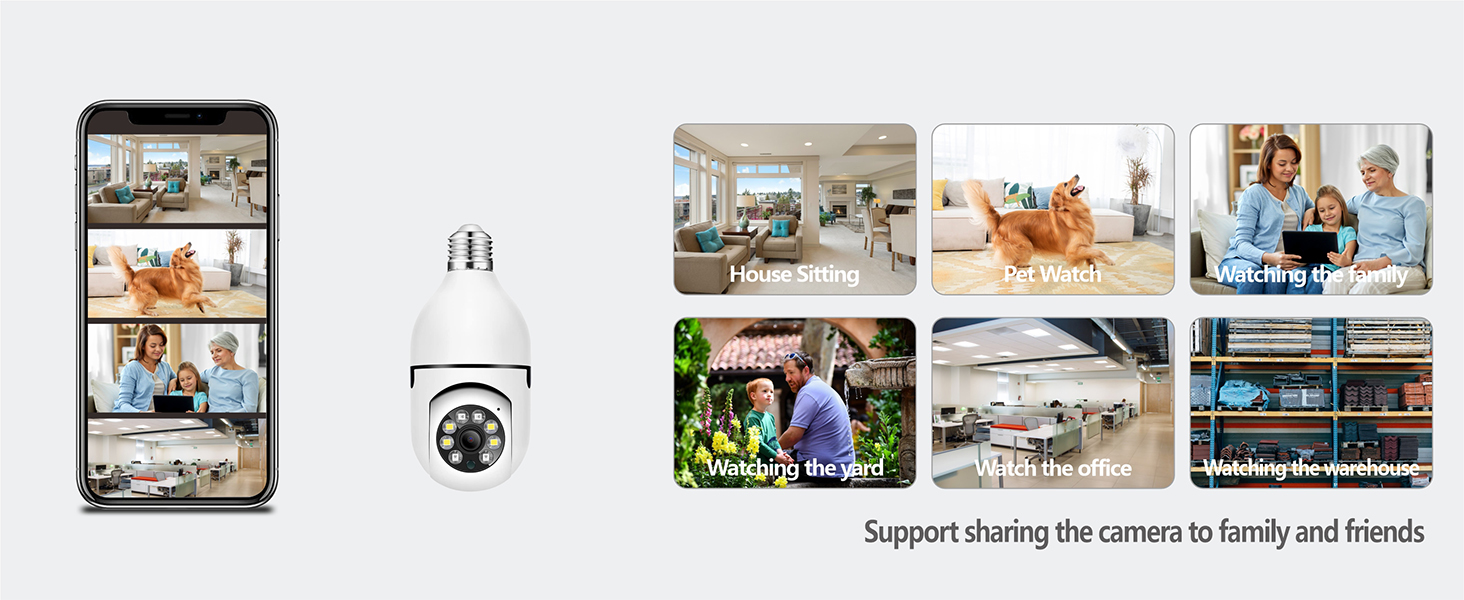
Image: A scenario demonstrating the two-way audio feature, allowing a user to communicate with someone near the camera, such as a delivery person.
4.5 Pilihan Storan
- Kad SD mikro: Insert a Micro SD card (up to 128GB, not included) into the designated slot on the camera for local video storage. Ensure the chip faces the lens when inserting. The app will prompt you to format the card upon first use.
- Storan Awan: The app offers optional cloud storage services for continuous recording and secure backup. Refer to the app for subscription details.
Image: A visual representation of the camera's diversified storage solutions, including the Micro SD card slot (supporting up to 128GB) and optional cloud storage.
4.6 Sharing and Smart Home Integration
- Perkongsian Peranti: You can share access to your camera's live feed and features with family members or trusted individuals through the app.
- Alexa & Google Home: Integrate your camera with Amazon Alexa or Google Home for voice control and smart home automation. Follow the instructions within the Tuya Smart/Smart Life app to link your accounts.
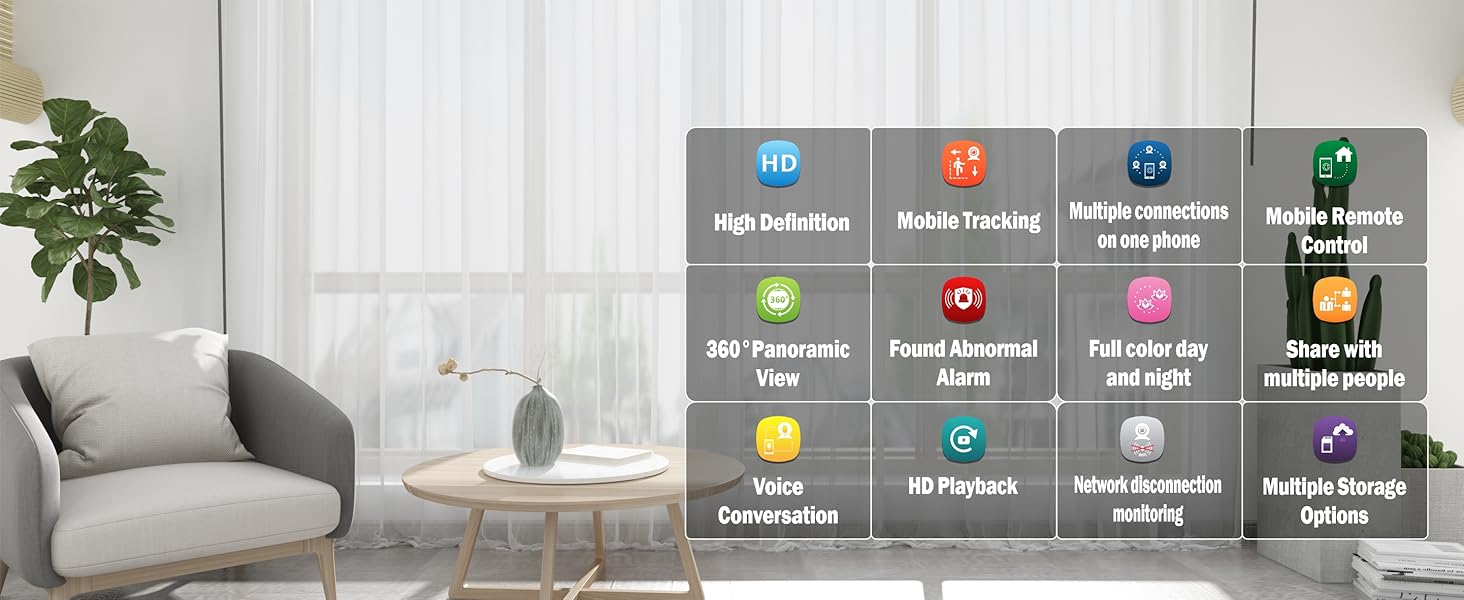
Image: The camera's versatility for various monitoring needs, such as house sitting, pet watch, family monitoring, yard surveillance, office security, and warehouse oversight, along with its support for sharing camera access with multiple users.
5. Penyelenggaraan
To ensure optimal performance and longevity of your OwLUCK Light Socket Security Camera, follow these maintenance guidelines:
- Pembersihan: Lap kanta dan badan kamera dengan lembut menggunakan kain lembut dan kering. Jangan gunakan bahan kimia yang keras atau pembersih yang kasar.
- Kemas kini Firmware: Regularly check the app for firmware updates. Keeping your camera's firmware up-to-date ensures you have the latest features and security enhancements.
- Kitaran Kuasa: If the camera becomes unresponsive, try turning off the power to the light socket for a few seconds and then turning it back on.
- Keadaan Persekitaran: Walaupun diberi penarafan IP65 untuk kegunaan luar, elakkan mendedahkan kamera kepada suhu ekstrem, rendaman air langsung atau pancutan air bertekanan tinggi.
6. Penyelesaian masalah
If you encounter issues with your OwLUCK Light Socket Security Camera, refer to the following common problems and solutions:
| Masalah | Kemungkinan Punca | Penyelesaian |
|---|---|---|
| Kamera luar talian/Tidak dapat bersambung ke Wi-Fi | Incorrect Wi-Fi band (5GHz), weak signal, incorrect password, camera too far from router. | Ensure your Wi-Fi is 2.4GHz. Move camera closer to router. Check Wi-Fi password. Reset camera and try re-pairing. |
| Tiada rakaman ke kad SD | SD card not inserted correctly, card not formatted, card full, faulty card. | Reinsert SD card (chip facing lens). Format card via app. Check card capacity. Try a different SD card. |
| Amaran gerakan tidak diterima | App notifications disabled, motion detection sensitivity too low, network issues. | Enable notifications in app and phone settings. Adjust motion detection sensitivity. Check network connection. |
| Audio dua hala tidak berfungsi | Microphone/speaker permissions not granted, volume too low, network latency. | Check app permissions for microphone. Adjust volume settings. Ensure stable network connection. |
| Image quality is poor (despite 720p spec) | Lens dirty, poor lighting, network bandwidth issues. | Clean the camera lens. Ensure adequate lighting. Check network speed. |
If the problem persists, please contact OwLUCK customer support for further assistance.
7. Spesifikasi
Detailed technical specifications for the OwLUCK Light Socket Security Camera:
| Ciri | Perincian |
|---|---|
| Model | Light Socket Security Camera |
| Jenama | OwLUCK |
| Teknologi Ketersambungan | Wayarles (Wi-Fi) |
| Komunikasi Tanpa Wayar | Wi-Fi 2.4GHz (Tidak menyokong 5GHz) |
| Resolusi Tangkapan Video | 720p |
| Jenis Pemasangan | Ceiling Mount (E27 Light Socket) |
| Julat Pan/Sendeng | 360° Mendatar, 95° Menegak |
| Penglihatan Malam | Full Color Night, Infrared Night Vision |
| Jenis Makluman | Gerak Sahaja |
| Ciri Khas | Motion Sensor, Two-Way Audio, Mobile Tracking |
| Pilihan Storan | Max 128GB TF Card (not included), Cloud Storage (optional) |
| Peranti Serasi | Telefon pintar (Android, iOS) |
| Jenis Pengawal | Amazon Alexa, Google Home |
| Penilaian Perlindungan Antarabangsa | IP65 |
| Berat Barang | 9.9 auns |
| Dimensi Pakej | 7.36 x 3.82 x 3.43 inci |
| UPC | 726172825240 |
8. Maklumat Keselamatan
Please read and follow these safety precautions to ensure safe operation of your camera:
- Always turn off power to the light socket before installing or removing the camera.
- Jangan cuba membuka atau mengubah suai kamera. Ini akan membatalkan jaminan dan boleh menyebabkan kerosakan atau kecederaan.
- Keep the camera away from extreme heat sources, open flames, and corrosive substances.
- Ensure the camera is securely screwed into the socket to prevent it from falling.
- This camera is designed for surveillance and should not be used for any illegal activities.
9. Waranti dan Sokongan
OwLUCK provides a standard warranty for this product. For specific warranty terms and conditions, please refer to the product packaging or contact OwLUCK customer support directly.
For technical support, troubleshooting assistance, or any inquiries regarding your OwLUCK Light Socket Security Camera, please contact our customer service team. Contact information can typically be found on the product packaging or the official OwLUCK webtapak.


