1. Pengenalan
The AIHOOR A4ANC Wireless Earbuds offer a premium audio experience with advanced features designed for daily use and active lifestyles. Key features include Hybrid Active Noise Cancelling, wireless charging capability, deep bass sound, and enhanced call clarity.

Figure 1: AIHOOR A4ANC Wireless Earbuds and Charging Case. The image shows the dark blue earbuds resting in their open charging case, highlighting their sleek design and compact form factor.
Ciri-ciri Utama:
- Pembatalan Bunyi Aktif Hibrid (ANC): Long press for 2 seconds to activate ANC, canceling ambient noise by 30dB for an immersive listening experience.
- Pengecasan Tanpa Wayar: Conveniently charge your earbuds and case wirelessly.
- Shocking Deep Bass: Expertly tuned sound delivering high-quality stereo with extra bass, rounded vocals, and surprising highs.
- Enhanced Calls: Six microphones with Environmental Noise Cancellation (ENC) technology ensure clear voice pickup.
- Keserasian Universal: Easily pair with iOS/Android phones, Mac or Windows laptops/desktops, or smart TVs via Bluetooth 5.1.
2. Apa yang ada di dalam Kotak
- 1 x Pair of Bluetooth Earbuds (Left & Right)
- 1 x USB-C Charging Case
- 1 x USB-C Charging Cable (20cm/0.8in)
- 4 x Pairs of Eartips (L*2, M*2 (Installed), S*2, XS*2)
- 1 x Gift Carton Packaging
3. Persediaan
3.1 Mengecas Fon telinga dan Sarung
Before first use, fully charge the earbuds and charging case. The case can be charged via the included USB-C cable or wirelessly using a compatible wireless charging pad.
- Masa Mengecas Fon telinga: Approximately 15 minutes for 5 hours of playtime (when placed in the charging case).
- Masa Pengecasan Kes: Kira-kira 2 jam untuk cas penuh.
- The charging case provides up to 3 full charges for the earbuds.

Figure 2: The AIHOOR A4ANC earbuds charging wirelessly on a charging pad, alongside a smartphone and smartwatch also charging. This illustrates the convenience of wireless charging for the earbuds.
Video 1: Experience Using AIHOOR A4 ANC Bluetooth Wireless Earbuds. This video demonstrates the charging process and general usage of the earbuds, including placing them in the charging case and observing the indicator lights.
3.2 Berpasangan dengan Peranti Anda
The earbuds are designed for universal compatibility with various Bluetooth-enabled devices.
- Pastikan fon telinga dicas dan diletakkan di dalam bekas pengecasan.
- Open the charging case. The earbuds will automatically enter pairing mode (indicated by flashing lights on the earbuds).
- Pada peranti anda (telefon pintar, komputer riba, dll.), pergi ke tetapan Bluetooth.
- Select "AIHOOR A4" from the list of available devices to connect.
- Sebaik sahaja disambungkan, anda akan mendengar gesaan audio dan lampu fon telinga akan berhenti berkelip.
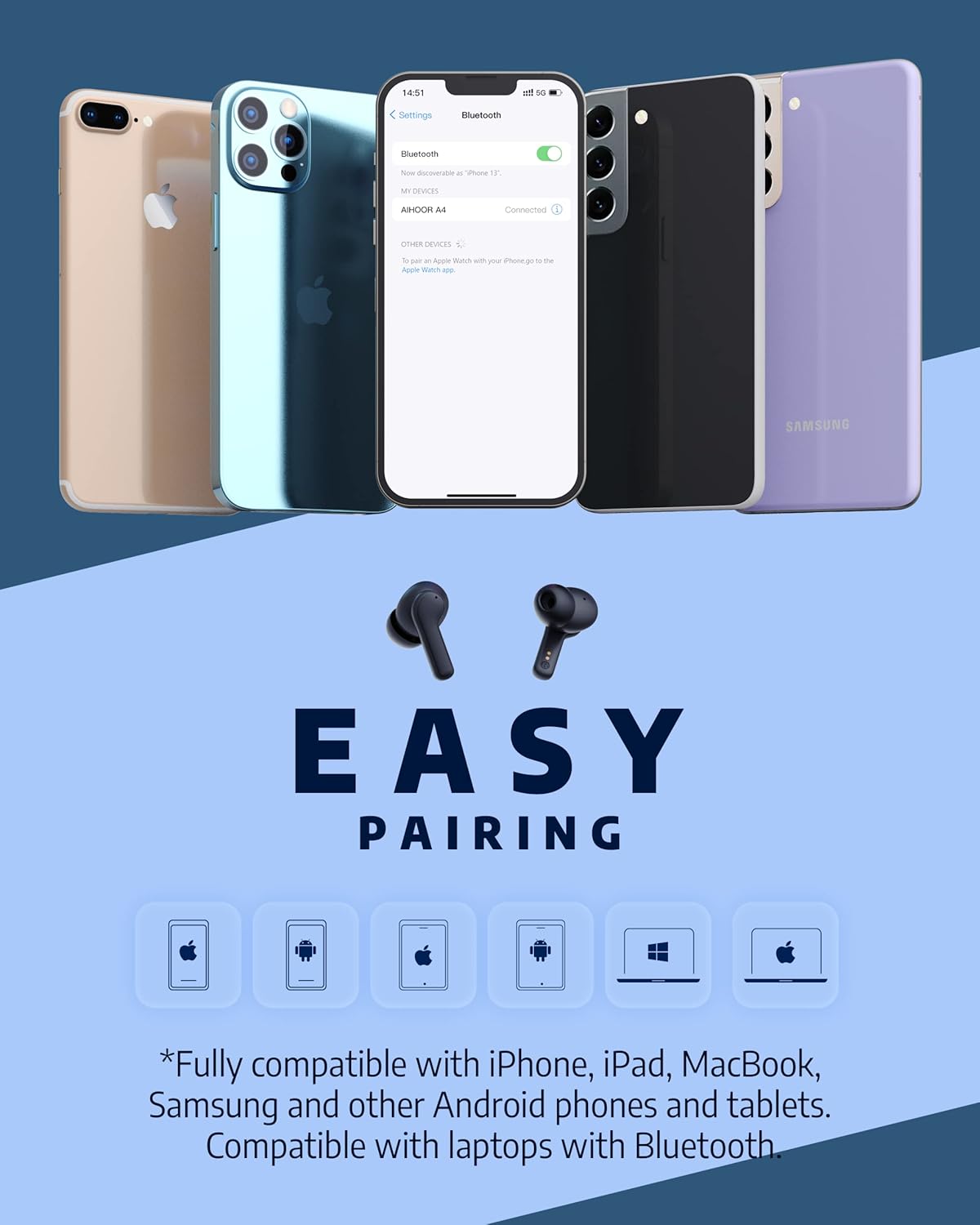
Figure 3: The AIHOOR A4ANC earbuds demonstrating easy pairing with various devices including iPhones, Android phones, and laptops. This image highlights the broad compatibility of the earbuds.
4. Arahan Operasi
4.1 Kawalan Sentuhan
The AIHOOR A4ANC earbuds feature intuitive touch controls on each earbud for easy management of audio and calls.
- Main/Jeda: Ketik sekali sama ada fon telinga.
- Lagu Seterusnya: Ketik dua kali pada fon telinga kanan.
- Trek Sebelumnya: Ketik dua kali pada fon telinga kiri.
- Kelantangan: Tekan lama fon telinga kanan.
- Perlahankan suara: Tekan lama fon telinga kiri.
- Aktifkan Pembantu Suara (Siri/Google Assistant): Ketik tiga kali sama ada fon telinga.
Video 2: Honest Review & Touch Control Demonstration. This video provides a clear demonstration of the touch controls for managing music playback, volume, and calls directly from the earbuds.
4.2 Pengurusan Panggilan
The earbuds are equipped with 6 microphones and Environmental Noise Cancellation (ENC) for clear hands-free calls.
- Jawab/Tamatkan Panggilan: Ketik sekali sama ada fon telinga.
- Tolak Panggilan: Tekan lama mana-mana fon telinga selama 2 saat.
4.3 Active Noise Cancelling (ANC)
Activate ANC to minimize ambient noise and enhance your listening experience.
- Aktifkan ANC: Long press either earbud for 2 seconds. You will hear an audio prompt confirming ANC activation.
- ANC reduces ambient noise by up to 30dB.

Figure 4: A visual representation of the earbuds' Active Noise Cancelling feature, showing a person enjoying quiet on an airplane. The image emphasizes the ability to reduce 35dB of ambient noise.
5. Penyelenggaraan
Proper maintenance ensures the longevity and optimal performance of your AIHOOR A4ANC earbuds.
- Pembersihan: Lap fon telinga dan bekas pengecas secara berkala dengan kain lembut, kering dan tidak berbulu. Elakkan penggunaan bahan kimia yang keras atau bahan yang melelas.
- Telinga: Tanggalkan dan bersihkan hujung telinga secara berkala dengan air dan sabun lembut. Pastikan ia kering sepenuhnya sebelum dipasang semula.
- Tahan Air: The earbuds have an IPX5 water resistance level, meaning they are protected against low-pressure water jets from any direction. They are not designed for submersion in water. Avoid exposing them to excessive moisture or liquids.
- Storan: Apabila tidak digunakan, simpan fon telinga dalam bekas pengecasnya untuk melindunginya dan memastikan ia dicas.
6. Penyelesaian masalah
6.1 Isu Ketersambungan
- Fon telinga tidak berpasangan: Ensure both earbuds are in the charging case, then open the lid to activate pairing mode. Check your device's Bluetooth settings to ensure "AIHOOR A4" is visible.
- Hanya satu fon telinga yang disambungkan: Place both earbuds back into the charging case, close the lid, wait a few seconds, then open it again. This often resets the connection. If the issue persists, try forgetting the device on your phone's Bluetooth settings and re-pairing.
- Sambungan terputus-putus: Ensure your device is within the Bluetooth range (10 meters/33 feet) and there are no significant obstacles between the earbuds and your device.
6.2 Masalah Pengecasan
- Fon telinga tidak dicas sekiranya berlaku: Ensure the charging contacts on both the earbuds and inside the case are clean and free of debris. Make sure the earbuds are properly seated in the case.
- Sarung tidak dicas: Verify the USB-C cable is securely connected to both the case and the power source. If using wireless charging, ensure the case is correctly positioned on the charging pad.
6.3 Isu Kualiti Bunyi
- Kelantangan rendah atau bunyi yang lemah: Ensure the eartips are the correct size for a snug fit in your ear canal. Clean the earbud mesh to remove any wax or debris that might be obstructing sound. Adjust volume on both your device and the earbuds.
- Audio herot: Move closer to your connected device to avoid interference. Try disconnecting and reconnecting the earbuds.
7. Spesifikasi
| Ciri | Spesifikasi |
|---|---|
| Nama Model | A4-FT001 |
| Teknologi Ketersambungan | Wayarles (Bluetooth 5.1) |
| Kawalan Bunyi | Pembatalan Bising Aktif (ANC) |
| Mikrofon | 6 (with ENC) |
| Hayat Bateri (Earbud) | Hingga 5 jam setiap caj |
| Jumlah Masa Main (dengan Kes) | Sehingga 30 jam |
| Masa Pengecasan (Kes) | 2 Jam |
| Pengecasan Tanpa Wayar | Disokong |
| Tahap Ketahanan Air | IPX5 |
| Kaedah Kawalan | Sentuh |
| Penempatan Telinga | Di Telinga |
| Dimensi Produk | 2.28 x 1.93 x 1.18 inci |
| Berat Barang | 2.39 auns |
8. Waranti dan Sokongan
AIHOOR products are designed with quality and reliability in mind. For warranty information, technical support, or any inquiries regarding your AIHOOR A4ANC Wireless Earbuds, please refer to the contact information provided in your product packaging or visit the official AIHOOR webtapak.
Note: Specific warranty terms and conditions may vary by region. Please retain your proof of purchase for warranty claims.


