1. Pengenalan
Thank you for choosing the Soundcore by Anker Space Q45 Adaptive Active Noise Cancelling Headphones. These headphones are designed to provide an immersive audio experience with advanced noise cancellation, high-resolution sound, and extended battery life. This manual will guide you through the setup, operation, and maintenance of your new headphones.
2. Apa yang ada di dalam Kotak
- Soundcore Space Q45 Noise Cancelling Headphones
- Kabel USB-C
- Kabel AUX 3.5mm
- Kes Perjalanan

3. Produk Lebihview
The Soundcore Space Q45 headphones feature a foldable design for portability and intuitive controls for ease of use. Key components include:
- Butang Kuasa: Located on the right earcup, used for turning the headphones on/off.
- Butang NC: Located on the left earcup, cycles through Noise Cancellation, Normal, and Transparency modes.
- Butang Kelantangan / Turun Kelantangan: Melaraskan kelantangan audio.
- Butang Main/Jeda: Mengawal main balik media dan pengurusan panggilan.
- Port Pengecasan USB-C: Untuk mengecas fon kepala.
- Port AUX 3.5mm: Untuk sambungan audio berwayar.

Video demonstrating the operation and functions of the Soundcore Space Q45 headphones, including button usage and features.
4. Persediaan
4.1. Menghidupkan/Mematikan
- Untuk Menghidupkan: Tekan dan tahan butang Kuasa selama 3 saat. Penunjuk LED akan menyala.
- Untuk Mematikan: Tekan dan tahan butang Kuasa selama 3 saat. Penunjuk LED akan dimatikan.
4.2. Berpasangan Bluetooth
- With the headphones powered off, press and hold the Power button for 5 seconds until the LED indicator flashes blue. This indicates pairing mode.
- On your device (smartphone, tablet, laptop), enable Bluetooth and search for "Soundcore Space Q45".
- Select the headphones from the list to connect. Once connected, the LED indicator will turn solid blue.
- The headphones support multipoint connection, allowing simultaneous connection to two devices. To connect a second device, repeat the pairing process.

4.3. Soundcore App Installation
Download the Soundcore app from your device's app store to unlock full features, customize settings, and update firmware.
- Cari untuk "Soundcore" in the App Store (iOS) or Google Play Store (Android).
- Install the app and follow the on-screen instructions to connect your Space Q45 headphones.
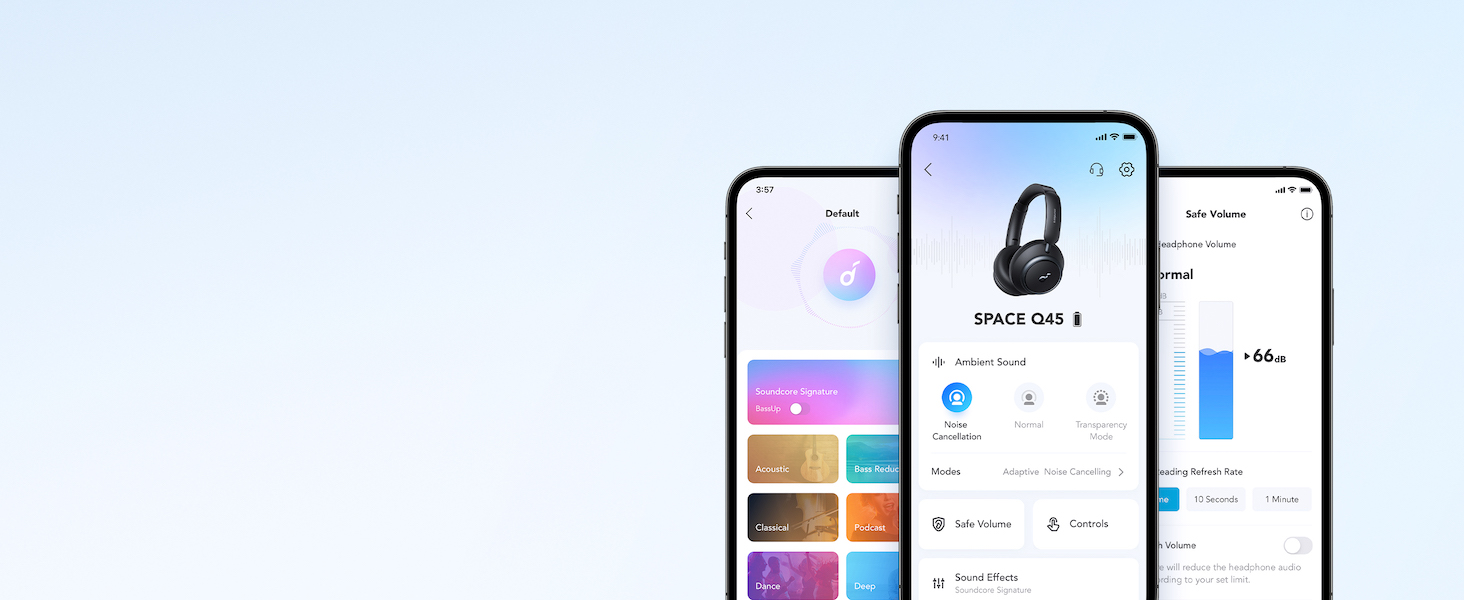
Tayangan videocasing the features and listening controls available through the Soundcore app for the Space Q45 headphones.
5. Arahan Operasi
5.1. Kawalan Asas
- Kelantangan Naik/Turun: Tekan butang '+' atau '-'.
- Main/Jeda: Tekan butang Main/Jeda sekali.
- Lagu Seterusnya: Tekan dan tahan butang '+' selama 2 saat.
- Trek Sebelumnya: Tekan dan tahan butang '-' selama 2 saat.
5.2. Pengurusan Panggilan
- Jawab/Tamatkan Panggilan: Tekan butang Main/Jeda sekali.
- Tolak Panggilan: Tekan dan tahan butang Main/Jeda selama 2 saat.
5.3. Switching Noise Cancellation Modes
Press the NC button on the left earcup to cycle through the following modes:
- Pembatalan Bunyi: Blocks out ambient noise.
- Biasa: Main balik audio standard tanpa pembatalan hingar aktif atau ketelusan.
- Ketelusan: Membolehkan anda mendengar persekitaran anda sambil mendengar audio.
6. Adaptive Noise Cancellation
The Space Q45 headphones feature an advanced noise-cancelling system that reduces up to 98% of ambient noise. The adaptive noise cancellation automatically selects a suitable level based on your environment, whether you are indoors, outdoors, commuting, or on a flight. You can also manually select from 5 noise-cancelling levels via the Soundcore app.


7. Kualiti Audio
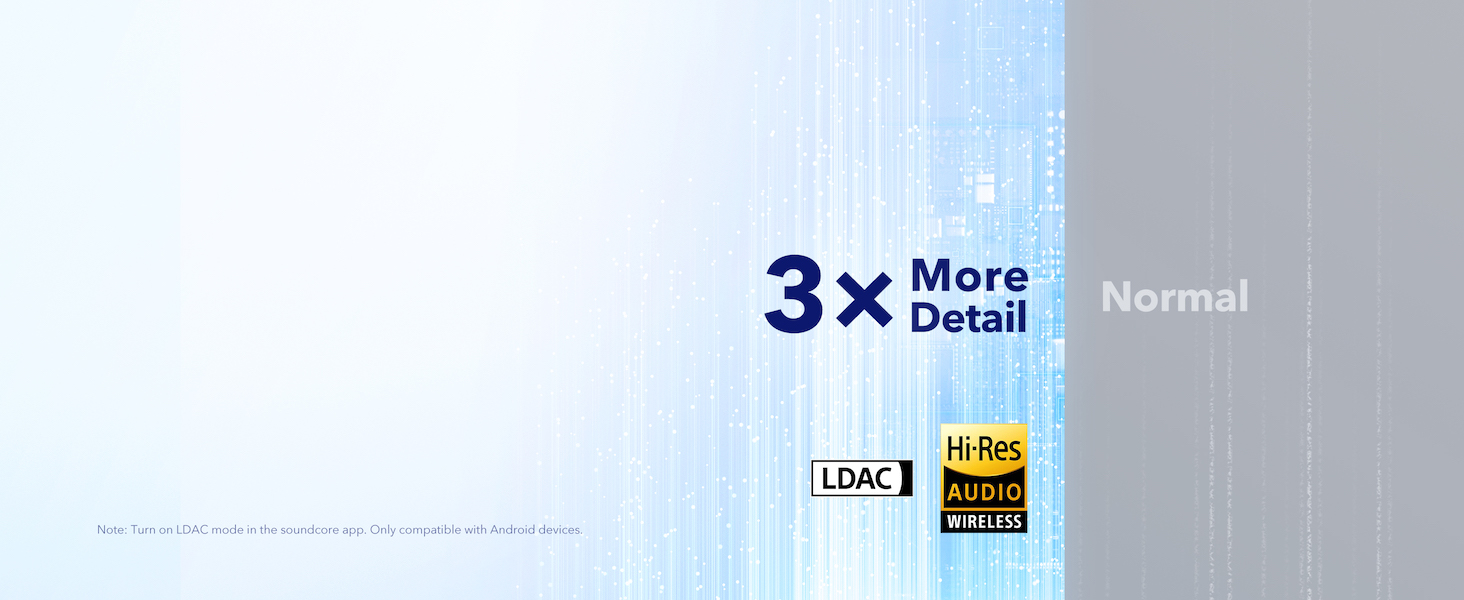
The Space Q45 headphones are equipped with 40mm double-layer diaphragm drivers, crafted from silk and ceramic materials. This innovative design produces sound with intense bass and crisp treble, ensuring every detail of your audio is heard. The headphones also support LDAC for Hi-Res Audio Wireless sound, delivering 3 times more detail than standard Bluetooth codecs.

8. Hayat Bateri dan Pengecasan
The Space Q45 headphones offer impressive battery performance:
- Up to 50 hours of playtime with Noise Cancellation mode activated.
- Up to 65 hours of playtime in Normal mode.
- Pengecasan Cepat: Cas selama 5 minit memberikan masa bermain selama kira-kira 4 jam.
- Masa Pengecasan Penuh: Lebih kurang 2 jam.

9. Penyelenggaraan
9.1. Pembersihan
- Use a soft, dry cloth to clean the earcups and headband.
- Elakkan menggunakan bahan kimia yang keras atau bahan yang melelas.
- Jangan tenggelamkan fon kepala ke dalam air.
9.2. Penyimpanan
- When not in use, store the headphones in their protective travel case to prevent damage.
- Elakkan menyimpan dalam suhu yang melampau atau kelembapan yang tinggi.
10. Penyelesaian masalah
If you encounter any issues with your Soundcore Space Q45 headphones, please refer to the following common solutions:
- Tiada Kuasa: Pastikan fon kepala dicas sepenuhnya. Sambungkannya ke sumber kuasa menggunakan kabel USB-C.
- Tiada Bunyi: Check the volume levels on both the headphones and your connected device. Ensure the headphones are properly paired via Bluetooth or the 3.5mm AUX cable is securely connected.
- Isu Berpasangan: Turn off Bluetooth on all other devices, then try re-pairing the headphones with your desired device. If issues persist, reset the headphones (refer to the Soundcore app or online support for specific reset instructions).
- Pembatalan Bunyi Tidak Berfungsi: Ensure the Noise Cancellation mode is activated. Adjust the noise cancellation levels via the Soundcore app.
For further assistance, consult the Soundcore app or visit the official Soundcore support webtapak.
11. Spesifikasi
| Nama Model | A3040 |
| Kawalan Bunyi | Pembatalan Bunyi Aktif Adaptif |
| Teknologi Ketersambungan | Wayarles (Bluetooth 5.3) |
| Julat Bluetooth | 10 Meter |
| Saiz Pemacu Audio | 40 Milimeter |
| Hayat Bateri (ANC Hidup) | 50 Jam |
| Hayat Bateri (Mod Biasa) | 65 Jam |
| Masa Mengecas | 2 Jam |
| Berat Barang | 295 Gram (10.4 auns) |
| Dimensi Produk | 6.34 x 3.46 x 7.44 inci |
| Jack Fon Kepala | Jack 3.5 mm |
| Kaedah Kawalan | App, Media Control Buttons |
12. Waranti dan Sokongan
Soundcore products are backed by a limited warranty. For detailed warranty information, frequently asked questions, and customer support, please visit the official Soundcore website or contact their customer service team. You can also find support resources within the Soundcore app.
Webtapak: www.soundcore.com
e-mel: perkhidmatan@soundcore.com


