1. Pengenalan
The Sonic Blast Digital Alarm Clock with Projection is designed to provide a reliable and effective wake-up experience, especially for heavy sleepers. It combines an extra-loud alarm with a bright strobe light, time projection, Bluetooth audio, and a USB charging port. This manual will guide you through the setup, operation, and maintenance of your device.

Image 1.1: The Sonic Blast Digital Alarm Clock with Projection, showing its display, time projection, and USB charging capability.
2. Maklumat Keselamatan
- Baca semua arahan sebelum mengendalikan peranti.
- Jauhkan peranti daripada air atau kelembapan berlebihan.
- Jangan dedahkan peranti kepada suhu yang melampau atau cahaya matahari langsung.
- Gunakan hanya penyesuai kuasa yang disediakan.
- Jangan cuba membuka atau membaiki peranti ini sendiri. Rujuk semua servis kepada kakitangan yang berkelayakan.
- Pastikan pengudaraan yang betul di sekeliling peranti.
3. Kandungan Pakej
- Sonic Blast Digital Alarm Clock with Projection (Model SB775B)
- Penyesuai Kuasa
- Manual Pengguna
4. Produk Lebihview: Controls and Indicators
Familiarize yourself with the various buttons, ports, and indicators on your Sonic Blast alarm clock.

Imej 4.1: Depan view of the Sonic Blast alarm clock highlighting display and feature icons.
Panel Depan
- Paparan led: Shows current time, alarm status (AL1, AL2), PM indicator, and Bluetooth (BT) status.
- Lampu Strob: Flashes during alarm.
Panel Atas

Image 4.2: Top panel controls, including the SNOOZE/DIMMER button.
- Butang kuasa: Menghidupkan / mematikan unit.
- Butang VOL- / VOL+: Laraskan kelantangan.
- AL.SET Button: Used to set alarms.
- Butang DIMMER: Adjusts display brightness (5 levels).
- HOUR / MIN Buttons: Laraskan tetapan masa dan penggera.
- Butang TUNDA: Activates snooze function.
- BUZZER/TONE Switch: Selects alarm sound type.
- ALM1 / ALM2 / VIB Switch: Selects alarm mode (Alarm 1, Alarm 2, or Vibration).
- PROJECTION IMAGE ON/OFF / ROTATE Button: Controls the projection feature.
- FOCUSING Wheel: Adjusts the clarity of the projected time.
Panel Belakang

Imej 4.3: Belakang view of the Sonic Blast alarm clock, showing USB and AUX ports.
- DC IN Jack: Untuk menyambungkan penyesuai kuasa.
- Port Pengecasan USB: Untuk mengecas peranti luaran.
- AUX IN Jack: Untuk menyambungkan sumber audio luaran.
- VIBRATOR Jack: For connecting an optional bed shaker (sold separately).
5. Persediaan
5.1 Sambungan Kuasa
- Plug the power adapter into the DC IN jack on the rear of the alarm clock.
- Palamkan hujung penyesuai yang satu lagi ke salur keluar dinding standard.
- Paparan jam akan menyala.
5.2 Pemasangan Sandaran Bateri
A CR2032 lithium battery (not included) can be installed to maintain time and alarm settings during a power outage.

Image 5.1: Illustration of the CR2032 battery for backup power.
- Cari petak bateri di bahagian bawah unit.
- Buka penutup petak bateri.
- Insert one CR2032 lithium battery, ensuring the correct polarity (+/-).
- Tutup penutup petak bateri dengan selamat.
5.3 Menetapkan Masa
- Tekan dan tahan butang MASA butang sehingga paparan berkelip.
- Gunakan JAM dan MIN buttons to set the current hour and minute.
- Tekan ke MASA butang sekali lagi untuk mengesahkan tetapan.
6. Arahan Operasi
6.1 Menetapkan Penggera (Penggera 1 dan Penggera 2)
Jam ini menyokong dua penggera bebas.

Image 6.1: The Sonic Blast alarm clock supporting dual alarms.
- Tekan dan tahan butang AL.SET button. AL1 will flash on the display.
- Gunakan JAM dan MIN butang untuk menetapkan masa penggera yang diingini bagi Penggera 1.
- Tekan AL.SET again to set Alarm 2, repeating the process.
- After setting both alarms, press AL.SET one more time to exit alarm setting mode.
- To activate an alarm, slide the ALM1 / ALM2 / VIB switch to the desired alarm (AL1 or AL2). The corresponding indicator will light up.
- To select the alarm sound, slide the BUZZER/TONE switch to BUZZER or TONE.
6.2 Fungsi Tunda
Apabila penggera berbunyi, tekan MENGEJUTKAN button to temporarily silence the alarm for a preset duration.

Image 6.2: Adjustable snooze feature for customized wake-up delays.
- The snooze duration is adjustable. Refer to the full manual for specific steps to adjust snooze time.
6.3 Menyelaraskan Kelantangan dan Nada
Customize your alarm sound to your preference.

Image 6.3: Graphic illustrating the adjustable volume feature.
- Gunakan vol- dan VOL+ buttons to adjust the alarm volume.
- Luncurkan BUZZER/TONE switch to select between a standard buzzer or an adjustable tone.

Image 6.4: Close-up of the tone adjustment controls.
6.4 Ciri Unjuran
Project the time onto your ceiling or wall for easy viewing.
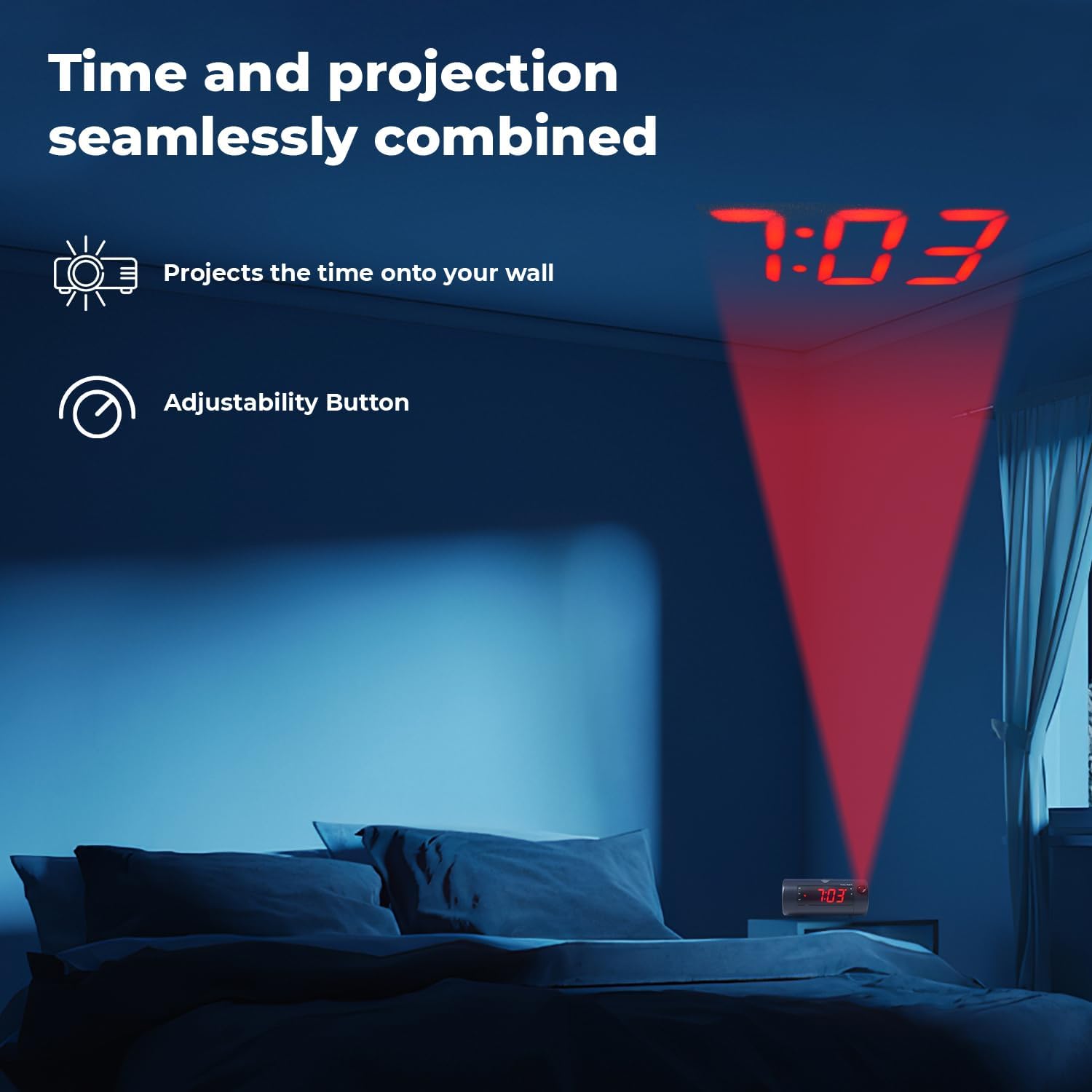
Image 6.5: Time projected onto a bedroom wall.
- Tekan ke PROJECTION IMAGE ON/OFF button to turn the projection on or off.
- Gunakan BERFOKUS wheel to adjust the clarity of the projected image.
- Tekan dan tahan butang PROJECTION IMAGE ROTATE button to rotate the projected time to the desired orientation.

Image 6.6: Close-up of the projection focus, on/off, and rotation controls.
6.5 Penggandingan Pembesar Suara Bluetooth
Connect your smartphone or tablet to play audio through the alarm clock's speaker.
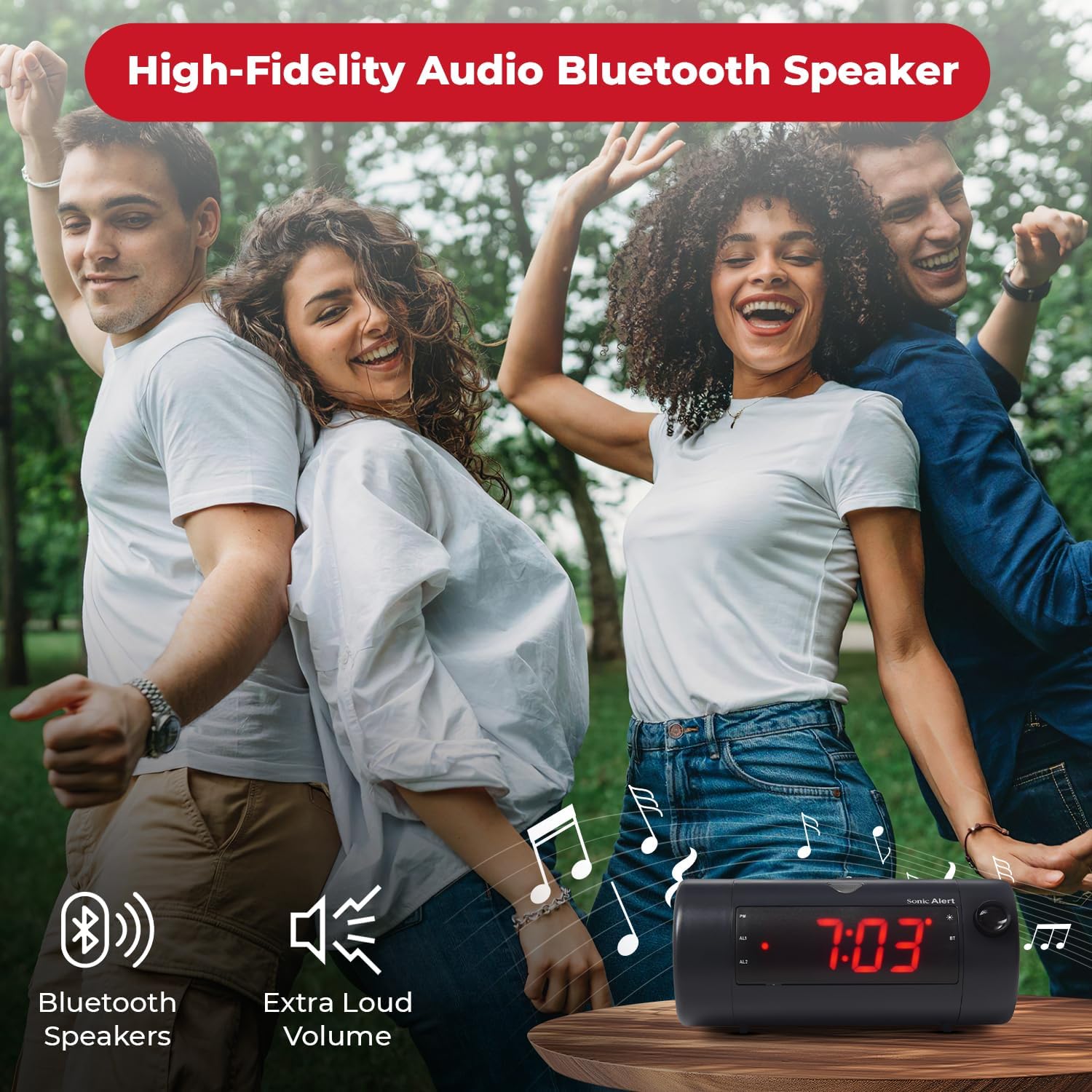
Image 6.7: The Sonic Blast alarm clock functioning as a Bluetooth speaker.
- Ensure the alarm clock is powered on.
- Aktifkan Bluetooth pada peranti mudah alih anda.
- Cari untuk "Sonic Blast" in your device's Bluetooth settings and select it to pair.
- The "BT" indicator on the clock display will illuminate when successfully paired.
6.6 USB Charging Port Usage
Use the built-in USB port to charge your compatible devices.

Image 6.8: Smartphone charging via the alarm clock's USB port.
- Connect your device's USB charging cable to the USB port on the rear of the alarm clock.
- The alarm clock must be connected to power for the USB charging port to function.
6.7 Recordable Alarm
The Sonic Blast allows you to record a custom alarm message.

Image 6.9: The recordable alarm feature in use.
- Refer to the detailed instructions in the full manual for recording and setting your custom alarm message.
Paparan 6.8 12/24 Jam
- To switch between 12-hour and 24-hour time format, press the MASA butang sebentar semasa masa dipaparkan.
7. Penyelenggaraan
- Clean the device with a soft, dry cloth. Do not use liquid cleaners or abrasive materials.
- Pastikan peranti bebas daripada habuk dan serpihan.
- If the battery backup is used, replace the CR2032 battery annually or when the low battery indicator appears.
8. Penyelesaian masalah
| Masalah | Penyelesaian |
|---|---|
| Paparan jam dimatikan. | Ensure the power adapter is securely connected. Check the wall outlet. Press the POWER button to turn the unit on. |
| Penggera tidak berbunyi. | Verify that the alarm is activated (AL1 or AL2 indicator is on). Check alarm volume. Ensure the correct alarm mode (BUZZER/TONE) is selected. |
| Projection is blurry or not visible. | Laraskan BERFOKUS wheel. Ensure the projection is turned on. Check the distance to the projection surface. |
| Peranti Bluetooth tidak boleh berpasangan. | Ensure Bluetooth is enabled on your device and the alarm clock. Move devices closer. Try restarting both devices. |
| Pengecasan USB tidak berfungsi. | Ensure the alarm clock is connected to a power source. Check the USB cable and the device being charged. |
9. Spesifikasi
| Ciri | Perincian |
|---|---|
| Nombor Model | SB775B |
| Jenama | Makluman Sonic |
| Kelantangan Penggera | Sehingga 113 dB |
| Jenis Paparan | Digital LED with 5-level dimmer |
| Ciri Khas | Adjustable Projection Clock, Bluetooth Wireless Audio, USB Charging Port, Dual Alarm, Bright Flashing Light, Adjustable Volume & Tone, Adjustable Snooze, Recordable Alarm, Vibrating Bed Shaker Port (for optional SS5V shaker) |
| Sumber Kuasa | Elektrik Bertali |
| Sandaran Bateri | 1 x CR2032 Lithium Cell (not included) |
| Dimensi Produk | Approximately 1"W x 1"H (Note: This dimension seems incorrect based on typical alarm clock sizes and product images. Please refer to product packaging for accurate dimensions.) |
| Berat Barang | 1.39 paun (0.63 Kilogram) |
10. Waranti dan Sokongan
For warranty information and customer support, please refer to the official Sonic Alert webtapak atau hubungi bahagian perkhidmatan pelanggan mereka. Simpan resit pembelian anda untuk tuntutan waranti.
Maklumat Hubungan: Please visit the Sonic Alert webtapak untuk mendapatkan butiran hubungan yang paling terkini.


