1. Pengenalan
The JLab Epic Wireless Mouse is designed for versatile use, offering multiple connectivity options and customizable features to enhance your productivity. This manual provides detailed instructions for setting up, operating, and maintaining your device.
2. Apa yang ada di dalam Kotak
- Tetikus Epik
- Kord pengecas (USB-C ke USB-A)
- Dongle wayarles USB 2.4GHz
- Panduan Mula Pantas

3. Persediaan
3.1. Mengecas Tetikus
The Epic Wireless Mouse features a convenient rechargeable battery. Use the provided USB-C to USB-A charging cable to connect the mouse to a power source. The OLED display will show the battery life status.

3.2. Menyambung ke Peranti
The Epic Wireless Mouse offers flexible connection options: Bluetooth 5.2 or a 2.4GHz USB wireless dongle. It supports connection to up to three devices, allowing easy switching between them.
3.2.1. USB Dongle Connection
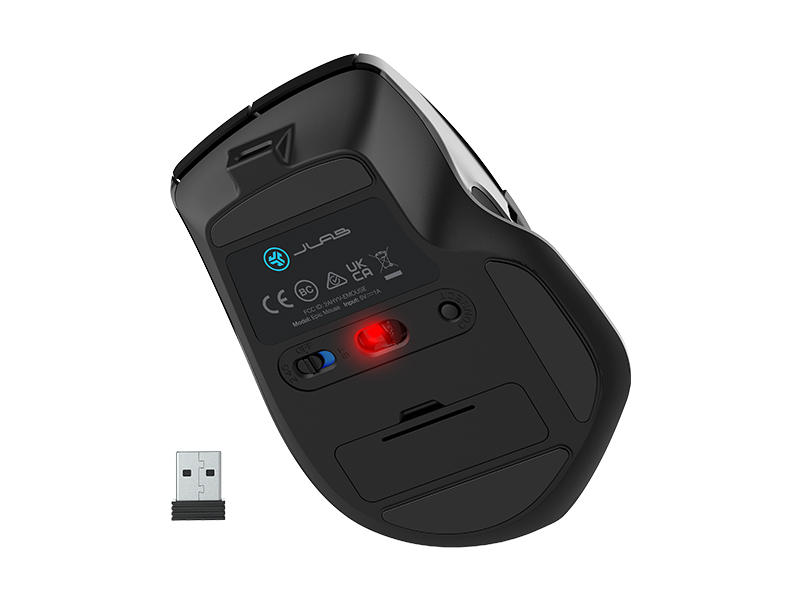
- Locate the 2.4GHz USB wireless dongle stored in the compartment on the underside of the mouse.
- Masukkan dongle USB ke dalam port USB yang tersedia pada komputer anda.
- Turn on the mouse using the power switch located on the bottom. The mouse will automatically connect to your device.

3.2.2. Sambungan Bluetooth
- Hidupkan tetikus menggunakan suis kuasa di bahagian bawah.
- Press the multi-device toggle button (usually located on the bottom or side) to select a Bluetooth channel (e.g., Bluetooth 1 or Bluetooth 2).
- On your device, go to Bluetooth settings and select "JLab Epic Mouse" from the list of available devices to pair.
- The mouse can remember up to two Bluetooth connections, allowing seamless switching between paired devices.
4. Arahan Operasi
4.1. Paparan OLED
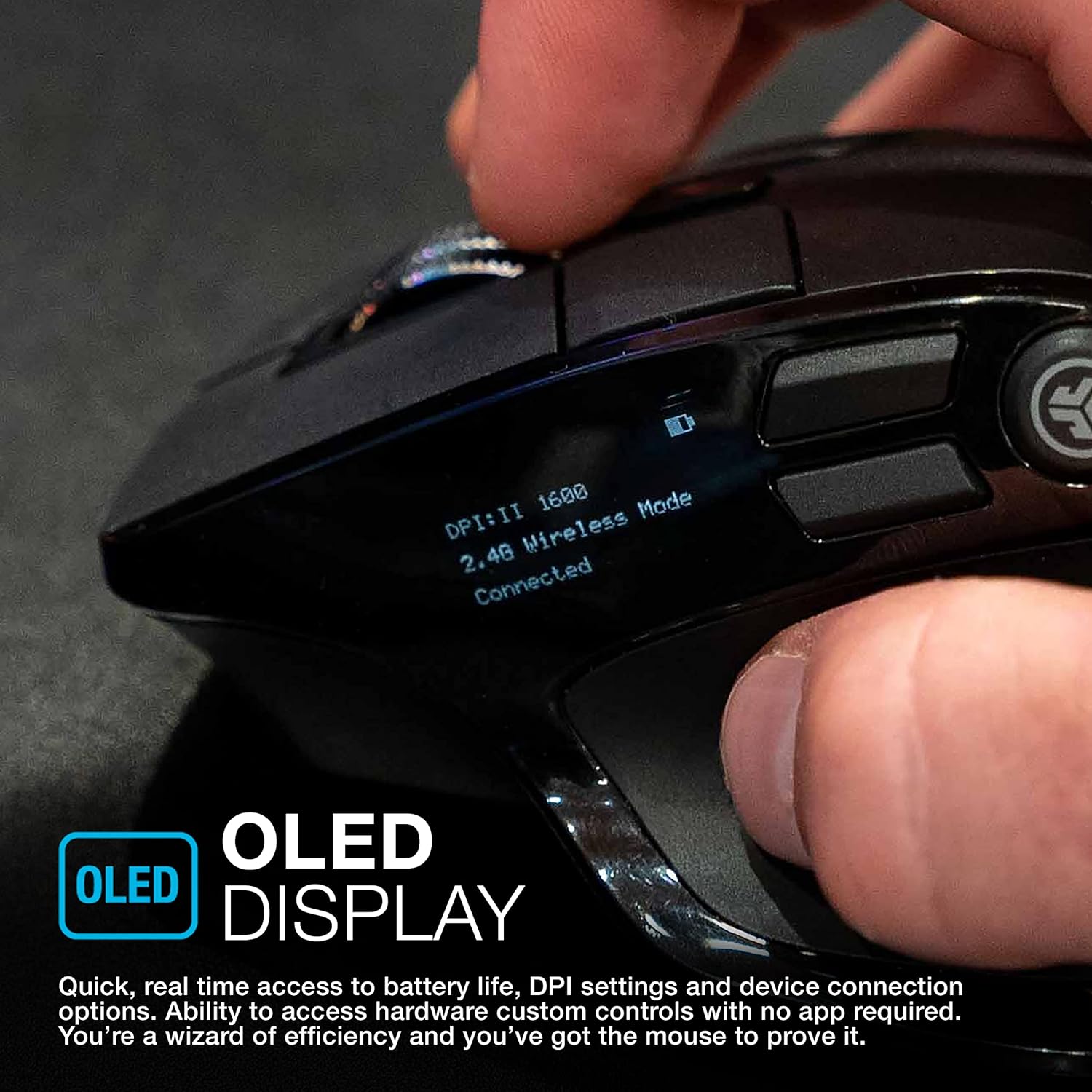
The integrated OLED display provides real-time access to important information such as battery life, DPI settings, and current device connection options. This allows for quick hardware control without needing additional software.
4.2. Pengguna Tersuai Profiles and Programmable Buttons
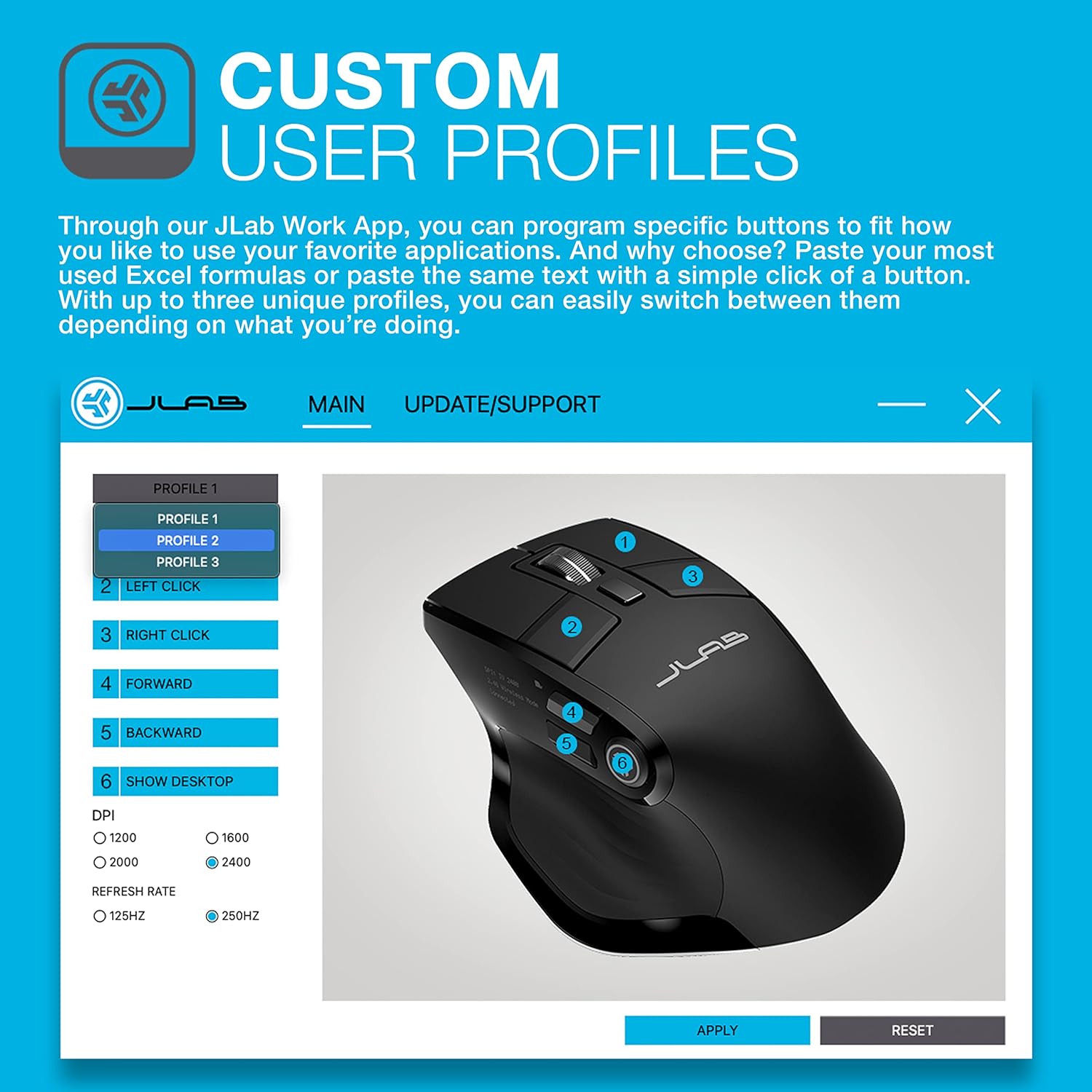
Gunakan Aplikasi JLab Work untuk memprogram butang tertentu dan mencipta sehingga tiga pro pengguna unikfiles. This allows you to customize button functions for different applications or tasks, such as pasting Excel formulas or specific text with a single click. You can easily switch between these profiles mengikut keperluan.
4.3. Penjejakan Boleh Laras (DPI)
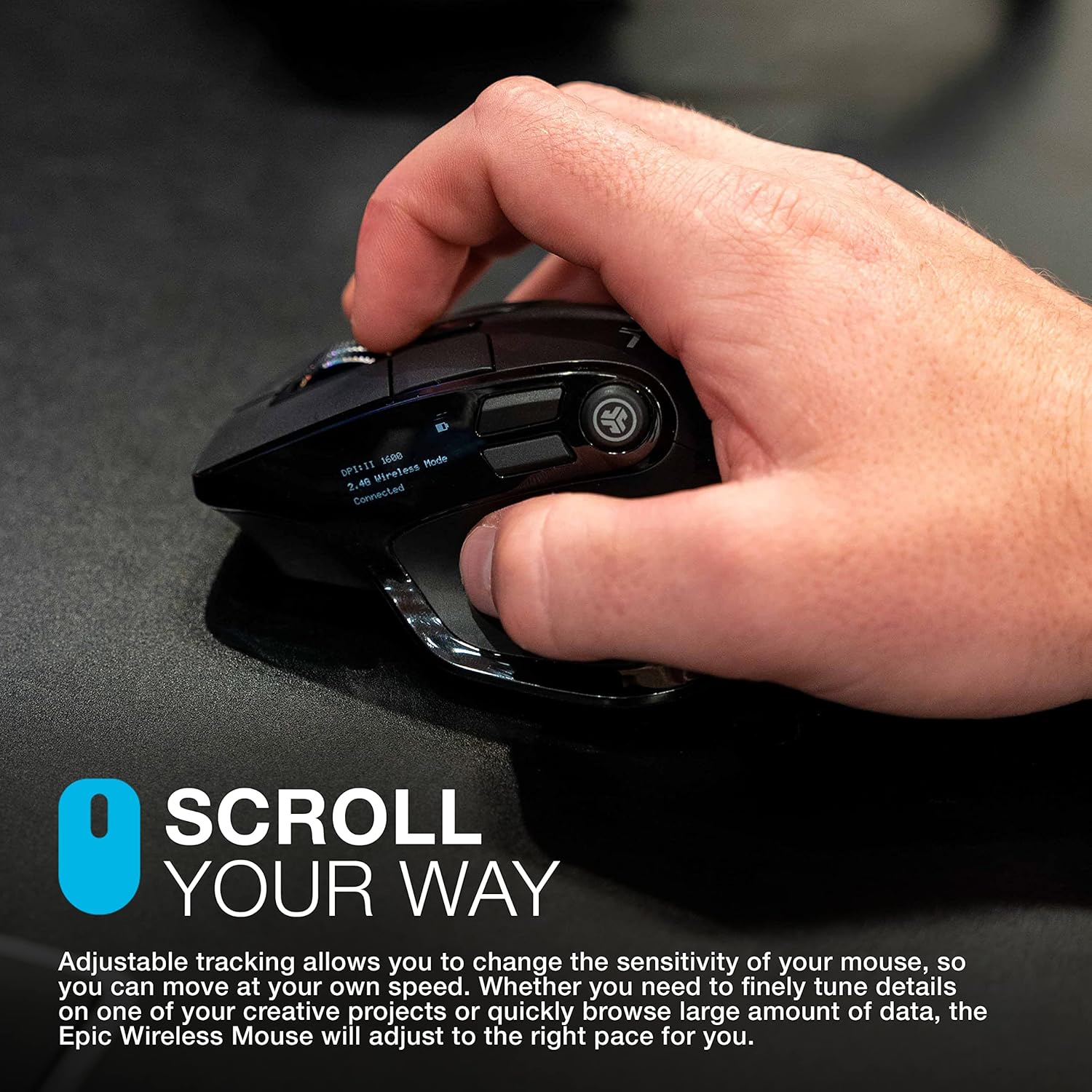
Adjust the mouse sensitivity (DPI) to match your preferred cursor speed. The Epic Wireless Mouse adapts to your needs, whether you require precise movements for detailed work or faster tracking for general browsing.
4.4. Klik Senyap
The mouse features silent buttons, minimizing clicking noise. This design is beneficial for quiet work environments, ensuring minimal disturbance to others.

4.5. Reka Bentuk Ergonomik
The mouse is designed for maximum comfort and functionality during extended use. Its ergonomic shape aims to reduce hand and wrist strain.

5. Penyelenggaraan
5.1. Hayat Bateri dan Pengecasan
The Epic Wireless Mouse is equipped with an 800 mAh rechargeable battery. Connect the provided USB-C to USB-A cable to charge. The OLED display provides quick access to real-time battery life information.

6. Penyelesaian masalah
- Jumpy Scroll Wheel: If the scroll wheel exhibits inconsistent behavior (e.g., scrolling in the opposite direction), try cleaning the scroll wheel mechanism. If the issue persists, contact customer support.
- Mouse Stops Responding (USB Dongle): If the mouse occasionally stops responding when connected via the USB dongle, try power cycling the mouse using its power switch. Ensure the dongle is securely inserted.
- Isu Kesambungan Bluetooth: For unstable Bluetooth connections, especially with MacBooks, it is recommended to initially connect and configure the mouse using the USB dongle. Once settings are saved, the Bluetooth connection may be more stable. If issues persist, ensure the mouse is not trying to connect to too many devices simultaneously.
- JLab Work App Not Recognizing Mouse: When using the JLab Work App for customization, ensure the mouse is connected via the USB dongle for proper recognition and configuration.
- Laggy Bluetooth: Bluetooth connections can sometimes experience slight lag. For optimal performance, especially in tasks requiring high precision, use the 2.4GHz USB dongle.
7. Spesifikasi
| Ciri | Perincian |
|---|---|
| Dimensi Produk | 1.89 x 1.89 x 0.04 inci |
| Berat Barang | 4.9 auns |
| Nombor Model Item | MEPICMOUSERBLK124 |
| Bateri | Rechargeable (800 mAh) |
| Teknologi Ketersambungan | Bluetooth 5.2, 2.4GHz Radio Frequency (USB Dongle) |
| Ciri Khas | Wireless, OLED Display, Custom User Profiles, Adjustable Tracking, Silent Clicks |
| Teknologi Pengesanan Pergerakan | Optik |
8. Waranti & Sokongan
The JLab Epic Wireless Mouse comes with a limited two-year warranty. For further support, troubleshooting, or product registration, please visit the official JLab website or refer to the Quick Start Guide included in your package.
A 30-day satisfaction guarantee is also provided directly by JLab.